

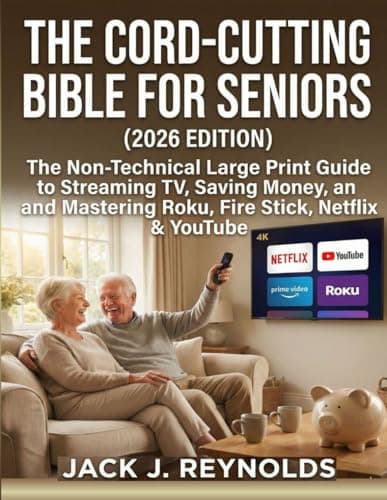
Who this is for: Best for beginners and seniors who want a simple, non-technical way to switch from cable to streaming.
Check PriceWhat is How to Cut the Cord 2026 Guide? A Complete 2026 Guide
If you’re tired of paying for cable channels you never watch, dealing with confusing equipment, or wondering whether streaming will actually save you money, this how to cut the cord 2026 guide is for you. Cutting the cord means replacing traditional cable or satellite TV with internet-based streaming options that are usually cheaper, more flexible, and easier to customize. In this guide, you’ll learn how cord-cutting works, what benefits it offers, what to look for before you switch, and which beginner-friendly product can help you do it with less stress.
Related Reviews
How It Works
Cord-cutting works by moving your TV entertainment from a cable box and channel package to apps and services that stream over the internet. Instead of receiving television through a coaxial cable or satellite dish, you use a smart TV, streaming device, phone, tablet, or computer to access live TV, on-demand movies, shows, and free channels.
The basic setup usually includes four parts: a reliable internet connection, a streaming device or smart TV, the streaming services you want, and sometimes an antenna for local channels. A streaming device such as Roku or Fire Stick connects to your TV and gives you access to apps like Netflix, YouTube, and live TV platforms. Once everything is set up, you can browse content with a remote, voice search, or app interface instead of a traditional cable guide.
For many households, the biggest change is flexibility. You can choose only the services you want, cancel them anytime, and mix paid and free options to match your budget and viewing habits.
Key Benefits & Use Cases
Cord-cutting is popular because it can reduce monthly entertainment costs while giving you more control over what you watch. It is also useful for people who want simpler TV setups, fewer hidden fees, and more modern features like search, recommendations, and mobile viewing.
Common benefits
- Lower monthly costs compared with many cable packages
- More control over which channels and apps you pay for
- Access to on-demand viewing instead of fixed schedules
- Easy access to free streaming content and local antenna channels
- Portable entertainment that can work on multiple devices
Who uses cord-cutting?
It works well for budget-conscious households, seniors who want a simpler TV experience, families who mostly watch a few favorite apps, and anyone who wants to avoid long-term cable contracts. It is also a strong fit for people who travel often, since many streaming subscriptions can be used on phones, tablets, and laptops.
What to Look For When Buying
If you’re learning how to cut the cord 2026 guide style, the smartest approach is to look at the whole setup, not just one device or one app. Here are the five most important criteria to consider before switching.
1. Internet speed and reliability
Streaming depends on stable internet. If your connection is slow or inconsistent, you may see buffering, lower video quality, or app loading delays.
2. Ease of setup
Look for devices and guides that are simple to install, especially if you are not technical. A clear remote, straightforward menus, and easy sign-in steps make a big difference.
3. App compatibility
Make sure the device supports the services you actually use, such as Netflix, YouTube, live TV apps, or free streaming platforms. Not every device handles every app equally well.
4. Live TV and local channel options
If you still want sports, news, or local broadcasts, check whether the setup supports live TV services or an antenna. This is often the missing piece for people leaving cable.
5. Total monthly cost
Don’t just compare the price of one streaming subscription. Add up internet service, streaming apps, live TV options, and any hardware purchases so you can see your real monthly savings.
Top Recommended Products
Below is a beginner-friendly resource that fits the needs of people who want a simpler, step-by-step way to cut cable and understand streaming without technical jargon.
THE CORD-CUTTING BIBLE FOR SENIORS (2026 EDITION): The Non-Technical Large Print Guide to Streaming TV, Saving Money, and Mastering Roku, Fire Stick, Netflix & YouTube ✓ Prime
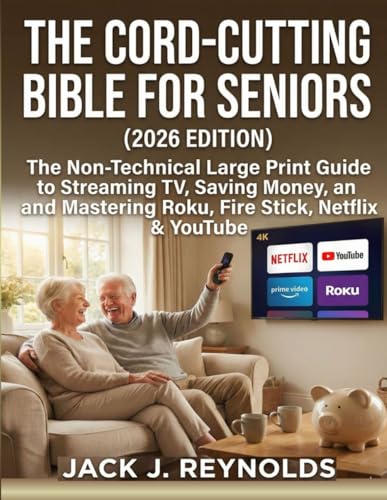

This large-print guide is aimed at readers who want a non-technical explanation of streaming TV, money-saving strategies, and the basics of using popular platforms like Roku, Fire Stick, Netflix, and YouTube. Based on the title and positioning, it is especially useful for beginners who want a slower, clearer learning curve than a typical tech manual.
- ✓ Large-print format designed for easier reading
- ✓ Non-technical approach for beginners and seniors
- ✓ Covers major streaming platforms in one place
- ✓ Focuses on saving money while switching from cable
- ✓ Prime eligibility makes ordering more convenient
Common Mistakes to Avoid
Cutting the cord can be simple, but people often make a few avoidable mistakes that reduce savings or cause frustration.
- Not checking internet quality first: A weak connection can make streaming frustrating, even if the device is excellent.
- Signing up for too many services: It’s easy to replace cable with several subscriptions and end up paying just as much.
- Ignoring local channels: Some viewers cancel cable and then realize they still want news, sports, or antenna-based broadcasts.
- Buying hardware without thinking about ease of use: A complicated device can make the switch feel harder than cable.
- Forgetting to cancel unused subscriptions: Monthly charges can quietly add up if you don’t review them regularly.
Frequently Asked Questions
What does “cutting the cord” mean?
It means replacing cable or satellite TV with internet-based streaming services, apps, and sometimes an antenna for local channels.
Is cutting the cord really cheaper than cable?
Often yes, but the savings depend on your internet bill and how many streaming subscriptions you keep. If you choose only the services you use, it is usually more affordable than cable.
What do I need to start cutting the cord?
You typically need a stable internet connection, a streaming device or smart TV, and the apps or services you want to watch.
Can I still watch live TV after cutting the cord?
Yes. Many streaming services offer live TV, and you can also use an antenna for local broadcast channels.
Is this guide good for seniors or beginners?
Yes. The recommended product is positioned as a non-technical, large-print guide, which makes it especially relevant for beginners and older adults.
Pros
- + Large-print format
- + Non-technical beginner focus
- + Covers Roku, Fire Stick, Netflix, and YouTube
- + Prime eligible
Cons
- – Only one recommended product
- – Not a hands-on test
- – Savings depend on your internet and subscriptions
Frequently asked questions
- What does “cutting the cord” mean?
- It means replacing cable or satellite TV with internet-based streaming services, apps, and sometimes an antenna for local channels.
- Is cutting the cord really cheaper than cable?
- Often yes, but the savings depend on your internet bill and how many streaming subscriptions you keep. If you choose only the services you use, it is usually more affordable than cable.
- What do I need to start cutting the cord?
- You typically need a stable internet connection, a streaming device or smart TV, and the apps or services you want to watch.
- Can I still watch live TV after cutting the cord?
- Yes. Many streaming services offer live TV, and you can also use an antenna for local broadcast channels.
- Is this guide good for seniors or beginners?
- Yes. The recommended product is positioned as a non-technical, large-print guide, which makes it especially relevant for beginners and older adults.
Score breakdown
- value
- 8.0
- usability
- 9.0
- durability
- 7.0
- performance
- 8.0
- buyerFeedback
- 8.0
Get the Full Tech Buyer's Guide
Join our free newsletter — we'll send our latest Tech picks, specs and verdicts straight to your inbox.
Free. No spam. Unsubscribe anytime.
Was this review helpful?
Be the first to share your feedback on this review.
Sign in to vote and let us know what you think.
Discussion (0)
No comments yet. Be the first to start the discussion.
Related Reviews
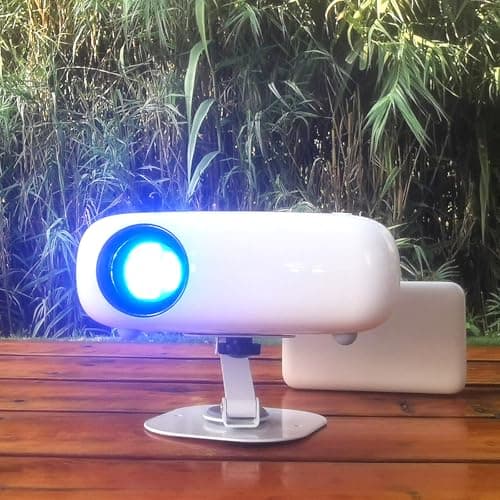
What is Laser vs Lamp Projector? A Complete 2026 Guide
If you’re comparing a laser vs lamp projector, the biggest challenge is usually figuring out which one actually fits your room, budget, and viewing habits. Laser projectors are often praised for brightness consistency and low maintenance, while lamp projectors still appeal to buyers who want a lower
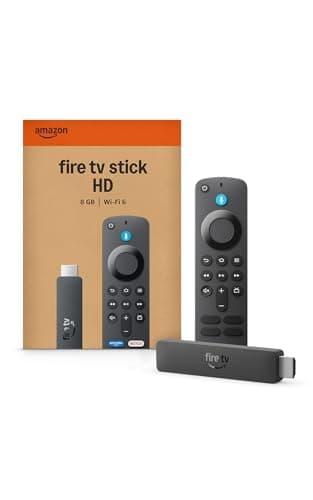
Best Alternatives to Roku in 2026 — Cheaper, Better, or Both?
If you’re shopping for Roku alternatives , you’re probably frustrated by one of three things: rising prices, a menu system that feels too locked in, or missing features like better voice search, smarter recommendations, and stronger live TV options. The good news is that there are solid replacements
What is Lumens Explained for Projectors? A Complete 2026 Guide
If you’ve been trying to understand lumens explained for projectors , you’re probably stuck comparing specs that don’t clearly tell you how bright an image will look in real life. The short answer: lumens measure a projector’s light output, and the right number depends on your room, screen size, and