

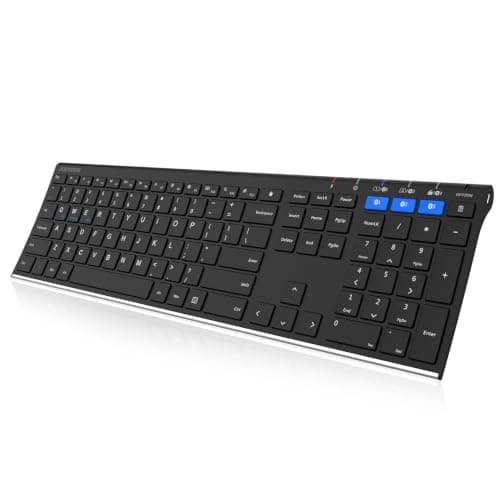
Who this is for: Best for shoppers who need one keyboard to comfortably control a laptop, tablet, and phone.
5 Best Wireless Keyboards for Multiple Devices in 2026 — Easy Switching Across Laptop, Tablet, and Phone
If you’re tired of juggling separate keyboards for your laptop, tablet, and phone, a multi-device wireless keyboard can clean up your desk fast. The best wireless keyboards for multiple devices 2026 make it easy to switch between work, school, and travel setups without re-pairing every time. In this roundup, we focused on keyboards that support at least three devices, offer broad compatibility, and have strong owner feedback on typing comfort and reliability.
Related Reviews
Quick Picks
| Rank | Product | Price | Best For |
|---|---|---|---|
| 1 | Logitech K780 | $61.99 | Best overall balance of comfort, cradle, and 3-device switching |
| 2 | TECKNET Bluetooth Keyboard Rechargeable 4-Device (2.4G+BT) Free Switching | $32.99 | Most connection options for mixed-device users |
| 3 | Arteck Universal Backlit 7-Colors & Adjustable Brightness Multi-Device Full Size Wireless Bluetooth Keyboard | $39.99 | Backlit typing for low-light use |
| 4 | Arteck HB192 Universal Bluetooth Keyboard Multi-Device Stainless Steel Full Size Wireless Keyboard | $32.99 | Budget-friendly full-size option with 3-device switching |
| 5 | Logitech K480 | $29.99 | Lowest-cost pick with built-in device cradle |
1. Logitech K780 — Best Overall Multi-Device Keyboard
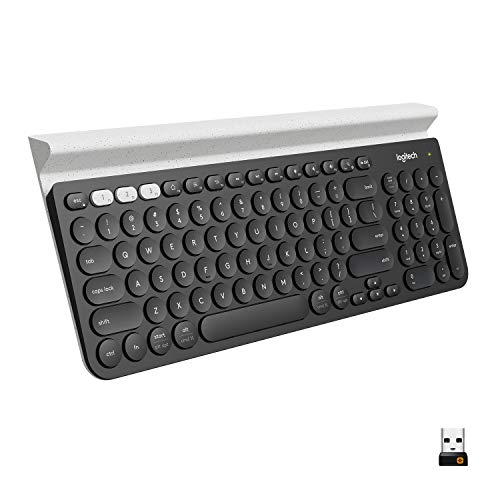

Verdict: The K780 is the easiest all-around recommendation because it combines smooth three-device switching, a full-size layout, and a built-in cradle that keeps your phone or tablet visible while you type.
✓ Prime $61.99 (was $69.99) 11% OFF — Was $69.99
- ✓ Switches between up to 3 devices with an easy-switch button.
- ✓ Integrated phone and tablet stand helps keep devices at the right angle.
- ✓ Full-size keyboard with quiet keys and a number pad.
- ✓ Works with Windows, Mac, Chrome OS, iOS, and Android.
- ✗ Costs more than the budget picks in this roundup.
- ✗ The built-in cradle adds desk space but also makes it less compact.
- ✗ Not the most travel-friendly option if you want a very slim board.
2. TECKNET Bluetooth Keyboard Rechargeable 4-Device (2.4G+BT) Free Switching — Best for Maximum Connectivity
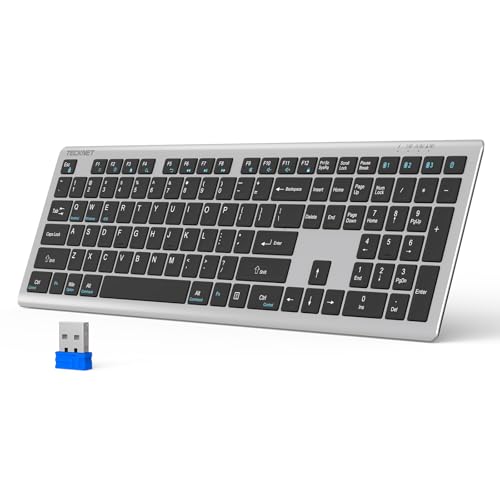
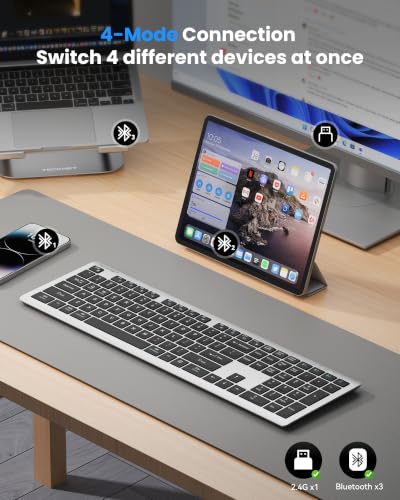
Verdict: If your setup mixes Bluetooth and USB receiver devices, TECKNET stands out for supporting four connection modes and switching across four devices without much fuss.
✓ Prime $32.99
- ✓ Supports 4 connection modes: 3 Bluetooth profiles plus 2.4G.
- ✓ Switches between 4 devices, including desktops, tablets, phones, and smart TVs.
- ✓ Rechargeable battery is rated for up to 180 days on light daily use.
- ✓ Spill-resistant design and scissor-switch keys add everyday practicality.
- ✗ More features can mean a slightly more complex setup than simpler keyboards.
- ✗ The ultra-slim feel may not suit users who prefer a heavier board.
- ✗ Battery life depends heavily on usage and charging habits.
3. Arteck Universal Backlit 7-Colors & Adjustable Brightness Multi-Device Full Size Wireless Bluetooth Keyboard — Best Backlit Option
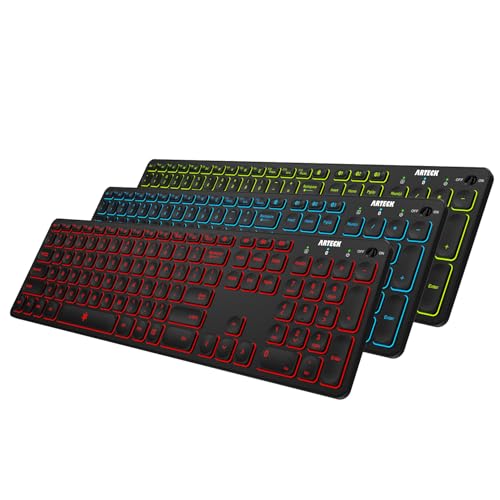

Verdict: This Arteck model is the best choice if you often type at night or in dim rooms and want multi-device support without giving up a full-size layout.
✓ Prime $39.99
- ✓ 7-color backlight with 2 brightness levels.
- ✓ Connects to 3 devices and switches with one click.
- ✓ Full-size layout with broad support for Windows, iOS, iPadOS, Android, and Mac.
- ✓ Rechargeable battery is rated for up to 6 months between charges with backlight off.
- ✗ Backlighting can reduce battery life if used often.
- ✗ Not the cheapest option in the group.
- ✗ Some buyers may prefer a more minimalist design without lighting extras.
4. Arteck HB192 Universal Bluetooth Keyboard Multi-Device Stainless Steel Full Size Wireless Keyboard — Best Budget Full-Size Pick
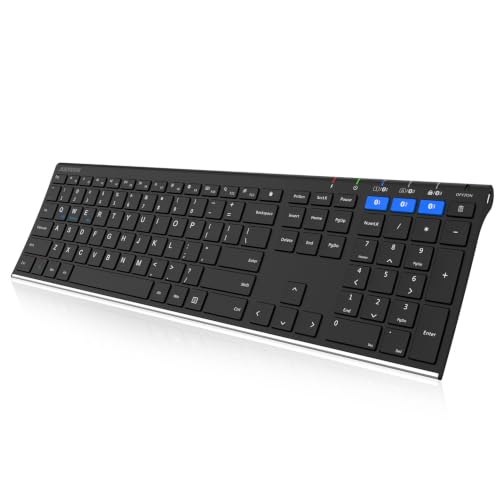

Verdict: The HB192 is a strong value pick for shoppers who want a full-size keyboard, three-device switching, and a premium-feeling stainless steel build at a lower price.
✓ Prime $32.99 6% OFF — Was $34.99
- ✓ Connects to 3 devices and switches with a single click.
- ✓ Full-size layout includes arrow keys, number pad, and shortcut keys.
- ✓ Stainless steel construction gives it a sturdier feel.
- ✓ Broad compatibility across Windows, iOS, Android, Mac, and Surface devices.
- ✗ No built-in device cradle like some Logitech options.
- ✗ Less feature-rich than higher-priced picks.
- ✗ Best suited to users who prioritize value over extras.
5. Logitech K480 — Best Ultra-Budget Pick with Cradle
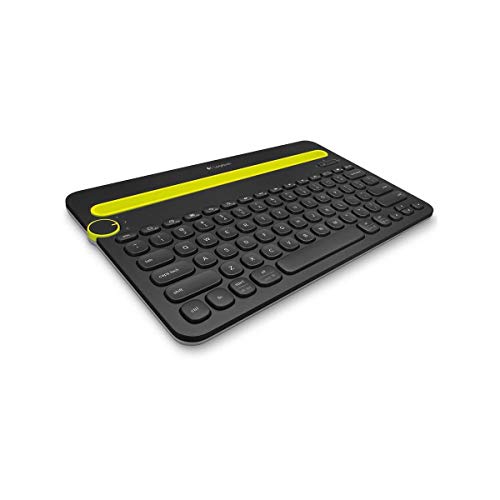

Verdict: The K480 is the most affordable way to get Logitech’s multi-device switching plus a built-in cradle, making it ideal for casual typing and simpler setups.
✓ Prime $29.99
- ✓ Easy-Switch dial toggles between 3 connected devices.
- ✓ Built-in cradle keeps a phone or tablet upright while you type.
- ✓ Very affordable compared with the rest of the list.
- ✓ Long battery life rated up to 24 months with pre-installed AAA batteries.
- ✗ Compact design may feel less comfortable for long typing sessions.
- ✗ Not as premium-feeling as the more expensive full-size picks.
- ✗ Cradle size limits device thickness and width.
How We Chose These Products
Because this is a research-based roundup, we didn’t personally test these keyboards. Instead, we compared published specifications, compatibility claims, feature sets, pricing, and patterns in owner feedback to identify the strongest options for people who need one keyboard for multiple devices.
Our main selection criteria
- Multi-device switching: Priority went to keyboards that can handle at least 3 devices, with bonus points for 4-device support.
- Compatibility: We favored models that work across Windows, macOS, iPadOS, Android, Chrome OS, and common tablets/phones.
- Typing comfort: Full-size layouts, quiet keys, scissor switches, and ergonomic designs ranked higher.
- Convenience features: Built-in cradles, backlighting, rechargeable batteries, and dual wireless options all mattered.
- Value: We balanced feature set against price so the list includes both premium and budget-friendly choices.
- Owner sentiment: We looked for products with consistent praise for reliability, easy switching, and everyday usability.
Frequently Asked Questions
1. What is the best wireless keyboard for multiple devices in 2026?
The Logitech K780 is the best overall pick here because it balances comfort, easy 3-device switching, and a useful built-in cradle.
2. Can one wireless keyboard work with a laptop, tablet, and phone?
Yes. All of the keyboards in this roundup are designed to switch between multiple devices, and several support laptops, tablets, and phones across different operating systems.
3. Is Bluetooth or 2.4G better for a multi-device keyboard?
Bluetooth is usually the easiest choice for phones and tablets, while 2.4G can be useful for devices without Bluetooth or for users who want another connection option. The TECKNET model is notable because it offers both.
4. Do multi-device keyboards need to be rechargeable?
No. Some are rechargeable, while others use replaceable batteries. Rechargeable models are convenient, but battery-powered keyboards like the Logitech K480 can offer very long runtimes.
5. Which multi-device keyboard is best for typing in the dark?
The Arteck Universal Backlit 7-Colors & Adjustable Brightness Multi-Device Full Size Wireless Bluetooth Keyboard is the best choice if you want backlighting for low-light use.
Pros
- + Switches between multiple devices easily
- + Broad compatibility across major operating systems
- + Full-size and compact options for different needs
- + Budget and premium picks included
Cons
- – No hands-on testing in this review
- – Some models are less compact for travel
- – Backlighting can reduce battery life
- – Not every pick includes a built-in cradle
Frequently asked questions
- What is the best wireless keyboard for multiple devices in 2026?
- The Logitech K780 is the best overall pick here because it balances comfort, easy 3-device switching, and a useful built-in cradle.
- Can one wireless keyboard work with a laptop, tablet, and phone?
- Yes. All of the keyboards in this roundup are designed to switch between multiple devices, and several support laptops, tablets, and phones across different operating systems.
- Is Bluetooth or 2.4G better for a multi-device keyboard?
- Bluetooth is usually the easiest choice for phones and tablets, while 2.4G can be useful for devices without Bluetooth or for users who want another connection option. The TECKNET model is notable because it offers both.
- Do multi-device keyboards need to be rechargeable?
- No. Some are rechargeable, while others use replaceable batteries. Rechargeable models are convenient, but battery-powered keyboards like the Logitech K480 can offer very long runtimes.
- Which multi-device keyboard is best for typing in the dark?
- The Arteck Universal Backlit 7-Colors & Adjustable Brightness Multi-Device Full Size Wireless Bluetooth Keyboard is the best choice if you want backlighting for low-light use.
Score breakdown
- value
- 8.4
- usability
- 8.8
- durability
- 8.1
- performance
- 8.7
- buyerFeedback
- 8.5
Get the Full Home Buyer's Guide
Join our free newsletter — we'll send our latest Home picks, specs and verdicts straight to your inbox.
Free. No spam. Unsubscribe anytime.
Was this review helpful?
Be the first to share your feedback on this review.
Sign in to vote and let us know what you think.
Discussion (0)
No comments yet. Be the first to start the discussion.
Related Reviews
7 Best Mechanical Keyboards in 2026 — Top Picks for Typing Feel, Gaming, and Wireless Flexibility
If you’re trying to find the best mechanical keyboards 2026 , the hard part isn’t choosing a keyboard—it’s choosing the right kind of keyboard for your desk, your hands, and your budget. Some buyers want a premium wireless board for work, while others want hot-swappable switches, RGB lighting, or a
8 Best Keyboards for Typing 2026 — Quiet, Comfortable Picks for Faster All-Day Work
If you’re searching for the best keyboards for typing 2026, you probably want one thing: a keyboard that makes long writing sessions, office work, and daily computer use feel easier on your hands. The best typing keyboards aren’t about flashy gaming features—they’re about comfortable key feel, depen
Brother vs HP Laser Printer (2026): Which Should You Actually Buy?
If you’re comparing Brother vs HP laser printer , the real question is whether you need a dependable monochrome workhorse or a more polished color all-in-one for team documents. Both brands make strong business printers, but they serve different buying priorities. This head-to-head breaks down the s