

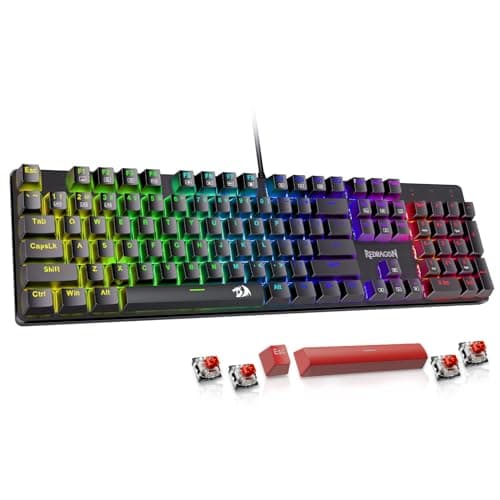
Who this is for: Best for shoppers who want a research-based shortlist of mechanical keyboards for gaming, typing, and wireless productivity needs.
7 Best Mechanical Keyboards in 2026 — Top Picks for Typing Feel, Gaming, and Wireless Flexibility
If you’re trying to find the best mechanical keyboards 2026, the hard part isn’t choosing a keyboard—it’s choosing the right kind of keyboard for your desk, your hands, and your budget. Some buyers want a premium wireless board for work, while others want hot-swappable switches, RGB lighting, or a full-size layout with macros. This research-based roundup narrows the field to seven options with the strongest mix of specs, owner feedback patterns, and value.
Related Reviews
Because this is a commercial-investigation guide, every pick below is based on published product details, feature sets, pricing, and comparison against similar keyboards—not hands-on testing. If you want a smarter shortcut to the right board, start with the quick picks table, then jump into the model that matches your use case.
Quick Picks
| Rank | Product | Price | Best For |
|---|---|---|---|
| 1 | AULA F75 Pro Wireless Mechanical Keyboard | $64.99 | Best overall wireless enthusiast pick |
| 2 | Logitech MX Mechanical Wireless Illuminated Keyboard Tactile | $179.99 | Best premium productivity keyboard |
| 3 | AULA F99 Wireless Mechanical Keyboard | $68.99 | Best full-size wireless value |
| 4 | Redragon K668 108-Key Hot-Swap Wired RGB Gaming Keyboard | $39.99 | Best budget full-size gaming board |
| 5 | Logitech G413 SE Full-Size Mechanical Gaming Keyboard | $83.99 | Best durable wired gaming keyboard |
| 6 | Redragon Mechanical Gaming Keyboard Wired | $29.99 | Best cheapest hot-swappable starter pick |
| 7 | AULA F2088 Typewriter Style Mechanical Gaming Keyboard Wired | $44.99 | Best retro-style keyboard |
1. AULA F75 Pro Wireless Mechanical Keyboard — Best Overall Wireless Enthusiast Pick
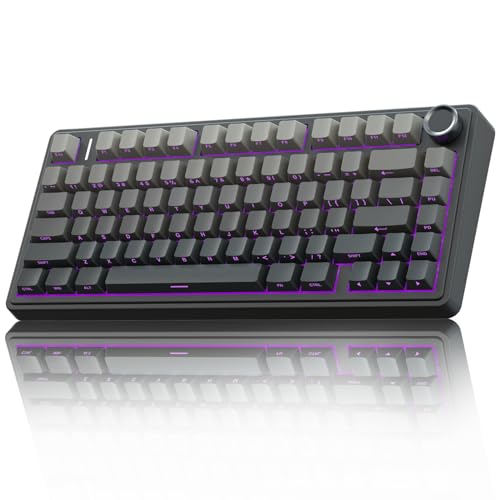

Verdict: This is the most compelling all-around pick for buyers who want a modern enthusiast-style board with tri-mode connectivity, hot-swap support, a knob, and a compact layout that still keeps arrow keys.
- ✓ Tri-mode connection with Bluetooth 5.0, 2.4GHz wireless, and USB-C wired support
- ✓ Hot-swappable design supports 3-pin and 5-pin switches without soldering
- ✓ 75% layout saves desk space while keeping essential navigation keys
- ✓ 4,000mAh battery and macro support add real everyday utility
- ✗ Compact layout may not suit users who want a numpad
- ✗ Software-driven customization can be more than casual buyers need
- ✗ Enthusiast feature set may be overkill if you just want a basic typing board
✓ Prime 19% OFF — Was $79.99
2. Logitech MX Mechanical Wireless Illuminated Keyboard Tactile — Best Premium Productivity Keyboard
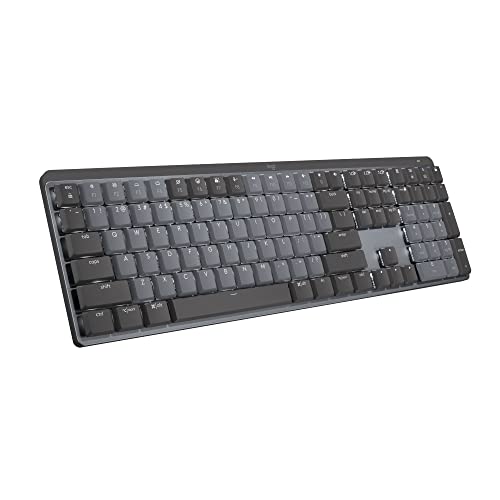

Verdict: If your priority is a refined typing experience for work, the MX Mechanical stands out for its low-profile design, smart backlighting, and polished multi-device workflow support.
- ✓ Low-profile mechanical switches are designed for comfort and faster transitions
- ✓ Smart backlight automatically adjusts to your environment and hand presence
- ✓ Pairs with up to 3 devices for easy cross-device productivity
- ✓ Premium build and quiet tactile feel suit office and home office use
- ✗ Much more expensive than most mechanical keyboards in this roundup
- ✗ Less appealing if you want a louder, more customizable enthusiast board
- ✗ Full-size layout and premium features may be more than casual users need
✓ Prime 33% OFF — Was $269.99
3. AULA F99 Wireless Mechanical Keyboard — Best Full-Size Wireless Value


Verdict: The F99 is the right choice for buyers who want a more complete full-size layout, hot-swap support, and strong battery life without jumping into premium pricing.
- ✓ Full 96% layout keeps the number pad and arrow keys
- ✓ Tri-mode connectivity supports work, gaming, and multi-device use
- ✓ 8,000mAh battery is a standout for long wireless sessions
- ✓ Hot-swap PCB and PBT keycaps make it appealing for customization
- ✗ Larger footprint takes more desk space than 75% boards
- ✗ Heavier feature set may be unnecessary for minimalists
- ✗ Software/macros matter more to enthusiasts than casual typists
✓ Prime 18% OFF — Was $78.84
4. Redragon K668 108-Key Hot-Swap Wired RGB Gaming Keyboard — Best Budget Full-Size Gaming Board
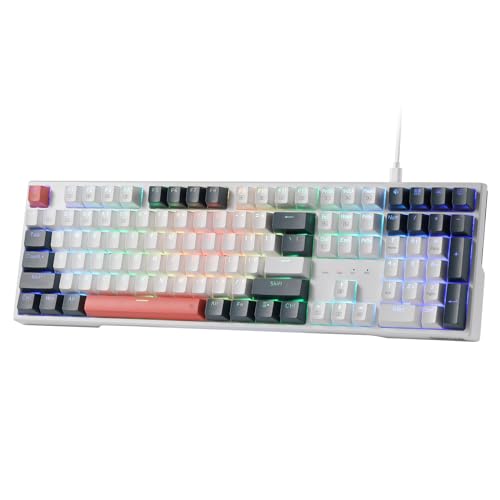

Verdict: For shoppers who want a full-size mechanical keyboard with hot-swap capability and RGB without spending much, the K668 is one of the strongest value plays here.
- ✓ 108-key layout with anti-ghosting suits gaming and productivity
- ✓ Hot-swap sockets support easy switch changes without soldering
- ✓ Extra hotkeys add convenience for daily shortcuts
- ✓ Adjustable feet and included keycap sets improve usability and style
- ✗ Wired-only design limits flexibility versus wireless competitors
- ✗ RGB-forward styling may not fit a clean office setup
- ✗ Best suited to buyers who are comfortable with a more gamer-centric look
✓ Prime 20% OFF — Was $49.99
5. Logitech G413 SE Full-Size Mechanical Gaming Keyboard — Best Durable Wired Gaming Keyboard
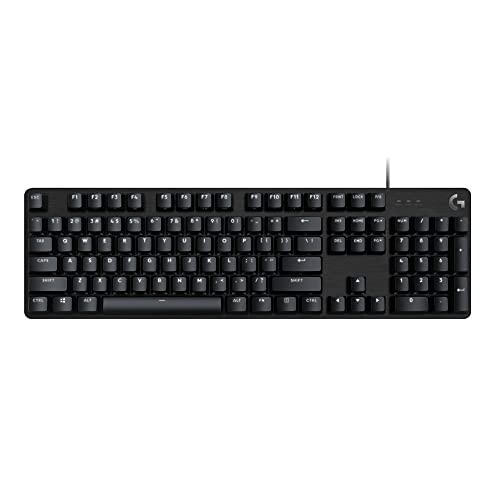

Verdict: The G413 SE is a straightforward pick for users who want a sturdy, no-nonsense mechanical keyboard with tactile switches, PBT keycaps, and a more premium chassis feel.
- ✓ Aluminum top case gives it a sturdier, more premium feel
- ✓ PBT keycaps are more wear-resistant than many budget alternatives
- ✓ Tactile switches and anti-ghosting support competitive gameplay
- ✓ Full-size layout works well for both work and gaming
- ✗ Wireless features are absent
- ✗ Higher price than some feature-richer hot-swap competitors
- ✗ Less customization than enthusiast-focused boards in this list
✓ Prime 7% OFF — Was $89.99
6. Redragon Mechanical Gaming Keyboard Wired — Best Cheapest Hot-Swappable Starter Pick
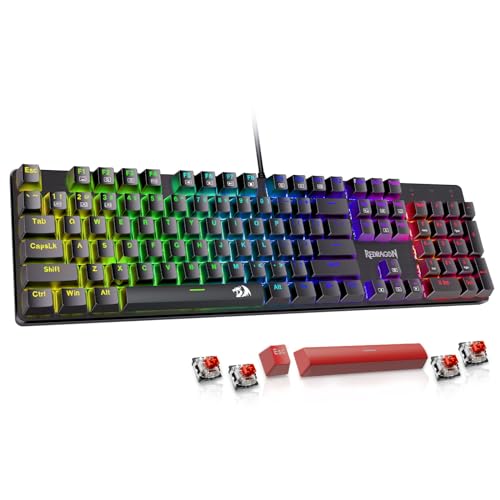

Verdict: This is the budget pick for shoppers who want hot-swap support, macro editing, and a full-size feature set at a very low entry price.
- ✓ Hot-swappable red switches are rare at this price point
- ✓ Macro editing and shortcut support improve productivity
- ✓ Anti-ghosting and multimedia shortcuts add everyday usefulness
- ✓ Very low price makes it an easy first mechanical keyboard
- ✗ Wired-only and more basic than higher-end enthusiast boards
- ✗ ABS keycap construction is less premium than PBT alternatives
- ✗ Best viewed as an entry-level board rather than a long-term endgame pick
✓ Prime 29% OFF — Was $42.21
7. AULA F2088 Typewriter Style Mechanical Gaming Keyboard Wired — Best Retro-Style Keyboard


Verdict: The F2088 is less about minimalism and more about personality, combining a retro typewriter look with full-size functionality, media controls, and a wrist rest.
- ✓ Distinctive typewriter-style round keycaps stand out visually
- ✓ Media knob and lighting controls make it easy to use
- ✓ Aluminum top panel and wrist rest improve the overall feel
- ✓ Full-size 104-key layout keeps it practical for work and play
- ✗ Blue switch sound may be too loud for shared spaces
- ✗ Retro styling is niche and not for everyone
- ✗ Wired-only design limits flexibility compared with wireless models
✓ Prime 8% OFF — Was $48.99
How We Chose These Products
To build this roundup of the best mechanical keyboards 2026, we focused on the factors buyers care about most during commercial investigation: switch feel, layout, connectivity, build quality, customization, and price-to-feature ratio. We also weighed published owner feedback patterns and compared each model against typical alternatives in its price band.
Selection criteria
- Typing and gaming versatility: We prioritized boards that work well for both productivity and play.
- Layout options: Full-size, 96%, and 75% boards were included to cover different desk setups.
- Customization: Hot-swap support, macro programming, and remappable controls were major pluses.
- Build and materials: PBT keycaps, aluminum panels, and gasket/silencing features helped models stand out.
- Value: We weighed features against price, especially in the crowded budget and midrange segments.
- Buyer sentiment: We favored products with consistently strong owner feedback around feel, reliability, and convenience.
Frequently Asked Questions
1. What is the best mechanical keyboard in 2026 overall?
The AULA F75 Pro Wireless Mechanical Keyboard is the best overall pick here because it combines tri-mode connectivity, hot-swap support, a compact 75% layout, and strong value.
2. Are wireless mechanical keyboards worth it?
Yes, if you want a cleaner desk and the flexibility to switch between devices. Models like the AULA F75 Pro, AULA F99, and Logitech MX Mechanical all offer strong wireless features.
3. What is the best mechanical keyboard for gaming?
For gaming-focused buyers, the Logitech G413 SE and Redragon K668 are strong wired options, while the AULA F75 Pro adds the most enthusiast-style features for the money.
4. Which mechanical keyboard is best for typing?
The Logitech MX Mechanical is the best typing-focused option in this list thanks to its low-profile design, quiet tactile switches, and smart backlighting.
5. What should I look for when buying a mechanical keyboard?
Start with layout, switch type, connectivity, keycap material, and whether you want hot-swap support. Then decide whether you care more about gaming, typing comfort, portability, or customization.
Pros
- + Tri-mode wireless options
- + Hot-swap support
- + Strong value picks across budgets
- + Full-size and compact layouts
- + PBT keycaps and durable builds
Cons
- – Some models are wired-only
- – Premium options cost more
- – Compact boards skip the numpad
- – RGB styling may not suit everyone
Frequently asked questions
- What is the best mechanical keyboard in 2026 overall?
- The AULA F75 Pro Wireless Mechanical Keyboard is the best overall pick here because it combines tri-mode connectivity, hot-swap support, a compact 75% layout, and strong value.
- Are wireless mechanical keyboards worth it?
- Yes, if you want a cleaner desk and the flexibility to switch between devices. Models like the AULA F75 Pro, AULA F99, and Logitech MX Mechanical all offer strong wireless features.
- What is the best mechanical keyboard for gaming?
- For gaming-focused buyers, the Logitech G413 SE and Redragon K668 are strong wired options, while the AULA F75 Pro adds the most enthusiast-style features for the money.
- Which mechanical keyboard is best for typing?
- The Logitech MX Mechanical is the best typing-focused option in this list thanks to its low-profile design, quiet tactile switches, and smart backlighting.
- What should I look for when buying a mechanical keyboard?
- Start with layout, switch type, connectivity, keycap material, and whether you want hot-swap support. Then decide whether you care more about gaming, typing comfort, portability, or customization.
Get the Full Home Buyer's Guide
Join our free newsletter — we'll send our latest Home picks, specs and verdicts straight to your inbox.
Free. No spam. Unsubscribe anytime.
Was this review helpful?
Be the first to share your feedback on this review.
Sign in to vote and let us know what you think.
Discussion (0)
No comments yet. Be the first to start the discussion.
Related Reviews
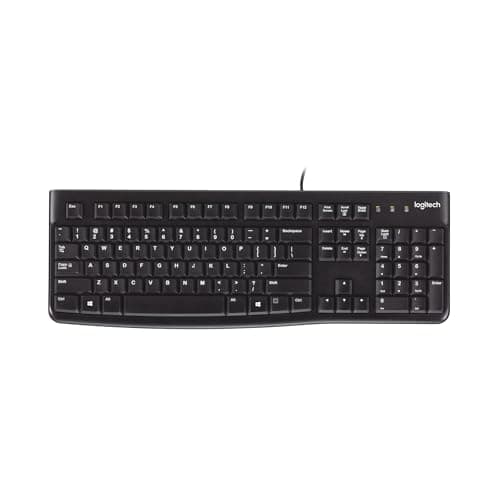
8 Best Keyboards for Typing 2026 — Quiet, Comfortable Picks for Faster All-Day Work
If you’re searching for the best keyboards for typing 2026, you probably want one thing: a keyboard that makes long writing sessions, office work, and daily computer use feel easier on your hands. The best typing keyboards aren’t about flashy gaming features—they’re about comfortable key feel, depen
Brother vs HP Laser Printer (2026): Which Should You Actually Buy?
If you’re comparing Brother vs HP laser printer , the real question is whether you need a dependable monochrome workhorse or a more polished color all-in-one for team documents. Both brands make strong business printers, but they serve different buying priorities. This head-to-head breaks down the s
What is How to Reduce Eye Strain at Computer? A Complete 2026 Guide
If your eyes feel dry, tired, blurry, or sore after long hours at a screen, you’re not alone. Learning how to reduce eye strain at computer use is mostly about controlling light, distance, posture, and breaks so your eyes don’t work harder than they need to. In this guide, you’ll get a clear explana