

How to Choose the Best Smart Hub in 2026: Complete Buying Guide
Trying to figure out how to choose a smart hub can feel confusing fast: one hub is built for whole-home automation, another only works with a single brand, and a third may look cheap but quietly limit your future setup. The right choice matters because your hub becomes the “brain” of your smart home—if it’s wrong, every device after it becomes harder to manage. The most common mistake buyers make is choosing a hub based on price alone instead of checking protocol support, ecosystem compatibility, and how many devices it can actually handle.
Related Reviews
This guide breaks down the features that matter, the red flags to avoid, and the best smart hub options based on research, published specs, and owner feedback—not hands-on testing.
Key Features to Look For
1) Protocol Support: Zigbee, Z-Wave, Matter, Wi-Fi, and Bluetooth
The most important question is what devices you want to connect now and later. A hub with broader protocol support gives you more flexibility across brands, and it reduces the chance you’ll outgrow it when you expand your setup.
Why it matters: If your hub only supports one ecosystem, you may be locked into one brand’s accessories. A more capable hub can connect more types of sensors, switches, lights, and automations.
2) Ecosystem Compatibility
Make sure the hub works with the platform you already use, whether that’s Alexa, Google Home, SmartThings, or a brand-specific app. Compatibility determines how easy it is to control devices by voice, app, or automation.
Why it matters: Even a powerful hub is frustrating if it doesn’t fit your preferred assistant or app workflow. The best hub is the one you’ll actually use every day.
3) Device Capacity
Check how many devices or accessories the hub can manage. Some are built for a few brand-specific products, while others can support dozens or even thousands of compatible devices.
Why it matters: A hub with a low device limit can become a bottleneck as your smart home grows. If you plan to add sensors, switches, locks, or shades later, capacity matters.
4) Local Automation and Reliability
Look for hubs that can run automations locally, not just through the cloud. Local processing can improve speed and keep routines running even when your internet connection is unstable.
Why it matters: Smart homes feel much better when lights, sensors, and routines respond instantly. Local control can also reduce dependence on outside servers.
5) Setup Simplicity and App Quality
A good hub should be easy to install, easy to pair, and easy to manage from a clear app. A strong app should support schedules, grouping, routines, and device management without making things complicated.
Why it matters: Many buyers abandon smart home projects because setup is annoying. A hub with a polished app saves time and reduces frustration.
6) Connectivity Options: Ethernet, Wi-Fi, or USB Power
Some hubs use Ethernet for a stable wired connection, while others rely on Wi-Fi or even USB power for simpler placement. The right option depends on where you’ll place it and how important connection stability is.
Why it matters: Wired hubs often deliver better reliability, while compact USB-powered hubs can be easier to hide or move around.
7) Brand Lock-In and Future Expansion
Some hubs are designed for one product family only, while others act as a broader gateway for multiple brands and standards. Think about whether you want a dedicated hub for one category or a central hub for the entire home.
Why it matters: Brand-specific hubs can be great for one job, but they may be limiting if you later want to mix in other smart devices.
What to Avoid
1) Hubs That Only Work With One Narrow Product Line Unless You Want That
Brand-specific hubs can be fine for shades, lights, or a single accessory ecosystem, but they are a poor fit if you want a broad smart home. If you need flexibility, avoid buying a hub that only supports one product family.
2) Ignoring Wi-Fi Band Requirements
Some hubs only support 2.4 GHz Wi-Fi. That’s common, but buyers often miss it and then wonder why setup fails. If your network is mostly 5 GHz or your router settings are restrictive, compatibility can become a problem.
3) Assuming “Works with Alexa” Means Full Smart Home Compatibility
Voice assistant support is useful, but it does not guarantee deep automation or broad device support. A hub may work with Alexa for basic control while still being limited in how it handles routines or integrations.
4) Buying for Price Instead of Ecosystem Fit
The cheapest option is not always the best value if it forces you to replace it later. A smarter purchase is usually the hub that fits your current devices and your next 12–24 months of expansion.
5) Overlooking Range and Placement
Some hubs are built for a whole home, while others are better suited to a single room or a narrow use case. If your hub must reach multiple floors or thick walls, placement and signal coverage matter a lot.
6) Not Checking Whether the Hub Needs a Specific App or Account
Many hubs rely on a dedicated app, and some work best only inside a specific ecosystem. If you want simple control from one app, confirm that before buying.
Our Top Picks
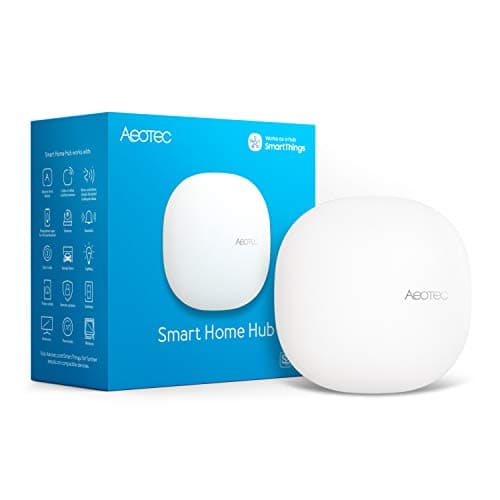
Best Overall: Aeotec Smart Home Hub


$149.99 ✓ Prime
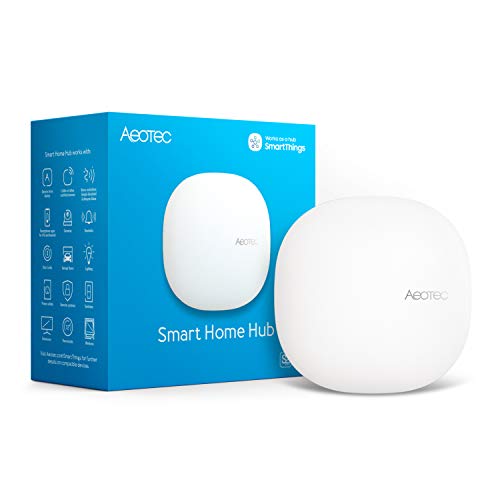
The Aeotec Smart Home Hub is the strongest all-around choice if you want a central hub for a serious smart home. It supports SmartThings, Matter, Zigbee, Wi-Fi, Alexa, and Google Assistant, which makes it a practical pick for buyers who want broad compatibility and future-proofing.
It is especially appealing if you want one hub to coordinate routines across lights, sensors, switches, and other connected devices. The option for Wi-Fi or Ethernet setup also makes it easier to fit into different home layouts.
✓ Pros
- Broad compatibility with Matter, Zigbee, Z-Wave Plus, Wi-Fi, Alexa, and Google Home
- Supports automations in the SmartThings app
- Local automation can improve speed and reliability
- Wi-Fi or Ethernet setup adds flexibility
- Good choice for a whole-home smart home build
✗ Cons
- Higher price than brand-specific hubs
- Best value only if you plan to use its broader ecosystem support
- Z-Wave Plus support is tied to the V3 model only
Best Budget Pick: Sengled Z02-hub

$19.99 ✓ Prime
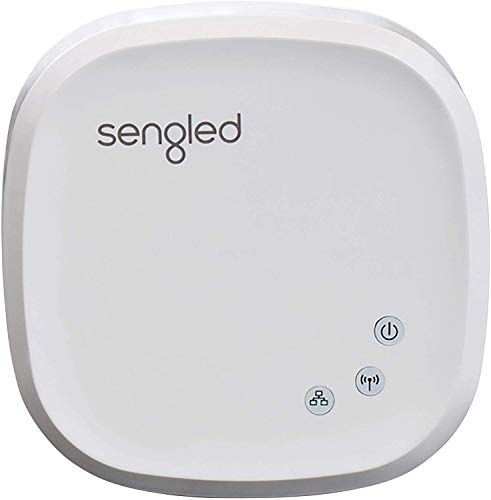
The Sengled Z02-hub is a smart buy if you already use Sengled lights and want a simple, low-cost way to manage them. It supports up to 64 Sengled smart lights and accessories, which is solid for a budget-friendly brand hub.
This is the right pick when you want a straightforward setup for one ecosystem rather than a full multi-brand platform. It is also easy to recommend for users who want app-based scheduling and voice control without paying for a more advanced universal hub.
✓ Pros
- Very affordable entry price
- Supports up to 64 Sengled devices and accessories
- Easy Ethernet-based setup
- Works with Alexa and Google Assistant
- Good for simple lighting automation
✗ Cons
- Best for Sengled products only
- Not ideal if you want a multi-brand smart home hub
- Limited compared with broader ecosystem hubs
Best for Smart Shades: Weffort Smart Hub

$49.99 ✓ Prime
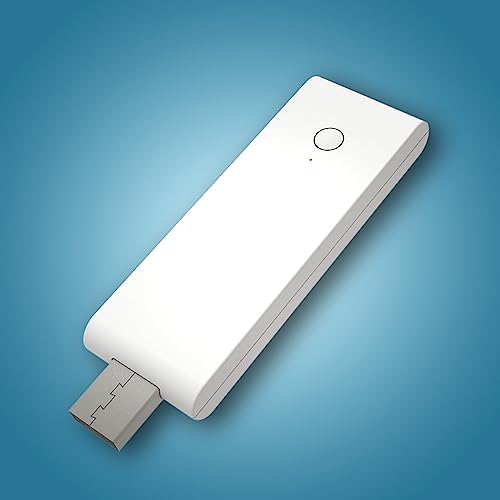
The Weffort Smart Hub is a niche but useful option if your main goal is controlling Weffort motorized shades. It can support up to 20 motors and works with Smart Life, SmartThings, Alexa, Google Home, and IFTTT.
This is the kind of hub to choose when your smart home plan centers on window coverings rather than general home automation. Its USB-A integrated design also makes placement easy, especially if you want a compact hub that can plug into a power strip, router, or other USB source.
✓ Pros
- Designed specifically for Weffort shades
- Supports up to 20 motors
- Compact USB-A powered design
- Works with Smart Life, SmartThings, Alexa, Google Home, and IFTTT
- Easy to place and move
✗ Cons
- Only controls Weffort smart items
- Requires secured 2.4 GHz Wi-Fi
- Not a general-purpose smart hub
Best for Tuya-Compatible Devices: Sortfle Smart Hub Gateway

$38.88 ✓ Prime
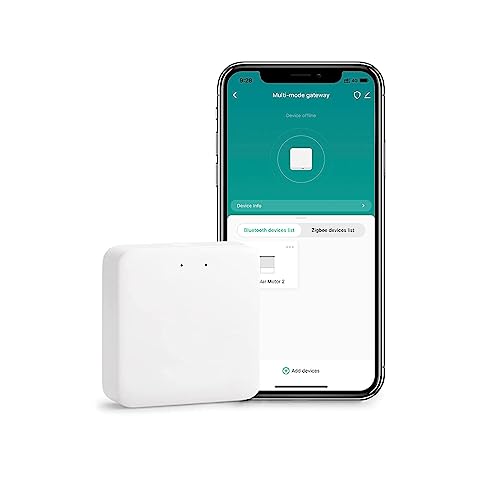
The Sortfle Smart Hub Gateway makes sense if your devices are built around Tuya ZigBee and Tuya Bluetooth. It is compatible with Alexa, Google Home, and SmartThings, and it supports 2.4 GHz Wi-Fi only.
Choose this hub if you want a practical gateway for compatible roller blind motors or other Tuya-standard devices. It is not a universal solution, but it can be a smart value pick for the right ecosystem.
✓ Pros
- Works with Tuya ZigBee and Tuya Bluetooth devices
- Supports Alexa, Google Home, and SmartThings
- Can cover devices up to 50 meters in range
- Compact and easy to place
- Good fit for Tuya-based smart home setups
✗ Cons
- Only supports 2.4 GHz Wi-Fi
- Does not support 5 GHz networks
- Not compatible with 433MHz RF roller blind motors
- Limited to Tuya protocols and supported devices
Budget Guide: What You Get at Each Price Point
Under $25: Basic Brand Hubs
At this level, you’re usually getting a simple, brand-focused hub that does one job well. The Sengled Z02-hub fits here nicely if you mainly want to control Sengled lights and accessories.
Best for: first-time buyers, lighting-only setups, and budget shoppers who do not need broad compatibility.
$25 to $50: Niche and Ecosystem-Specific Hubs
This range includes hubs like the Sortfle Smart Hub Gateway and Weffort Smart Hub. You get more specialized support, better app integration, and in some cases compatibility with major assistants like Alexa and Google Home.
Best for: buyers with Tuya devices, smart shades, or a specific ecosystem already in place.
$50 to $100: Better Flexibility, Still Focused
In this range, you typically start seeing improved device limits, better connectivity, or more polished ecosystem support. Value depends heavily on whether the hub matches your exact device family.
Best for: homeowners who want more than basic control but still have a defined device ecosystem.
$100 and Up: Full Smart Home Hubs
Once you cross the $100 mark, you’re usually paying for broader compatibility, multiple protocols, and stronger long-term flexibility. The Aeotec Smart Home Hub is the standout here because it supports a wide range of standards and can serve as the central brain of a larger setup.
Best for: buyers building a whole-home system who want room to expand over time.
Frequently Asked Questions
What is the most important thing to check when choosing a smart hub?
The most important thing is compatibility with your devices and ecosystem. Check which protocols the hub supports, whether it works with Alexa or Google Home, and whether it can handle the devices you already own or plan to buy.
Do I need a smart hub for every smart home device?
No. Some smart devices connect directly through Wi-Fi or Bluetooth and do not require a hub. However, a hub can improve reliability, centralize control, and unlock automations for devices that need one.
Is a more expensive smart hub always better?
Not always. A more expensive hub is only better if you need the extra compatibility, capacity, or automation features. If you only need to control one product family, a lower-cost brand hub may be the smarter choice.
Should I choose a hub with Matter support?
Matter support is a strong plus because it can improve cross-brand compatibility and future-proof your setup. If you want flexibility across major ecosystems, Matter is worth prioritizing.
Can I use one smart hub for lights, blinds, and sensors?
Sometimes yes, but only if the hub supports the protocols and devices involved. A broad hub like the Aeotec Smart Home Hub is more likely to handle mixed-device setups, while brand-specific hubs are usually limited to one category.
Pros
- + Broad protocol support
- + Works with major voice assistants
- + Budget and niche options available
- + Easy setup varies by model
- + Good future-proofing with Matter
Cons
- – Some hubs are brand-locked
- – 2.4 GHz-only limits are common
- – Not every hub supports all devices
- – Higher price for broader compatibility
Frequently asked questions
- What is the most important thing to check when choosing a smart hub?
- The most important thing is compatibility with your devices and ecosystem. Check which protocols the hub supports, whether it works with Alexa or Google Home, and whether it can handle the devices you already own or plan to buy.
- Do I need a smart hub for every smart home device?
- No. Some smart devices connect directly through Wi-Fi or Bluetooth and do not require a hub. However, a hub can improve reliability, centralize control, and unlock automations for devices that need one.
- Is a more expensive smart hub always better?
- Not always. A more expensive hub is only better if you need the extra compatibility, capacity, or automation features. If you only need to control one product family, a lower-cost brand hub may be the smarter choice.
- Should I choose a hub with Matter support?
- Matter support is a strong plus because it can improve cross-brand compatibility and future-proof your setup. If you want flexibility across major ecosystems, Matter is worth prioritizing.
- Can I use one smart hub for lights, blinds, and sensors?
- Sometimes yes, but only if the hub supports the protocols and devices involved. A broad hub like the Aeotec Smart Home Hub is more likely to handle mixed-device setups, while brand-specific hubs are usually limited to one category.
Get the Full Home Buyer's Guide
Join our free newsletter — we'll send our latest Home picks, specs and verdicts straight to your inbox.
Free. No spam. Unsubscribe anytime.
Was this review helpful?
Be the first to share your feedback on this review.
Sign in to vote and let us know what you think.
Discussion (0)
No comments yet. Be the first to start the discussion.
Related Reviews
2 Best Smart Sprinkler Controllers in 2026 — Smarter Watering, Lower Bills
If your lawn is getting overwatered, underwatered, or just plain neglected because your old timer is hard to manage, a smart sprinkler controller can fix that fast. The best smart sprinkler controllers make it easier to schedule watering, adjust for weather, and control zones from your phone. In thi
What is How Much Does a Smart Home Cost? A Complete 2026 Guide
If you’re trying to figure out how much does a smart home cost , the biggest challenge is that prices can range from a few basic devices to a fully automated setup that feels like a luxury upgrade. The good news is that you do not need to buy everything at once, and the total cost depends heavily on
3 Best Smart Leak Detectors in 2026 — Faster Alerts, Better Whole-Home Protection
If you’re worried about a hidden leak turning into expensive water damage, the right smart leak detector can give you time to act before the mess spreads. The best leak detectors smart shoppers are comparing in 2026 balance fast alerts, easy placement, and reliable app notifications without forcing