

What is Are Smart Speakers Always Listening? A Complete 2026 Guide
Wondering whether are smart speakers always listening is a real privacy risk or just a misunderstanding? The short answer is that most smart speakers are designed to listen for a wake word, not record everything you say all day. In this guide, you’ll learn how they work, what “always listening” really means, and how to choose devices that better fit your privacy expectations.
Related Reviews
How It Works
Smart speakers use a low-power microphone system that stays active in the background to detect a wake word such as “Alexa,” “Hey Google,” or “Siri.” That does not usually mean the device is continuously sending every conversation to the cloud; instead, it is scanning locally for a trigger phrase.
Once the wake word is detected, the speaker begins recording the request and sends that audio to remote servers for speech recognition and response generation. Many devices also keep a short buffer of audio so they can capture the full command, which is why people sometimes feel like the device was “already listening.”
In practical terms, “always listening” means the microphone is ready to detect a trigger, not that it is necessarily storing or streaming all ambient audio. That said, privacy policies, cloud processing, and optional voice-history storage vary by brand, so the exact behavior depends on the device and settings.
Key Benefits & Use Cases
Smart speakers are popular because they make everyday tasks faster and more hands-free. They can help with timers, weather updates, music playback, smart-home control, reminders, and quick searches without needing to pick up a phone.
For households with connected devices, they can act as a central voice interface for lights, plugs, thermostats, and entertainment systems. They’re also useful for accessibility, since voice control can simplify routines for older adults, busy parents, or anyone with limited mobility.
From an educational angle, they are a good example of how modern voice assistants balance convenience with privacy trade-offs. Understanding that trade-off helps you decide whether the convenience is worth it for your home.
What to Look For When Buying
1. Wake-word sensitivity and false activations
Look for a device known for accurate wake-word detection, because fewer false triggers mean fewer accidental recordings and less frustration.
2. Microphone mute controls
A physical mic-off button is one of the most important privacy features. It gives you a clear way to stop the device from listening for wake words.
3. Voice history and privacy settings
Choose a product that lets you review, delete, and auto-delete voice recordings. The easier these settings are to find, the better.
4. Smart-home compatibility
If you want voice control for lights, locks, or entertainment, make sure the speaker works with the ecosystem you already use.
5. Audio quality and room size
Some smart speakers are best for voice commands, while others are better for music and TV audio. Match the speaker to the room size and how you plan to use it.
Top Recommended Products
Below is a research-based example of a voice-enabled home audio product that fits the broader smart-speaker conversation. While it is not a standalone smart speaker in the classic sense, it is relevant because it works with Alexa and illustrates how voice control can be built into home entertainment gear.
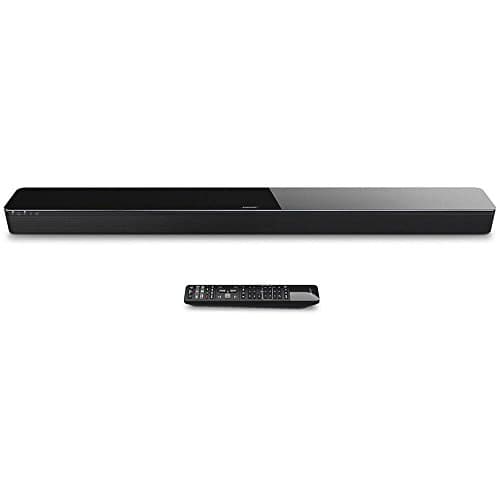
Bose SoundTouch 300 Soundbar, Works with Alexa ✓ Prime $861.00
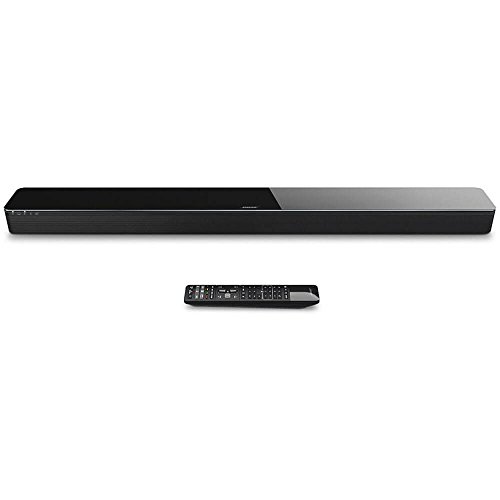


This soundbar is a strong example of how voice control can be added to a home audio setup without relying on a basic tabletop smart speaker. According to the listed features, it works with Alexa for voice control, supports HDMI with 4K pass-through, and includes Bluetooth with NFC pairing and Wi‑Fi streaming.
It may appeal to buyers who want a more premium audio experience while still using voice commands for convenience. The optional bass module and surround speakers also make it a flexible upgrade path for people building out a home theater system.
- ✓ Works with Alexa for voice control
- ✓ HDMI connectivity with 4K pass-through
- ✓ Bluetooth with NFC pairing and Wi‑Fi streaming
- ✓ Premium glass and metal grille design
- ✓ Optional bass module and surround speaker expansion
- ✗ Alexa device sold separately
- ✗ High price compared with basic smart speakers
- ✗ Best for home theater use, not a compact assistant speaker
Common Mistakes to Avoid
Assuming “listening” means “recording everything.” Most smart speakers are designed to detect a wake word locally, but that does not mean they are constantly saving all ambient audio.
Ignoring the mute button. If privacy matters to you, use the physical mic-off control when you do not want the device to listen for a wake word.
Skipping privacy settings. Voice history, auto-delete options, and ad personalization settings can make a big difference in how much data is retained.
Buying only for convenience. A smart speaker that fits your home ecosystem and privacy preferences is more useful than one with flashy features you will not use.
Not reading the ecosystem requirements. Some devices depend on a separate assistant device or app, so check what is needed before you buy.
Frequently Asked Questions
Are smart speakers always listening?
They are usually always listening for a wake word, but that does not typically mean they are always recording and sending audio to the cloud. After the wake word, they begin capturing the command for processing.
Do smart speakers record conversations all the time?
In normal operation, they are not supposed to record every conversation continuously. However, accidental activations can happen, which is why privacy settings and mic mute controls matter.
Can I turn off listening on a smart speaker?
Yes, most smart speakers have a physical microphone mute button that stops wake-word detection. You can also adjust privacy settings and delete stored voice history in the companion app.
Why do smart speakers sometimes activate by mistake?
False triggers can happen when words in a conversation sound similar to the wake word or when background audio confuses the microphone system. Better wake-word tuning usually reduces this.
What should privacy-conscious buyers look for?
Look for a strong mute button, easy voice-history controls, auto-delete options, and clear privacy policies. Those features matter more than marketing claims about convenience.
Pros
- + Wake-word listening is usually local, not constant cloud recording
- + Physical mute controls help protect privacy
- + Voice history and auto-delete settings can reduce data retention
- + Voice assistants add hands-free convenience for daily tasks
Cons
- – False activations can happen
- – Privacy settings vary by brand and ecosystem
- – Some devices require extra hardware or apps for full functionality
- – Always-listening behavior can still feel invasive to users
Frequently asked questions
- Are smart speakers always listening?
- They are usually always listening for a wake word, but that does not typically mean they are always recording and sending audio to the cloud. After the wake word, they begin capturing the command for processing.
- Do smart speakers record conversations all the time?
- In normal operation, they are not supposed to record every conversation continuously. However, accidental activations can happen, which is why privacy settings and mic mute controls matter.
- Can I turn off listening on a smart speaker?
- Yes, most smart speakers have a physical microphone mute button that stops wake-word detection. You can also adjust privacy settings and delete stored voice history in the companion app.
- Why do smart speakers sometimes activate by mistake?
- False triggers can happen when words in a conversation sound similar to the wake word or when background audio confuses the microphone system. Better wake-word tuning usually reduces this.
- What should privacy-conscious buyers look for?
- Look for a strong mute button, easy voice-history controls, auto-delete options, and clear privacy policies. Those features matter more than marketing claims about convenience.
Get the Full Home Buyer's Guide
Join our free newsletter — we'll send our latest Home picks, specs and verdicts straight to your inbox.
Free. No spam. Unsubscribe anytime.
Was this review helpful?
Be the first to share your feedback on this review.
Sign in to vote and let us know what you think.
Discussion (0)
No comments yet. Be the first to start the discussion.
Related Reviews
2 Best Smart Sprinkler Controllers in 2026 — Smarter Watering, Lower Bills
If your lawn is getting overwatered, underwatered, or just plain neglected because your old timer is hard to manage, a smart sprinkler controller can fix that fast. The best smart sprinkler controllers make it easier to schedule watering, adjust for weather, and control zones from your phone. In thi
What is How Much Does a Smart Home Cost? A Complete 2026 Guide
If you’re trying to figure out how much does a smart home cost , the biggest challenge is that prices can range from a few basic devices to a fully automated setup that feels like a luxury upgrade. The good news is that you do not need to buy everything at once, and the total cost depends heavily on
3 Best Smart Leak Detectors in 2026 — Faster Alerts, Better Whole-Home Protection
If you’re worried about a hidden leak turning into expensive water damage, the right smart leak detector can give you time to act before the mess spreads. The best leak detectors smart shoppers are comparing in 2026 balance fast alerts, easy placement, and reliable app notifications without forcing