

Who this is for: Best for keyboard buyers who need a simple way to match switch feel, noise, and compatibility to typing or gaming needs.
How to Choose the Best Mechanical Keyboard Switch in 2026: Complete Buying Guide
If you’re trying to figure out how to choose a mechanical keyboard switch, the biggest challenge is that “best” depends on how you type, game, and tolerate noise. Pick the wrong switch and you may end up with a board that feels too heavy, too loud, or simply tiring after a few hours. The most common mistake buyers make is choosing by color or hype instead of matching switch type, actuation feel, and compatibility to their actual use case.
Related Reviews
- HP DeskJet 2955 Wireless All-in-One Color Inkjet Printer, Scanner, Copier, Best-for-Home, 3 Month Trial of Instant Ink Included, AI-Capable (A24HJA) Review (2026): Specs, Pros & Cons, and Who It's For
- Best Printers for Every Budget in 2026: Ranked by Price & Performance
- 8 Best Office Chairs for Short People in 2026 — Better Fit, Better Posture, Less Foot Dangle
This guide breaks down the features that matter most, the red flags to avoid, and the best starter options from a research-based comparison of published specs and owner feedback. Since switch shopping can get confusing fast, we’ll keep the focus on the three main families most buyers compare: linear, tactile, and clicky.
Key Features to Look For
1) Switch Type: Linear, Tactile, or Clicky
The first decision is the feel you want.
- Linear switches feel smooth from top to bottom with no bump or click, which many gamers like for fast repeated presses.
- Tactile switches have a noticeable bump, giving you feedback without the loud click.
- Clicky switches add both a bump and an audible click, which many typists enjoy but some shared spaces won’t.
If you’re learning how to choose a mechanical keyboard switch, this is the most important step because it determines the overall typing personality of the keyboard.
2) Actuation Force
Actuation force tells you how much pressure is needed to register a keypress. Lighter switches can feel fast and effortless, while heavier switches can reduce accidental presses and feel more controlled. In practice, too-light switches may cause typos if you rest your fingers heavily on the keys, while too-heavy switches can fatigue your hands during long sessions.
3) Actuation Point and Travel Distance
Actuation point is where the key registers; travel distance is how far the key moves overall. Shorter actuation can feel snappier, while longer travel can feel more deliberate and traditional. Many buyers prefer a middle ground because it balances speed, comfort, and a familiar typing feel.
4) Noise Level
Noise matters more than many shoppers expect. Clicky switches are the loudest and can be satisfying in a private office or home setup, but distracting in dorms, shared workspaces, or late-night use. If you want a mechanical feel without the sound, tactile or linear switches are usually safer choices.
5) Compatibility: 3-Pin vs 5-Pin and Hot-Swap Support
Compatibility is a make-or-break feature. Most buyers should check whether their keyboard is hot-swappable and whether it accepts 3-pin or 5-pin switches. A switch can have the right feel but still be unusable if the mount style doesn’t match your board.
6) Build Quality and Materials
Materials such as POM stems, nylon or plastic housings, and metal springs can affect long-term consistency and feel. Better construction usually means more stable keystrokes and less wobble over time. For budget buyers, this helps separate a cheap-feeling switch from one that still feels reliable after heavy use.
7) Extras: Lubing, Dust Protection, and Included Tools
Some budget switch kits include a puller, brush, or factory lubrication. These extras matter because they can save time and make installation easier, especially for beginners. Pre-lubed switches may also feel smoother out of the box, though the exact effect varies by model.
What to Avoid
Buying by Color Alone
Blue, red, brown, and other color labels are useful shorthand, but they don’t tell the whole story. Different brands can feel noticeably different even when they share the same general category. Always check the switch type and specs instead of assuming all “blue” switches feel identical.
Ignoring Noise Tolerance
A switch that sounds great in a review video may be annoying in your actual environment. Clicky switches are especially easy to regret if you work near others or type at night. If you’re unsure, it’s usually smarter to start with tactile or linear options.
Overlooking Keyboard Compatibility
Many buyers focus on feel and forget mounting style. If your keyboard isn’t hot-swappable, replacing switches may require soldering. If it is hot-swappable, you still need to confirm the pin layout and fit before buying.
Assuming “Gaming” Means Better
Marketing terms like “for gaming” can be misleading. A switch that’s good for gaming may be too light for someone who types all day, and a “typing” switch may feel too loud for a shared desk. Choose based on your actual use case, not the label on the package.
Skipping Sample Testing
One of the most common mistakes is buying a full set before trying a few switches. If possible, test a switch sample pack, a keyboard with hot-swap sockets, or at least a small quantity first. That small step can save you from replacing an entire board later.
Our Top Picks
Below are the best research-based starter options for different buyer needs. These are especially useful if you want a low-cost way to explore how to choose a mechanical keyboard switch without committing to a full premium build.
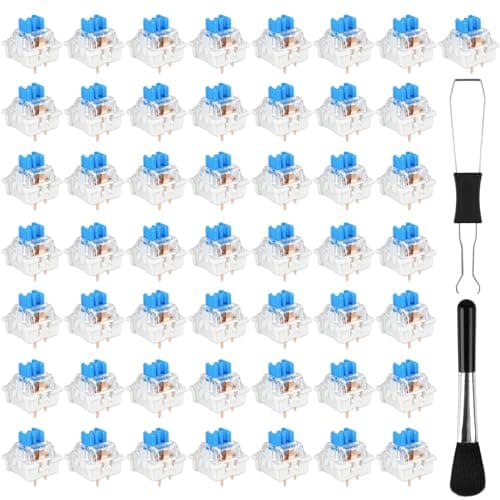
Best Overall Starter Kit: GASRONS 55 Pcs Blue 3 Pin Clicky Tactile Mechanical Keyboard Switches, MX Compatible DIY Replacement Kit with Switch Puller, for Beginners Keyboard Users
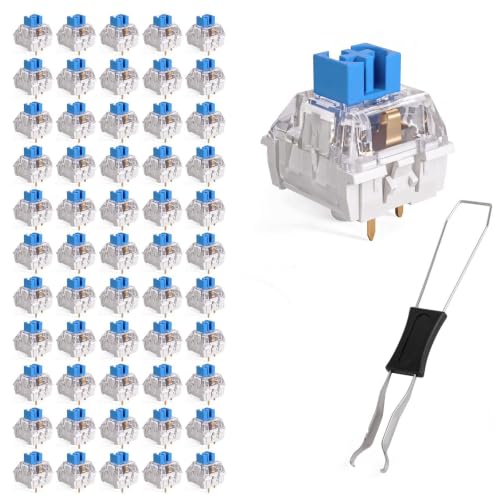

This is the strongest all-around starter pick because it combines a complete kit, broad compatibility, and a classic clicky-tactile feel. It’s especially appealing for beginners who want to learn what clicky switches feel like without buying separate tools.
- ✓ Includes 55 switches plus a switch puller for easy DIY work
- ✓ Standard 3-pin MX-style design fits many hot-swappable boards
- ✓ Crisp click and tactile bump suit typists and casual gamers
- ✓ Gold-plated contacts and POM stem support long-term reliability
- ✓ Good entry point for first-time modders
- ✗ Clicky sound may be too loud for shared spaces
Best Budget Pick: Qianyu 50 Pcs Blue Mechanical Keyboard Switches with Switch Puller and Brush 3-Pin Clicky Key Switches Dustproof DIY Replacement Kit for Gaming Keyboards Typists Gamers
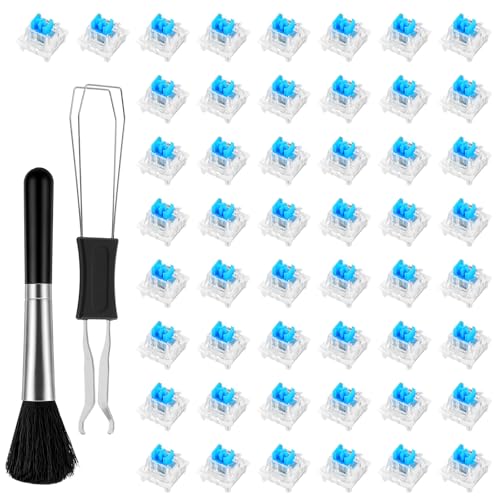

If your goal is to spend as little as possible while still getting a complete starter kit, this is the value choice. It’s a sensible option for experimenting with clicky switches before upgrading to a larger or more refined set.
- ✓ Lowest price in this guide
- ✓ Includes 50 switches, a puller, and a brush
- ✓ 3-pin MX-style design works with many hot-swappable keyboards
- ✓ Transparent housing supports RGB lighting
- ✓ Good for first-time buyers on a tight budget
- ✗ Fewer switches than some competing kits
Best for Smoother Clicky Feel: EBILNVKE 80 Pieces Blue Mechanical Keyboard Switches, 3 Pin Pre-Lubricated
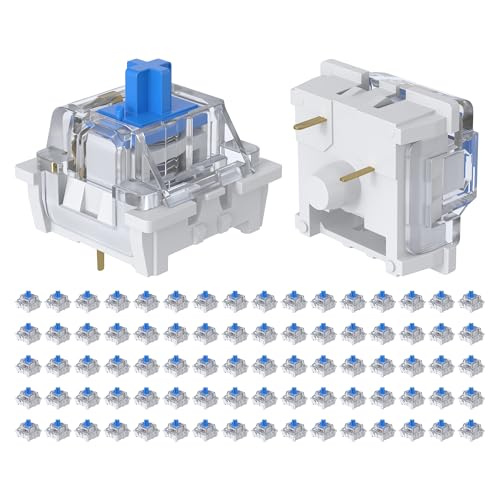

This option stands out if you want a clicky switch that may feel a bit smoother out of the box. The factory pre-lubrication and larger 80-piece pack make it appealing for users replacing more keys or building a larger setup.
- ✓ Factory pre-lubricated for smoother keystrokes
- ✓ 80-pack offers more switches than most budget kits
- ✓ 50gf actuation and 4mm travel are well-balanced for typing
- ✓ Transparent housing is RGB-friendly
- ✓ Hot-swap friendly 3-pin MX-style design
- ✗ Still a clicky switch, so noise remains a factor
Best for Maximum Quantity: Deftomo 50 Pcs Blue Keyboard Switches, 3-Pin Clicky Tactile Mechanical Keyboard Switches, Complete DIY Replacement Kit with Switch Puller & Brush
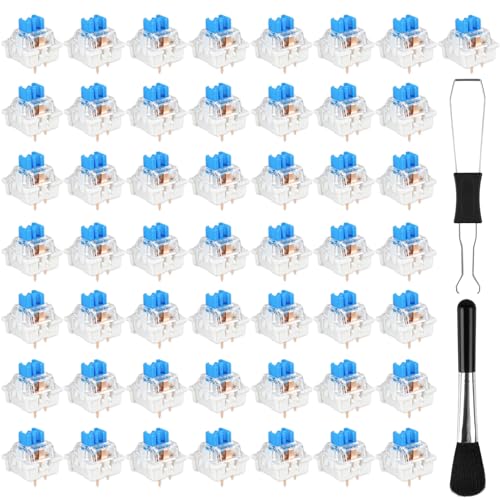

This is a strong pick if you want a full replacement kit with extra tools and a focus on durability. The included switch puller and brush make it practical for maintenance, not just installation.
- ✓ Includes 50 switches plus switch puller and cleaning brush
- ✓ Dust-proof and waterproof construction adds durability appeal
- ✓ Clear tactile bump and crisp click suit typists
- ✓ Transparent housing helps RGB lighting shine through
- ✓ Good for users who want a maintenance-friendly kit
- ✗ Not the cheapest option in the group
Budget Guide: What You Get at Each Price Point
Under $5
At this level, you’re usually looking at small sample packs or very basic switch bundles. The tradeoff is limited quantity and fewer accessories, but it’s a smart way to test whether you like clicky feedback before buying a full set.
$5 to $8
This is the sweet spot for many beginners. You can often get a 50- to 55-pack, a switch puller, and enough compatibility to try the switches on a hot-swappable board. For most shoppers learning how to choose a mechanical keyboard switch, this range offers the best balance of price and usefulness.
$8 to $12
Here you may find larger packs, pre-lubed options, or kits with better materials and more polished out-of-box performance. If you type a lot or want a more refined feel, this is where it starts to make sense to pay a little more.
$12 and Up
In this guide’s product set, the higher end still stays affordable, but the added value tends to come from larger quantities, smoother factory tuning, or more accessories. This is a good range for buyers who know they like the switch type and want enough extras to finish a full board or keep spares on hand.
Frequently Asked Questions
1) What is the best switch type for beginners?
Most beginners do best starting with tactile or clicky switches if they want feedback, or linear switches if they prefer a smooth, quiet feel. If you’re unsure, a small sample pack is the safest first purchase.
2) Are blue switches good for typing?
Yes, blue switches are often popular with typists because they provide a clear bump and audible click. The main downside is noise, so they’re less ideal for shared spaces.
3) What does 3-pin mean on a mechanical switch?
3-pin usually refers to the switch mount style. These switches fit many hot-swappable keyboards, but you should always confirm your keyboard’s compatibility before buying.
4) Are pre-lubed switches worth it?
They can be, especially if you want a smoother feel without doing the work yourself. The improvement varies by model, but pre-lubed switches often feel more consistent out of the box.
5) Should I buy a full set or a small switch pack first?
If you’re still deciding between linear, tactile, and clicky, start small. A smaller pack lets you test the feel before committing to a full keyboard’s worth of switches.
Pros
- + Explains linear, tactile, and clicky switch differences
- + Highlights compatibility, actuation, and noise factors
- + Includes budget-friendly starter kit recommendations
- + Covers what to avoid before buying a full set
- + Answers common beginner questions
Cons
- – No hands-on testing was performed
- – Brand feel can vary even within the same switch category
- – Clicky switches may be too loud for some users
Frequently asked questions
- What is the best switch type for beginners?
- Most beginners do best starting with tactile or clicky switches if they want feedback, or linear switches if they prefer a smooth, quiet feel. If you’re unsure, a small sample pack is the safest first purchase.
- Are blue switches good for typing?
- Yes, blue switches are often popular with typists because they provide a clear bump and audible click. The main downside is noise, so they’re less ideal for shared spaces.
- What does 3-pin mean on a mechanical switch?
- 3-pin usually refers to the switch mount style. These switches fit many hot-swappable keyboards, but you should always confirm your keyboard’s compatibility before buying.
- Are pre-lubed switches worth it?
- They can be, especially if you want a smoother feel without doing the work yourself. The improvement varies by model, but pre-lubed switches often feel more consistent out of the box.
- Should I buy a full set or a small switch pack first?
- If you’re still deciding between linear, tactile, and clicky, start small. A smaller pack lets you test the feel before committing to a full keyboard’s worth of switches.
Score breakdown
- value
- 9.0
- usability
- 8.0
- durability
- 7.0
- performance
- 8.0
- buyerFeedback
- 8.0
Get the Full Home Buyer's Guide
Join our free newsletter — we'll send our latest Home picks, specs and verdicts straight to your inbox.
Free. No spam. Unsubscribe anytime.
Was this review helpful?
Be the first to share your feedback on this review.
Sign in to vote and let us know what you think.
Discussion (0)
No comments yet. Be the first to start the discussion.
Related Reviews
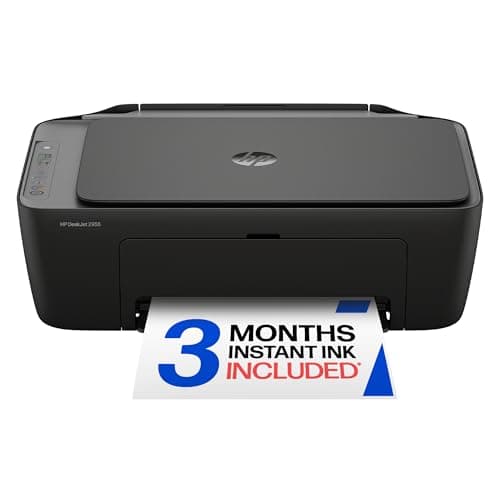
HP DeskJet 2955 Wireless All-in-One Color Inkjet Printer, Scanner, Copier, Best-for-Home, 3 Month Trial of Instant Ink Included, AI-Capable (A24HJA) Review (2026): Specs, Pros & Cons, and Who It's For
The HP DeskJet 2955 is positioned as a compact, budget-friendly all-in-one for home use, and the published specs support that positioning. At 10.45 pounds, it should be easy to place on a desk, shelf, or small home office cart without feeling bulky.
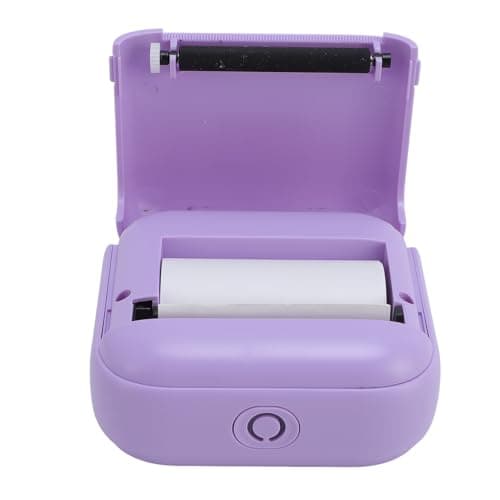
Best Printers for Every Budget in 2026: Ranked by Price & Performance
If you’re searching for the best printers under $150 , the real challenge is separating truly useful budget picks from cheap models that frustrate you with slow pairing, tiny output, or expensive consumables. The good news: within this price ceiling, there are solid options for ultra-low-cost portab
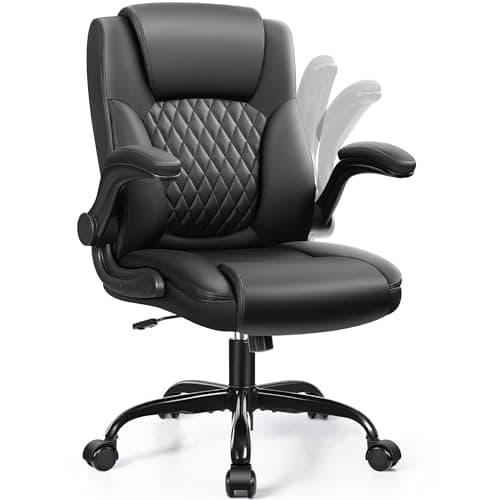
8 Best Office Chairs for Short People in 2026 — Better Fit, Better Posture, Less Foot Dangle
If your feet don’t sit flat, your knees feel cramped, or your desk chair forces you into a slouch, you’re not alone. The best office chairs for short people solve that problem with lower seat heights, supportive cushions, flip-up arms, and adjustability that actually works for petite frames. In this