

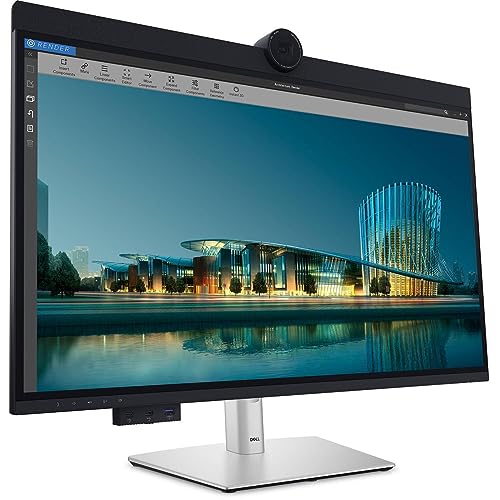
Who this is for: Best for designers and Mac users who want a color-accurate, workflow-friendly monitor for a clean productivity setup.
Check PriceAt a Glance
| Category | Dell UltraSharp U3224K | BenQ PD3225U |
|---|---|---|
| Panel size | 31.5-inch | 32-inch |
| Resolution | 6K | 4K UHD |
| Panel type | LED monitor | IPS Black |
| Color focus | General productivity and clarity | 98% P3, 100% sRGB, Rec.709, Delta E ≤ 2 |
| Connectivity | USB Type-C | Thunderbolt 3, USB-C 85W, USB hub, daisy chain, KVM |
| Ergonomics | Noted for productivity use | Tilt, swivel, pivot, height adjustment |
| Brightness | 450 nits | Not specified in provided data |
| Best for | Users who want a high-resolution productivity display | Designers, Mac users, and workstation buyers |
Design: BenQ PD3225U Wins

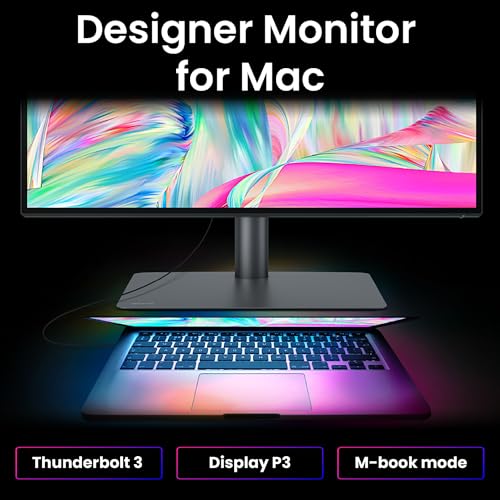 The BenQ PD3225U has the more refined workstation design on paper. Its anodized metal base and stand, plus tilt, swivel, pivot, and height adjustment, make it easier to dial in a comfortable setup for long creative sessions. The Dell UltraSharp U3224K is clearly built for productivity too, but the supplied specs emphasize screen size, USB-C, brightness, and response time more than premium ergonomic polish.
**Why BenQ wins here:** it feels purpose-built for desk setups where comfort, cable management, and flexibility matter.
✓ Pros
- Anodized metal base and stand
- Tilt, swivel, pivot, and height adjustment
- Clean, creator-focused workstation aesthetic
- Easy to integrate into a multi-device desk
✗ Cons
- Premium styling may be more than casual users need
- Design appeal is strongest for creative workspaces, not gaming-first setups
Related Reviews
Performance: BenQ PD3225U Wins
 This one is close on raw display ambition, because the Dell UltraSharp U3224K brings the headline-grabbing 6K panel and 450-nit brightness. But for most commercial-intent buyers, performance means more than pixel count: it means color accuracy, contrast, workflow tools, and consistency. That’s where the BenQ pulls ahead with IPS Black technology, 2000:1 contrast, Pantone Validated and Calman verified color, Delta E ≤ 2, and broad color coverage.
The Dell is the sharper pick if your priority is sheer resolution and a bright productivity panel. The BenQ is the more complete performance package for design, photo, and content work.
**Why BenQ wins here:** it combines excellent color targets with contrast and workflow features that better serve creator use.
✓ Pros
- IPS Black panel with 2000:1 contrast ratio
- 98% P3, 100% sRGB, and Rec.709 coverage
- Delta E ≤ 2 for color accuracy
- Pantone Validated and Calman verified
- Display Pilot 2, hotkey puck, and easy input switching
✗ Cons
- 4K resolution is less headline-grabbing than Dell’s 6K panel
- Best performance benefits are most relevant to creators, not casual office users
Value: Dell UltraSharp U3224K Wins
The Dell UltraSharp U3224K is the better value choice because it delivers a 6K productivity display and 450-nit brightness in the budget tier of this comparison. That doesn’t automatically make it the cheaper monitor in absolute terms, but relative to the BenQ’s premium positioning, the Dell is the more accessible route if you mainly want a large, sharp screen for everyday productivity. The BenQ PD3225U offers more creator-grade features, but those extras push it into a premium use case. If your needs are simpler and you want the strongest feature-to-positioning balance, Dell is easier to justify. **Why Dell wins here:** it gives you the most straightforward path to a high-end productivity display without paying for as many specialized creator extras. ✓ Pros - 6K resolution for highly detailed workspace use - 31.5-inch panel suited to multitasking - 450-nit brightness for well-lit environments - USB Type-C convenience - Strong productivity-first positioning ✗ Cons - Fewer creator-specific workflow tools than BenQ - Renewed listing may matter to some buyers - Less color-management depth than the BenQBattery / Durability: BenQ PD3225U Wins
While neither monitor has a battery, durability in this comparison comes down to long-term desk reliability, build quality, and how well the monitor is designed to support daily use. The BenQ PD3225U’s anodized metal base and stand give it the edge on perceived sturdiness, and its ergonomic adjustability suggests a more premium long-term workstation experience. The Dell UltraSharp U3224K is still a productivity-focused monitor, but the provided specs don’t emphasize the same level of structural refinement. For buyers who want a monitor that feels like a lasting creator tool, BenQ has the stronger case. **Why BenQ wins here:** its metal stand and ergonomic build suggest better long-term workstation durability. ✓ Pros - Anodized metal base and stand - Built for sustained creative productivity - Flexible positioning helps reduce desk strain - Premium construction cues ✗ Cons - No battery feature, as expected for a monitor - Premium build raises expectations for careful setup and useConnectivity and Workflow: BenQ PD3225U Wins
This category is where the BenQ pulls far ahead. Thunderbolt 3 with 40Gb/s bandwidth, USB-C 85W power delivery, USB hub support, daisy-chain connectivity, and KVM switching make it the more advanced workstation hub. If you work across a laptop and desktop, or you want a cleaner single-cable desk, the BenQ is simply more capable. The Dell UltraSharp U3224K does include USB Type-C, which is useful, but the spec sheet doesn’t show the same all-in-one workflow depth. For buyers who care about desk efficiency, the BenQ is the obvious winner. **Why BenQ wins here:** it is built for modern multi-device workflows, not just display output. ✓ Pros - Thunderbolt 3 connectivity - 40Gb/s bandwidth - USB-C 85W charging support - USB hub and daisy-chain capability - KVM switch for multiple systems - Display Pilot 2 and hotkey puck for easier control ✗ Cons - Workflow features may be overkill for simple office use - Best benefits appear when paired with compatible devicesDell UltraSharp U3224K Is the Better Choice If…
- You want the higher-resolution 6K panel for ultra-sharp productivity.
- You need a bright monitor for a well-lit office or studio.
- You prefer a more straightforward productivity display over creator extras.
- You want the stronger value proposition in this head-to-head.
- You’re okay with fewer workflow features than the BenQ.
BenQ PD3225U Is the Better Choice If…
- You’re a designer, editor, or creator who cares about color accuracy.
- You use a MacBook or want a Mac-friendly monitor workflow.
- You want Thunderbolt, USB-C charging, daisy chaining, and KVM support.
- You value premium ergonomics and a more polished stand.
- You want the best all-around workstation monitor in this comparison.
Our Final Verdict
If you’re choosing between the Dell UltraSharp U3224K vs BenQ PD3225U, the BenQ PD3225U is the better overall buy for most people. It wins the categories that matter most for serious workstation use: color accuracy, contrast, ergonomics, and connectivity. That makes it the stronger choice for designers, Mac users, and anyone building a cleaner, more capable desk setup. The Dell UltraSharp U3224K still has a strong case if you want a more value-oriented productivity monitor with an impressive 6K panel and bright screen. But if you want the more versatile and creator-ready display, BenQ is the one to beat.Frequently Asked Questions
Is the Dell UltraSharp U3224K better than the BenQ PD3225U for office work?
The Dell can be a strong office monitor if you want a sharp, bright productivity display, but the BenQ is better for mixed office and creative work thanks to its stronger workflow tools and color features.
Which monitor is better for MacBook users?
The BenQ PD3225U is the better match for MacBook users because it is explicitly designed for Mac workflows and includes Thunderbolt 3, USB-C charging, and Mac-friendly color matching.
Does the Dell UltraSharp U3224K have better resolution than the BenQ PD3225U?
Yes. The Dell offers a 6K panel, while the BenQ is a 4K UHD monitor. If resolution is your top priority, Dell has the edge.
Which monitor is better for color accuracy and design work?
The BenQ PD3225U is better for color-sensitive work because it includes IPS Black, Delta E ≤ 2, Pantone Validation, Calman verification, and wide color coverage.
Which one has better connectivity and desk setup features?
The BenQ PD3225U wins for connectivity because it adds Thunderbolt 3, USB-C 85W, a USB hub, daisy chaining, KVM switching, and Display Pilot 2 controls.
Pros
- + Dell offers 6K resolution and 450-nit brightness
- + BenQ has IPS Black, 2000:1 contrast, and Delta E ≤ 2
- + BenQ includes Thunderbolt 3, USB-C 85W, daisy chain, and KVM
- + BenQ stand supports tilt, swivel, pivot, and height adjustment
- + Dell is the stronger value pick in this comparison
Cons
- – Dell has fewer creator workflow features
- – Dell is the weaker choice for color-critical work
- – BenQ is the premium option
- – BenQ's 4K panel is less sharp than Dell's 6K
Frequently asked questions
- Is the Dell UltraSharp U3224K better than the BenQ PD3225U for office work?
- The Dell can be a strong office monitor if you want a sharp, bright productivity display, but the BenQ is better for mixed office and creative work thanks to its stronger workflow tools and color features.
- Which monitor is better for MacBook users?
- The BenQ PD3225U is the better match for MacBook users because it is explicitly designed for Mac workflows and includes Thunderbolt 3, USB-C charging, and Mac-friendly color matching.
- Does the Dell UltraSharp U3224K have better resolution than the BenQ PD3225U?
- Yes. The Dell offers a 6K panel, while the BenQ is a 4K UHD monitor. If resolution is your top priority, Dell has the edge.
- Which monitor is better for color accuracy and design work?
- The BenQ PD3225U is better for color-sensitive work because it includes IPS Black, Delta E ≤ 2, Pantone Validation, Calman verification, and wide color coverage.
- Which one has better connectivity and desk setup features?
- The BenQ PD3225U wins for connectivity because it adds Thunderbolt 3, USB-C 85W, a USB hub, daisy chaining, KVM switching, and Display Pilot 2 controls.
Score breakdown
- value
- 8.0
- usability
- 9.0
- durability
- 8.0
- performance
- 9.0
- buyerFeedback
- 8.0
Get the Full Home Buyer's Guide
Join our free newsletter — we'll send our latest Home picks, specs and verdicts straight to your inbox.
Free. No spam. Unsubscribe anytime.
Was this review helpful?
Be the first to share your feedback on this review.
Sign in to vote and let us know what you think.
Discussion (0)
No comments yet. Be the first to start the discussion.
Related Reviews
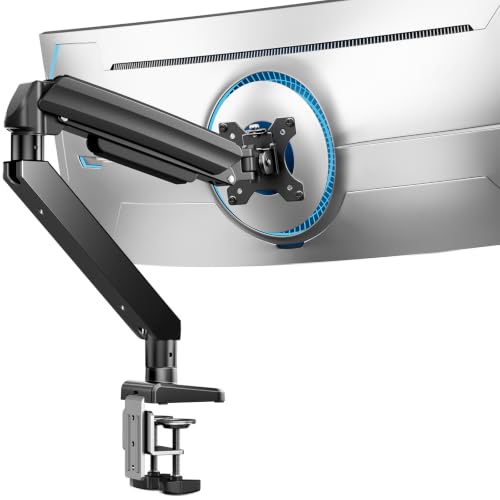
8 Best Heavy-Duty Monitor Mounts for Ultrawide Monitors in 2026 — Rock-Solid Support for Big Screens
If your ultrawide monitor sags, wobbles, or eats up too much desk space, a heavy-duty monitor arm can make a huge difference. The best heavy-duty monitor mounts for ultrawide monitors in 2026 combine strong weight support, wide VESA compatibility, and enough articulation to position large curved scr

6 Best Ergonomic Saddle Stools for Office 2026 — Better Posture, Less Back Strain
If your workday leaves you stiff, slouched, or shifting around for relief, a saddle stool can be a smart alternative to a standard office chair. The best ergonomic saddle stools for office 2026 are designed to encourage a more upright posture, reduce pressure on the lower back, and make long sitting

Microsoft Modern Webcam Review (2026): Specs, Pros & Cons, and Who It's For
The Microsoft Modern Webcam is clearly designed for work-first use rather than creator-style production. Based on the published specs and owner feedback, its strongest physical trait is stability: it mounts well on monitors, laptops, and desktops without feeling fussy or overly delicate.