


Who this is for: Best for remote workers and office users who need a dependable webcam for everyday video calls and a simple privacy shutter.
Check PriceKey Specifications
| Specification | Details |
|---|---|
| Product | Microsoft Modern Webcam with Built-in Noise Cancelling Microphone, Integrated Privacy Shutter, Video with HDR, Auto-Focus, Light Correction, USB Connectivity, Certified for Teams/Zoom |
| Camera Focus | Fixed focus, covering approximately 0.4m to 1.5m |
| Image Handling | Auto white balance, exposure compensation, and HDR |
| Microphone | Built-in noise cancelling microphone |
| Privacy | Integrated privacy shutter with usage indicator light |
| Connectivity | USB connectivity |
| Compatibility Positioning | Certified for Teams and Zoom |
| Firmware | Updatable firmware |
| Mounting | Designed for stable use on monitors, laptops, and desktops |
Design & Build Quality

The Microsoft Modern Webcam is clearly designed for work-first use rather than creator-style production. Based on the published specs and owner feedback, its strongest physical trait is stability: it mounts well on monitors, laptops, and desktops without feeling fussy or overly delicate.
Related Reviews
The integrated privacy shutter is one of the most practical design touches here. It gives you a simple way to block the lens when the camera is not in use, and the usage indicator light adds reassurance that the camera status is easy to understand at a glance.
Build quality appears aimed at reliability and everyday office convenience. It does not try to look flashy or premium in a cinematic way, but it does seem thoughtfully made for frequent meetings, hybrid work, and anyone who wants a webcam that stays put once clipped on.
Pros
- Stable attachment for monitor, laptop, and desktop setups
- Integrated privacy shutter adds a useful layer of security
- Usage indicator light makes camera status easy to see
- Firmware can be updated for long-term support
Cons
- Fixed-focus design is less flexible than autofocus models
- Build is practical rather than premium-looking
- Best suited to standard desk distances, not unusual shooting positions
Performance & Features


Performance-wise, this webcam is built around dependable video-call quality rather than advanced creator features. The combination of HDR, auto white balance, and exposure compensation should help keep your image looking more balanced in mixed lighting, which is exactly where many office webcams struggle.
The fixed-focus system is an important detail to understand. Microsoft says it covers roughly 0.4m to 1.5m, which makes it a good fit for seated desk use. That range works well for typical head-and-shoulders framing, but it is not the most flexible option if you frequently move around or need a camera that adapts to different distances.
The built-in noise cancelling microphone is another helpful feature for meetings. While it is not a substitute for a dedicated microphone, it should be enough for clear conferencing in a home office or shared workspace. Certification for Teams and Zoom also reinforces the webcam’s work-oriented positioning, suggesting it is optimized for the platforms many buyers use most.
Pros
- HDR helps improve image balance in challenging lighting
- Auto white balance and exposure compensation support a cleaner picture
- Noise cancelling microphone is useful for everyday meetings
- Fixed focus covers common seated desk distances well
- Certified for Teams and Zoom for work-first use
Cons
- Fixed focus is less versatile than true autofocus
- Not ideal for users who change distance often
- Audio is functional, but not a replacement for a dedicated mic
Value for Money
The Microsoft Modern Webcam makes the most sense for buyers who want a straightforward, reliable webcam for meetings and do not need creator-grade extras. Its value comes from practical features that matter in daily use: stable mounting, a privacy shutter, HDR, a noise cancelling microphone, and platform-friendly certification.
Compared with more basic budget webcams, it offers a more polished set of work features. Compared with premium models, it is more restrained, especially because it uses fixed focus rather than more advanced tracking or broader flexibility. That means its value depends heavily on your use case: strong for office and remote work, less compelling if you want a webcam for streaming, content creation, or frequent repositioning.
In short, it is a smart buy if your priority is dependable video calls with minimal setup friction. If you want the most advanced image tuning or a camera that adapts more dynamically, you may want to look higher up the market.
Pros
- Good feature set for everyday remote work
- Useful balance of simplicity and practical functionality
- Strong fit for Teams and Zoom users
Cons
- Less versatile than more advanced webcams
- Value is strongest only if you mainly use it for meetings
- No standout creator-focused feature set
Who Should Buy This
This webcam is best for remote workers, office professionals, and students who need a dependable camera for regular video calls. If you spend most of your time in Teams, Zoom, or similar platforms and want a simple plug-in solution with a privacy shutter, this is a sensible option.
It is also a good match for buyers who value stable mounting and want a camera that behaves predictably at a desk. The fixed-focus design is not a drawback if you sit in a consistent position, which is exactly how many people use a webcam day to day.
Who Should Look Elsewhere
If you need a webcam for streaming, content creation, or more dynamic shooting setups, this probably is not the best fit. The fixed-focus design and work-focused feature set make it better for meetings than for creative production.
You should also look elsewhere if you want a webcam that can better handle frequent position changes or if you prefer a more advanced imaging system. Buyers who want maximum flexibility may be happier with a model that offers more adaptable focus behavior.
Final Verdict
The Microsoft Modern Webcam is a solid, no-nonsense choice for people who want better-than-basic meeting quality without overcomplicating their setup. Its strongest points are practical: stable mounting, HDR, a privacy shutter, a noise cancelling microphone, and clear work-platform focus.
Buy it if your main goal is reliable everyday video calling and you sit at a fairly consistent desk position. Skip it if you need a more flexible webcam for streaming, content creation, or frequent repositioning.
Frequently Asked Questions
Is the Microsoft Modern Webcam good for Zoom and Teams?
Yes. It is certified for Teams and Zoom, which makes it a strong fit for regular business meetings and remote work.
Does the Microsoft Modern Webcam have autofocus?
It is listed with a fixed-focus design rather than true autofocus. Microsoft says it covers roughly 0.4m to 1.5m, which suits typical desk use.
Does it have a privacy shutter?
Yes. It includes an integrated privacy shutter and a usage indicator light, which is useful for clear camera status and privacy control.
Is the microphone good enough for calls?
The built-in noise cancelling microphone should be fine for everyday video calls, though a dedicated microphone will still sound better for more demanding audio needs.
Who is this webcam best for?
It is best for remote workers, students, and office users who want a stable, easy-to-use webcam for standard video meetings.
Pros
- + Stable attachment for monitor, laptop, and desktop setups
- + Integrated privacy shutter with usage indicator light
- + HDR, auto white balance, and exposure compensation help image quality
- + Built-in noise cancelling microphone for everyday meetings
- + Certified for Teams and Zoom
Cons
- – Fixed-focus design is less flexible than autofocus models
- – Best suited to standard desk distances
- – Audio is functional, not a replacement for a dedicated mic
- – Not ideal for streaming or creator-focused use
Frequently asked questions
- Is the Microsoft Modern Webcam good for Zoom and Teams?
- Yes. It is certified for Teams and Zoom, which makes it a strong fit for regular business meetings and remote work.
- Does the Microsoft Modern Webcam have autofocus?
- It is listed with a fixed-focus design rather than true autofocus. Microsoft says it covers roughly 0.4m to 1.5m, which suits typical desk use.
- Does it have a privacy shutter?
- Yes. It includes an integrated privacy shutter and a usage indicator light, which is useful for clear camera status and privacy control.
- Is the microphone good enough for calls?
- The built-in noise cancelling microphone should be fine for everyday video calls, though a dedicated microphone will still sound better for more demanding audio needs.
- Who is this webcam best for?
- It is best for remote workers, students, and office users who want a stable, easy-to-use webcam for standard video meetings.
Score breakdown
- value
- 7.5
- usability
- 8.1
- durability
- 7.8
- performance
- 7.7
- buyerFeedback
- 7.8
Get the Full Home Buyer's Guide
Join our free newsletter — we'll send our latest Home picks, specs and verdicts straight to your inbox.
Free. No spam. Unsubscribe anytime.
Was this review helpful?
Be the first to share your feedback on this review.
Sign in to vote and let us know what you think.
Discussion (0)
No comments yet. Be the first to start the discussion.
Related Reviews
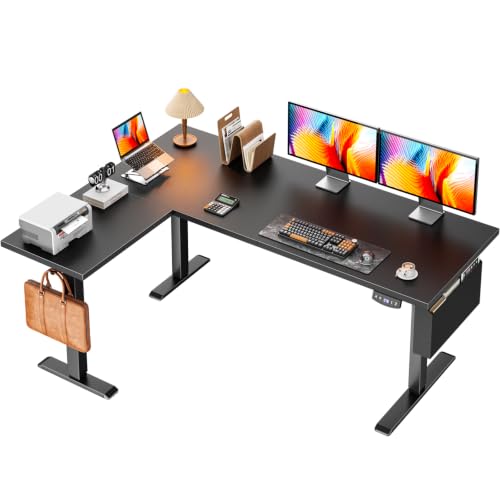
8 Best Corner Standing Desks for Small Rooms in 2026 — Space-Saving Picks for Compact Workspaces
If you’re trying to fit a standing desk into a tight bedroom, apartment corner, or multipurpose office, the wrong shape can make the room feel even smaller. The best corner standing desks for small rooms in 2026 solve that problem by using overlooked corner space, adding storage where it matters, an

Keychron Q2 Pro Review (2026): Specs, Pros & Cons, and Who It's For
The Keychron Q2 Pro is positioned as a premium compact keyboard, and that shows immediately in its construction. It uses a full aluminum chassis, which owner feedback and reviewer coverage consistently describe as dense, rigid, and reassuringly solid on the desk. If you want a lightweight plastic bo

8 Best L-Shaped Desks for Home Office 2026 — Space-Saving Picks for Work, Study, and Gaming
If your home office feels cramped, cluttered, or awkwardly shaped, the right L-shaped desk can instantly make the room work harder for you. The best L-shaped desks for home office 2026 combine smart corner fit, useful storage, and cable-friendly features so you can keep your setup organized. In this