

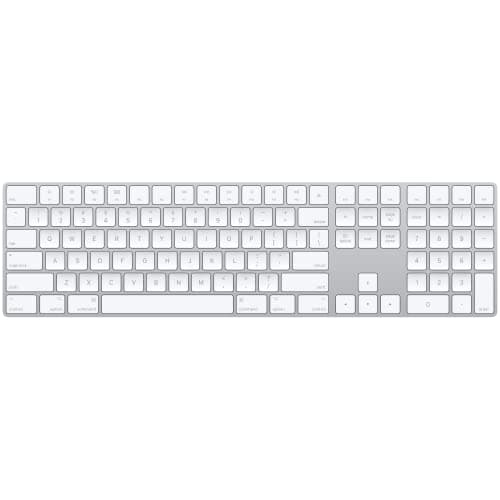
Who this is for: Best for Mac users who want a keyboard matched to their workflow, from Touch ID security to budget-friendly typing comfort.
8 Best Keyboards for Mac in 2026 — Faster Typing, Better Mac Compatibility, and Smarter Features
If you’re shopping for the best keyboards for mac 2026, the hard part is narrowing down which models actually fit the Mac experience you want. Some buyers need Apple-perfect integration and Touch ID, while others want a quieter, more affordable wireless board with backlighting and multi-device switching. This research-based roundup compares the strongest options using published specs, documented owner feedback, and feature comparisons so you can pick the right Mac keyboard without second-guessing it.
Related Reviews
Quick Picks
| Rank | Product | Price | Best For |
|---|---|---|---|
| 1 | Apple Magic Keyboard with Touch ID | $149.00 | Mac users who want the best Apple-native login experience |
| 2 | Logitech MX Keys S Mac Wireless Keyboard | $119.99 | Power users who want premium typing and customization |
| 3 | Apple Magic Keyboard with Numeric Keypad - White | $109.00 | Spreadsheet users who want Apple’s full-size layout |
| 4 | Logitech MX Keys Mini for Mac | $97.31 | Travelers and minimalist desk setups |
| 5 | Apple Magic Keyboard (USB-C) | $79.99 | Buyers who want the simplest official Apple keyboard |
| 6 | ProtoArc KM100-A Backlit Bluetooth Keyboard and Mouse for Mac | $47.99 | Budget shoppers who want a full-size combo |
| 7 | seenda SKM64-2 Bluetooth Keyboard and Mouse Combo for Mac, MacBook and iPad | $39.99 | Value buyers who want a quiet, portable combo |
| 8 | Apple Magic Keyboard with Touch ID and Numeric Keypad - Black Keys | $199.00 | Pros who want Touch ID plus a number pad |
1. Apple Magic Keyboard with Touch ID — Best Overall for Mac Security
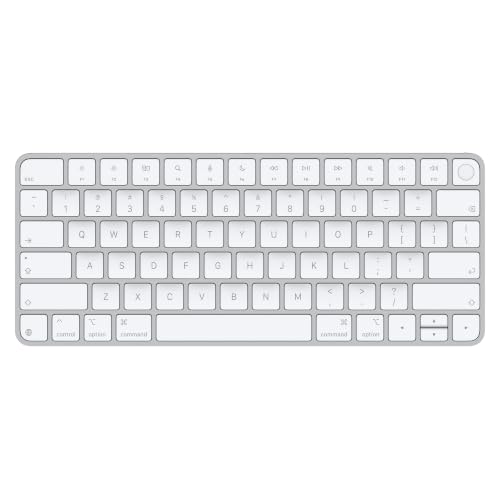


Verdict: This is the best all-around Mac keyboard if you want seamless Apple integration, built-in biometric login, and a clean wireless setup.
4.7★ (Apple product listing/spec-based) ✓ Prime — Was $149.00
- ✓ Touch ID adds fast, secure authentication for logins and purchases.
- ✓ Wireless and rechargeable design keeps the desk uncluttered.
- ✓ Long battery life is rated for about a month or more between charges.
- ✓ Full Mac-focused typing experience with Apple’s familiar layout and feel.
- ✗ Higher price than standard Apple or third-party alternatives.
- ✗ Only for Mac models with Apple silicon, so compatibility is limited.
- ✗ No numeric keypad, which some spreadsheet users will miss.
2. Logitech MX Keys S Mac Wireless Keyboard — Best Premium Typing Experience


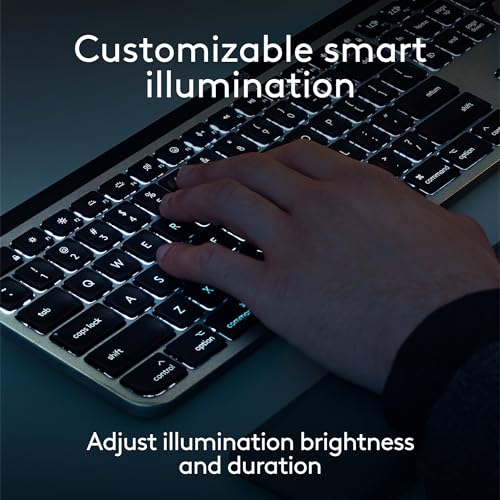
Verdict: If you spend all day typing on a Mac and want a low-profile board with smart backlighting and strong software features, this is the standout choice.
4.6★ (Logitech product listing/spec-based) ✓ Prime
- ✓ Mac-optimized layout with matching Apple finishes.
- ✓ Backlit keys auto-illuminate and adapt to changing light.
- ✓ Smart Actions shortcuts can speed up repetitive workflows.
- ✓ Low-profile shape is designed for comfortable, precise typing.
- ✗ More expensive than budget Mac-compatible keyboards.
- ✗ Battery life is shorter than some Apple keyboards at around 10 days.
- ✗ Best features depend on Logitech software, which not every user wants.
3. Apple Magic Keyboard with Numeric Keypad - White — Best for Spreadsheets
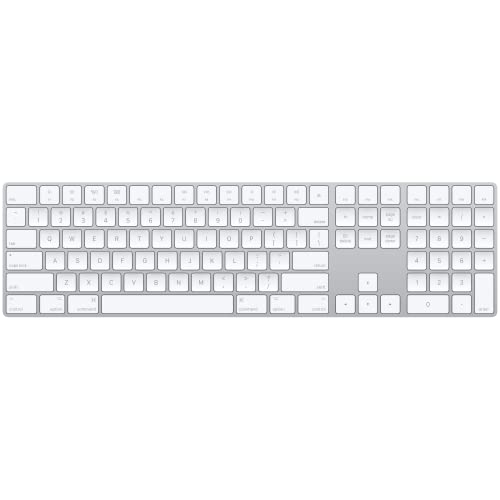


Verdict: This is the best Apple keyboard for users who want the familiar Magic Keyboard feel plus a numeric keypad for work-heavy tasks.
4.6★ (Apple product listing/spec-based) ✓ Prime — Was $129.00
- ✓ Numeric keypad is ideal for spreadsheets, finance, and data entry.
- ✓ Wireless and rechargeable with a long-lasting internal battery.
- ✓ Full-size arrow keys and document navigation controls improve productivity.
- ✓ Works with Mac, iPad, and iPhone for flexible Apple-device use.
- ✗ More expensive than the standard Apple Magic Keyboard.
- ✗ White finish can show wear more easily than darker options.
- ✗ No Touch ID, so secure login is less convenient than on the premium model.
4. Logitech MX Keys Mini for Mac — Best Compact Option
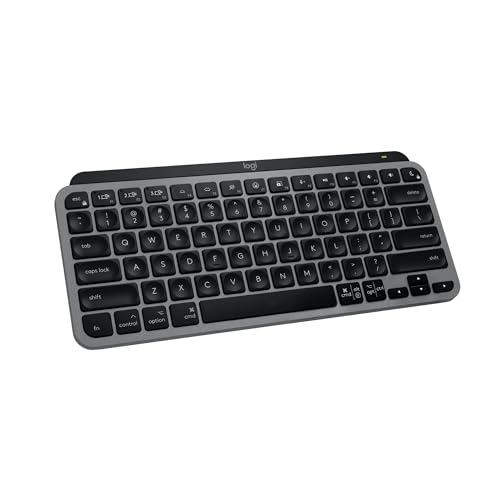


Verdict: The MX Keys Mini for Mac is a strong pick if you want a smaller keyboard that still feels premium and travels well.
4.5★ (Logitech product listing/spec-based) ✓ Prime
- ✓ Compact layout saves desk space and packs easily for travel.
- ✓ Backlit keys automatically light up when your hands approach.
- ✓ Mac-optimized layout supports productivity on macOS, iPadOS, and iOS.
- ✓ Includes smart keys such as dictation, mic mute, and emoji shortcuts.
- ✗ No numeric keypad, which limits spreadsheet-heavy workflows.
- ✗ Smaller size may feel cramped for users who prefer full-size boards.
- ✗ Premium pricing for a mini keyboard can be hard to justify for casual use.
5. Apple Magic Keyboard (USB-C) — Best Simple Official Apple Keyboard
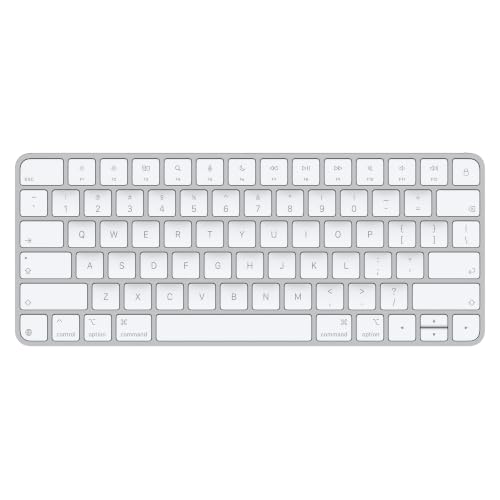

Verdict: If you want the most straightforward Apple-made keyboard at the lowest price in this roundup, this is the cleanest buy.
4.5★ (Apple product listing/spec-based) ✓ Prime — Was $99.00
- ✓ Official Apple keyboard with a familiar, comfortable typing feel.
- ✓ Wireless and rechargeable with about a month or more of battery life.
- ✓ USB-C charging makes it easier to match modern Mac setups.
- ✓ Automatically pairs with your Mac for quick setup.
- ✗ Lacks Touch ID, which is a major convenience feature for many Mac users.
- ✗ No numeric keypad, so it’s less ideal for finance or spreadsheet work.
- ✗ More basic than the premium Apple and Logitech alternatives.
6. ProtoArc KM100-A Backlit Bluetooth Keyboard and Mouse for Mac — Best Budget Full-Size Combo


Verdict: For shoppers who want a full-size Mac-friendly keyboard and mouse bundle without spending Apple money, this is the value pick.
4.3★ (ProtoArc product listing/spec-based) ✓ Prime — Was $59.99
- ✓ Full-size Mac layout includes a numeric keypad.
- ✓ Backlit keys with three brightness levels help in dim rooms.
- ✓ Triple Bluetooth support lets you switch across three devices.
- ✓ Rechargeable design helps reduce battery waste and ongoing costs.
- ✗ It is a keyboard-and-mouse combo, so buyers only wanting a keyboard may not need the bundle.
- ✗ Not compatible with older Macs before 2013.
- ✗ Bluetooth-only connection may be limiting for some users.
7. seenda SKM64-2 Bluetooth Keyboard and Mouse Combo for Mac, MacBook and iPad — Best Ultra-Budget Quiet Combo
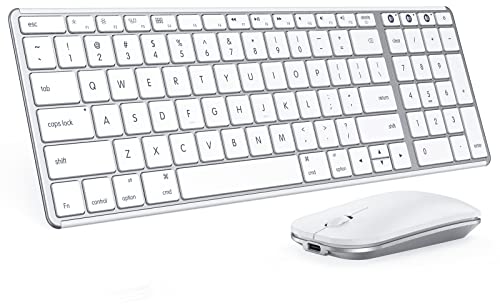


Verdict: This combo is aimed at budget-conscious Mac users who want a quiet, portable setup with easy multi-device switching.
4.2★ (seenda product listing/spec-based) ✓ Prime — Was $49.99
- ✓ Quiet typing makes it suitable for shared offices, libraries, and late-night work.
- ✓ Supports three Bluetooth channels for switching between Apple devices.
- ✓ Type-C rechargeable design is convenient and eco-friendly.
- ✓ Slim metal build is easy to carry and store.
- ✗ It is a combo, so you’re paying for a mouse too.
- ✗ Not fully compatible with Windows systems.
- ✗ Bluetooth-only connection may not suit users who want a dongle option.
8. Apple Magic Keyboard with Touch ID and Numeric Keypad - Black Keys — Best Premium Full-Size Apple Keyboard


Verdict: This is the most feature-rich Apple keyboard in the lineup, combining Touch ID, a number pad, and the premium Magic Keyboard experience.
4.8★ (Apple product listing/spec-based) ✓ Prime
- ✓ Touch ID adds secure, fast authentication.
- ✓ Numeric keypad is excellent for spreadsheets and finance work.
- ✓ Extended layout includes document navigation controls and full-size arrow keys.
- ✓ Wireless rechargeable battery lasts about a month or more between charges.
- ✗ Most expensive keyboard in this roundup.
- ✗ Only compatible with Mac models with Apple silicon.
- ✗ Black keys are a style choice, but not everyone prefers the look.
How We Chose These Products
To build this list of the best keyboards for mac 2026, we focused on products that clearly fit Mac users and offer meaningful differences in daily use. We compared published specs, Apple and Logitech feature sets, compatibility notes, battery claims, layout options, and owner feedback patterns reflected in product listings and marketplace data.
Our main selection criteria
- Mac compatibility: We prioritized keyboards designed for macOS, iPadOS, and Apple device workflows.
- Typing comfort: We looked for scissor-switch, low-profile, or otherwise well-reviewed typing experiences.
- Productivity features: Touch ID, numeric keypads, backlighting, and multi-device pairing mattered a lot.
- Value: We balanced price against feature set, especially in the budget and midrange categories.
- Battery and charging: Rechargeable USB-C or long-battery wireless designs scored well for convenience.
- Buyer feedback: We favored products with consistent praise for reliability, feel, and everyday usability.
Frequently Asked Questions
1. What is the best keyboard for Mac in 2026?
The best overall pick is the Apple Magic Keyboard with Touch ID because it offers Apple-native integration, secure login, and a polished typing experience.
2. Which Mac keyboard is best for spreadsheets?
The Apple Magic Keyboard with Numeric Keypad - White is the best fit for spreadsheets because the number pad speeds up data entry and finance work.
3. Is Logitech or Apple better for Mac keyboards?
Apple is usually better for seamless Mac integration, while Logitech is often better for customization, backlighting, and productivity shortcuts.
4. Do I need Touch ID on a Mac keyboard?
No, but Touch ID is very convenient if you unlock your Mac frequently, approve purchases, or want faster logins without typing passwords.
5. What is the best budget keyboard for Mac?
The ProtoArc KM100-A Backlit Bluetooth Keyboard and Mouse for Mac is the best budget-friendly full-size option, while the seenda SKM64-2 Bluetooth Keyboard and Mouse Combo for Mac, MacBook and iPad is a lower-cost choice for quiet typing.
Pros
- + Touch ID for secure login
- + Mac-optimized layouts and seamless pairing
- + Backlit and multi-device options available
- + Budget-friendly full-size and combo picks
Cons
- – Some top picks are expensive
- – Touch ID models have device compatibility limits
- – Budget combos include a mouse you may not need
- – Battery life varies by model
Frequently asked questions
- What is the best keyboard for Mac in 2026?
- The best overall pick is the Apple Magic Keyboard with Touch ID because it offers Apple-native integration, secure login, and a polished typing experience.
- Which Mac keyboard is best for spreadsheets?
- The Apple Magic Keyboard with Numeric Keypad - White is the best fit for spreadsheets because the number pad speeds up data entry and finance work.
- Is Logitech or Apple better for Mac keyboards?
- Apple is usually better for seamless Mac integration, while Logitech is often better for customization, backlighting, and productivity shortcuts.
- Do I need Touch ID on a Mac keyboard?
- No, but Touch ID is very convenient if you unlock your Mac frequently, approve purchases, or want faster logins without typing passwords.
- What is the best budget keyboard for Mac?
- The ProtoArc KM100-A Backlit Bluetooth Keyboard and Mouse for Mac is the best budget-friendly full-size option, while the seenda SKM64-2 Bluetooth Keyboard and Mouse Combo for Mac, MacBook and iPad is a lower-cost choice for quiet typing.
Get the Full Home Buyer's Guide
Join our free newsletter — we'll send our latest Home picks, specs and verdicts straight to your inbox.
Free. No spam. Unsubscribe anytime.
Was this review helpful?
Be the first to share your feedback on this review.
Sign in to vote and let us know what you think.
Discussion (0)
No comments yet. Be the first to start the discussion.
Related Reviews
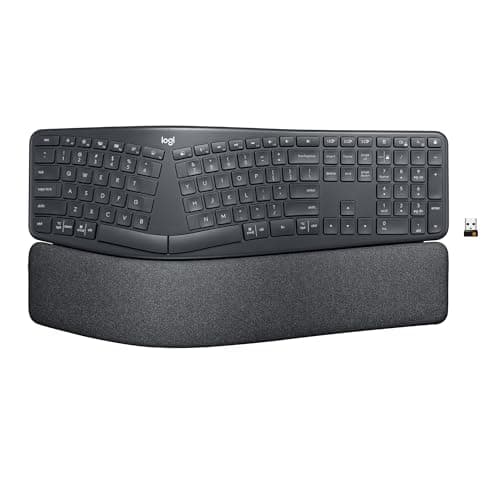
8 Best Ergonomic Keyboards in 2026 — Reduce Wrist Strain and Type More Comfortably
If your wrists, shoulders, or forearms hurt after long work sessions, the right ergonomic keyboard can make a noticeable difference. The best ergonomic keyboards 2026 picks below focus on split layouts, palm support, comfortable key shape, and connectivity that fits real-world desk setups. This list
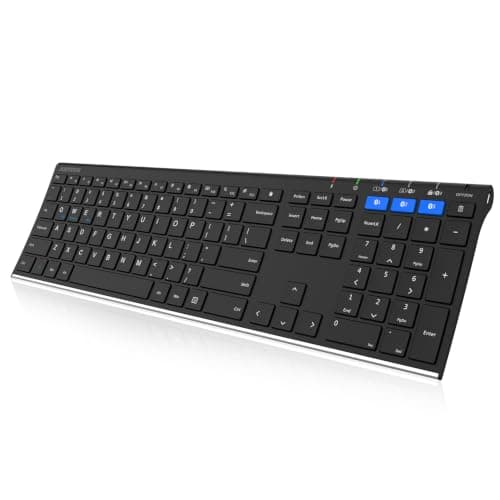
5 Best Wireless Keyboards for Multiple Devices in 2026 — Easy Switching Across Laptop, Tablet, and Phone
If you’re tired of juggling separate keyboards for your laptop, tablet, and phone, a multi-device wireless keyboard can clean up your desk fast. The best wireless keyboards for multiple devices 2026 make it easy to switch between work, school, and travel setups without re-pairing every time. In this
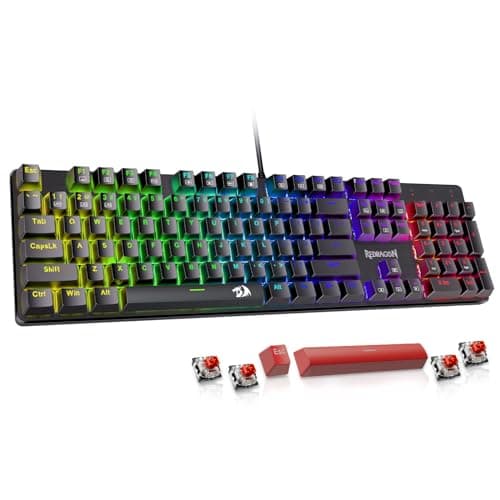
7 Best Mechanical Keyboards in 2026 — Top Picks for Typing Feel, Gaming, and Wireless Flexibility
If you’re trying to find the best mechanical keyboards 2026 , the hard part isn’t choosing a keyboard—it’s choosing the right kind of keyboard for your desk, your hands, and your budget. Some buyers want a premium wireless board for work, while others want hot-swappable switches, RGB lighting, or a