

Who this is for: Best for gamers and home theater buyers who need to understand HDMI 2.1 features and choose the right certified cable.
Check PriceWhat is HDMI 2.1? A Complete 2026 Guide
HDMI 2.1 explained in plain English: it is the newest mainstream HDMI standard that enables higher resolutions, faster refresh rates, better gaming features, and improved audio return support over a single cable. If you’re confused by terms like 4K@120Hz, 48Gbps, VRR, or eARC, you’re not alone—those specs can be hard to decode when shopping for a TV, console, or cable. This guide breaks down what HDMI 2.1 does, why it matters, and what to look for so you can buy the right gear without overspending.
Related Reviews
How It Works
At a basic level, HDMI is the connection that carries video and audio from a source device to a display or sound system. HDMI 2.1 raises the amount of data that can travel through that cable, which is why it supports much higher image quality and smoother motion than older HDMI versions.
The biggest technical jump is bandwidth. HDMI 2.0 tops out at 18Gbps, while HDMI 2.1 can go up to 48Gbps, which gives devices room to send more pixels, more frames per second, and richer color information without compressing the signal as aggressively.
That extra bandwidth unlocks features like 4K at 120Hz, 8K at 60Hz, Variable Refresh Rate (VRR), Auto Low Latency Mode (ALLM), Quick Frame Transport (QFT), and eARC. In simple terms, HDMI 2.1 helps games feel smoother, reduces lag, and lets compatible TVs and soundbars handle better audio and video handoff.
It’s also important to know that HDMI 2.1 is not one single feature. Some products advertise “HDMI 2.1” but only support parts of the standard, so the cable, TV, console, receiver, and source device all need to be compatible for you to see the full benefit.
Key Benefits & Use Cases
1) Better gaming performance
HDMI 2.1 is most famous for gaming. If you have a PS5, Xbox Series X/S, or a gaming PC with a strong GPU, HDMI 2.1 can deliver 4K at 120Hz or even higher frame-rate modes on supported displays. That means smoother motion, less input delay, and a more responsive feel in fast-paced games.
2) Higher-quality video
For home theater use, HDMI 2.1 supports 8K at 60Hz and advanced HDR formats, which can improve detail and dynamic range on compatible TVs. Even if you’re not watching 8K content today, HDMI 2.1 helps future-proof your setup for newer displays and devices.
3) Better audio integration
eARC is one of the most practical HDMI 2.1 features for movie lovers. It lets your TV send full-resolution audio to a soundbar or AV receiver, including formats like Dolby Atmos and DTS:X, without the limitations of older return-channel setups.
4) Less screen tearing and stutter
VRR helps the display match the game’s frame output more closely, which can reduce tearing and stutter when frame rates fluctuate. This is especially useful for console and PC gaming where performance can vary scene to scene.
5) Cleaner cable management
Because HDMI carries both audio and video in one cable, HDMI 2.1 can simplify setups with TVs, monitors, projectors, receivers, and soundbars. That makes it a strong fit for living rooms, gaming desks, and multi-device entertainment centers.
What to Look For When Buying
1) Certified Ultra High Speed labeling
Look for cables that are explicitly certified as Ultra High Speed HDMI. Certification matters because it helps confirm the cable is designed for 48Gbps performance rather than just claiming HDMI 2.1 compatibility.
2) The right length for your setup
Shorter cables are usually easier to manage and can be less prone to signal issues, but you still need enough slack for your furniture and device placement. For desks and close-range TV setups, 6.6ft to 8ft is often a practical choice.
3) Support for the features you actually need
If you mainly game, prioritize 4K@120Hz, VRR, and low-latency support. If you’re building a home theater, eARC and HDR support may matter more than high refresh rates. Buy for your use case, not for the longest spec sheet.
4) Build quality and durability
Braided jackets, reinforced connectors, and strain relief can help a cable hold up over time, especially if it’s bent often behind a TV or console. A tougher cable is worth considering if you plan to move devices around or plug/unplug frequently.
5) Device compatibility
Check whether your TV, console, GPU, receiver, or soundbar supports HDMI 2.1 features. A cable alone won’t unlock 4K@120Hz or eARC if the connected devices don’t support those functions.
Top Recommended Products
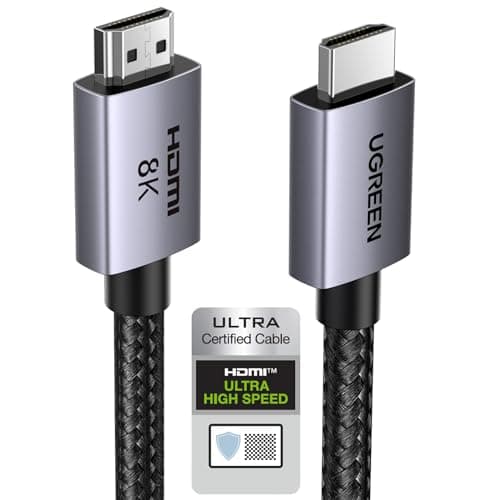
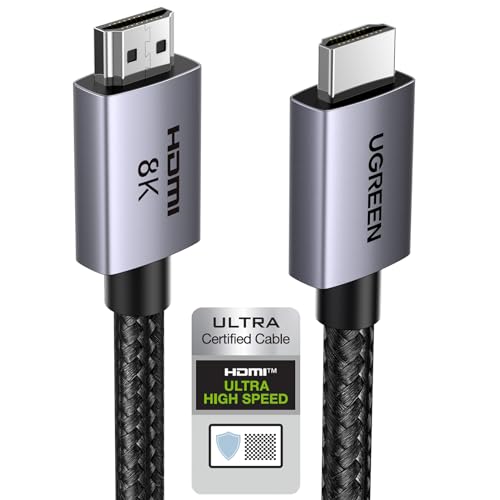
UGREEN 8K HDMI 2.1 Cable 48Gbps 6.6FT, Certified Ultra High Speed HDMI Cord Aluminum, 4K@240Hz 120Hz 10K 8K@60Hz, HDCP 2.2&2.3, eARC HDR 10 Dolby Compatible with PS5/Blu-ray/Roku TV/Switch 2/Mac mini 4.7★ (review count not provided) ✓ Prime


31% OFF — Was $12.99 ✓ Prime | $8.99
This is the strongest all-around pick if you want a short, certified HDMI 2.1 cable for gaming or living-room use. Its 48Gbps bandwidth, eARC support, and broad compatibility make it a practical choice for PS5, modern TVs, soundbars, and media boxes.
- ✓ HDMI 2.1 certified Ultra High Speed cable
- ✓ 48Gbps bandwidth for 4K@240Hz and 8K@60Hz support
- ✓ eARC, Dynamic HDR, and HDCP 2.2/2.3 support
- ✓ Braided nylon jacket with aluminum alloy housing for durability
- ✓ Wide compatibility with consoles, TVs, PCs, and receivers
- ✗ 6.6ft length may be too short for some wall-mounted setups
- ✗ Overkill if your devices only support 4K@60Hz
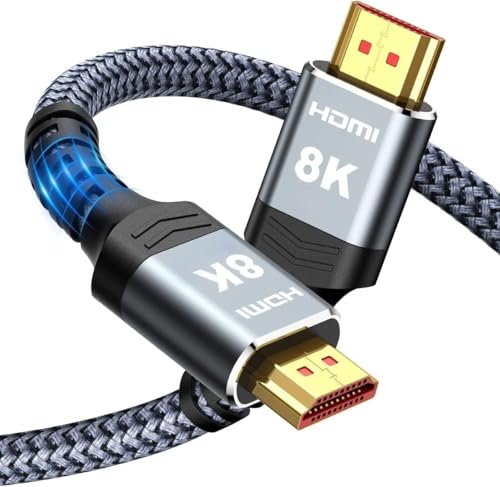
Highwings 8K@60 HDMI Cable 8FT/2.5M, 48Gbps 2.1 High Speed HDMI Braided Nylon 4K120 144Hz RTX 3090 eARC HDR10 4:4:4 HDCP 2.2&2.3 Compatible for PS5, PS4, UHD TV and PC 4.6★ (review count not provided) ✓ Prime


$11.99 ✓ Prime
This is a good middle-ground option if you want a slightly longer cable for a console, TV, or PC setup. Its 8-foot length can be more flexible than a short cable, and the 48Gbps spec makes it suitable for modern HDMI 2.1 features.
- ✓ 48Gbps bandwidth for HDMI 2.1 features
- ✓ 8-foot length offers more placement flexibility
- ✓ Supports 4K@120Hz and 144Hz use cases
- ✓ Braided nylon design for improved durability
- ✓ Compatible with PS5, PC, and UHD TVs
- ✗ No explicit HDMI certification language in the title
- ✗ Less polished feature set than the most certification-focused options
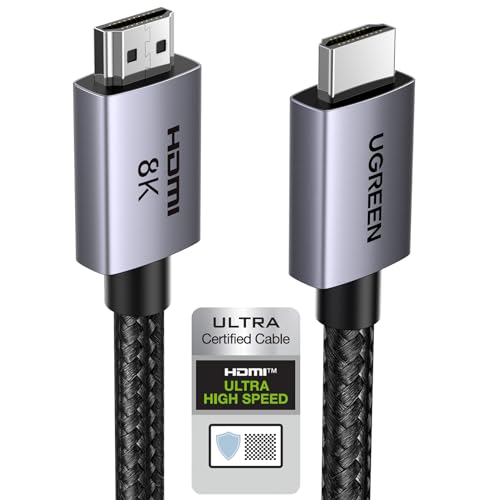
UGREEN 8K HDMI 2.1 Cable 48Gbps 10FT, Certified Ultra High Speed HDMI Cord Aluminum, 4K@240Hz 120Hz 10K 8K@60Hz, HDCP 2.2&2.3, eARC HDR 10 Dolby Compatible with PS5/Blu-ray/Roku TV/Switch 2/Mac mini 4.7★ (review count not provided) ✓ Prime

25% OFF — Was $18.99 ✓ Prime | $14.24
Choose this if your devices are farther apart and you want the same certified feature set as the shorter UGREEN model. The 10-foot length is useful for TVs, projectors, and setups where cable routing matters more than desk-side neatness.
- ✓ Certified Ultra High Speed HDMI 2.1 cable
- ✓ 10-foot length for more flexible routing
- ✓ 48Gbps bandwidth with 4K@240Hz and 8K@60Hz support
- ✓ eARC, Dynamic HDR, and broad device compatibility
- ✓ Durable aluminum and braided build
- ✗ Costs more than the 6.6ft version
- ✗ Longer cables can be more than you need for close-range setups
Silkland Certified HDMI 2.1 Cable, [4K@240Hz 144Hz 120Hz, 8K@60Hz] 1440P Ultra High Speed HDMI Cable 48Gbps (Upgrade Braided), HDR10+, eARC, HDCP 2.3, Compatible for Xbox/PS5/PS4/Roku TV-6.6ft 4.6★ (review count not provided) ✓ Prime
![Silkland Certified HDMI 2.1 Cable, [4K@240Hz 144Hz 120Hz, 8K@60Hz] 1440P Ultra High Speed HDMI Cable 48Gbps (Upgrade Braided), HDR10+, eARC, HDCP 2.3, Compatible for Xbox/PS5/PS4/Roku TV-6.6ft](https://pub-621496c7f62b43389c3fdd92f5da4ea8.r2.dev/blog/hdmi-2-1-explained-2026/product-3.jpg)
![Silkland Certified HDMI 2.1 Cable, [4K@240Hz 144Hz 120Hz, 8K@60Hz] 1440P Ultra High Speed HDMI Cable 48Gbps (Upgrade Braided), HDR10+, eARC, HDCP 2.3, Compatible for Xbox/PS5/PS4/Roku TV-6.6ft](https://m.media-amazon.com/images/I/41tsfv0lTOL._SL500_.jpg)
![Silkland Certified HDMI 2.1 Cable, [4K@240Hz 144Hz 120Hz, 8K@60Hz] 1440P Ultra High Speed HDMI Cable 48Gbps (Upgrade Braided), HDR10+, eARC, HDCP 2.3, Compatible for Xbox/PS5/PS4/Roku TV-6.6ft](https://m.media-amazon.com/images/I/41gTL6VKwFL._SL500_.jpg)
$9.99 ✓ Prime
This is a strong choice if you want certification and gaming-focused features at a low price. It stands out for explicitly calling out HDMI 2.1 certification, 4K@120Hz/144Hz support, and HDR10+.
- ✓ HDMI 2.1 certification highlighted in the listing
- ✓ 4K@120Hz and 144Hz support for gaming
- ✓ 48Gbps bandwidth for modern HDMI 2.1 features
- ✓ Braided construction aimed at durability
- ✓ HDR10+ and eARC support
- ✗ 6.6ft length may be limiting for larger setups
- ✗ Best value mostly if you need the certification-focused feature set
Common Mistakes to Avoid
1) Assuming every “HDMI 2.1” label means full 48Gbps. Some products support only part of the HDMI 2.1 feature set, so always check the bandwidth and the exact features listed.
2) Buying a cable longer than you need. Longer cables can be fine, but if your setup is close-range, a shorter certified cable is often simpler and cheaper.
3) Expecting HDMI 2.1 benefits from one device alone. You need a compatible source, display, and often the right settings enabled for features like 4K@120Hz or VRR to work.
4) Ignoring your TV’s port limitations. Some TVs only include HDMI 2.1 on certain ports, so plugging into the wrong one can prevent you from getting the full feature set.
5) Confusing cable quality with image quality. A better cable won’t magically improve a weak source or unsupported display; it mainly ensures the signal can travel reliably at the needed speed.
Frequently Asked Questions
1) What is HDMI 2.1 in simple terms?
HDMI 2.1 is a newer HDMI standard that supports more data than older versions, allowing higher resolutions, faster refresh rates, better gaming features, and improved audio return.
2) Do I need HDMI 2.1 for PS5 or Xbox Series X?
Not always, but HDMI 2.1 is recommended if you want features like 4K@120Hz, VRR, and the smoothest possible gaming experience on supported TVs and monitors.
3) Is an HDMI 2.1 cable better than HDMI 2.0?
Yes, if your devices support HDMI 2.1 features. HDMI 2.1 cables are designed for higher bandwidth, which helps with 4K@120Hz, 8K@60Hz, and other advanced functions.
4) Does HDMI 2.1 improve picture quality?
It can, but mostly by enabling higher resolutions, better HDR handling, and smoother motion. The biggest gains depend on whether your TV, source device, and content support those features.
5) What is eARC and why does it matter?
eARC is an enhanced audio return feature that sends higher-quality audio from your TV to a soundbar or receiver, making it useful for Dolby Atmos and other immersive formats.
Pros
- + Supports 4K@120Hz and 8K@60Hz
- + 48Gbps bandwidth for modern devices
- + eARC, VRR, and HDR support
- + Certified and braided options available
- + Good choices for gaming and home theater
Cons
- – Not all HDMI 2.1 products support every feature
- – Longer cables can be unnecessary for close setups
- – Compatibility depends on the TV and source device
Frequently asked questions
- What is HDMI 2.1 in simple terms?
- HDMI 2.1 is a newer HDMI standard that supports more data than older versions, allowing higher resolutions, faster refresh rates, better gaming features, and improved audio return.
- Do I need HDMI 2.1 for PS5 or Xbox Series X?
- Not always, but HDMI 2.1 is recommended if you want features like 4K@120Hz, VRR, and the smoothest possible gaming experience on supported TVs and monitors.
- Is an HDMI 2.1 cable better than HDMI 2.0?
- Yes, if your devices support HDMI 2.1 features. HDMI 2.1 cables are designed for higher bandwidth, which helps with 4K@120Hz, 8K@60Hz, and other advanced functions.
- Does HDMI 2.1 improve picture quality?
- It can, but mostly by enabling higher resolutions, better HDR handling, and smoother motion. The biggest gains depend on whether your TV, source device, and content support those features.
- What is eARC and why does it matter?
- eARC is an enhanced audio return feature that sends higher-quality audio from your TV to a soundbar or receiver, making it useful for Dolby Atmos and other immersive formats.
Get the Full Tech Buyer's Guide
Join our free newsletter — we'll send our latest Tech picks, specs and verdicts straight to your inbox.
Free. No spam. Unsubscribe anytime.
Was this review helpful?
Be the first to share your feedback on this review.
Sign in to vote and let us know what you think.
Discussion (0)
No comments yet. Be the first to start the discussion.
Related Reviews
What is how to fix TV screen burn in? A Complete 2026 Guide
TV screen burn-in can be frustrating because it leaves faint ghost images, uneven brightness, or permanent-looking marks that distract from movies, sports, and gaming. If you’re searching for how to fix TV screen burn in , the first thing to know is that some cases are temporary image retention whil
7 Best Universal Remotes in 2026 — Easy Setup, Broad TV Compatibility, and Better Value
If your current remote is lost, broken, or full of dead buttons, finding a replacement that actually works can be frustrating fast. The best universal remotes 2026 shoppers want should be easy to set up, compatible with the TV brands they own, and affordable enough to replace without regret. This re
2 Best Transparent TVs in 2026 — Clear Design, Commercial-Grade Reliability
If you’re searching for the best transparent tvs 2026 , you’re probably looking for something that stands out visually without sacrificing everyday usability. The challenge is that this is still an emerging category, so the safest picks are the models with documented specs, practical screen sizes, a