

Who this is for: Best for TV owners who want to understand burn-in, recover image retention, and choose safer display options.
Check PriceWhat is how to fix TV screen burn in? A Complete 2026 Guide
TV screen burn-in can be frustrating because it leaves faint ghost images, uneven brightness, or permanent-looking marks that distract from movies, sports, and gaming. If you’re searching for how to fix TV screen burn in, the first thing to know is that some cases are temporary image retention while others are true panel wear. This guide explains what burn-in is, what actually helps, what to avoid, and which display options may reduce the risk going forward.
Related Reviews
Burn-in usually happens when static elements are shown for long periods, especially on OLED and similar self-emissive displays. The good news is that many “burn-in” complaints are not permanent and can sometimes be improved with the right settings, content changes, or pixel-refresh tools. Understanding the difference between temporary retention and real damage is the key to choosing the right fix.
How It Works
TVs create images in different ways, and that matters a lot when burn-in appears. On OLED screens, each pixel produces its own light, so if some pixels are driven harder than others for long periods, they can age unevenly and leave a lasting shadow of logos, scoreboards, or menu bars.
On LCD and LED TVs, the light comes from a backlight behind the panel, so true burn-in is much less common. What people often call burn-in on these sets is usually temporary image retention, which can fade after normal viewing, a power cycle, or a screen refresh. That’s why the first step in fixing the issue is identifying whether you’re dealing with retention or actual panel wear.
Most modern OLED TVs include built-in protection features such as pixel shifting, logo dimming, automatic brightness limiting, and panel refresh cycles. These tools are designed to reduce uneven wear over time, but they cannot fully reverse severe burn-in once it becomes permanent. In practical terms, the “fix” is often a mix of recovery steps, prevention, and knowing when repair or replacement is the realistic option.
Key Benefits & Use Cases
Learning how to deal with burn-in helps you protect your TV investment and improve picture quality without guessing. It also helps you avoid spending money on unnecessary replacements when the problem may be temporary.
Where this knowledge helps most
- OLED owners who notice faint channel logos, HUD elements, or app menus after long viewing sessions.
- Gamers who leave static scoreboards, maps, or health bars on screen for hours.
- Sports fans who watch channels with persistent tickers, score bugs, or studio graphics.
- Streaming users who pause content often or leave paused screens on for extended periods.
- Buyers comparing displays and deciding whether a projector or a different TV type better fits their usage.
For readers who want a display setup that avoids static-image wear concerns, a projector can be a practical alternative for movie nights and casual gaming. The products below are not burn-in “fixers,” but they can be useful if you’re looking for a screen solution that doesn’t rely on a self-emissive panel.
What to Look For When Buying
If you’re shopping for a new display after burn-in concerns, focus on the features that reduce risk and improve long-term usability. Here are the five most important criteria.
1. Display technology
OLED offers excellent contrast and deep blacks, but it can be more vulnerable to burn-in than LCD/LED. If your usage includes lots of static content, a projector or an LCD-based display may be a safer fit.
2. Built-in protection features
Look for pixel shifting, logo dimming, screen savers, automatic brightness controls, and panel refresh tools. These features don’t eliminate burn-in risk, but they help slow uneven wear.
3. Your content habits
Choose a display that matches how you actually watch. Sports, news, gaming, and desktop use create more static elements than movies or varied streaming content.
4. Brightness and viewing environment
Brighter rooms may push you toward higher brightness settings, which can increase wear on OLED panels over time. A display that looks good at moderate brightness is often easier to live with long-term.
5. Ease of maintenance
Simple access to refresh tools, timers, and picture settings makes it easier to prevent problems before they start. If a device is hard to adjust, owners are less likely to use the protective features that matter.
Top Recommended Products
These picks are included because they may appeal to readers who are looking for a viewing setup with less concern about traditional screen burn-in. The first product is the most flexible option for large-screen entertainment, while the RCA displays are compact TV choices for straightforward everyday use.
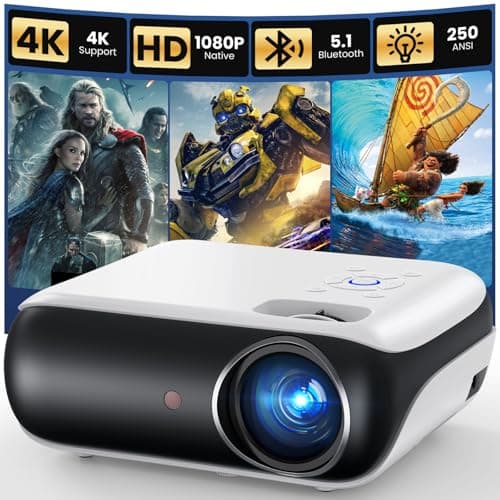
HAPPRUN Native 1080P Projector, Bluetooth Home Theater Movie Projector with Built-in Speaker, Compatible with Smartphone, HDMI, Fire Stick, PS5, Indoor & Outdoor Use - Without Google TV System 4.7★ (23% off — Was $109.99) ✓ Prime
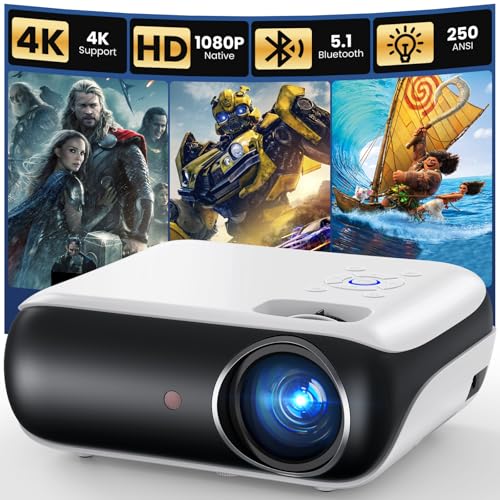

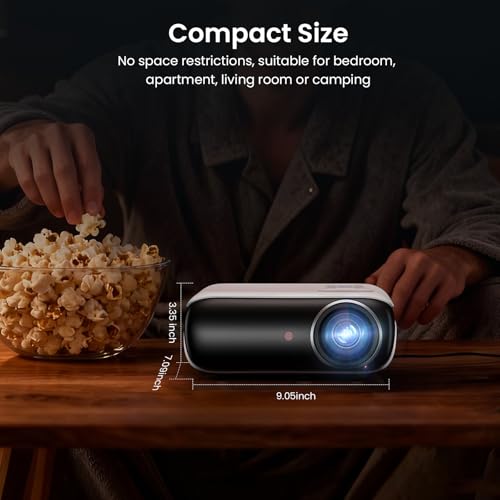
This projector stands out for readers who want a big-screen experience without relying on a TV panel that can develop burn-in from static content. Its native 1080p resolution, Bluetooth support, and compatibility with streaming sticks make it a flexible option for movies, casual gaming, and bedroom setups.
- ✓ Native 1080p Full HD resolution for sharper, more vibrant viewing
- ✓ Portable design for bedrooms, apartments, backyard use, or travel
- ✓ Bluetooth 5.1 support for speakers or private headphone listening
- ✓ Built-in Hi-Fi stereo speakers for simple setup
- ✓ Works with Fire TV Stick, Chromecast, and similar streaming devices
- ✗ Not a direct TV replacement if you want built-in smart TV software
- ✗ Requires a suitable wall or screen and a darker room for best results
- ✗ Built-in speakers may be fine for small spaces but not for full theater sound
RCA 22” Clearview HDTV | J22SE1221 Transparent LED HD Television, High Resolution Wide Screen Monitor w/HDMI, VGA, Including Full Function Remote Prime
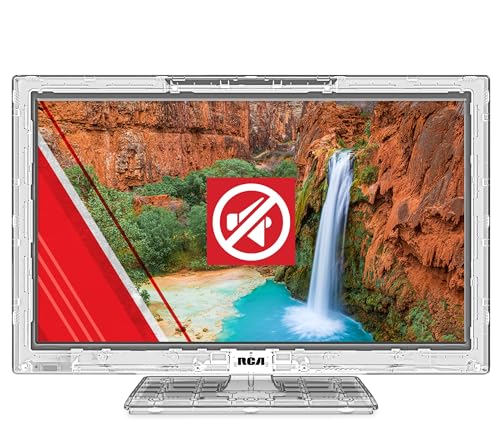
This compact RCA display is a straightforward LED TV option for users who want simple everyday viewing with lower burn-in concern than an OLED panel. It may appeal to controlled environments, display setups, or buyers who value a durable, easy-to-operate screen.
- ✓ 1920 × 1080 LED backlit display for dependable everyday viewing
- ✓ Transparent polycarbonate cabinet with a distinctive modern look
- ✓ Commercial-grade construction with impact-resistant materials
- ✓ Energy-efficient operation with sleep timer support
- ✓ HDMI and VGA inputs for flexible connectivity
- ✗ Smaller screen size may not suit living rooms or cinematic use
- ✗ Basic feature set compared with full smart TVs
- ✗ Transparent design is niche and may not fit every home aesthetic
RCA 15” Clearview HDTV | J15SE1220 Transparent LED HD Television, High Resolution Wide Screen Monitor w/HDMI, VGA, Including Full Function Remote Prime
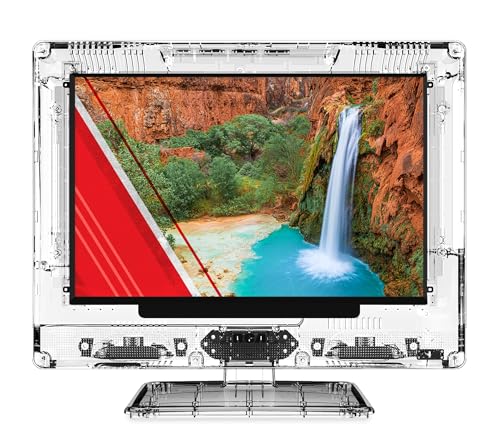

The smaller RCA Clearview model is best viewed as a compact LED screen for secondary spaces, desk setups, or niche display needs. Like the 22-inch version, it offers a simpler panel type that avoids the same burn-in concerns associated with OLED technology.
- ✓ 1080p LED display for clear everyday viewing
- ✓ Compact size for tighter spaces or secondary rooms
- ✓ Commercial-grade construction for long-term reliability
- ✓ Energy-efficient operation with simple controls
- ✓ HDMI and VGA support for basic connectivity
- ✗ Very small for main-room TV use
- ✗ Limited smart features compared with mainstream televisions
- ✗ Transparent design is specialized rather than universal
Common Mistakes to Avoid
When people search for how to fix TV screen burn in, the biggest mistake is assuming every ghost image is permanent. Temporary image retention can often improve on its own, while true burn-in usually needs prevention or acceptance rather than a miracle repair.
- Leaving static images on screen for hours like news tickers, paused games, or menus.
- Running the TV at maximum brightness all the time, which can accelerate uneven wear on OLED panels.
- Ignoring built-in protection tools such as pixel shift, screen savers, and panel refresh.
- Using the wrong fix methods like random “burn-in videos” at extreme brightness for too long.
- Confusing LCD retention with OLED burn-in and assuming every display needs replacement.
Also avoid overreacting too quickly. If the issue appeared after one long session, it may fade with normal use, a restart, or the manufacturer’s recommended refresh process. If the mark remains visible across many different inputs and scenes, it’s more likely to be permanent wear.
Frequently Asked Questions
Can TV burn-in be fixed?
Sometimes. Temporary image retention can fade, but true burn-in on OLED panels is usually permanent or only partially improved.
What is the fastest way to remove image retention?
Turn the TV off for a while, lower brightness, and use the manufacturer’s built-in refresh or pixel-cleaning feature if available.
Does burn-in happen on all TVs?
No. It is most associated with OLED and other self-emissive displays. LCD and LED TVs are much less prone to true burn-in.
Are burn-in videos safe to use?
They can help in some retention cases, but they should be used cautiously and only as directed. Overdoing them can add stress to the panel.
How can I prevent burn-in from happening again?
Use screen savers, lower brightness when possible, vary content, hide static HUD elements when you can, and enable the TV’s built-in protection settings.
Pros
- + Explains the difference between burn-in and image retention
- + Covers practical prevention steps and built-in TV protections
- + Includes display alternatives with lower burn-in concern
- + Gives buying criteria for long-term use
- + Answers common OLED burn-in questions
Cons
- – True burn-in is often not fully reversible
- – Projectors need the right room conditions
- – The RCA displays are niche and small for main-room use
Frequently asked questions
- Can TV burn-in be fixed?
- Sometimes. Temporary image retention can fade, but true burn-in on OLED panels is usually permanent or only partially improved.
- What is the fastest way to remove image retention?
- Turn the TV off for a while, lower brightness, and use the manufacturer’s built-in refresh or pixel-cleaning feature if available.
- Does burn-in happen on all TVs?
- No. It is most associated with OLED and other self-emissive displays. LCD and LED TVs are much less prone to true burn-in.
- Are burn-in videos safe to use?
- They can help in some retention cases, but they should be used cautiously and only as directed. Overdoing them can add stress to the panel.
- How can I prevent burn-in from happening again?
- Use screen savers, lower brightness when possible, vary content, hide static HUD elements when you can, and enable the TV’s built-in protection settings.
Get the Full Tech Buyer's Guide
Join our free newsletter — we'll send our latest Tech picks, specs and verdicts straight to your inbox.
Free. No spam. Unsubscribe anytime.
Was this review helpful?
Be the first to share your feedback on this review.
Sign in to vote and let us know what you think.
Discussion (0)
No comments yet. Be the first to start the discussion.
Related Reviews
Best Alternatives to Roku in 2026 — Cheaper, Better, or Both?
If you’re shopping for Roku alternatives , you’re probably frustrated by one of three things: rising prices, a menu system that feels too locked in, or missing features like better voice search, smarter recommendations, and stronger live TV options. The good news is that there are solid replacements
What is Lumens Explained for Projectors? A Complete 2026 Guide
If you’ve been trying to understand lumens explained for projectors , you’re probably stuck comparing specs that don’t clearly tell you how bright an image will look in real life. The short answer: lumens measure a projector’s light output, and the right number depends on your room, screen size, and
Best Dolby Atmos Soundbars Under $500 for Every Budget in 2026: Ranked by Price & Performance
If you’re shopping for the best Dolby Atmos soundbars under $500 , the hard part is figuring out which models actually improve movie immersion without wasting money on inflated specs. At this price ceiling, the smartest buys are usually the ones that balance real-world dialogue clarity, bass output,