

What is DLSS vs FSR vs XeSS? A Complete 2026 Guide
Trying to figure out DLSS vs FSR vs XeSS can feel confusing when every GPU brand claims better performance, sharper image quality, and smarter AI upscaling. If you want smoother frame rates without turning your games into a blurry mess, the key is understanding what each technology actually does and where it shines. This guide breaks it down in plain English so you can choose the right upscaling feature for your next gaming PC or graphics card.
Related Reviews
How It Works
DLSS, FSR, and XeSS are all forms of upscaling, which means they render a game at a lower internal resolution and then rebuild the image to look closer to a higher resolution. The goal is simple: get better performance with less strain on the GPU while keeping the picture as sharp and stable as possible.
DLSS is NVIDIA’s solution and uses AI-based reconstruction on supported RTX graphics cards. It relies on dedicated hardware and trained models to estimate fine details, reduce aliasing, and improve image stability during motion.
FSR is AMD’s answer and is designed to work on a much wider range of graphics cards. Instead of depending heavily on specialized AI hardware, it focuses on smart spatial and temporal reconstruction so more gamers can use it across different systems.
XeSS is Intel’s upscaling technology and sits somewhere between the other two in approach. On Intel Arc hardware, it can use dedicated acceleration, while on other GPUs it can still operate through broader compatibility modes, making it a flexible option for many setups.
Key Benefits & Use Cases
1. Higher Frame Rates
The biggest reason people compare DLSS vs FSR vs XeSS is performance. By rendering fewer pixels first, these technologies can significantly boost FPS in demanding games, especially at 1440p and 4K.
2. Better Playability at Higher Resolutions
If your GPU struggles with native 4K, upscaling can make that resolution much more realistic for everyday gaming. You can enjoy sharper visuals without needing the absolute top-tier card.
3. Improved Ray Tracing Experience
Ray tracing is expensive in terms of GPU power. Upscaling helps offset that cost, which is why these features are often paired with ray-traced settings in modern games.
4. More Value From Midrange Hardware
For buyers who don’t want to overspend, upscaling can make a midrange card feel much more capable. That’s especially useful if you want to stretch a budget while still targeting high-refresh gaming.
5. Better Longevity for Your Build
Choosing a GPU with strong upscaling support can help your system stay relevant longer as games become more demanding. It’s a practical way to protect your investment.
What to Look For When Buying
1. GPU Ecosystem Compatibility
Start by checking which upscaling technology your graphics card supports best. If you’re already committed to a brand ecosystem, that may make the decision easier.
2. Image Quality vs Performance Tradeoff
Some modes prioritize sharper visuals, while others prioritize maximum FPS. Look for a card and game settings that let you balance both.
3. Game Support
Not every game supports every upscaling method equally. Before you buy, make sure your favorite titles actually include the feature you plan to use.
4. Resolution Target
Your ideal choice depends on whether you play at 1080p, 1440p, or 4K. Higher resolutions benefit more from upscaling, while lower resolutions may need more careful tuning to avoid softness.
5. Cooling and Power Headroom
Even with upscaling, you still want a GPU that can run cool and stable under load. Strong cooling and enough PSU headroom help maintain consistent performance in long sessions.
Top Recommended Products
ASUS Prime AMD Radeon™ RX 9070 XT 16GB GDDR6 White OC Edition Graphics Card 4.7★ (price not provided) ✓ Prime
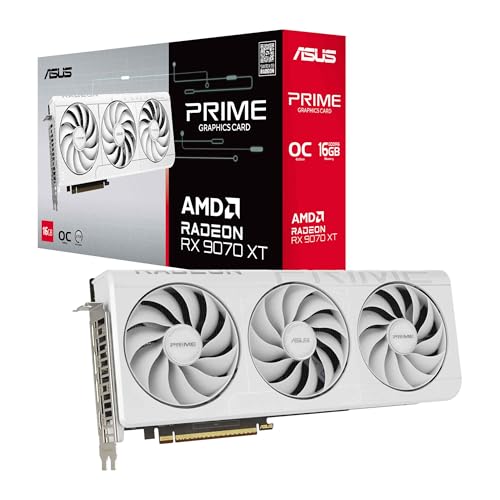


This card is a strong pick if you want high-end performance for upscaling-heavy gaming, especially at 1440p and 4K. Its cooling design and boost clocks make it a compelling option for players who want fast frame rates with plenty of thermal headroom.
- ✓ OC mode up to 3030 MHz boost clock for strong gaming performance
- ✓ Axial-tech fans with improved airflow and pressure
- ✓ Phase-change GPU thermal pad for better heat transfer
- ✓ 2.5-slot design for better build compatibility
- ✓ Dual-ball fan bearings for longer-lasting durability
- ✗ Higher price than mainstream options
- ✗ Best suited for buyers who will actually use its performance headroom
ASUS Prime AMD Radeon RX 9070 XT 16GB GDDR6 OC Edition Graphics Card 4.7★ (price not provided) ✓ Prime
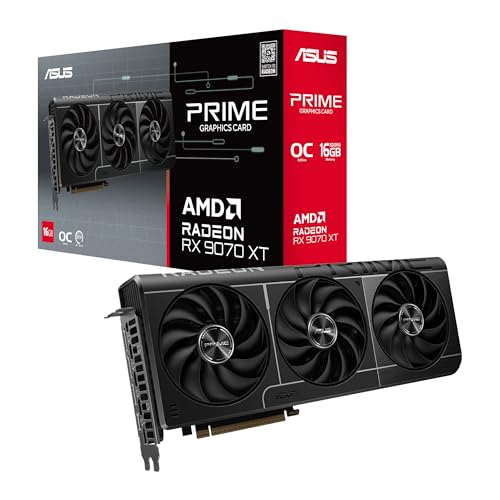


If you want similar high-end capability with a more straightforward value angle, this OC Edition is another excellent fit. It combines strong cooling, modern connectivity, and a design that should appeal to builders who care about both performance and reliability.
- ✓ Axial-tech fans for stronger downward air pressure
- ✓ Phase-change thermal pad for lower GPU temperatures
- ✓ 2.5-slot design for better compatibility
- ✓ Dual-ball bearings for extended fan life
- ✓ 0dB technology for quieter light gaming
- ✗ Still a premium-class graphics card
- ✗ White design may not match every build
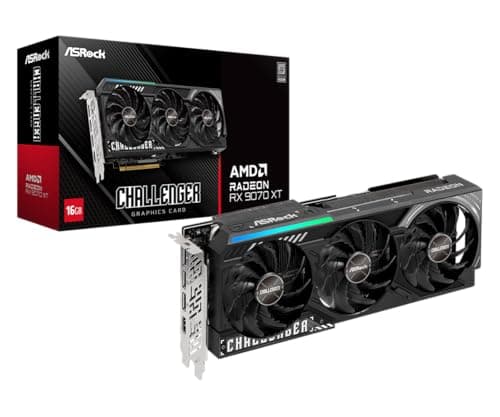
ASRock Radeon RX 9070 XT Challenger 16GB OC Graphics Card 4.7★ (price not provided) ✓ Prime
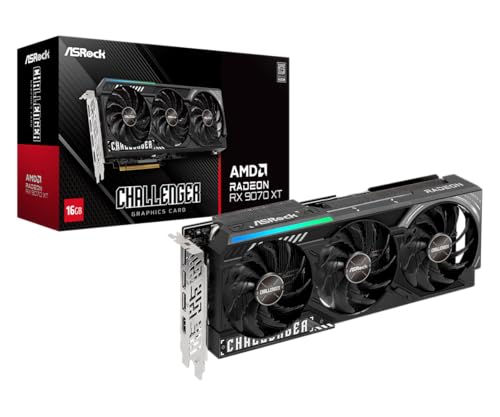


This is a solid choice if you want modern AMD performance with a focus on cooling and next-gen display support. It’s especially attractive for gamers who plan to use high-refresh monitors and want a card that can keep up with demanding titles.
- ✓ RDNA 4 architecture with 64 compute units
- ✓ 3rd Gen Ray Tracing and 2nd Gen AI accelerators
- ✓ 16GB GDDR6 memory for 4K gaming and content creation
- ✓ Triple fan cooling with 0dB silent operation
- ✓ DisplayPort 2.1a and HDMI 2.1b for modern displays
- ✗ Requires a stronger power and cooling setup than entry-level cards
- ✗ More GPU than casual 1080p gamers may need
XFX Speedster QICK309 Radeon RX 7600XT Black Gaming Graphics Card 4.7★ (price not provided) ✓ Prime
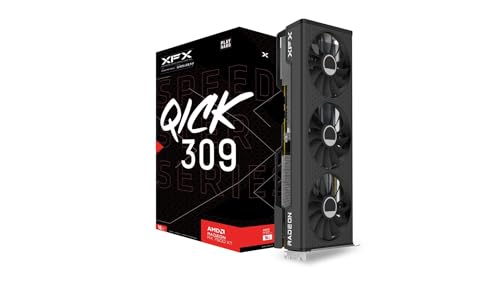


If you’re comparing upscaling technologies on a tighter budget, this card is a practical midrange option. Its 16GB memory and triple-fan cooling make it a sensible pick for players who want smoother gameplay without jumping to a premium price tier.
- ✓ 16GB GDDR6 memory for modern games
- ✓ RX 7600 XT chipset for solid midrange performance
- ✓ Triple fan cooling solution
- ✓ Boost clock up to 2810 MHz
- ✗ Not as powerful as the RX 9070 XT options
- ✗ Best for 1080p to 1440p rather than heavy 4K gaming
Common Mistakes to Avoid
Assuming the “best” upscaler is always the one with the biggest brand name
In the DLSS vs FSR vs XeSS debate, the right choice depends on your GPU, your games, and your resolution target. A feature can be excellent on paper but still be the wrong fit for your system.
Using the wrong quality mode
If you push aggressive performance settings too far, the image can become soft or unstable. Start with a balanced or quality mode before dropping to performance modes.
Ignoring native resolution performance
Upscaling is not a replacement for all GPU power. If your card is too weak even at lower internal resolutions, you may still need to lower other settings.
Buying a GPU without checking game support
Some games support one upscaling method better than another. Always verify compatibility with the titles you actually play.
Overlooking cooling and power delivery
A strong GPU can only perform well if your case airflow, PSU, and thermals are up to the task. This is especially important for higher-end cards.
Frequently Asked Questions
Is DLSS better than FSR and XeSS?
In many games, DLSS is often considered the strongest option for image quality and performance on supported RTX cards. However, the best choice depends on your GPU and the specific game implementation.
Does FSR work on more graphics cards than DLSS?
Yes. FSR is designed for broad compatibility and can work on a wide range of GPUs, which makes it a flexible option for many gamers.
Is XeSS only for Intel graphics cards?
No. XeSS is optimized for Intel Arc hardware, but it can also run on other supported GPUs in compatibility modes depending on the game and implementation.
Should I use upscaling at 1080p?
You can, but results vary. Upscaling tends to be most useful at 1440p and 4K, where the performance gains are more noticeable and the image quality tradeoff is often easier to accept.
Which GPU should I buy for the best upscaling experience?
If you want strong headroom for modern games, the ASUS Prime AMD Radeon™ RX 9070 XT 16GB GDDR6 White OC Edition Graphics Card and the ASRock Radeon RX 9070 XT Challenger 16GB OC Graphics Card are excellent high-performance choices from this list.
Cons
- – Higher price than mainstream options
- – Best suited for buyers who will actually use its performance headroom
- – Still a premium-class graphics card
- – White design may not match every build
- – Requires a stronger power and cooling setup than entry-level cards
- – More GPU than casual 1080p gamers may need
- – Not as powerful as the RX 9070 XT options
- – Best for 1080p to 1440p rather than heavy 4K gaming
Frequently asked questions
- Is DLSS better than FSR and XeSS?
- In many games, DLSS is often considered the strongest option for image quality and performance on supported RTX cards. However, the best choice depends on your GPU and the specific game implementation. Does FSR work on more graphics cards than DLSS?
- Does FSR work on more graphics cards than DLSS?
- Yes. FSR is designed for broad compatibility and can work on a wide range of GPUs, which makes it a flexible option for many gamers. Is XeSS only for Intel graphics cards?
- Is XeSS only for Intel graphics cards?
- No. XeSS is optimized for Intel Arc hardware, but it can also run on other supported GPUs in compatibility modes depending on the game and implementation. Should I use upscaling at 1080p?
- Should I use upscaling at 1080p?
- You can, but results vary. Upscaling tends to be most useful at 1440p and 4K, where the performance gains are more noticeable and the image quality tradeoff is often easier to accept. Which GPU should I buy for the best upscaling experience?
- Which GPU should I buy for the best upscaling experience?
- If you want strong headroom for modern games, the ASUS Prime AMD Radeon™ RX 9070 XT 16GB GDDR6 White OC Edition Graphics Card and the ASRock Radeon RX 9070 XT Challenger 16GB OC Graphics Card are excellent high-performance choices from this list.
Get the Full Tech Buyer's Guide
Join our free newsletter — we'll send our latest Tech picks, specs and verdicts straight to your inbox.
Free. No spam. Unsubscribe anytime.
Was this review helpful?
Be the first to share your feedback on this review.
Sign in to vote and let us know what you think.
Discussion (0)
No comments yet. Be the first to start the discussion.
Related Reviews
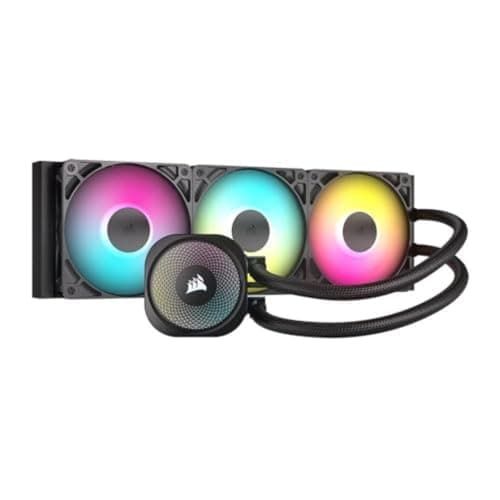
8 Best 360mm AIO Coolers in 2026 — Cooler Temps, Less Noise, Better Value
If you’re hunting for the best 360mm aio coolers 2026 , the real challenge is separating genuinely strong thermal performers from flashy RGB models that look better than they cool. This roundup focuses on 360mm AIOs that combine strong cooling, reasonable noise levels, easy installation, and socket
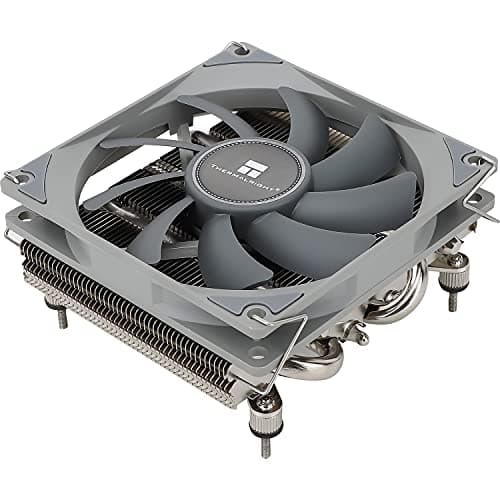
8 Best Low Profile CPU Coolers in 2026 — Compact Cooling for Small PC Builds
If you’re building a Mini-ITX, HTPC, or cramped small-form-factor PC, the wrong cooler can block RAM, hit the side panel, or simply run too hot. This roundup of the best low profile cpu coolers 2026 focuses on compact models that prioritize clearance, compatibility, and practical cooling in tight ca
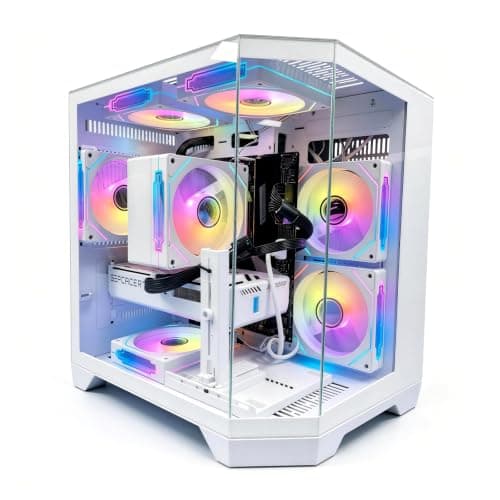
6 Best Prebuilt Gaming PCs in 2026 — Faster 1440p Performance Without the Build Hassle
If you want a gaming desktop that arrives ready to play, the best prebuilt gaming PCs in 2026 can save you hours of parts research, assembly stress, and troubleshooting. This list focuses on systems with strong CPU/GPU pairings, sensible memory and storage, and owner-friendly features like upgrade h