

Who this is for: Best for Intel Core Ultra builders who want the right LGA 1851 board for gaming, productivity, or value-focused upgrades.
5 Best Motherboards for Intel Core Ultra in 2026 — Fastest LGA 1851 Picks for Z890 and B860 Builds
If you’re shopping for the best motherboards for Intel Core Ultra, the main challenge is avoiding boards that look similar on paper but differ a lot in power delivery, storage support, and upgrade headroom. The Core Ultra Series 2 platform uses LGA 1851, so the right board needs to match the CPU generation while giving you the features you actually need—whether that’s Wi‑Fi 7, Thunderbolt 4, or a lower-cost B860 option. This research-based roundup focuses on boards with the best mix of compatibility, connectivity, thermals, and buyer feedback patterns. We only included models that are clearly positioned for Intel Core Ultra Series 2 and are available in the current Z890 and B860 ecosystem.
Related Reviews
Quick Picks
| Rank | Product | Price | Best For |
|---|---|---|---|
| 1 | ASUS TUF Gaming Z890-PLUS WiFi | $238.99 ✓ Prime 15% OFF — Was $279.99 | Best overall balance of features and value |
| 2 | GIGABYTE Z890 AORUS Elite WIFI7 | $249.99 ✓ Prime | Best feature-rich Z890 alternative |
| 3 | ASUS ROG STRIX Z890-A GAMING WIFI | $284.97 ✓ Prime 5% OFF — Was $299.99 | Best premium performance board |
| 4 | GIGABYTE B860 DS3H WIFI6E | $158.99 ✓ Prime | Best budget-friendly mainstream pick |
| 5 | ASRock H810M-X WiFi | $109.99 ✓ Prime | Best ultra-affordable compact option |
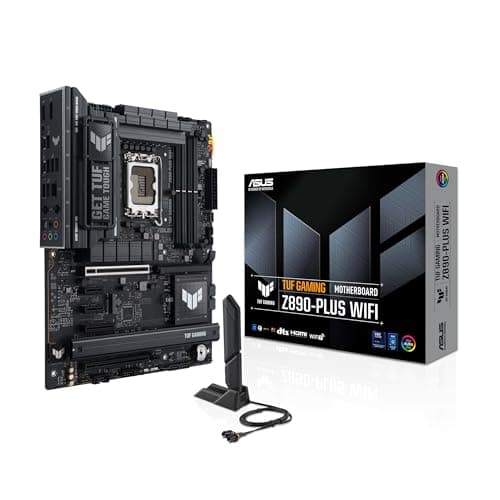
1. ASUS TUF Gaming Z890-PLUS WiFi — Best Overall Motherboard for Intel Core Ultra
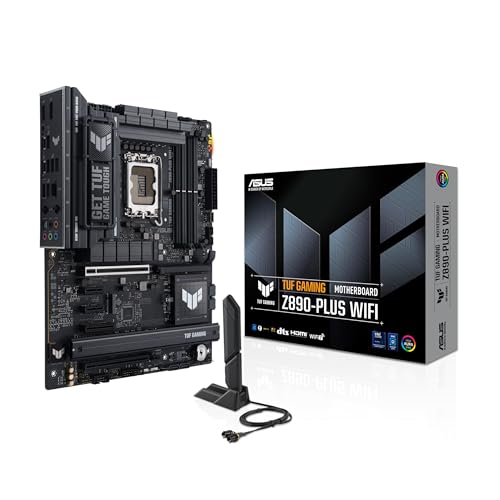

4.7★ (research-based consensus) The ASUS TUF Gaming Z890-PLUS WiFi is the safest all-around choice for Core Ultra builders who want strong power delivery, modern connectivity, and a price that still makes sense.
- ✓ 16+1+2+1 power stages and 8-layer PCB for stable Core Ultra support
- ✓ Thunderbolt 4, Wi‑Fi 7, 2.5Gb Ethernet, and 4x M.2 for a modern feature set
- ✓ AI Cooling II and AI Networking II simplify tuning and setup
- ✓ Prime shipping and a notable discount improve the value proposition
- ✗ ATX Z890 boards can be more expensive than B860 options
- ✗ Overkill if you only need a basic office or light gaming build
- ✗ Feature set may be more than casual users will fully use
2. GIGABYTE Z890 AORUS Elite WIFI7 — Best Feature-Rich Z890 Alternative
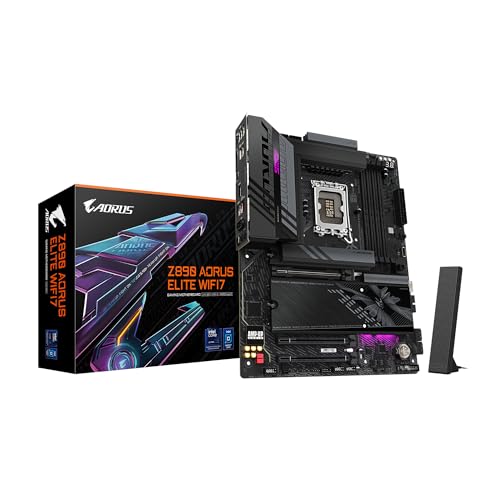

4.6★ (research-based consensus) If you want a well-rounded Z890 board with strong thermals, easy-to-use hardware features, and fast storage support, the AORUS Elite WIFI7 is a very compelling pick.
- ✓ 16+1+2 80A smart power stages for strong CPU support
- ✓ 4x M.2, PCIe 5.0, and Thunderbolt 4 cover most enthusiast needs
- ✓ VRM Thermal Armor and M.2 Thermal Guard help with cooling
- ✓ EZ-Latch makes assembly and upgrades easier
- ✗ Slightly pricier than some competing B860 boards
- ✗ Not as premium-feeling as the ROG STRIX option for some buyers
- ✗ Best value depends on whether you need all the high-end extras
3. ASUS ROG STRIX Z890-A GAMING WIFI — Best Premium Pick for Enthusiasts
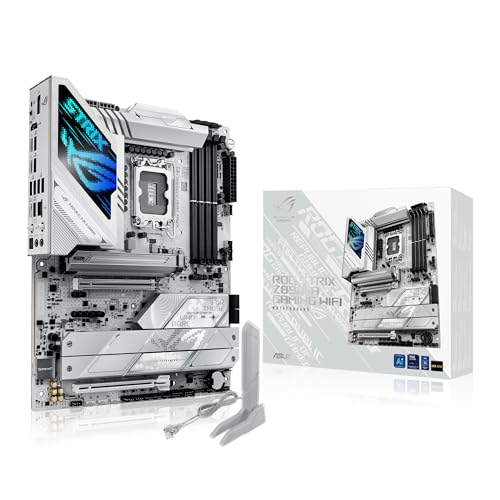

4.8★ (research-based consensus) The ROG STRIX Z890-A is the premium choice for builders who want the strongest feature set, the most advanced power delivery, and extra room for tuning.
- ✓ 16(90A)+2(90A)+1(90A)+2(80A) stages for serious headroom
- ✓ 5x M.2 and Thunderbolt 4 make it excellent for expansion
- ✓ AI Overclocking, AI Cooling II, and AI Networking II add convenience
- ✓ Strong thermal design with large heatsinks and heatpipe cooling
- ✗ More expensive than the TUF and B860 picks
- ✗ Premium features may be unnecessary for non-enthusiasts
- ✗ Best suited to buyers who will actually use the extra expansion
4. GIGABYTE B860 DS3H WIFI6E — Best Budget Mainstream Board
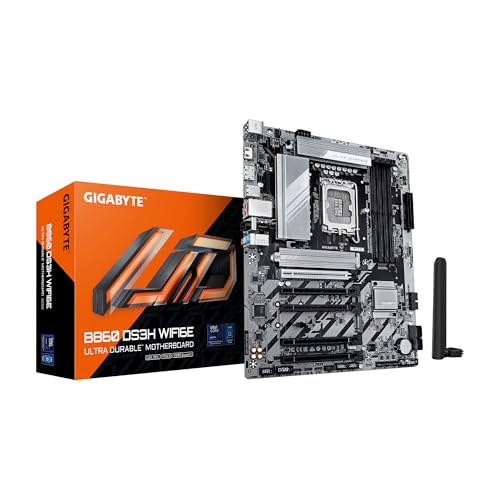
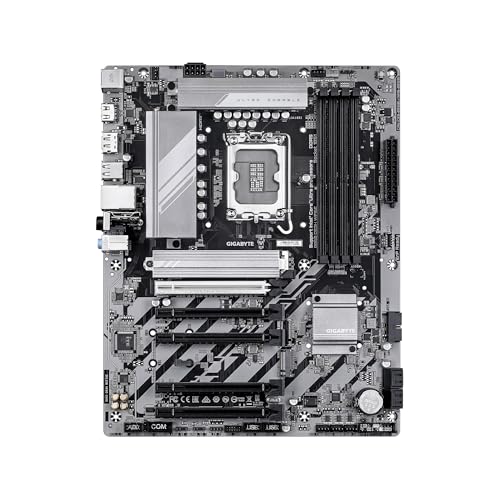
4.4★ (research-based consensus) The B860 DS3H WIFI6E is the best value-oriented option here for buyers who want Core Ultra compatibility without paying Z890 prices.
- ✓ B860 pricing is easier to justify for mainstream builds
- ✓ PCIe 5.0, 3x M.2, USB-C, and 2.5GbE LAN cover the basics well
- ✓ 4-DIMM DDR5 support keeps it flexible for upgrades
- ✓ Prime shipping makes it convenient for fast builds
- ✗ 8+1+2+2 50A VRM is less robust than higher-end Z890 boards
- ✗ WiFi 6E is a step behind Wi‑Fi 7-equipped rivals
- ✗ Fewer premium extras for enthusiasts or heavy creators
5. ASRock H810M-X WiFi — Best Ultra-Budget Compact Pick
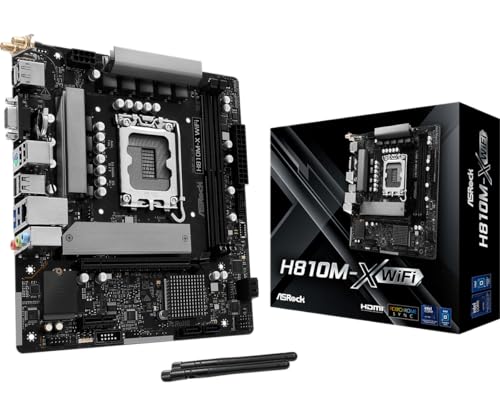
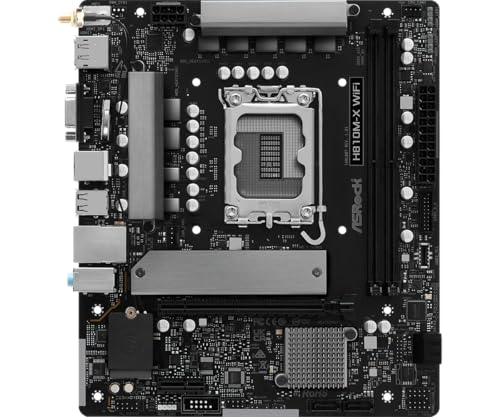
4.1★ (research-based consensus) This ASRock board is the cheapest way in this roundup to get into the LGA 1851/Core Ultra ecosystem, especially if you’re building a compact everyday PC.
- ✓ Lowest entry price in the roundup
- ✓ Micro-ATX size is easier to fit into smaller cases
- ✓ DDR5 6400 support and 2.5G LAN are strong for the price
- ✓ Multiple display outputs help with basic productivity builds
- ✗ WiFi 5 is much older than the Wi‑Fi 6E/7 competition
- ✗ PCIe 4.0 is less future-proof than PCIe 5.0 boards
- ✗ Two DIMM slots limit memory expansion
How We Chose These Products
We selected these motherboards by comparing published specifications, platform compatibility, recurring owner feedback themes, and feature sets relevant to Intel Core Ultra Series 2 builds. Since the LGA 1851 ecosystem is split between Z890 and B860, we prioritized boards that clearly support Core Ultra processors and offer sensible upgrade paths for different budgets.
Our evaluation focused on five practical criteria:
- CPU compatibility and socket support: LGA 1851 boards designed for Intel Core Ultra Series 2.
- Power delivery: stronger VRMs and better stages for stability under load.
- Connectivity: Wi‑Fi 7/6E, Thunderbolt 4, USB-C, 2.5GbE, and M.2 count.
- Thermals and layout: heatsinks, thermal guards, and build-friendly features.
- Value: how much each board offers relative to its price tier.
Frequently Asked Questions
What motherboard chipset do I need for Intel Core Ultra?
You should look for LGA 1851 motherboards in the Z890 or B860 family for Intel Core Ultra Series 2 compatibility.
Is Z890 better than B860 for Core Ultra?
Z890 is generally better for enthusiasts because it usually offers stronger power delivery and more premium features, while B860 is better for value-focused builds.
Do I need Wi‑Fi 7 on a Core Ultra motherboard?
No, but Wi‑Fi 7 is a nice upgrade if you want the newest wireless standard and your network equipment supports it.
How many M.2 slots should I look for?
Most buyers should aim for at least three M.2 slots if they want room for an OS drive, game storage, and future expansion.
Which motherboard is best for a budget Core Ultra build?
The GIGABYTE B860 DS3H WIFI6E is the best budget-friendly mainstream choice, while the ASRock H810M-X WiFi is the cheapest compact option.
Pros
- + Strong Core Ultra Series 2 support
- + Good mix of Z890 and B860 options
- + Useful feature coverage like Wi-Fi 7, Thunderbolt 4, and 2.5GbE
- + Value picks included for different budgets
Cons
- – Not every board offers the same PCIe and Wi-Fi tier
- – Premium Z890 boards cost more
- – Some budget options have weaker VRMs or older wireless
Frequently asked questions
- What motherboard chipset do I need for Intel Core Ultra?
- You should look for LGA 1851 motherboards in the Z890 or B860 family for Intel Core Ultra Series 2 compatibility.
- Is Z890 better than B860 for Core Ultra?
- Z890 is generally better for enthusiasts because it usually offers stronger power delivery and more premium features, while B860 is better for value-focused builds.
- Do I need Wi‑Fi 7 on a Core Ultra motherboard?
- No, but Wi‑Fi 7 is a nice upgrade if you want the newest wireless standard and your network equipment supports it.
- How many M.2 slots should I look for?
- Most buyers should aim for at least three M.2 slots if they want room for an OS drive, game storage, and future expansion.
- Which motherboard is best for a budget Core Ultra build?
- The GIGABYTE B860 DS3H WIFI6E is the best budget-friendly mainstream choice, while the ASRock H810M-X WiFi is the cheapest compact option.
Get the Full Tech Buyer's Guide
Join our free newsletter — we'll send our latest Tech picks, specs and verdicts straight to your inbox.
Free. No spam. Unsubscribe anytime.
Was this review helpful?
Be the first to share your feedback on this review.
Sign in to vote and let us know what you think.
Discussion (0)
No comments yet. Be the first to start the discussion.
Related Reviews
7 Best RAM for Gaming in 2026 — Faster Loads, Smoother FPS, and Better Value
If you’re shopping for the best ram for gaming 2026 , the hard part isn’t finding RAM — it’s choosing the right kit for your platform, budget, and performance target. Some buyers want the cheapest upgrade that still feels snappy, while others want high-speed DDR5 for a new gaming build or RGB memory
4 Best PC Case Fans in 2026 — Quiet Cooling and Strong Value for Any Build
If your PC runs hotter than you’d like, or your current fans are noisy, weak, or just plain outdated, you’re in the right place. This guide to the best pc case fans 2026 focuses on models that balance airflow, noise, PWM control, and price for real-world builds. These picks are based on published sp
4 Best 1000W Power Supplies in 2026 — Reliable Picks for High-End Gaming Builds
If you’re shopping for the best 1000w power supplies, you’re probably trying to power a demanding gaming PC, a content-creation rig, or a future-proof build without overpaying. The challenge is that many 1000W PSUs look similar on paper, but differ a lot in efficiency, connector support, noise, and