


Who this is for: Best for keyboard enthusiasts and multitaskers who want a premium compact board with wireless flexibility and deep customization.
Check PriceKey Specifications
| Specification | Details |
|---|---|
| Product | Keychron Q2 Pro |
| Layout | 65% compact mechanical keyboard |
| Case Material | CNC-machined aluminum |
| Connectivity | Bluetooth, USB-C wired |
| Wireless Support | Multi-device Bluetooth pairing |
| Polling Rate | Up to 1000 Hz in wired mode |
| Customization | QMK/VIA key remapping |
| Keycaps | PBT |
| Hot-Swappable | Yes |
| Compatibility | Mac, Windows, Linux |
| Backlighting | RGB backlit |
Design & Build Quality
The Keychron Q2 Pro is positioned as a premium compact keyboard, and that shows immediately in its construction. It uses a full aluminum chassis, which owner feedback and reviewer coverage consistently describe as dense, rigid, and reassuringly solid on the desk. If you want a lightweight plastic board, this is the opposite of that experience.
Related Reviews
One of the biggest reasons people look at the Q2 Pro is the typing feel that comes from Keychron’s layered internal design. The board includes acoustic foams, a double-gasket structure, screw-in stabilizers, and PBT keycaps, all of which are meant to improve sound and reduce harshness. In practical terms, that combination is what gives the keyboard the “premium thock” reputation many buyers are chasing.
The 65% layout is another important design choice. It keeps the footprint compact while preserving the core navigation cluster that many 60% boards omit. For desks with limited space, or for users who prefer a cleaner setup without sacrificing too much functionality, the Q2 Pro hits a useful middle ground.
✓ Pros
- Heavy CNC-machined aluminum body feels extremely solid
- Compact 65% layout saves desk space without going ultra-minimal
- PBT keycaps and screw-in stabilizers support a more refined typing feel
- Double-gasket and foam layers help create a deeper, less hollow sound
✗ Cons
- Metal construction makes it less portable than plastic keyboards
- Compact layout can still feel cramped for users who rely on dedicated function rows
- Premium build may be overkill for casual typists who just want a basic board
Performance & Features
On paper, the Q2 Pro is built for users who care about both typing feel and customization. Its QMK/VIA support is a major selling point, because it lets you remap keys, create layers, and tailor the board to your workflow without being locked into a fixed factory layout. That matters most for power users, programmers, and keyboard hobbyists who want their hardware to adapt to them.
Wireless performance is another standout feature. The board supports Bluetooth for multi-device use and wired USB-C for a more stable desktop setup. Keychron also advertises a 1000 Hz polling rate in wired mode, which is important for responsiveness. While this keyboard is not marketed as a gaming-first product, that kind of polling rate helps reduce input lag and makes the board feel more immediate.
The Q2 Pro’s hot-swappable design is also a big practical advantage. It gives buyers room to experiment with different switches later without soldering. Combined with the PBT keycaps and acoustic tuning, this makes the keyboard appealing to users who want a premium base they can refine over time.
Compatibility is another strength. Keychron includes support for Mac, Windows, and Linux, along with a system toggle and extra keycaps for different operating systems. That cross-platform flexibility is one reason the Q2 Pro has remained popular with people who switch between work and personal machines.
✓ Pros
- QMK/VIA support enables deep remapping and layered customization
- Bluetooth plus USB-C wired connectivity adds real flexibility
- 1000 Hz wired polling rate improves responsiveness
- Hot-swappable switches make future upgrades easier
- Mac, Windows, and Linux support broadens usability
✗ Cons
- Bluetooth is convenient, but wired mode is still the better option for peak responsiveness
- Customization tools may feel overwhelming for beginners
- Not the best fit for users who want a simple plug-and-play keyboard with no learning curve
Value for Money
The Keychron Q2 Pro sits in the premium category, but the value proposition is stronger than it first appears. You are not just paying for a compact keyboard; you are paying for a metal chassis, hot-swap support, wireless connectivity, QMK/VIA customization, and a tuning package that many lower-cost boards simply do not offer.
For buyers who care about keyboard feel, this is the kind of product that can replace several cheaper purchases over time. Instead of buying a basic board and later wanting better acoustics, more customization, or a sturdier case, the Q2 Pro gives you that foundation from the start.
That said, value depends heavily on your priorities. If you only need a functional keyboard for office work, the Q2 Pro is more keyboard than many people need. If you want a premium compact board that can grow with you, it makes a much stronger case.
✓ Pros
- Premium feature set reduces the need to upgrade later
- Strong build quality supports long-term ownership
- Customization features add real utility, not just marketing appeal
- Works well for enthusiasts who want a base for future switch or keycap changes
✗ Cons
- Premium positioning may be too expensive for casual users in practice
- Value drops if you do not care about modding or remapping
- Overkill for buyers who simply need a reliable everyday keyboard
Who Should Buy This
The Keychron Q2 Pro is best for buyers who want a compact mechanical keyboard with a premium feel and serious customization potential. It makes the most sense for people who appreciate aluminum construction, want wireless convenience without giving up a wired option, and like the idea of tailoring their layout through QMK/VIA.
It is especially well suited to keyboard enthusiasts, developers, multitaskers, and Mac or Windows users who switch between devices. If you value typing feel, sound quality, and long-term flexibility more than raw portability, this board is a strong fit.
Who Should Look Elsewhere
You should probably look elsewhere if you want a lightweight, travel-friendly keyboard, or if you are not interested in customization. The Q2 Pro’s metal build and enthusiast-focused feature set are part of its appeal, but they also make it less suitable for buyers who just want something simple and inexpensive.
It is also not the best choice if you strongly prefer a full-size layout with a number pad, or if you want the easiest possible setup with minimal configuration. In those cases, a different keyboard style will likely feel more practical.
Final Verdict
The Keychron Q2 Pro is a well-rounded premium compact keyboard that earns its reputation through build quality, customization, and a refined typing experience. Research from specs, published reviews, and owner feedback suggests it is one of the better choices for users who want a dense aluminum board with wireless flexibility and deep remapping support.
If you want a compact keyboard that feels high-end and can be tuned to your workflow, this is an easy recommendation. If you only need a basic keyboard for everyday use, you can save money by looking at simpler options.
Buy it if you want a premium 65% mechanical keyboard with wireless support, hot-swap flexibility, and QMK/VIA customization.
Skip it if you want a lightweight, no-frills keyboard or do not plan to use the advanced features.
Frequently Asked Questions
Is the Keychron Q2 Pro good for gaming?
It can work well for gaming, especially in wired mode thanks to its 1000 Hz polling rate, but it is better known as a premium typing and customization keyboard than a gaming-first board.
Does the Keychron Q2 Pro work with Mac?
Yes. It is designed to support Mac, and it includes a system toggle plus extra keycaps for macOS use.
Can you swap switches on the Keychron Q2 Pro?
Yes. The keyboard is hot-swappable, so you can change compatible switches without soldering.
What makes the Keychron Q2 Pro sound different from cheaper keyboards?
Its aluminum case, gasket structure, PBT keycaps, screw-in stabilizers, and internal foam layers all contribute to a deeper, more controlled sound profile.
Is the Keychron Q2 Pro worth it for beginners?
It can be worth it if a beginner wants a premium keyboard to grow into, but it may be more complex and expensive than necessary for someone who only wants a simple plug-and-play option.
Pros
- + Heavy CNC-machined aluminum body
- + QMK/VIA remapping and layered customization
- + Bluetooth and USB-C wired connectivity
- + Hot-swappable switches
- + PBT keycaps and acoustic tuning
Cons
- – Less portable than plastic keyboards
- – Compact layout may feel cramped for some users
- – Customization can be overwhelming for beginners
- – Premium value depends on modding interest
Frequently asked questions
- Is the Keychron Q2 Pro good for gaming?
- It can work well for gaming, especially in wired mode thanks to its 1000 Hz polling rate, but it is better known as a premium typing and customization keyboard than a gaming-first board.
- Does the Keychron Q2 Pro work with Mac?
- Yes. It is designed to support Mac, and it includes a system toggle plus extra keycaps for macOS use.
- Can you swap switches on the Keychron Q2 Pro?
- Yes. The keyboard is hot-swappable, so you can change compatible switches without soldering.
- What makes the Keychron Q2 Pro sound different from cheaper keyboards?
- Its aluminum case, gasket structure, PBT keycaps, screw-in stabilizers, and internal foam layers all contribute to a deeper, more controlled sound profile.
- Is the Keychron Q2 Pro worth it for beginners?
- It can be worth it if a beginner wants a premium keyboard to grow into, but it may be more complex and expensive than necessary for someone who only wants a simple plug-and-play option.
Score breakdown
- value
- 8.2
- usability
- 8.4
- durability
- 9.5
- performance
- 8.8
- buyerFeedback
- 8.6
Get the Full Home Buyer's Guide
Join our free newsletter — we'll send our latest Home picks, specs and verdicts straight to your inbox.
Free. No spam. Unsubscribe anytime.
Was this review helpful?
Be the first to share your feedback on this review.
Sign in to vote and let us know what you think.
Discussion (0)
No comments yet. Be the first to start the discussion.
Related Reviews

8 Best L-Shaped Desks for Home Office 2026 — Space-Saving Picks for Work, Study, and Gaming
If your home office feels cramped, cluttered, or awkwardly shaped, the right L-shaped desk can instantly make the room work harder for you. The best L-shaped desks for home office 2026 combine smart corner fit, useful storage, and cable-friendly features so you can keep your setup organized. In this

8 Best Under-Desk Treadmills for Working in 2026 — Quiet, Compact Picks for Home Offices
If you’re trying to stay active during long workdays without sacrificing desk space, the best under-desk treadmills for working can make that routine a lot easier. The right model should be quiet enough for calls, compact enough to slide under furniture, and simple enough to use while you focus. Thi
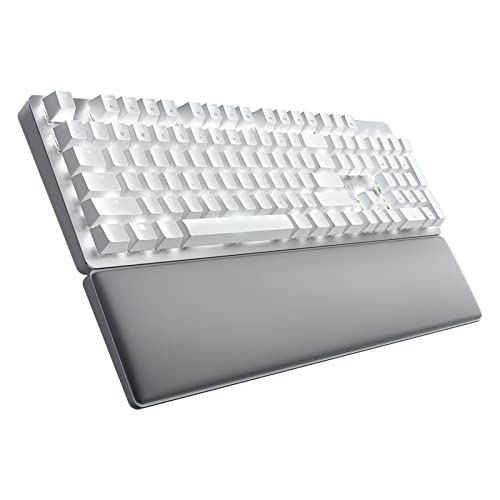
Razer Pro Type Ultra review (2026): Specs, Pros & Cons, and Who It's For
The Razer Pro Type Ultra Wireless Mechanical Keyboard, Silent Linear Switches | Ergonomic Office Design, Cushioned Wrist Rest, Sound-Dampening Foam, Soft-Touch Keycaps, Connect up to 4 Devices, HyperSpeed is clearly built for people who want a more refined office keyboard than a typical gaming model