

Who this is for: Best for readers who want a practical, low-strain desk setup for home offices, small spaces, or sit-stand work.
Check PriceWhat is How to Set Up an Ergonomic Desk? A Complete 2026 Guide
If you’re dealing with neck pain, wrist strain, back discomfort, or that “tired by 2 p.m.” feeling, your desk setup may be the problem. Learning how to set up an ergonomic desk is really about arranging your chair, monitor, keyboard, mouse, and desk height so your body can work in a neutral, low-stress position. The good news: you do not need a full office makeover to get there—small, smart changes can make a big difference in comfort and productivity.
Related Reviews
- HP DeskJet 2955 Wireless All-in-One Color Inkjet Printer, Scanner, Copier, Best-for-Home, 3 Month Trial of Instant Ink Included, AI-Capable (A24HJA) Review (2026): Specs, Pros & Cons, and Who It's For
- Best Printers for Every Budget in 2026: Ranked by Price & Performance
- How to Choose the Best Mechanical Keyboard Switch in 2026: Complete Buying Guide
How It Works
An ergonomic desk setup works by reducing the amount of twisting, reaching, bending, and wrist extension your body does during the workday. When your desk, chair, and screen are aligned properly, your muscles can stay more relaxed and your joints don’t have to compensate for bad angles. That means less fatigue over time and a lower chance of repetitive strain discomfort.
The basic idea is simple: keep the most-used tools—keyboard, mouse, and screen—close to your body and at the right height. Your elbows should rest near your sides, your wrists should stay straight, and your monitor should be high enough that you’re not constantly looking down. If you alternate between sitting and standing, the setup becomes even more flexible because it helps break up long periods of static posture.
In practice, ergonomic setup is less about a single “perfect” position and more about giving yourself options. A good desk arrangement lets you adjust for different tasks, body sizes, and work styles. That’s why sit-stand solutions and desk converters are so popular: they help you change posture without rebuilding your whole workspace.
Key Benefits & Use Cases
A well-designed ergonomic desk can improve comfort, focus, and endurance during long work sessions. It can also help reduce common complaints like shoulder tension, lower-back stiffness, and wrist fatigue. For many people, the biggest benefit is simply being able to work longer without feeling physically worn down.
Here are the most common use cases:
- Home offices: Creating a healthier setup for remote work and hybrid schedules.
- Small apartments or shared spaces: Making a compact desk feel more functional without taking over the room.
- Students: Supporting long study sessions with fewer posture-related aches.
- Standing desk users: Adding sit-stand flexibility without replacing existing furniture.
- Walking pad setups: Pairing a desk with movement for lighter, more active work sessions.
Ergonomic desks are especially useful if your current workspace forces you to hunch, reach too far, or keep your monitor too low. They’re also helpful if you split time between sitting and standing and want a setup that adapts easily throughout the day.
What to Look For When Buying
1. Height adjustability
Look for a desk or desk converter that can match your body size and your preferred working posture. If you plan to sit and stand, the usable height range matters more than flashy extras.
2. Stability
A desk should feel steady when you type, write, or move your mouse. Wobble can be distracting and can make a standing setup feel less usable over time.
3. Surface size
Think about whether you use just a laptop or a monitor, keyboard, and mouse. A compact surface may be enough for simple setups, but larger workflows need more room.
4. Ease of adjustment
If changing height feels annoying, you probably won’t do it often. Simple mechanisms are usually better for people who want to switch positions throughout the day.
5. Fit for your space
Measure your room, desk, and chair before buying. In small spaces, vertical-lifting converters or mobile desks can be more practical than a full replacement desk.
Top Recommended Products
Below are two researched options that fit different ergonomic needs, from full desk flexibility to an easy desk upgrade. These recommendations are based on published specs, feature sets, and owner feedback patterns—not hands-on testing.
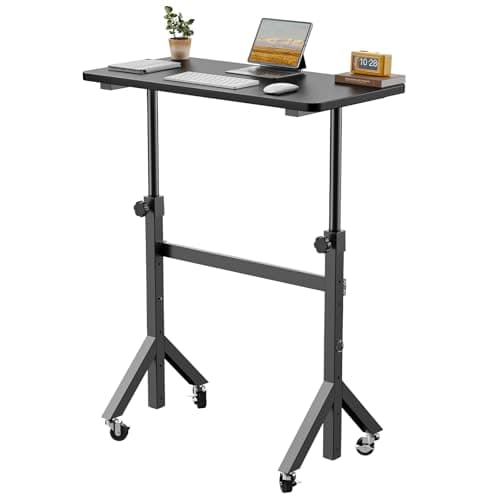
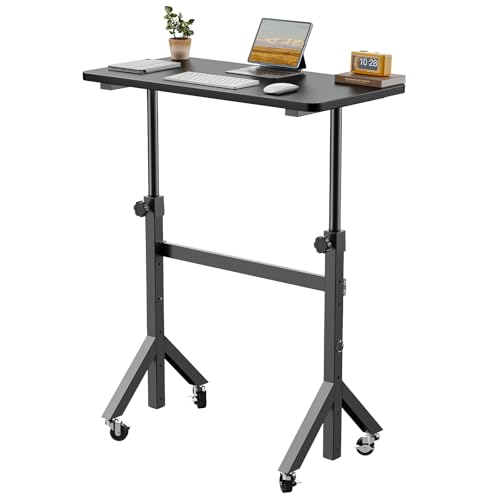
ErGear Small Standing Desk Adjustable Height, 6 Height Settings Up to 46.5″, Walking Pad Desk with Triangular Leg Design, Smooth Mobility with Lockable Wheels, Standing Desk for Walking Pad, Black ✓ Prime
$79.99
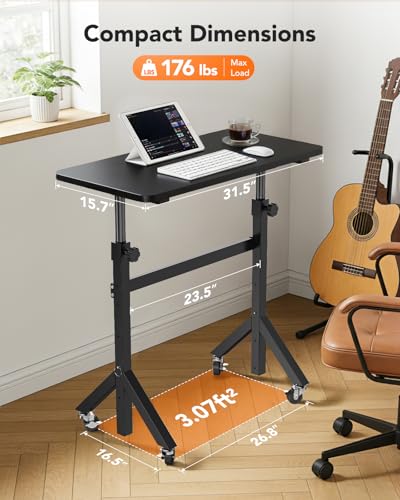
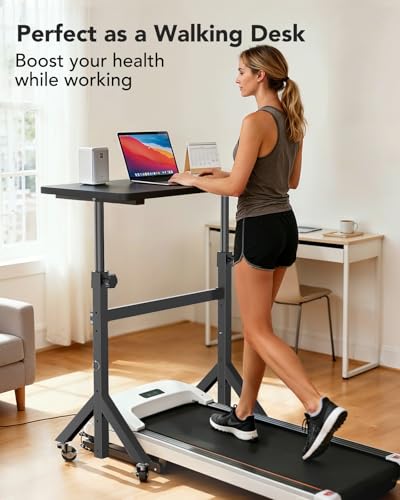
This compact standing desk is a strong fit if you want a mobile, height-adjustable workstation that can support sitting, standing, and even walking pad use. Its six height settings and lockable wheels make it especially appealing for people who need flexibility in a small room or multipurpose space.
- ✓ Six height settings reaching up to 46.5″ for more posture flexibility
- ✓ Triangular three-leg design for added stability
- ✓ Lockable wheels make it easy to move and reposition
- ✓ Works well as a standing desk or walking pad desk
- ✓ Quick pin-based height adjustment is simpler than screw-based systems
- ✗ Smaller work surface may not suit larger multi-monitor setups
- ✗ Mobile design may feel less substantial than a full-size desk
Uncaged Ergonomics Small Standing Desk Converter & Desk Riser (Black) ✓ Prime
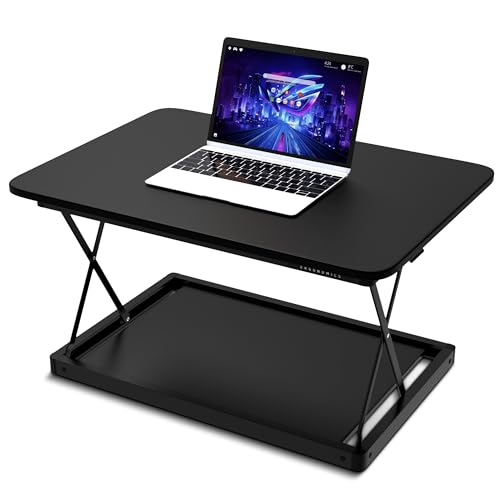


$99.99 23% OFF — Was $129.99
This desk riser is best for people who want to keep their current desk but add sit-stand flexibility. It’s a practical option for apartments, dorm rooms, cubicles, and shared workspaces because it creates a standing surface without replacing your furniture.
- ✓ Converts an existing desk into a sit-stand workstation
- ✓ Compact 27.5 x 19.5 in. footprint suits smaller setups
- ✓ Vertical lift helps preserve desk space
- ✓ Four fixed height positions for simple adjustment
- ✓ Ships fully assembled with no tools or installation
- ✗ 25 lb capacity may be limiting for heavier monitor setups
- ✗ Converter-only design is less versatile than a full standing desk
Common Mistakes to Avoid
- Placing the monitor too low: This often leads to neck flexion and forward head posture. Raise the screen so your eyes meet the top third of the display more naturally.
- Setting the desk too high: If your shoulders creep upward while typing, the desk or keyboard is probably too high for comfort.
- Reaching for the mouse: Keep the mouse close enough that your elbow stays near your side instead of drifting outward.
- Ignoring chair height: An ergonomic desk works best when your chair supports your feet, hips, and elbows correctly.
- Standing all day: Switching positions is the goal; standing nonstop can create a new kind of fatigue.
A common misconception is that ergonomic means “one perfect setup forever.” In reality, the best desk arrangement is one you can adjust easily based on your body, tasks, and how long you’ve been in one posture.
Frequently Asked Questions
1. What is the best way to set up an ergonomic desk?
Start by adjusting your chair so your feet are supported and your elbows can stay near 90 degrees, then place your monitor at eye level and keep your keyboard and mouse close to your body.
2. Do I need a standing desk for an ergonomic setup?
No. A standing desk can help, but you can create a much better ergonomic setup with your current desk by adjusting chair height, monitor position, and accessory placement.
3. How high should my monitor be?
As a general rule, the top part of the screen should sit close to eye level so you’re not constantly looking down. The exact height depends on your chair and whether you use glasses.
4. Is a desk converter worth it?
Yes, if you want sit-stand flexibility without replacing your current desk. A converter is often the easiest upgrade for small spaces or budget-conscious buyers.
5. What is the biggest ergonomic mistake people make?
The most common mistake is setting everything too low or too far away, which forces the neck, shoulders, and wrists to work harder than they should.
Pros
- + Improves comfort and posture
- + Reduces reaching and wrist strain
- + Works with sitting or standing setups
- + Can fit small spaces and home offices
- + Simple upgrades can make a big difference
Cons
- – Takes some measuring and adjustment
- – Standing all day can still cause fatigue
- – Wrong monitor height can undermine the setup
Frequently asked questions
- What is the best way to set up an ergonomic desk?
- Start by adjusting your chair so your feet are supported and your elbows can stay near 90 degrees, then place your monitor at eye level and keep your keyboard and mouse close to your body.
- Do I need a standing desk for an ergonomic setup?
- No. A standing desk can help, but you can create a much better ergonomic setup with your current desk by adjusting chair height, monitor position, and accessory placement.
- How high should my monitor be?
- As a general rule, the top part of the screen should sit close to eye level so you’re not constantly looking down. The exact height depends on your chair and whether you use glasses.
- Is a desk converter worth it?
- Yes, if you want sit-stand flexibility without replacing your current desk. A converter is often the easiest upgrade for small spaces or budget-conscious buyers.
- What is the biggest ergonomic mistake people make?
- The most common mistake is setting everything too low or too far away, which forces the neck, shoulders, and wrists to work harder than they should.
Get the Full Home Buyer's Guide
Join our free newsletter — we'll send our latest Home picks, specs and verdicts straight to your inbox.
Free. No spam. Unsubscribe anytime.
Was this review helpful?
Be the first to share your feedback on this review.
Sign in to vote and let us know what you think.
Discussion (0)
No comments yet. Be the first to start the discussion.
Related Reviews
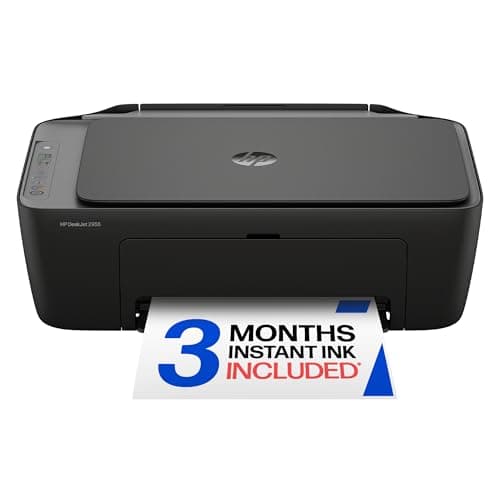
HP DeskJet 2955 Wireless All-in-One Color Inkjet Printer, Scanner, Copier, Best-for-Home, 3 Month Trial of Instant Ink Included, AI-Capable (A24HJA) Review (2026): Specs, Pros & Cons, and Who It's For
The HP DeskJet 2955 is positioned as a compact, budget-friendly all-in-one for home use, and the published specs support that positioning. At 10.45 pounds, it should be easy to place on a desk, shelf, or small home office cart without feeling bulky.
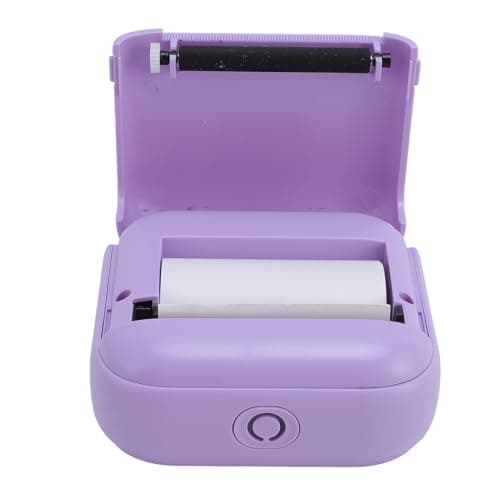
Best Printers for Every Budget in 2026: Ranked by Price & Performance
If you’re searching for the best printers under $150 , the real challenge is separating truly useful budget picks from cheap models that frustrate you with slow pairing, tiny output, or expensive consumables. The good news: within this price ceiling, there are solid options for ultra-low-cost portab
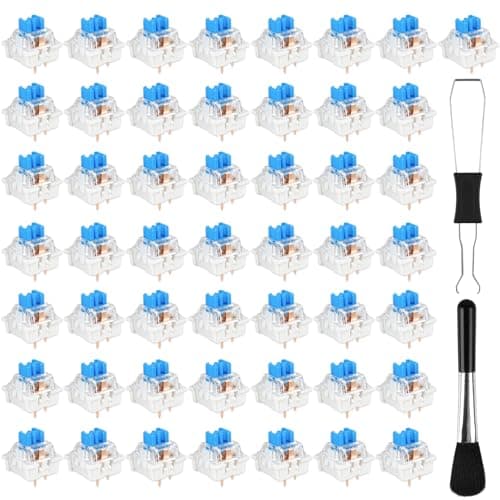
How to Choose the Best Mechanical Keyboard Switch in 2026: Complete Buying Guide
If you’re trying to figure out how to choose a mechanical keyboard switch , the biggest challenge is that “best” depends on how you type, game, and tolerate noise. Pick the wrong switch and you may end up with a board that feels too heavy, too loud, or simply tiring after a few hours. The most commo