


Who this is for: Best for buyers who want a room-fit UST projector for streaming, movies, gaming, or a TV replacement.
Check PriceIf you’re trying to figure out how to choose an ultra short throw projector, the biggest challenge is that these models can look similar on paper while behaving very differently in real rooms. The wrong pick can leave you with a washed-out image, awkward placement, underwhelming sound, or a setup that doesn’t fit your cabinet and screen. This guide breaks down the features that actually matter, the red flags to avoid, and the best current options for different kinds of buyers.
Related Reviews
Key Features to Look For
1) Throw ratio and placement flexibility
The throw ratio determines how close the projector needs to sit to the screen to create a large image. For ultra short throw models, this is one of the most important specs because even small placement changes can affect screen size and focus. If you’re working with a narrow cabinet, tight media console, or fixed wall space, a lower throw ratio gives you more room to fit the projector without crowding the setup.
2) Brightness for your room lighting
Brightness matters because ultra short throw projectors are often used in living rooms, not just dedicated theaters. If your room has windows, lamps, or daytime viewing, look for stronger light output so the image stays visible and colorful. In darker spaces, you can get away with less brightness, but a brighter unit usually gives you more flexibility overall.
3) Contrast and black-level performance
Contrast affects how deep blacks look and how much detail you see in shadows. This is especially important for movies, where a projector with weak contrast can make dark scenes look flat or gray. If you want a more cinematic result, prioritize models that emphasize native contrast, dynamic contrast processing, or advanced laser systems designed to improve shadow detail.
4) Color technology and HDR support
Color quality is a major reason people choose premium UST projectors over basic displays. Technologies like triple laser engines, Dolby Vision, HDR10+, and wide color gamut coverage can improve saturation, skin tones, and overall realism. HDR support matters because it helps the projector handle bright highlights and dark scenes more gracefully, especially with modern streaming and disc content.
5) Screen compatibility, especially ALR screens
Ultra short throw projectors often perform best with an ambient light rejecting, or ALR, screen. That’s because UST light hits the screen at a very steep angle, and the right screen can improve contrast and reduce the impact of room light. If you’re serious about picture quality, screen compatibility is not optional—it’s part of the system.
6) Sound quality and audio outputs
Built-in speakers can be convenient, but not all are equal. Some UST projectors offer surprisingly strong audio, while others are clearly meant to be paired with a soundbar or full surround system. If you want a cleaner all-in-one setup, check whether the projector includes stereo speakers, dialogue enhancement, or even center-channel mapping. If you already own a home theater system, make sure the projector has the audio outputs and HDMI support you need.
7) Smart platform and connectivity
Many buyers now expect built-in streaming, and that can simplify setup a lot. Google TV, certified streaming apps, Wi-Fi, Bluetooth, and multiple HDMI ports all make the projector easier to live with day to day. For gamers or power users, look for low-latency gaming modes, HDMI 2.1 support, Ethernet, and enough ports for consoles, media players, and sound systems.
What to Avoid
Poor room planning
A common mistake is buying a UST projector before measuring the cabinet depth, screen size, and wall clearance. Ultra short throw placement is precise, so if your furniture or screen dimensions are off, you may struggle with focus, alignment, or image height. Always plan the room first, then choose the projector.
Assuming all UST projectors work well on any wall
While some buyers hope to skip a screen entirely, wall quality can make a big difference. Uneven paint, texture, or color can soften the image and reduce contrast. If you want the best results, especially in brighter rooms, a proper screen is usually worth it.
Overlooking ambient light
Many shoppers focus on resolution and forget about the room. A projector that looks excellent in a dark demo space may disappoint in a bright living room if it lacks enough brightness or contrast. Think about when you’ll actually watch most often—daytime, nighttime, or both.
Buying for specs instead of use case
Not every ultra short throw projector is designed for the same buyer. Some are better for portable entertainment, some for movie-first home theaters, and others for gaming or smart-home integration. A feature-packed model can still be the wrong choice if it doesn’t match how you plan to use it.
Ignoring audio needs
People often assume the projector’s built-in speakers will be enough. Sometimes they are, but many larger home theater setups sound much better with external audio. If sound matters to you, compare speaker quality and output options before you buy.
Our Top Picks
Best for portable, budget-friendly UST use: Optoma ML1080UST Photon GO Ultra Short Throw 1080p Portable Projector


This is the most flexible pick for buyers who want ultra short throw convenience without building a full theater room. Its built-in battery, Google TV, and portable design make it appealing for apartments, bedrooms, and casual movie nights where mobility matters. The 1080p class image and integrated speakers make it a practical all-in-one option for smaller spaces.
- ✓ Built-in Google TV and Google Cast for easy streaming
- ✓ Ultra short throw design suited to compact rooms
- ✓ Built-in battery for cordless convenience
- ✓ Integrated stereo speakers for simple setup
- ✓ Portable form factor for room-to-room use
- ✗ Not aimed at the highest-end cinema experience
- ✗ Battery life is best for shorter viewing sessions
- ✗ 1080p class resolution is less premium than 4K rivals
Best for a true home-theater setup: AWOL VISION LTV-3000 Pro 4K 3D Ultra Short Throw Triple Laser Projector
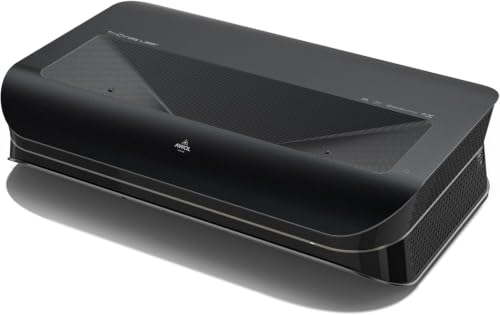


This model is a strong fit for buyers building a serious living-room cinema around a large screen. It combines triple laser projection, Dolby Vision, HDR10+, and Dolby Atmos support with features that emphasize big-screen movie viewing. The built-in center channel speaker mapping is especially appealing if you want clearer dialogue without immediately adding a separate speaker system.
- ✓ 4K triple laser projection with Dolby Vision and HDR10+
- ✓ Built-in center channel speaker mapping for clearer dialogue
- ✓ Designed for large-screen home theater use
- ✓ Smart home integration support
- ✓ Strong emphasis on cinematic color and sound
- ✗ Best results depend on careful placement and setup planning
- ✗ More specialized than a casual plug-and-play projector
- ✗ Performs best when paired with the right screen and room layout
Best premium all-rounder: AWOL VISION Aetherion Pro 4K Ultra Short Throw Laser Home Theater Projector
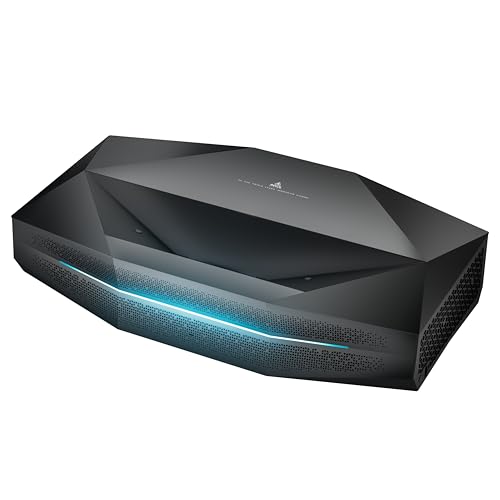
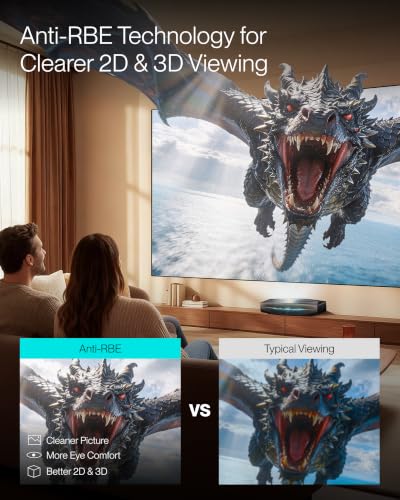

If you want the most advanced feature set in this group, this is the standout premium option. It combines RGB triple laser tech, high-end contrast tools, gaming-friendly performance, and Google TV in a package aimed at buyers who want both cinema quality and modern connectivity. It’s the best fit for a dedicated media room where you want room to fine-tune the image and use the projector for movies, sports, and gaming.
- ✓ RGB triple laser engine with 4K detail focus
- ✓ Strong contrast controls and HDR format support
- ✓ Very low-latency gaming support
- ✓ Google TV plus multiple HDMI 2.1 inputs
- ✓ Designed for dedicated entertainment spaces
- ✗ More than casual users typically need
- ✗ Requires careful room planning for best results
- ✗ Premium feature set may be overkill for simple streaming
Best for compact yet high-end viewing: JMGO O2S Ultra 4K Ultra Short Throw Triple Laser Projector


This is a compelling choice if you want a compact UST design without giving up the premium experience. Its very short throw ratio, triple laser engine, Dolby Vision support, and integrated Dynaudio sound make it well suited to living rooms where space is tight but expectations are high. It also stands out for buyers who want a cleaner, more minimalist setup with strong built-in audio.
- ✓ Extremely compact placement profile
- ✓ 4K triple laser projection with Dolby Vision
- ✓ Integrated Dynaudio speakers with Dolby Atmos support
- ✓ Google TV and native Netflix integration
- ✓ Good fit for modern living spaces
- ✗ Best value depends on whether you’ll use its premium features
- ✗ Still benefits from a well-planned screen and room setup
- ✗ Not the simplest choice for buyers who only want basic streaming
Budget Guide: What You Get at Each Tier
Budget tier
At the budget level, you’re usually looking for convenience, portability, and easier setup rather than maximum cinema performance. Expect a simpler resolution class, integrated streaming, built-in speakers, and features that make the projector easy to move around or use in smaller rooms. This tier makes the most sense if you want ultra short throw convenience without committing to a full theater-style installation.
Mid-range tier
Mid-range models typically offer a meaningful jump in image quality, color performance, and home theater features. This is where you’ll often see triple laser engines, stronger HDR support, better built-in audio, and more serious placement precision. If you want a projector that can serve as a true TV replacement in a living room or media room, this is the sweet spot for many buyers.
Premium tier
Premium UST projectors are built for buyers who want top-tier picture quality, advanced contrast control, robust gaming support, and more refined smart features. These models are usually the best choice for dedicated entertainment spaces where you can optimize the room, screen, and audio. You’re paying for more than brightness or resolution here—you’re getting a more complete home theater experience.
Frequently Asked Questions
Do I need a special screen for an ultra short throw projector?
Not always, but a proper UST or ALR screen can make a big difference. It usually improves contrast, reduces room-light washout, and helps the image look sharper and more uniform.
Can I use an ultra short throw projector on a regular wall?
Yes, but results depend heavily on wall smoothness, color, and texture. A screen generally gives you better brightness, contrast, and overall consistency.
How much brightness do I need for a living room?
That depends on how much ambient light you have. Brighter rooms benefit from stronger light output and a screen designed to handle room light, while darker rooms are more forgiving.
Are ultra short throw projectors good for gaming?
Some are excellent for gaming, especially models with low input lag and high refresh-rate support. If gaming matters to you, check the projector’s latency, HDMI options, and supported resolutions before buying.
What is the biggest mistake people make when buying a UST projector?
The most common mistake is choosing the projector before planning the room. Cabinet depth, screen size, wall placement, and ambient light all affect how well the projector will actually work in your space.
Pros
- + Portable and easy to set up
- + Strong streaming and smart TV support
- + Better image quality with the right screen
- + Premium models add gaming and cinema features
- + Multiple options for different room sizes
Cons
- – Placement and room planning are critical
- – Some models need a proper screen for best results
- – Built-in speakers may not satisfy every buyer
- – Premium features can be overkill for casual use
Frequently asked questions
- Do I need a special screen for an ultra short throw projector?
- Not always, but a proper UST or ALR screen can make a big difference. It usually improves contrast, reduces room-light washout, and helps the image look sharper and more uniform.
- Can I use an ultra short throw projector on a regular wall?
- Yes, but results depend heavily on wall smoothness, color, and texture. A screen generally gives you better brightness, contrast, and overall consistency.
- How much brightness do I need for a living room?
- That depends on how much ambient light you have. Brighter rooms benefit from stronger light output and a screen designed to handle room light, while darker rooms are more forgiving.
- Are ultra short throw projectors good for gaming?
- Some are excellent for gaming, especially models with low input lag and high refresh-rate support. If gaming matters to you, check the projector’s latency, HDMI options, and supported resolutions before buying.
- What is the biggest mistake people make when buying a UST projector?
- The most common mistake is choosing the projector before planning the room. Cabinet depth, screen size, wall placement, and ambient light all affect how well the projector will actually work in your space.
Get the Full Tech Buyer's Guide
Join our free newsletter — we'll send our latest Tech picks, specs and verdicts straight to your inbox.
Free. No spam. Unsubscribe anytime.
Was this review helpful?
Be the first to share your feedback on this review.
Sign in to vote and let us know what you think.
Discussion (0)
No comments yet. Be the first to start the discussion.
Related Reviews

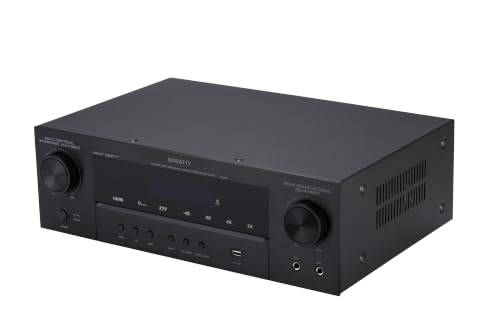
3 Best AV Receivers for 7.1 Surround in 2026 — Better Home Theater Sound Without the Guesswork
If you’re trying to build a true 7.1 home theater, the hardest part is finding an AV receiver that matches your speakers, sources, and room without overcomplicating setup. The best AV receivers for 7.1 surround 2026 should deliver real 7.1-channel support, flexible inputs, and enough power for movie
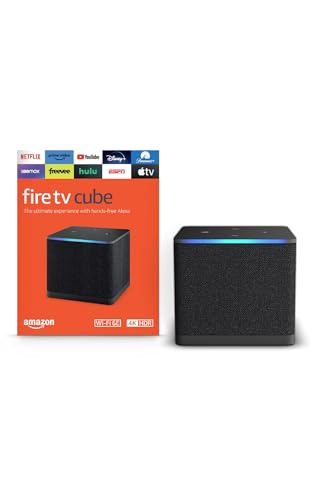
Amazon Fire TV Cube (2023) vs NVIDIA Shield TV Pro (2026): Which Should You Actually Buy?
The Fire TV Cube is designed to be discreet and easy to place near a TV setup. Its big advantage is the built-in mic and speakers, which let you issue hands-free Alexa commands from across the room. For users who want a compact box that blends into a living room and doubles as a voice hub, it has a