


Amazon Fire TV Stick 4K Select is a streaming stick built for 4K TV use, with Alexa+ search, live TV, and cloud gaming claims in the listing. We checked 4 promises against the listing’s own bullets, title, and images. Two hold up clearly, while two need a closer look.
Related Reviews
Check the Amazon Fire TV Stick on Amazon
The 4 promises at a glance
- “4K Ultra HD” — Verified
- “no console required” — Fine print
- “Find shows faster” — Hard to verify
- “Getting set up is easy” — Verified
1. 4K streaming: Verified
The listing says: “4K Ultra HD”
The listing says you can stream in 4K Ultra HD with HDR10+, and the image also calls out Essential 4K streaming. That matches up across the listing, so this promise holds up. For shoppers looking for 4K support, the listing backs it directly.
2. No console required: Fine print
The listing says: “no console required”
The cloud gaming bullet does say you can play without a console. But the same bullet also says Xbox Game Pass and a compatible controller are required, and both are sold separately. So the listing makes the setup sound simpler than it really is.
3. Find shows faster: Hard to verify
The listing says: “Find shows faster”
The title and bullets say Alexa+ can help you find shows faster and search in a more natural way. But the listing does not give a time comparison, speed measure, or before-and-after proof. That means the idea is there, but the listing can’t prove the speed claim.
4. Easy setup: Verified
The listing says: “Getting set up is easy”
The listing says getting set up is easy, and the image backs that up with a 3-step guide: plug into HDMI, connect power, then pair the remote and connect to wifi. That makes the setup promise easy to verify from the listing itself. Buyers can see the basic process before they buy.
Watch the Short
Who it's for
This looks like a good fit for shoppers who want a simple 4K streaming stick with Alexa search and access to lots of apps. It also makes sense if you want a setup that the listing shows in a few clear steps.
Verdict: 8/10
We found a solid mix of clear claims and a couple of limits in the fine print. The 4K and setup promises are supported, while the gaming and faster-search claims need more caution. Overall, it lines up well for streaming shoppers, and the listing earns an 8/10.
See the Amazon Fire TV Stick on Amazon
How we checked: we compared each promise with the evidence in the product's own listing — title, bullet points, spec table and images. We did not test this product hands-on.
Pros
- + 4K Ultra HD with HDR10+ is listed
- + Setup is shown in 3 clear steps
- + Alexa+ search is included
- + Access to many major streaming apps
Cons
- – Cloud gaming needs Game Pass and a controller
- – 'Find shows faster' has no timing proof
Frequently asked questions
- Does Amazon Fire TV Stick 4K Select support 4K streaming?
- Yes. The listing says it supports 4K Ultra HD with HDR10+, and the image also describes it as Essential 4K streaming.
- Do you need a console for cloud gaming on this Fire TV Stick?
- The listing says no console is required, but it also says Xbox Game Pass and a compatible controller are required and sold separately.
- Is the setup shown in the listing?
- Yes. The image shows a 3-step setup: plug into HDMI, connect power, then pair the remote and connect to wifi.
Get the Full Tech Buyer's Guide
Join our free newsletter — we'll send our latest Tech picks, specs and verdicts straight to your inbox.
Free. No spam. Unsubscribe anytime.
Was this review helpful?
Be the first to share your feedback on this review.
Sign in to vote and let us know what you think.
Discussion (0)
No comments yet. Be the first to start the discussion.
Related Reviews
1 Best 4K Blu-ray Players in 2026 — Best Picture-Quality Upgrade for Home Theater Fans
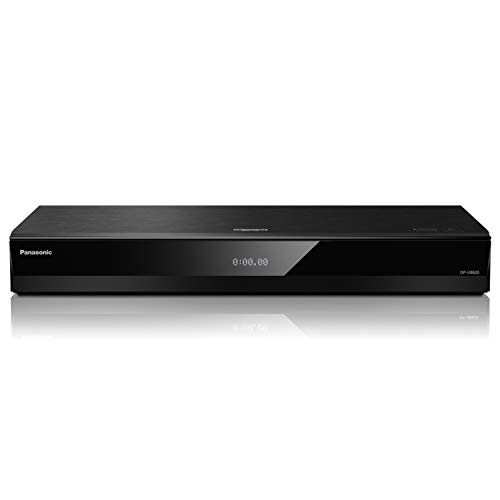
If you’re searching for the best 4K Blu-ray players 2026 , you probably want two things: a player that makes your discs look and sound better, and one that won’t feel dated after a year or two. This roundup focuses on the model that stands out from the provided product list for premium home theater

Roku Ultra (2023) Review (2026): Specs, Pros & Cons, and Who It's For
The Roku Ultra LT (2023) follows Roku’s familiar no-frills design philosophy: compact, easy to tuck behind a TV, and focused on function rather than flash. Based on published specs and owner feedback, the appeal is less about premium materials and more about practical setup, especially for people wh

4 Best Live TV Streaming Services in 2026 — Choose the Right Fit for Sports, Channels, and Simplicity
If you’re trying to cut cable without giving up live channels, sports, or local news, the choice can feel overwhelming fast. The best live TV streaming services in 2026 stand out by balancing channel variety, device support, DVR features, and ease of setup. This research-based roundup focuses on the