

Who this is for: Best for AM5 builders deciding between premium features and better value for a Ryzen 9000 gaming or productivity PC.
X870 vs B850 Motherboard (2026): Which Should You Actually Buy?
At a Glance
| Category | ASUS ROG Strix X870-A Gaming WiFi | MSI MAG B850 Tomahawk MAX WiFi |
|---|---|---|
| Chipset | X870 | B850 |
| Form Factor | ATX | ATX |
| Power Delivery | 16+2+2 power stages, 90A per stage | 14 Duet Rail Power System, 80A SPS VRM |
| Memory | DDR5 AEMP | DDR5 8400+ MT/s (OC) |
| PCIe | PCIe 5.0 | PCIe 5.0 x16 |
| M.2 Slots | 4x M.2 | 4x M.2, including 2x Gen5 |
| Networking | WiFi 7 | WiFi 7 + 5Gbps LAN |
| USB | USB4 | USB 20G Type-C |
| Current Price | 15% OFF — Was $299.99 ✓ Prime $254.98 | 15% OFF — Was $229.99 ✓ Prime $194.98 |
Design
Winner: X870
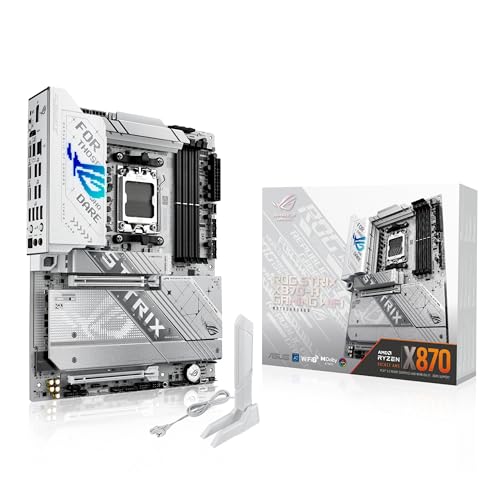
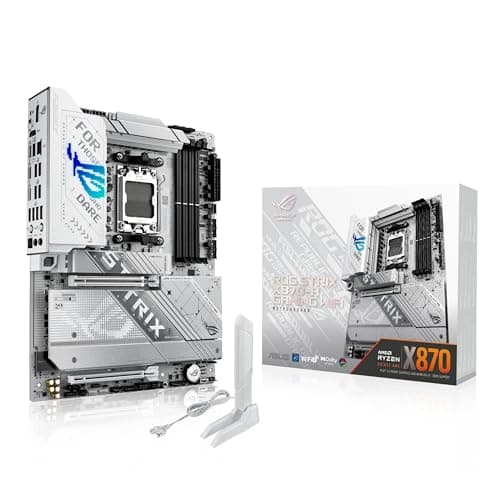
 The X870 board clearly leans more premium, with ASUS ROG Strix styling and a feature stack that reads like a higher-end enthusiast platform. The B850 Tomahawk looks more utilitarian and practical, which many builders will like, but it does not feel as flagship-focused on paper.
✓ Pros
- Premium ROG Strix design and enthusiast-oriented feature set
- Q-Release Slim and AI-focused branding for easier high-end builds
- Strong 16+2+2 power delivery aimed at top-tier AM5 CPUs
✗ Cons
- Higher price
- Styling may be more than some builders need
The X870 board clearly leans more premium, with ASUS ROG Strix styling and a feature stack that reads like a higher-end enthusiast platform. The B850 Tomahawk looks more utilitarian and practical, which many builders will like, but it does not feel as flagship-focused on paper.
✓ Pros
- Premium ROG Strix design and enthusiast-oriented feature set
- Q-Release Slim and AI-focused branding for easier high-end builds
- Strong 16+2+2 power delivery aimed at top-tier AM5 CPUs
✗ Cons
- Higher price
- Styling may be more than some builders need
Related Reviews
Performance
Winner: X870
On raw platform ambition, the X870 wins because it pairs a stronger power stage setup with ASUS’s overclocking and tuning tools like Dynamic OC Switcher, Core Flex, AI Overclocking, AI Cooling II, and AI Networking. That makes it the more capable choice for users who want to push a Ryzen 9000-class build and optimize the system more aggressively. The B850 Tomahawk is still no slouch. Its 14 Duet Rail Power System with 80A SPS VRM, DDR5 8400+ MT/s support, and PCIe 5.0 x16 slot make it very strong for gaming and productivity. But compared with the X870 board, it’s the more straightforward performance option rather than the more feature-rich one. ✓ Pros - X870 has stronger 16+2+2, 90A-per-stage power delivery - ASUS tuning features help with overclocking and thermal optimization - B850 still supports Ryzen 9000/8000/7000 and fast DDR5 ✗ Cons - X870 costs more to unlock its extra headroom - B850 has less premium tuning and control toolingValue
Winner: B850
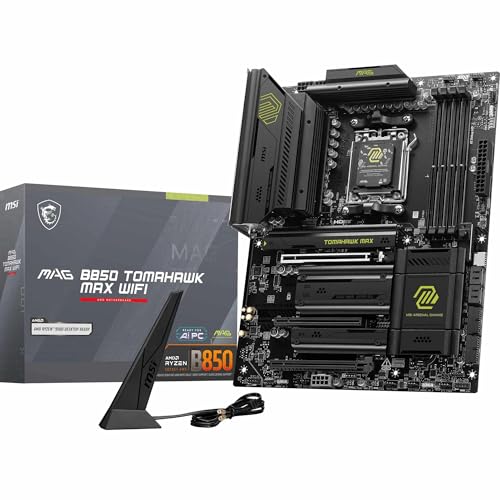
 At $194.98, the B850 Tomahawk delivers a lot of the right stuff for less money: Wi-Fi 7, 5Gbps LAN, PCIe 5.0 x16, Gen5 storage, and strong DDR5 support. For most buyers, that is the better balance of features and price.
The X870 is only worth the extra spend if you specifically want the ASUS extras, stronger power delivery, or USB4. Otherwise, the B850 gives you the core AM5 experience at a noticeably lower entry point.
✓ Pros
- Much lower price
- Still includes Wi-Fi 7 and 5Gbps LAN
- Excellent feature set for a mid-to-high-end AM5 build
✗ Cons
- Less premium than X870
- No USB4 listed
- Fewer enthusiast extras
At $194.98, the B850 Tomahawk delivers a lot of the right stuff for less money: Wi-Fi 7, 5Gbps LAN, PCIe 5.0 x16, Gen5 storage, and strong DDR5 support. For most buyers, that is the better balance of features and price.
The X870 is only worth the extra spend if you specifically want the ASUS extras, stronger power delivery, or USB4. Otherwise, the B850 gives you the core AM5 experience at a noticeably lower entry point.
✓ Pros
- Much lower price
- Still includes Wi-Fi 7 and 5Gbps LAN
- Excellent feature set for a mid-to-high-end AM5 build
✗ Cons
- Less premium than X870
- No USB4 listed
- Fewer enthusiast extras
Durability
Winner: X870
The X870 takes durability on paper thanks to its 16+2+2 power solution rated for 90A per stage, dual ProCool II power connectors, and high-quality alloy chokes and capacitors. That is the kind of component list you want if you expect sustained high-load use or premium CPU upgrades. The B850 is also built for serious use, with a 14 Duet Rail Power System, MOSFET thermal pads, an extended heatsink, and an EZ M.2 Shield Frozr II setup. It should be more than enough for most gaming and content-creation rigs, but the X870 simply feels more overbuilt. ✓ Pros - X870 has heavier-duty power delivery hardware - Dual ProCool II connectors add confidence for demanding CPUs - B850 still includes solid cooling and thermal protection ✗ Cons - X870’s durability edge comes with a higher price - B850 is strong, but not as overengineeredConnectivity and Expansion
Winner: X870
This is where the X870 starts to separate itself. USB4 is a major premium advantage for fast external storage, docks, and creator workflows. Pair that with 4x M.2, Wi-Fi 7, and ASUS’s AI networking tools, and the X870 becomes the more future-ready board. The B850 fights back with 4x M.2 as well, including 2x Gen5 slots, plus Wi-Fi 7 and 5Gbps LAN. That is excellent for the money, and in many gaming builds it is enough. But once USB4 enters the conversation, the X870 has the cleaner advantage. ✓ Pros - X870 includes USB4 - Both boards offer 4x M.2 slots - B850 includes 5Gbps LAN, which is excellent value - Both support Wi-Fi 7 ✗ Cons - B850 lacks USB4 - X870 costs more to reach that top connectivity tierASUS ROG Strix X870-A Gaming WiFi Is the Better Choice If…
- You want the more premium X870 platform for a high-end AM5 build.
- You care about USB4, stronger power delivery, and enthusiast tuning features.
- You plan to pair it with a Ryzen 9000-class CPU and want more headroom.
- You like ASUS’s AI Overclocking, AI Cooling II, and AI Networking tools.
- You want the board that feels most future-proof overall.
MSI MAG B850 Tomahawk MAX WiFi Is the Better Choice If…
- You want the best value in this X870 vs B850 motherboard comparison.
- You need Wi-Fi 7, 5Gbps LAN, and PCIe 5.0 without paying flagship pricing.
- You are building a gaming PC and do not need USB4.
- You want strong DDR5 and Gen5 storage support at a lower cost.
- You prefer a practical, well-rounded AM5 board over a premium showcase model.
Our Final Verdict
The clear winner is the ASUS ROG Strix X870-A Gaming WiFi. It costs more, but the extra money buys a stronger power design, USB4, more premium tuning features, and a more future-ready overall platform for enthusiasts.
If you are trying to maximize value, the MSI MAG B850 Tomahawk MAX WiFi is the smarter budget-conscious pick because it still covers nearly every important AM5 feature most gamers need. But if you are choosing between X870 and B850 and want the board that best justifies a premium build, X870 wins.
Frequently Asked Questions
1. Is X870 better than B850?
Yes, X870 is the higher-end chipset and usually offers more premium features, better power delivery, and extras like USB4 depending on the board.
2. Is B850 enough for Ryzen 9000?
Yes, the B850 Tomahawk MAX WiFi supports Ryzen 9000, 8000, and 7000 processors and has strong VRM and DDR5 support for most builds.
3. What is the main difference between X870 and B850 motherboards?
The main difference is positioning: X870 is the more premium chipset with more high-end features, while B850 focuses on value and core AM5 functionality.
4. Should I buy X870 if I only game?
Not always. If you mainly game, the B850 board is often the better value because it already includes Wi-Fi 7, PCIe 5.0, and fast storage support.
5. Which motherboard is better for future-proofing?
The X870 board is the better future-proof choice because it has USB4, stronger power delivery, and a more premium feature set overall.
Pros
- + X870 has stronger premium features
- + B850 offers better value
- + Both support AM5 Ryzen 7000/8000/9000
- + Both include Wi-Fi 7 and PCIe 5.0
Cons
- – X870 costs more
- – B850 lacks USB4
- – X870 may be overkill for basic gaming builds
- – B850 is less premium overall
Frequently asked questions
- Is X870 better than B850?
- Yes, X870 is the higher-end chipset and usually offers more premium features, better power delivery, and extras like USB4 depending on the board.
- Is B850 enough for Ryzen 9000?
- Yes, the B850 Tomahawk MAX WiFi supports Ryzen 9000, 8000, and 7000 processors and has strong VRM and DDR5 support for most builds.
- What is the main difference between X870 and B850 motherboards?
- The main difference is positioning: X870 is the more premium chipset with more high-end features, while B850 focuses on value and core AM5 functionality.
- Should I buy X870 if I only game?
- Not always. If you mainly game, the B850 board is often the better value because it already includes Wi-Fi 7, PCIe 5.0, and fast storage support.
- Which motherboard is better for future-proofing?
- The X870 board is the better future-proof choice because it has USB4, stronger power delivery, and a more premium feature set overall.
Score breakdown
- value
- 8.0
- usability
- 8.0
- durability
- 9.0
- performance
- 9.0
- buyerFeedback
- 8.0
Get the Full Tech Buyer's Guide
Join our free newsletter — we'll send our latest Tech picks, specs and verdicts straight to your inbox.
Free. No spam. Unsubscribe anytime.
Was this review helpful?
Be the first to share your feedback on this review.
Sign in to vote and let us know what you think.
Discussion (0)
No comments yet. Be the first to start the discussion.
Related Reviews
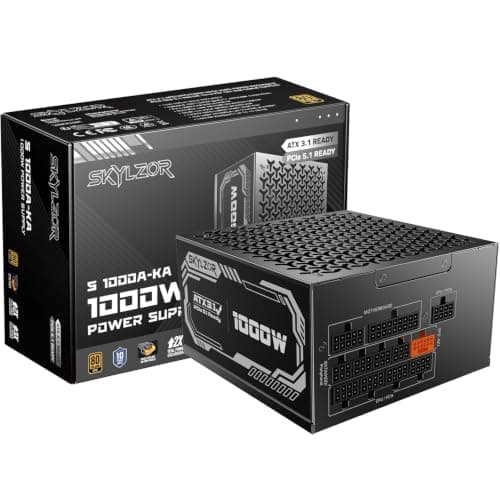
4 Best 1000W Power Supplies in 2026 — Reliable Picks for High-End Gaming Builds
If you’re shopping for the best 1000w power supplies, you’re probably trying to power a demanding gaming PC, a content-creation rig, or a future-proof build without overpaying. The challenge is that many 1000W PSUs look similar on paper, but differ a lot in efficiency, connector support, noise, and
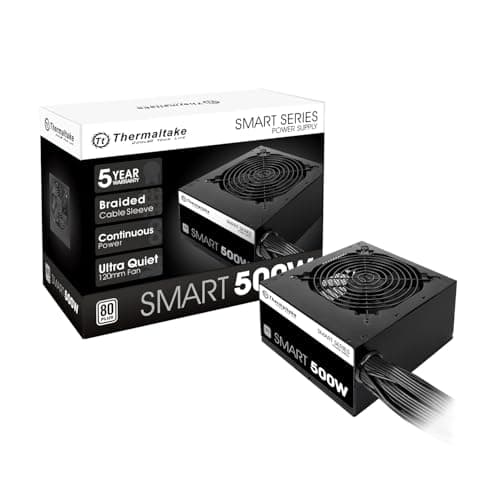
1 Best Power Supplies in 2026 — Reliable Budget Pick for Everyday Builds
If you’re searching for the best power supplies 2026 , you probably want one thing: a PSU that won’t become the weak link in your PC. That means stable power, sensible protections, and enough connectors for a basic graphics card or upgrade path. This research-based roundup focuses on one clearly doc
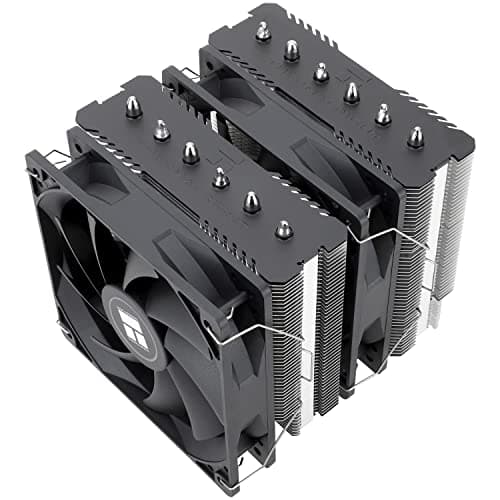
8 Best Air CPU Coolers in 2026 — Top Cooling Performance Without Liquid Maintenance
If your CPU is running hot, your fans are getting loud, or you want strong cooling without the risk and hassle of liquid, this guide is for you. The best air CPU coolers in 2026 balance thermal performance, socket compatibility, noise, and case fit so you can choose confidently. We researched specs,