

What is Snapdragon X Elite laptops explained? A Complete 2026 Guide
If you’ve been seeing “Snapdragon X Elite” pop up on new laptops and wondering whether it’s just marketing or actually worth your money, you’re not alone. Buyers want better battery life, fast everyday performance, and AI-ready features without paying premium Intel or AMD prices. This guide breaks down Snapdragon X Elite laptops explained in plain English so you can understand what they are, how they work, and whether one belongs on your shortlist.
Related Reviews
How It Works
Snapdragon X Elite laptops are Windows laptops built around Qualcomm’s ARM-based processor instead of the more common Intel or AMD chip designs. The chip combines several parts into one package: the CPU for general computing, the Adreno GPU for graphics, and a built-in NPU that handles AI tasks efficiently.
The biggest difference is how the processor is designed to balance speed and power use. Instead of always drawing more energy to keep performance high, Snapdragon X Elite chips are engineered to do more work per watt, which is why many of these laptops emphasize long battery life, cooler operation, and thin-and-light designs.
They’re also part of the Copilot+ PC category, which means they’re built to support Microsoft’s newer AI-focused Windows features. In practical terms, that can mean faster on-device AI tasks, better video-call enhancements, and smoother use of software that’s optimized for ARM-based Windows.
Key Benefits & Use Cases
1. Long battery life for mobile work
One of the main reasons people buy Snapdragon X Elite laptops is endurance. If you work from coffee shops, travel often, or hate living near a charger, these machines are designed to last longer than many traditional Windows laptops.
2. Everyday speed with quiet operation
For browsing, office work, email, note-taking, streaming, and light content creation, Snapdragon X Elite laptops can feel fast and responsive. Because the chips are power-efficient, many systems also run cooler and quieter during normal use.
3. AI-ready features
The built-in NPU is meant to accelerate AI tasks locally, which can help with features like background blur, noise reduction, image enhancement, and other Copilot+ experiences. That makes these laptops attractive for remote workers and students who rely on video calls.
4. Thin-and-light portability
Many Snapdragon X Elite laptops are designed to be slim and easy to carry. If you want a premium-feeling laptop that doesn’t weigh you down, this category is especially appealing.
5. Best for mainstream productivity
These laptops are a strong fit for students, professionals, and everyday users who spend most of their time in web apps, Microsoft 365, Zoom, Teams, and cloud-based tools. They’re less about heavy legacy software and more about efficient modern computing.
What to Look For When Buying
1. Battery life claims vs real-world use
Look beyond the headline battery number. A laptop advertised for 20+ hours may still vary depending on screen brightness, refresh rate, and how heavily you use AI or video conferencing.
2. RAM capacity
For most users, 16GB is the practical baseline. If you multitask heavily, keep lots of browser tabs open, or want extra longevity, 32GB is the safer choice.
3. Storage size
512GB works for many buyers, but 1TB gives you more breathing room for files, apps, and offline media. If you plan to keep the laptop for years, more storage is often worth it.
4. Display quality
Check resolution, brightness, refresh rate, and whether the screen is touch-enabled. A sharper and brighter display makes a big difference for reading, editing, and long work sessions.
5. Compatibility with your software
This is crucial. Snapdragon X Elite laptops use ARM architecture, so you should confirm that your favorite apps, plugins, and peripherals work properly on Windows for ARM before buying.
Top Recommended Products
Dell XPS 13-9345 Laptop Snapdragon X Elite, X1E-80-100 16GB RAM 512GB SSD $672.99 ✓ Prime
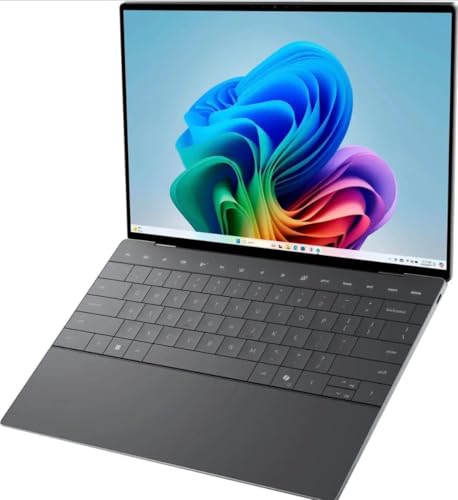
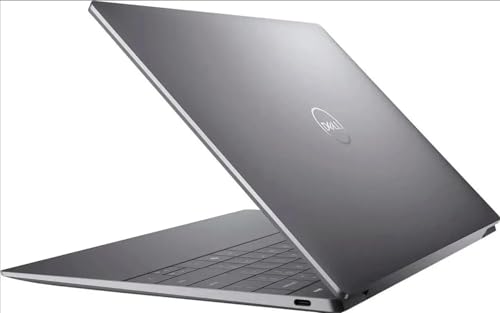

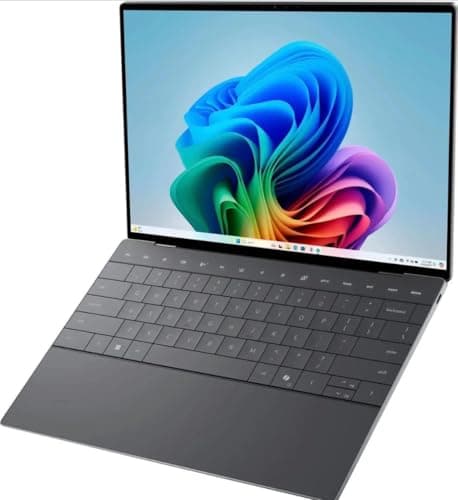
This XPS 13 is the most affordable option in the group and a smart entry point if you want Snapdragon X Elite laptops explained through a real-world premium ultrabook. Its 13.4-inch FHD+ display, 16GB RAM, and USB4 ports make it a strong compact productivity machine.
- ✓ Snapdragon X Elite X1E-80-100 with NPU up to 45 TOPS for AI-ready performance
- ✓ 13.4-inch FHD+ anti-glare display with 30–120Hz refresh rate and 500 nits brightness
- ✓ 16GB RAM and 512GB SSD for everyday multitasking and fast storage
- ✓ Qualcomm Adreno GPU and dual USB4 40 Gbps USB-C ports
- ✓ Windows 11 Pro and fingerprint reader for business-friendly use
- ✗ Renewed condition may not appeal to buyers wanting brand-new hardware
- ✗ 512GB storage may feel limited for larger media libraries
- ✗ Non-touch display may be a drawback for some users
acer Swift 14 Laptop, 14.5’’ 2560 x 1600 120Hz Touchscreen, 12-Core Snapdragon X Elite Processor $899.00 ✓ Prime
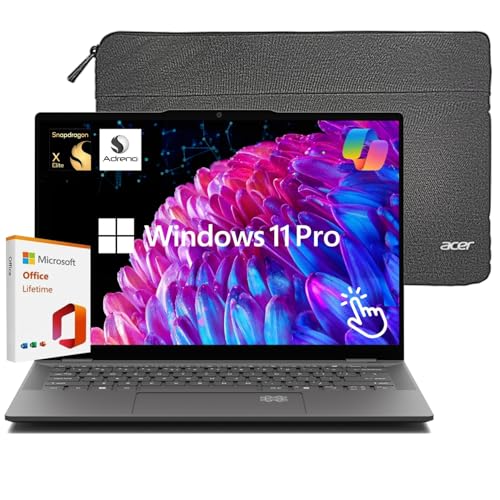

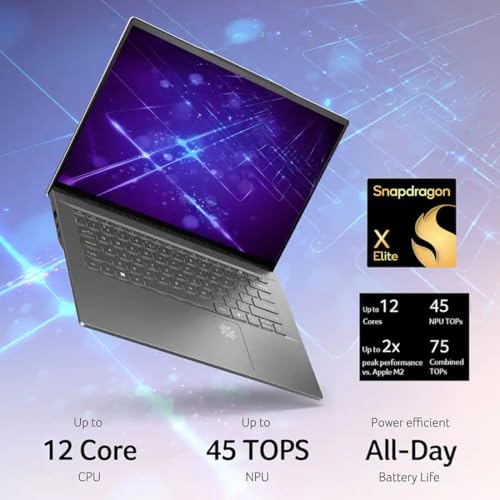
The Acer Swift 14 is the best pick here for buyers who want a more premium all-around experience. With a 2.5K touchscreen, 120Hz refresh rate, 1TB SSD, Wi-Fi 7, and up to 26 hours of battery life, it’s built for people who want a modern Copilot+ PC with fewer compromises.
- ✓ 12-core Snapdragon X Elite processor with integrated NPU for efficient multitasking
- ✓ 14.5-inch 2560 x 1600 120Hz touchscreen with 100% sRGB color coverage
- ✓ Up to 26 hours of battery life for all-day portability
- ✓ 16GB LPDDR5X memory and 1TB PCIe Gen 4 SSD
- ✓ Wi-Fi 7, fingerprint unlock, facial recognition, and Copilot AI support
- ✗ Higher price than the renewed Dell option
- ✗ Larger display may reduce portability slightly compared with 13-inch models
- ✗ Touchscreen and premium features may be more than some buyers need
Dell XPS 13-9345 Laptop Snapdragon X Elite, X1E-80-100 32GB RAM 1TB SSD $825.99 ✓ Prime
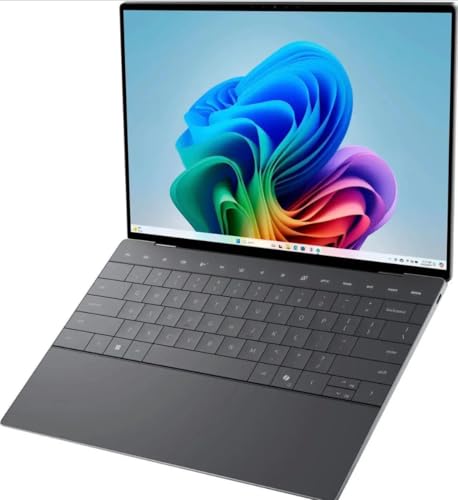
This Dell XPS 13 is the best choice if you want more memory and storage for heavier multitasking. Compared with the 16GB model, the 32GB RAM and 1TB SSD version gives you more headroom for productivity apps, larger files, and longer-term use.
- ✓ Snapdragon X Elite X1E-80-100 with up to 45 TOPS NPU performance
- ✓ 32GB RAM for more demanding multitasking and tab-heavy workflows
- ✓ 1TB SSD for larger app libraries and local files
- ✓ 13.4-inch FHD+ anti-glare display with 500 nits brightness
- ✓ Dual USB4 ports and fingerprint reader for convenience
- ✗ Renewed unit may not suit buyers who want a brand-new device
- ✗ Still uses a non-touch display
- ✗ Windows 11 Home may be less appealing for some business users
Common Mistakes to Avoid
Assuming all Windows apps work perfectly
Most mainstream apps are fine, but some older programs, niche tools, and certain drivers may not behave the same way on ARM-based Windows. Always check compatibility if you rely on specialized software.
Choosing based on battery claims alone
Battery life is a major strength, but screen brightness, refresh rate, and workload can change the result a lot. A laptop with a giant battery claim isn’t automatically the best overall buy.
Ignoring RAM and storage needs
Some buyers focus only on the processor name and forget the rest of the specs. For long-term satisfaction, make sure the RAM and SSD size match how you actually work.
Overpaying for features you won’t use
Touchscreens, facial recognition, and premium displays are great, but only if you’ll use them. If not, a simpler configuration may offer better value.
Buying without checking port selection
Many Snapdragon X Elite laptops are slim, which often means fewer ports. If you use external drives, monitors, or docking setups, confirm the laptop has the connectivity you need.
Frequently Asked Questions
What is a Snapdragon X Elite laptop?
A Snapdragon X Elite laptop is a Windows laptop powered by Qualcomm’s ARM-based Snapdragon X Elite processor. These laptops are designed for strong battery life, efficient performance, and Copilot+ AI features.
Are Snapdragon X Elite laptops good for everyday use?
Yes, they’re a strong fit for browsing, office work, video calls, streaming, and cloud-based productivity. They’re especially appealing if you want a quiet laptop with long battery life.
Can Snapdragon X Elite laptops run all Windows apps?
Many Windows apps run well, but not every legacy or niche program is guaranteed to be fully compatible. If you use specialized software, check ARM support before buying.
Are Snapdragon X Elite laptops good for students?
Yes, especially for students who need portability, all-day battery life, and reliable performance for research, writing, and online classes. The Acer Swift 14 is a particularly strong student-friendly option.
Which Snapdragon X Elite laptop is best to buy in 2026?
If you want the best balance of features, the acer Swift 14 stands out for its 2.5K 120Hz touchscreen, 1TB SSD, and long battery life. If you want the lowest entry price, the Dell XPS 13-9345 16GB/512GB renewed model is the budget-friendly choice.
Cons
- – Renewed condition may not appeal to buyers wanting brand-new hardware
- – 512GB storage may feel limited for larger media libraries
- – Non-touch display may be a drawback for some users
- – Higher price than the renewed Dell option
- – Larger display may reduce portability slightly compared with 13-inch models
- – Touchscreen and premium features may be more than some buyers need
- – Renewed unit may not suit buyers who want a brand-new device
- – Still uses a non-touch display
Frequently asked questions
- What is a Snapdragon X Elite laptop?
- A Snapdragon X Elite laptop is a Windows laptop powered by Qualcomm’s ARM-based Snapdragon X Elite processor. These laptops are designed for strong battery life, efficient performance, and Copilot+ AI features. Are Snapdragon X Elite laptops good for everyday use?
- Are Snapdragon X Elite laptops good for everyday use?
- Yes, they’re a strong fit for browsing, office work, video calls, streaming, and cloud-based productivity. They’re especially appealing if you want a quiet laptop with long battery life. Can Snapdragon X Elite laptops run all Windows apps?
- Can Snapdragon X Elite laptops run all Windows apps?
- Many Windows apps run well, but not every legacy or niche program is guaranteed to be fully compatible. If you use specialized software, check ARM support before buying. Are Snapdragon X Elite laptops good for students?
- Are Snapdragon X Elite laptops good for students?
- Yes, especially for students who need portability, all-day battery life, and reliable performance for research, writing, and online classes. The Acer Swift 14 is a particularly strong student-friendly option. Which Snapdragon X Elite laptop is best to buy in 2026?
- Which Snapdragon X Elite laptop is best to buy in 2026?
- If you want the best balance of features, the acer Swift 14 stands out for its 2.5K 120Hz touchscreen, 1TB SSD, and long battery life. If you want the lowest entry price, the Dell XPS 13-9345 16GB/512GB renewed model is the budget-friendly choice.
Get the Full Tech Buyer's Guide
Join our free newsletter — we'll send our latest Tech picks, specs and verdicts straight to your inbox.
Free. No spam. Unsubscribe anytime.
Was this review helpful?
Be the first to share your feedback on this review.
Sign in to vote and let us know what you think.
Discussion (0)
No comments yet. Be the first to start the discussion.
Related Reviews
8 Best Laptop Sleeves 16 Inch in 2026 — Slim Protection, Better Organization
If you’re shopping for the best laptop sleeves 16 inch, the hardest part is finding one that actually fits a modern 16-inch laptop without feeling bulky or flimsy. The right sleeve should protect against scratches, bumps, and daily commutes while still sliding easily into a backpack or briefcase. Be
8 Best Wireless Mice for MacBook in 2026 — Quiet, Portable Picks That Work Better with macOS
If your MacBook’s trackpad is slowing you down, the right wireless mouse can make everyday work faster, quieter, and far more comfortable. The best wireless mice for MacBook should connect easily, feel good in the hand, and avoid the lag or compatibility headaches that ruin productivity. In this res
What is ChromeOS vs Windows vs MacOS? A Complete 2026 Guide
If you’re trying to choose between ChromeOS vs Windows vs MacOS, the hardest part is usually not the price—it’s figuring out which system actually fits how you work, study, stream, game, and travel. Each platform is built around a different philosophy, so the “best” choice depends on whether you wan