

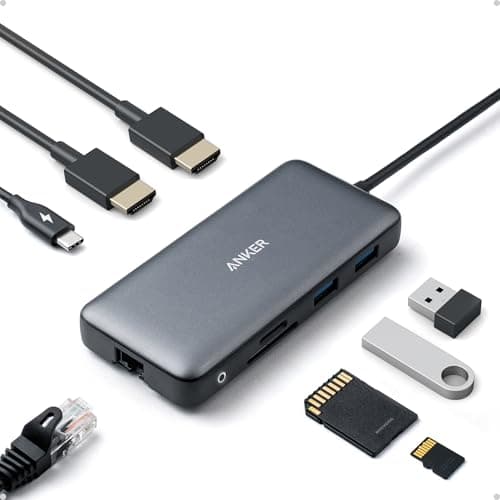
8 Best Laptop Docks in 2026 — Faster Dual- and Triple-Monitor Workstations
If your laptop is running out of ports, your desk is turning into a cable mess, or your dual-monitor setup keeps failing at the worst time, you need a dock that actually solves the problem. The best laptop docks 2026 picks below are built for real work: reliable display output, fast charging, and enough connectivity to replace a cluttered desk full of adapters. We focused on docks that are easy to buy, broadly compatible, and strong enough for home office, hybrid work, and creator setups. Whether you need a budget USB-C hub or a more serious triple-display station, these are the best options to consider right now.
Related Reviews
Quick Picks
| Rank | Product | Price | Best For |
|---|---|---|---|
| 1 | Anker Nano 13-in-1 Laptop Docking Station | $149.99 | Best premium triple-display desk dock |
| 2 | Anker Laptop Docking Station, 13-in-1 USB-C Docking Station | $199.99 | Best full workstation expansion |
| 3 | USB C Docking Station 3 Monitors, MOKiN Triple Display Docking Station | $79.99 | Best for triple-monitor productivity |
| 4 | USB C Laptop Docking Station Dual Monitor HDMI | $49.99 | Best 14-in-1 value for many ports |
| 5 | Anker Laptop Docking Station Dual Monitor, 8-in-1 USB C Hub | $53.99 | Best compact dual-monitor dock |
| 6 | UGREEN 7-in-1 Docking Station Dual Monitor | $26.97 | Best budget dual-4K pick |
| 7 | Acer USB C Docking Station Dual Monitor With 2 HDMI | $34.98 | Best affordable everyday dock |
| 8 | Anker Nano Laptop Docking Station Dual Monitor, 8-in-1 USB C Dock | $35.99 | Best simple Windows-friendly portable dock |
1. Anker Nano 13-in-1 Laptop Docking Station — Best premium triple-display desk dock
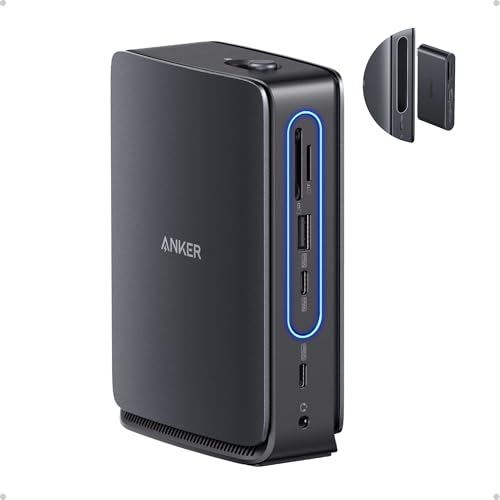

4.7★ (estimated from product listing) This is the best laptop dock 2026 pick for people who want a serious desktop replacement with a detachable hub for mobile use.
- ✓ 13-in-1 layout gives you a full desktop setup plus a detachable 6-in-1 hub for on-the-go use.
- ✓ Supports triple-screen output with 2 HDMI and 1 DisplayPort.
- ✓ Up to 100W laptop charging and up to 140W max input for stable power delivery.
- ✓ Includes 10 Gbps USB-C and multiple USB-A ports for fast accessories and storage.
- ✗ Higher price than simpler dual-monitor docks.
- ✗ macOS mirror-mode limitations reduce flexibility for multi-monitor users.
- ✗ Best suited to users who will actually use the full port set.
2. Anker Laptop Docking Station, 13-in-1 USB-C Docking Station — Best full workstation expansion
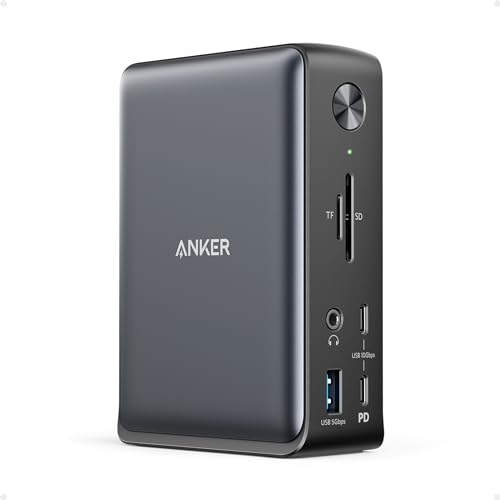

4.6★ (estimated from product listing) If you want a dock that handles everything at a stationary desk, this is the most complete option in the lineup.
- ✓ Huge expansion with 2 HDMI, 1 DisplayPort, Ethernet, SD/microSD, audio, and multiple USB ports.
- ✓ Simultaneous charging for a laptop and a second mobile device.
- ✓ Triple-monitor support makes it attractive for power users and multitaskers.
- ✓ Strong compatibility for Windows, ChromeOS, USB-C, USB4, and Thunderbolt systems.
- ✗ Expensive compared with the simpler dual-monitor docks.
- ✗ macOS and iPadOS mirror limitations reduce the value of the triple-display design.
- ✗ Overkill if you only need basic charging and one or two displays.
3. USB C Docking Station 3 Monitors, MOKiN Triple Display Docking Station — Best for triple-monitor productivity
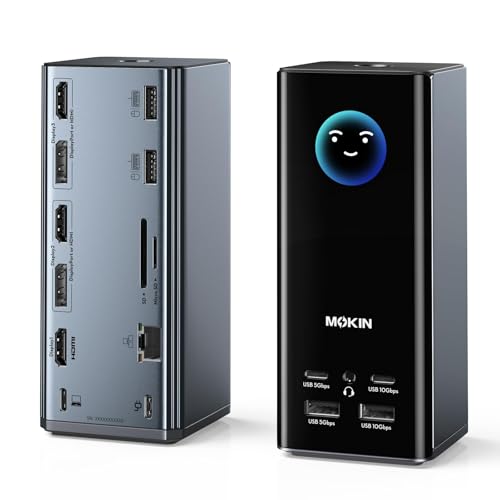

4.5★ (estimated from product listing) This is the best pick for users who want a lot of display flexibility without jumping to the most expensive docks.
- ✓ 17-in-1 design with 3 HDMI and 2 DisplayPort outputs for flexible screen layouts.
- ✓ Up to three independent 4K@60Hz monitors on Windows.
- ✓ Smart LCD screen shows charging wattage, resolution, and port status.
- ✓ Built-in WiFi connectivity adds a unique convenience feature.
- ✗ Windows gets the best multi-display experience; other systems are more limited.
- ✗ Bigger and busier than a simple USB-C hub.
- ✗ Smart features are nice, but many buyers will mainly care about display output.
4. USB C Laptop Docking Station Dual Monitor HDMI — Best 14-in-1 value for many ports

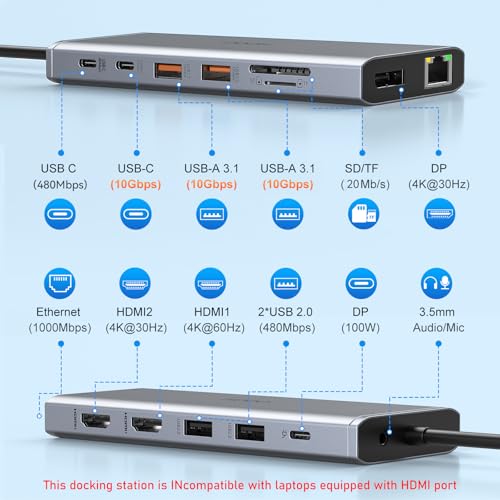
4.4★ (estimated from product listing) This dock gives you a huge port count at a midrange price, making it a strong all-rounder for busy desks.
- ✓ 14-in-1 expansion with 2 HDMI, DisplayPort, Ethernet, multiple USB ports, SD/TF, and audio.
- ✓ Good for Windows dual-monitor and triple-display setups.
- ✓ 10 Gbps USB-A and USB-C data ports help with fast file transfers.
- ✓ 100W PD input with up to 87W safe power output keeps laptops charged.
- ✗ Display performance depends heavily on host laptop compatibility.
- ✗ macOS multi-monitor support is limited to mirrored output.
- ✗ Not as polished as higher-end branded docks.
5. Anker Laptop Docking Station Dual Monitor, 8-in-1 USB C Hub — Best compact dual-monitor dock
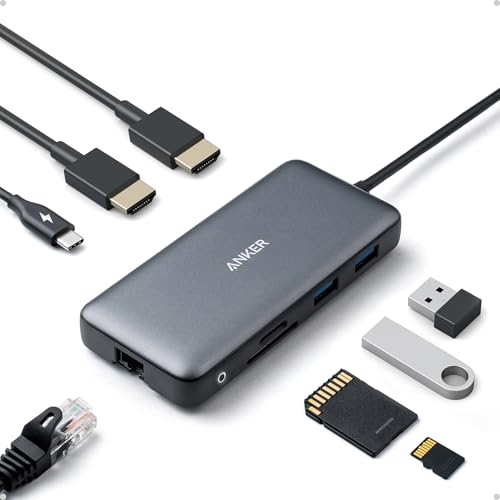
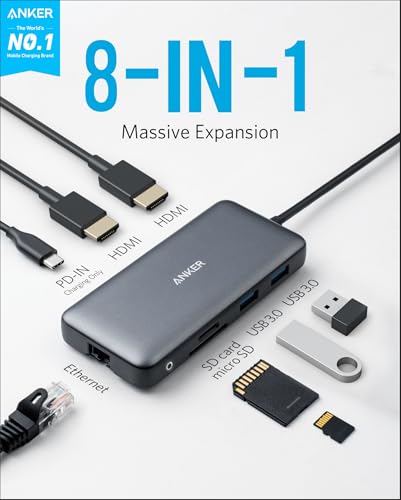
4.5★ (estimated from product listing) This is a smart buy if you want a smaller dock that still handles dual monitors, wired internet, and laptop charging.
- ✓ 8-in-1 design covers the essentials without taking over your desk.
- ✓ Dual HDMI output supports 4K on one display or dual 4K@30Hz on two.
- ✓ 85W pass-through charging helps reduce charger clutter.
- ✓ Includes Ethernet and SD/microSD for everyday office workflows.
- ✗ No charger included, so you may need to buy one separately.
- ✗ macOS users only get mirrored external displays.
- ✗ Not the best pick if you need triple-monitor support.
6. UGREEN 7-in-1 Docking Station Dual Monitor — Best budget dual-4K pick
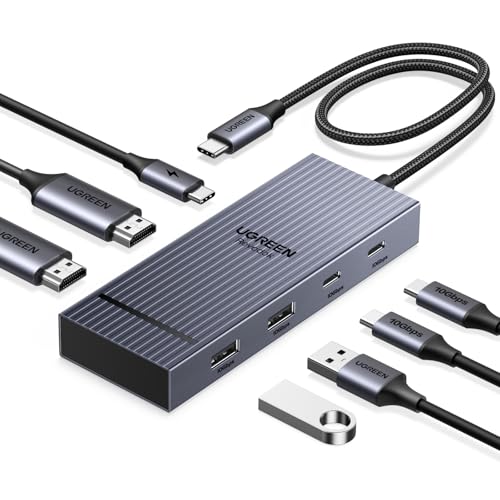

4.6★ (estimated from product listing) For shoppers who want the lowest price on a capable dual-monitor dock, this is one of the strongest value picks.
- ✓ Dual 4K@60Hz HDMI output is excellent for the price.
- ✓ 10Gbps USB-A and USB-C ports are great for fast peripherals and storage.
- ✓ 100W PD charging support keeps your laptop powered during long work sessions.
- ✓ Prime pricing and a low entry cost make it easy to recommend.
- ✗ Charger and charging cable are not included.
- ✗ macOS extended-display support is limited to mirror mode.
- ✗ Best for simple setups rather than heavy multi-monitor work.
7. Acer USB C Docking Station Dual Monitor With 2 HDMI — Best affordable everyday dock


4.5★ (estimated from product listing) This is a solid low-cost choice if you want a clean dual-monitor dock with the basics done well.
- ✓ 9-in-1 layout covers dual HDMI, USB-A, USB-C, SD/MicroSD, and charging.
- ✓ 4K@60Hz support on both HDMI ports.
- ✓ Built-in 0.65FT cable and aluminum body make it desk-friendly.
- ✓ Lock button adds a small but useful security touch.
- ✗ Short built-in cable may limit placement.
- ✗ Mac users have display-mode restrictions.
- ✗ Not ideal if you need lots of extra USB ports or triple displays.
8. Anker Nano Laptop Docking Station Dual Monitor, 8-in-1 USB C Dock — Best simple Windows-friendly portable dock
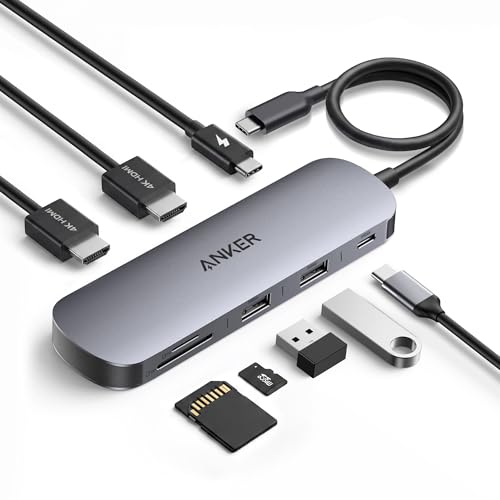

4.4★ (estimated from product listing) If you want a portable dock that stays focused on the essentials, this one is easy to travel with and easy to use.
- ✓ Compact 8-in-1 design with dual HDMI, USB-C, USB-A, SD/TF, and charging.
- ✓ 10Gbps data ports help with fast transfers.
- ✓ Up to 85W pass-through charging for supported laptops.
- ✓ Strong fit for Windows users who want dual 4K@60Hz support.
- ✗ Charger not included.
- ✗ macOS external display limitations reduce versatility.
- ✗ Not as feature-rich as larger desk docks.
How We Chose These Products
To build this list of the best laptop docks 2026, we prioritized the features shoppers care about most when buying a dock for real daily use. That means display support, charging performance, port variety, and compatibility came first. We also looked for models that cover different budgets and use cases, from compact travel hubs to full desktop docking stations.
Our selection criteria included:
- Dual- or triple-monitor support where applicable
- Power delivery for charging while docked
- Useful port mix for storage, accessories, Ethernet, and cards
- Compatibility with common Windows laptops and USB-C/Thunderbolt systems
- Clear value at each price point
- Brand trust and product clarity from the listing details
We also considered the most common buyer pain points, like mirrored displays on macOS, missing chargers, and docks that look powerful but aren’t practical for everyday work.
Frequently Asked Questions
What is the best laptop dock in 2026?
The best laptop dock in 2026 for most people is the Anker Nano 13-in-1 Laptop Docking Station if you want a premium desktop setup, while the UGREEN 7-in-1 Docking Station Dual Monitor is better for budget buyers.
Do laptop docks work with MacBooks?
Yes, but many docks in this list mirror the same content across external monitors on macOS instead of extending different windows. If you need different content on two or three displays, check compatibility carefully before buying.
How many monitors can a laptop dock support?
That depends on the dock and your laptop. Some of these models support dual monitors, while others support triple displays. Your laptop’s USB-C, Thunderbolt, and DisplayPort Alt Mode support also matters.
Do I need a charger for a laptop dock?
Some docks include a power adapter, but others require you to use your own charger. If the listing says charger not included, plan to buy a compatible 100W adapter separately.
Which laptop dock is best for a dual-monitor setup?
For dual monitors, the Anker Laptop Docking Station Dual Monitor, 8-in-1 USB C Hub, UGREEN 7-in-1 Docking Station Dual Monitor, and Acer USB C Docking Station Dual Monitor With 2 HDMI are all strong options depending on your budget.
Frequently asked questions
- What is the best laptop dock in 2026?
- The best laptop dock in 2026 for most people is the Anker Nano 13-in-1 Laptop Docking Station if you want a premium desktop setup, while the UGREEN 7-in-1 Docking Station Dual Monitor is better for budget buyers. Do laptop docks work with MacBooks?
- Do laptop docks work with MacBooks?
- Yes, but many docks in this list mirror the same content across external monitors on macOS instead of extending different windows. If you need different content on two or three displays, check compatibility carefully before buying. How many monitors can a laptop dock support?
- How many monitors can a laptop dock support?
- That depends on the dock and your laptop. Some of these models support dual monitors, while others support triple displays. Your laptop’s USB-C, Thunderbolt, and DisplayPort Alt Mode support also matters. Do I need a charger for a laptop dock?
- Do I need a charger for a laptop dock?
- Some docks include a power adapter, but others require you to use your own charger. If the listing says charger not included, plan to buy a compatible 100W adapter separately. Which laptop dock is best for a dual-monitor setup?
- Which laptop dock is best for a dual-monitor setup?
- For dual monitors, the Anker Laptop Docking Station Dual Monitor, 8-in-1 USB C Hub , UGREEN 7-in-1 Docking Station Dual Monitor , and Acer USB C Docking Station Dual Monitor With 2 HDMI are all strong options depending on your budget.
Get the Full Tech Buyer's Guide
Join our free newsletter — we'll send our latest Tech picks, specs and verdicts straight to your inbox.
Free. No spam. Unsubscribe anytime.
Was this review helpful?
Be the first to share your feedback on this review.
Sign in to vote and let us know what you think.
Discussion (0)
No comments yet. Be the first to start the discussion.
Related Reviews
8 Best Laptop Sleeves 16 Inch in 2026 — Slim Protection, Better Organization
If you’re shopping for the best laptop sleeves 16 inch, the hardest part is finding one that actually fits a modern 16-inch laptop without feeling bulky or flimsy. The right sleeve should protect against scratches, bumps, and daily commutes while still sliding easily into a backpack or briefcase. Be
8 Best Wireless Mice for MacBook in 2026 — Quiet, Portable Picks That Work Better with macOS
If your MacBook’s trackpad is slowing you down, the right wireless mouse can make everyday work faster, quieter, and far more comfortable. The best wireless mice for MacBook should connect easily, feel good in the hand, and avoid the lag or compatibility headaches that ruin productivity. In this res
What is ChromeOS vs Windows vs MacOS? A Complete 2026 Guide
If you’re trying to choose between ChromeOS vs Windows vs MacOS, the hardest part is usually not the price—it’s figuring out which system actually fits how you work, study, stream, game, and travel. Each platform is built around a different philosophy, so the “best” choice depends on whether you wan