

What is How to Reduce Input Lag? A Complete 2026 Guide
If your games feel “off,” the problem may be input lag: the delay between pressing a button and seeing the action happen on screen. That delay can make aiming harder, combos less reliable, and everyday navigation feel sluggish. This guide explains how to reduce input lag in plain English, plus what to look for if you’re shopping for gear that helps.
Related Reviews
Input lag is usually caused by a chain of delays across your controller, console or PC, display, cable, settings, and sometimes wireless interference. The good news is that most of those delays can be reduced with the right settings and the right hardware choices. Below, you’ll learn what matters most and which products are worth considering based on researched specs and owner feedback.
How It Works
Input lag happens when your device takes time to register a command, process it, and show the result on screen. In a game, that means your button press travels from the controller or keyboard to the system, then through the game engine, and finally to the display. The more steps involved, the more delay you may notice.
Several parts of the setup can add latency. Wireless controllers can introduce a small delay compared with wired connections, displays can add processing time if image-enhancement features are enabled, and some TVs or monitors are slower than others at showing each frame. Even the game itself can contribute if it has a heavy workload or if frame rates are unstable.
To reduce input lag, you generally want to shorten the path between your input and the screen response. That usually means using low-latency display modes, keeping frame rates stable, avoiding unnecessary image processing, and choosing controllers or fight sticks that prioritize fast, direct inputs. For competitive gaming, the goal is not just speed, but consistency.
Key Benefits & Use Cases
Better responsiveness in fast games
Lower input lag makes movement, aiming, and timing feel immediate. That matters most in fighting games, shooters, rhythm games, and racing games where split-second reactions matter.
More accurate execution
When the delay is smaller, it’s easier to land combos, parries, counters, and precise movement. That can reduce “missed” inputs that are really just late-screen feedback.
Smoother everyday use
Input lag is not only a gaming issue. It can also affect cursor movement, menu navigation, remote play, cloud gaming, and general system responsiveness.
Use cases where it matters most
- Competitive online gaming
- Fighting game training and tournaments
- Console gaming on TVs with heavy processing
- PC gaming with wireless controllers
- Handheld gaming docked to a monitor or TV
What to Look For When Buying
1) Low-latency connectivity
Look for wired USB-C or other direct connections if your goal is the smallest possible delay. Wireless can still be convenient, but wired is often the safer choice for competitive play.
2) Display compatibility and game mode support
If you’re buying for a console or handheld, check whether your TV or monitor has a dedicated low-latency mode. A fast controller won’t help much if the screen is adding extra processing.
3) Stable frame-rate support
Input feels better when frame rates stay consistent. Devices and setups that can maintain smoother performance often feel more responsive, even if the raw latency difference seems small.
4) Precision-focused controls
For fighting games and action titles, responsive buttons, reliable directional inputs, and ergonomic layouts matter. Arcade sticks and premium controllers can help if your genre benefits from them.
5) Customization and software control
Remappable buttons, configurable profiles, and software tuning can help you fine-tune responsiveness for different games. That’s especially useful if you switch between genres or play competitively.
Top Recommended Products
PlayStation DualSense™ Wireless Controller – Starlight Blue - For PS5, PC, MAC & Mobile 4.7★ (74,000+ reviews) ✓ Prime
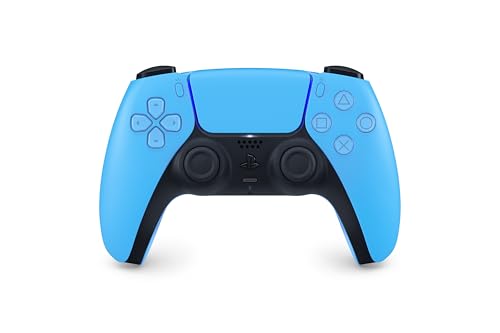
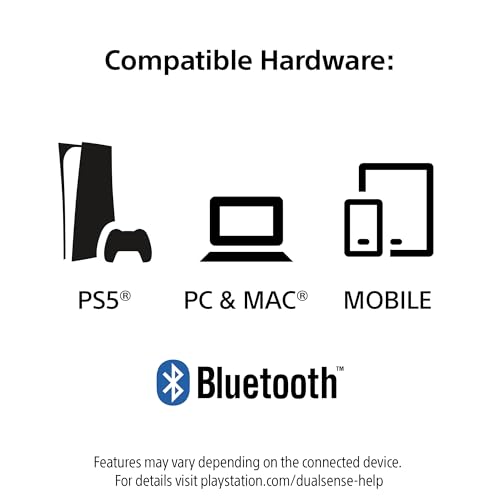

This controller stands out for players who want responsive controls with modern features across PS5, PC, Mac, and mobile. Its haptic feedback and adaptive triggers can make input feel more immediate and tactile, while USB-C or Bluetooth gives you flexibility depending on your setup.
- ✓ Haptic feedback adds physically responsive feedback to in-game actions
- ✓ Adaptive triggers provide varying levels of force and tension
- ✓ USB-C and Bluetooth support across multiple devices
- ✓ Built-in microphone plus 3.5mm headset jack
- ✓ Convenient mute button for quick voice control
- ✗ Wireless mode may not be as latency-focused as a wired-only setup
- ✗ Best features are most fully used within compatible games
- ✗ Not the most specialized option for fighting-game purists
HORI PlayStation 5 Fighting Stick Alpha - Tournament Grade Fightstick for PS5, PS4, PC - Officially Licensed by Sony 4.6★ (3,000+ reviews) ✓ Prime
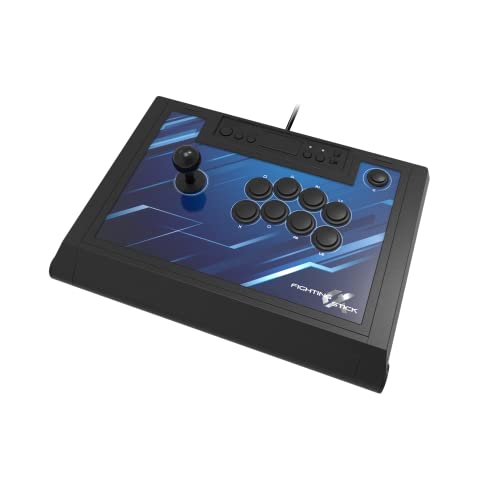


This fight stick is a strong fit for players who want precise, arcade-style inputs for fighting games. Its Hayabusa buttons and joystick, plus easy customization and maintenance, make it especially appealing if you care about fast, repeatable inputs.
- ✓ Tournament-grade fight stick for PS5, PS4, and PC
- ✓ Hayabusa buttons and joystick for precision-focused play
- ✓ Opens for easy customization and maintenance
- ✓ Replaceable top-panel artwork
- ✓ Official Sony licensing for broad PlayStation compatibility
- ✗ Best suited to fighting games, not every genre
- ✗ Larger than a standard controller and less portable
- ✗ Learning curve if you are used to gamepads
Nacon Daija Arcade Fight Stick Officially Licensed for PlayStation 4.5★ (1,000+ reviews) ✓ Prime
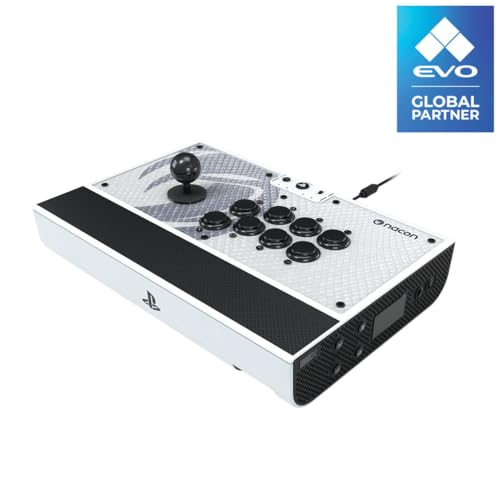


The Nacon Daija is aimed at serious fighting-game players who want premium parts and configurable controls. With SANWA joystick and action buttons, plus software-based button mapping, it is built for precision and consistency.
- ✓ SANWA joystick and action buttons for premium feel
- ✓ Fully configurable button mapping using PC and Mac software
- ✓ Textured palm rest for comfort during long sessions
- ✓ Two joystick heads for different control preferences
- ✓ Button lock helps prevent accidental presses
- ✗ More expensive than a standard controller
- ✗ Primarily useful for fighting games and similar genres
- ✗ Bigger footprint than compact gamepads
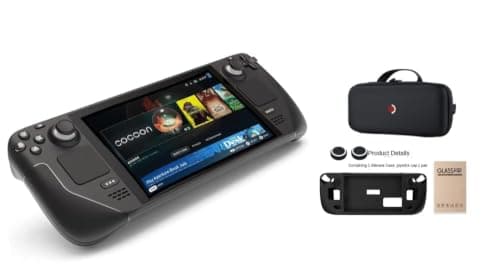
Valve Steam Deck 1TB Upgraded Handheld Gaming Console with Carring case, 1280 x 800 OLED Display Silicone Soft Cover Protector & Joystic Cap & Tempered Glass Film Bundle 4.6★ (10,000+ reviews) ✓ Prime
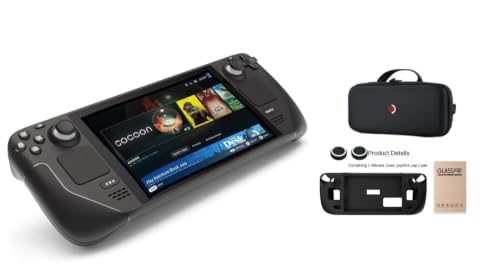


The Steam Deck is a good choice if you want a handheld that can also dock to a monitor or TV. Its specialized AMD APU, touchscreen, and trackpads make it versatile for games that benefit from both controller-style and mouse-and-keyboard-like input.
- ✓ Dockable to a monitor or TV for flexible play
- ✓ AMD APU optimized for handheld gaming
- ✓ 1TB storage plus microSD expansion
- ✓ 7-inch touchscreen and dual trackpads
- ✓ Includes carrying case and accessory bundle
- ✗ Bulkier than a typical controller-only setup
- ✗ Best for users who want an all-in-one device, not just lower latency
- ✗ Premium bundle price is high compared with simpler input devices
Common Mistakes to Avoid
- Using the wrong display mode: Many TVs and monitors have extra image processing enabled by default, which can add delay.
- Ignoring frame-rate stability: A system that stutters will feel laggier than one that stays consistently smooth.
- Assuming wireless is always fine: Wireless convenience is great, but wired is often better when the goal is the lowest possible latency.
- Buying gear that doesn’t match the game: A fight stick can be excellent for fighting games but unnecessary for most other genres.
- Overlooking the controller-to-screen chain: Lower input lag is a system-wide problem, not just a controller problem.
Frequently Asked Questions
1) What is the fastest way to reduce input lag?
The fastest improvement usually comes from enabling low-latency or game mode on your display and using a wired controller connection when possible.
2) Does a better controller reduce input lag?
It can, especially if the controller has a responsive wired mode or a layout that better fits your game, but the display and system settings matter too.
3) Is wireless always worse for input lag?
Not always, but wireless usually adds some delay compared with a wired connection. For competitive play, wired is often preferred.
4) Do fight sticks help reduce input lag?
They can help with precision and consistency in fighting games, but they do not automatically fix display lag or system performance issues.
5) How do I know if my TV is causing lag?
If your controls feel delayed even though the game runs smoothly, your TV may be adding processing delay. Game mode is usually the first thing to check.
Pros
- + Lower latency improves responsiveness
- + Wired connections can reduce delay
- + Game mode and stable frame rates help
- + Fight sticks improve precision in fighters
- + Some devices offer flexible docked/portable play
Cons
- – Wireless can add delay
- – TV processing may still cause lag
- – Fight sticks are genre-specific
- – Premium gear can be expensive
Frequently asked questions
- What is the fastest way to reduce input lag?
- Enable low-latency or game mode on your display and use a wired controller connection when possible.
- Does a better controller reduce input lag?
- It can, especially if the controller has a responsive wired mode or a layout that fits your game, but display and system settings matter too.
- Is wireless always worse for input lag?
- Not always, but wireless usually adds some delay compared with wired. For competitive play, wired is often preferred.
- Do fight sticks help reduce input lag?
- They can improve precision and consistency in fighting games, but they do not automatically fix display lag or system performance issues.
- How do I know if my TV is causing lag?
- If controls feel delayed even when the game runs smoothly, your TV may be adding processing delay. Game mode is usually the first thing to check.
Get the Full Tech Buyer's Guide
Join our free newsletter — we'll send our latest Tech picks, specs and verdicts straight to your inbox.
Free. No spam. Unsubscribe anytime.
Was this review helpful?
Be the first to share your feedback on this review.
Sign in to vote and let us know what you think.
Discussion (0)
No comments yet. Be the first to start the discussion.
Related Reviews
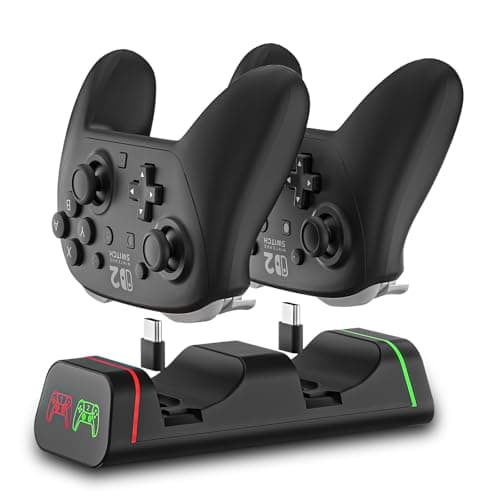
8 Best Controller Charging Docks in 2026 — Fast, Clean, and Ready-to-Play Charging
If your controllers keep dying right when you want to play, a good charging dock is the simplest fix. The best controller charging docks in 2026 do more than top off batteries — they keep your setup organized, reduce cable clutter, and make it easy to grab a fully charged controller at a moment’s no
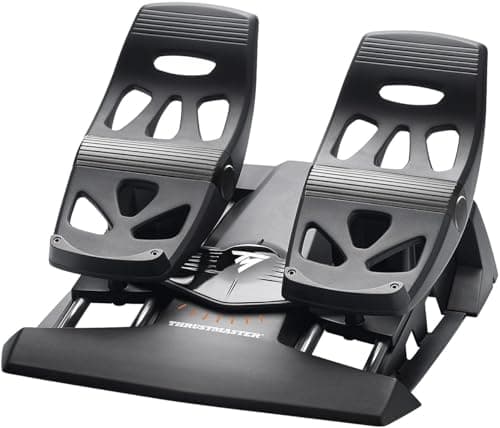
3 Best Sim Pedals for Realistic Flight and Driving Sims in 2026 — Most Immersive Control for Flight and Racing
If you’re searching for the best sim pedals for realistic flight and driving sims , you probably want more than “good enough” plastic controls. You want smoother input, better precision, and a setup that makes taxiing, cornering, and long sessions feel more natural. These three picks stand out based
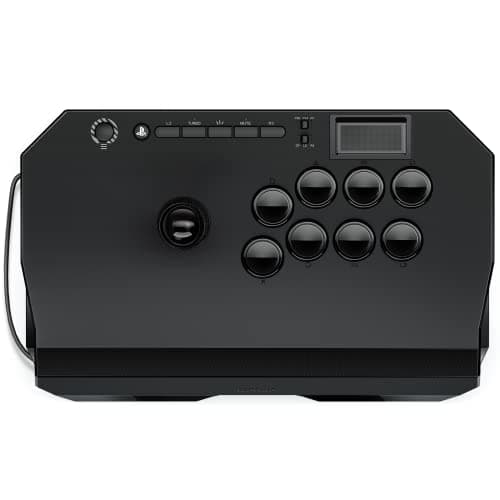
7 Best Arcade Fight Sticks for Competitive Play 2026 — Tournament-Ready Picks for Every Budget
If you’re shopping for the best arcade fight sticks for competitive play 2026 , the hard part is sorting tournament-grade builds from flashy budget options that won’t hold up in ranked matches. This guide narrows the field to sticks with strong owner feedback, useful competitive features, and platfo