

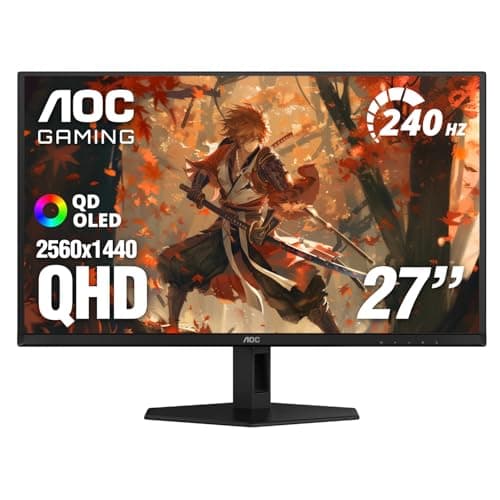
4K vs 1440p gaming is one of the most common choices players face when buying a new monitor or building a gaming PC. The difference affects image sharpness, frame rate, GPU demand, and how much money you need to spend to get the experience you want. This guide breaks down the tradeoffs in simple terms so you can choose the resolution that fits your games, hardware, and budget.
Related Reviews
How It Works
Resolution is the number of pixels your monitor displays, and pixels are the tiny dots that make up the image on screen. A 1440p monitor usually means 2560 × 1440 pixels, while 4K usually means 3840 × 2160 pixels, which is a much larger pixel count. More pixels generally create a sharper image, but they also require your graphics card to render more detail every second.
That extra workload is the biggest reason 4K and 1440p feel so different in games. At 4K, your GPU has to push roughly 2.25 times as many pixels as 1440p, so frame rates often drop unless you have a very powerful graphics card. At 1440p, it is easier to maintain high frame rates, which can make gameplay feel smoother, especially in fast-paced titles.
Display size also matters. On smaller screens, the jump from 1440p to 4K is harder to notice unless you sit close, while on larger monitors or TVs the sharper 4K image becomes more obvious. That is why the best choice depends not just on resolution, but also on screen size, viewing distance, and the type of games you play.
Key Benefits & Use Cases
Why choose 1440p gaming?
1440p is often the sweet spot for gamers who want a big upgrade over 1080p without overwhelming their GPU. It delivers crisp visuals, strong performance, and lower cost than 4K in both monitors and hardware. Many competitive players also prefer 1440p because it helps them reach higher refresh rates more easily.
Why choose 4K gaming?
4K is ideal if your top priority is image clarity and cinematic detail. It shines in single-player games, open-world titles, and visually rich experiences where sharp textures and fine details matter more than maximum frame rate. It is also a strong choice for larger displays, where the extra pixel density is easier to appreciate.
Best use cases for each
- 1440p: competitive shooters, esports, mid-range gaming PCs, high-refresh-rate setups
- 4K: story-driven games, AAA visuals, large monitors, powerful high-end PCs
- 1440p: gamers who want better value and easier performance tuning
- 4K: players who care more about visual fidelity than ultra-high FPS
What to Look For When Buying
1. Your GPU power
Your graphics card is the biggest factor in whether 4K or 1440p makes sense. A stronger GPU can handle 4K more comfortably, while a mid-range card is usually a better match for 1440p. If your current system already struggles in demanding games, 1440p is often the safer choice.
2. Monitor size and viewing distance
Resolution looks different depending on screen size. On a 27-inch monitor, 1440p is already very sharp, while 4K becomes more valuable on 32 inches and above or when you sit very close. If you use a smaller monitor, the visual jump to 4K may be less dramatic than you expect.
3. Refresh rate
Resolution is only part of the gaming experience. A 1440p monitor with a high refresh rate can feel smoother and more responsive than a 4K monitor capped at a lower refresh rate. If you play fast games, refresh rate may matter more than raw resolution.
4. Game genre
The games you play should influence your choice. Fast competitive games benefit from higher frame rates, which makes 1440p attractive. Slow-paced or cinematic games benefit more from 4K’s sharper detail and richer presentation.
5. Budget for the whole setup
Do not think about the monitor alone. 4K gaming often requires a more expensive GPU, sometimes a stronger CPU, and potentially more power and cooling. 1440p usually leaves more room in the budget for a better monitor, faster refresh rate, or higher-quality accessories.
Common Mistakes to Avoid
- Choosing 4K just because it sounds better. If your GPU cannot maintain good frame rates, the experience may feel worse than a well-optimized 1440p setup.
- Ignoring refresh rate. A sharper image is nice, but smooth motion can matter more in gaming, especially for competitive players.
- Buying a monitor that is too large for your desk. Screen size affects how much you notice 4K versus 1440p, so choose based on your actual setup.
- Overlooking game settings and upscaling. Technologies like DLSS and FSR can change the performance picture, especially at 4K.
- Focusing only on resolution. Response time, panel quality, HDR, and color accuracy all affect how good a monitor feels in real use.
Frequently Asked Questions
Is 4K gaming always better than 1440p gaming?
No. 4K looks sharper, but 1440p often delivers better frame rates and better value. For many gamers, 1440p is the more balanced choice.
Can a 1440p monitor display 4K content?
Yes, but it will downscale the image to fit the screen. You can still watch or play 4K content, but it will not appear in true 4K detail.
Do I need a high-end GPU for 4K gaming?
Usually yes, especially if you want high settings and strong frame rates. 4K is much more demanding than 1440p, so GPU power matters a lot.
Is 1440p good enough for a 27-inch gaming monitor?
Yes. In fact, 27 inches is one of the most popular sizes for 1440p because the image still looks sharp without requiring extreme hardware.
What is the best resolution for competitive gaming?
1440p is often the better choice for competitive gaming because it is easier to run at high refresh rates and lower latency. Many players prioritize smoothness over maximum detail.
Frequently asked questions
- Is 4K gaming better than 1440p gaming?
- 4K is better for raw image detail, but 1440p is often better for smoother gameplay and better value. The best choice depends on your GPU, budget, and the types of games you play. Is 1440p good enough for gaming in 2026?
- Is 1440p good enough for gaming in 2026?
- Yes. 1440p is still one of the best resolutions for gaming because it looks sharp while remaining much easier to run than 4K. Do I need a powerful GPU for 4K gaming?
- Do I need a powerful GPU for 4K gaming?
- Yes. 4K gaming usually requires significantly more graphics power than 1440p, especially if you want high frame rates or maximum settings. Is a 240Hz 1440p monitor better than a 4K monitor?
- Is a 240Hz 1440p monitor better than a 4K monitor?
- For competitive gaming, often yes. A 240Hz 1440p monitor can feel much smoother and more responsive than a lower-refresh 4K display. What is the best resolution for gaming on a 27-inch monitor?
- What is the best resolution for gaming on a 27-inch monitor?
- For most players, 1440p is the sweet spot on a 27-inch monitor. It offers excellent sharpness without the heavy performance cost of 4K.
Get the Full Tech Buyer's Guide
Join our free newsletter — we'll send our latest Tech picks, specs and verdicts straight to your inbox.
Free. No spam. Unsubscribe anytime.
Was this review helpful?
Be the first to share your feedback on this review.
Sign in to vote and let us know what you think.
Discussion (0)
No comments yet. Be the first to start the discussion.
Related Reviews
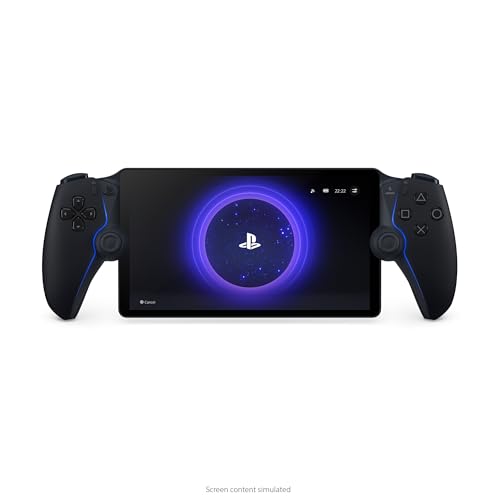
PlayStation Portal worth it Review (2026): Specs, Pros & Cons, and Who It's For
The PlayStation Portal stands out because it feels purpose-built rather than improvised. Instead of attaching a phone to a controller or relying on a generic handheld shell, Sony built it around the familiar DualSense layout, which is a major reason many buyers consider it in the first place.

Valve Steam Deck OLED Review (2026): Specs, Pros & Cons, and Who It's For
Check Price on Amazon →

5 Best External NVMe SSDs for Console Storage in 2026 — Faster Game Loading and More Room for Your Library
If your console storage keeps filling up, you need an NVMe SSD that is fast, compatible, and easy to install without creating headaches. This roundup focuses on drives that are specifically positioned for PS5 or Xbox console expansion, with heatsinks, official licensing where available, and specs th