

Who this is for: Best for new and casual photographers who want to understand when RAW or JPEG fits their editing and sharing needs.
Check PriceWhat is RAW vs JPEG which to shoot? A Complete 2026 Guide
If you’re trying to decide RAW vs JPEG which to shoot, the real problem is usually not “which format is better” but “which format fits how you actually take and edit photos.” RAW gives you maximum flexibility after capture, while JPEG gives you smaller files and faster, ready-to-share results. This guide explains the difference in plain English so you can choose the right format for your camera, your workflow, and your goals.
Related Reviews
How It Works
When you press the shutter, your camera’s sensor records light data. In RAW, the camera saves a much less processed version of that data, which is why photographers often describe it as a digital negative. In JPEG, the camera processes the image for you—applying sharpening, contrast, color, and compression—then saves a smaller file that looks finished right away.
That processing difference is the heart of the RAW vs JPEG debate. RAW files usually preserve more highlight and shadow detail, which can help if you need to fix exposure or color later in editing software. JPEGs are more convenient because they’re instantly viewable, easier to send, and take up far less storage space.
Think of it this way: RAW is for maximum control, while JPEG is for speed and simplicity. Neither format is “wrong”; they just serve different shooting styles and different levels of post-processing.
Key Benefits & Use Cases
When RAW makes more sense
RAW is best when you expect to edit photos seriously or when lighting is tricky. It’s especially useful for landscape, portrait, wedding, event, and product photography where color accuracy and recovery of detail matter. If you often shoot in mixed light, high contrast, or low light, RAW gives you more room to correct mistakes later.
When JPEG makes more sense
JPEG is ideal when you want speed, convenience, and smaller files. It works well for casual shooting, travel, sports where you need fast burst performance, or situations where you want to upload images quickly without editing. For many everyday users, JPEG is the easiest “shoot and share” option.
Why many photographers use both
Some cameras let you save RAW + JPEG at the same time. That gives you a quick shareable file plus a backup file with editing flexibility. It’s a smart compromise if you’re still learning or if you want to keep options open for important shots.
What to Look For When Buying
If you’re choosing a camera and trying to decide how important RAW vs JPEG should be, these five criteria matter most:
1. File format support
Check whether the camera supports RAW, JPEG, or both. Some beginner-friendly cameras focus on JPEG simplicity, while many enthusiast cameras give you full RAW control. If you plan to edit, RAW support is a major advantage.
2. Image quality and sensor size
A larger sensor usually captures more detail and better dynamic range, which makes RAW files even more useful. But even with a smaller sensor, RAW can still help you recover more than JPEG in tough lighting.
3. In-camera processing options
Look at how much the camera lets you customize JPEG output. Some cameras offer picture styles, color profiles, sharpening, and noise reduction that can make JPEGs look excellent without editing.
4. Storage and workflow
RAW files are much larger than JPEGs, so you’ll need more memory card space and more computer storage. If you shoot a lot, consider whether your workflow can handle the larger file sizes before defaulting to RAW.
5. Editing comfort level
If you don’t enjoy editing, JPEG may be the better choice. If you like adjusting exposure, white balance, and color later, RAW is worth the extra effort. The best format is the one that fits your habits, not just the one with the highest technical quality.
Top Recommended Products
While this topic is about file formats, some cameras and instant-print models help illustrate the practical tradeoff between simplicity and control. The products below are useful examples of cameras built around easy capture, instant sharing, or beginner-friendly workflows.
Fujifilm Instax Mini 12 Instant Camera Pastel Blue + Fuji Film Value Pack (40 Sheets) + Shutter Accessories Bundle, Incl. Compatible Carrying Case, Quicksand Beads Photo Album 64 Pockets ✓ Prime
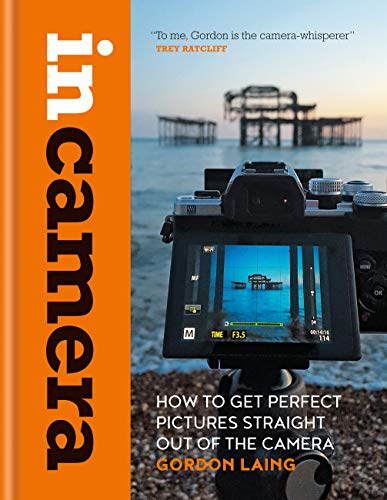


This bundle is a good fit if you want the simplest possible “press the button and get a print” experience. It doesn’t involve RAW or JPEG in the traditional digital-camera sense, but it does show the appeal of a no-edit, instant-output workflow.
Price: $158.95 ✓ Prime
- ✓ Includes camera, 40 sheets of film, carrying case, and album in one bundle
- ✓ Auto exposure, built-in flash, and optical viewfinder simplify shooting
- ✓ Compact, colorful design that’s easy for casual use
- ✓ Instant prints reduce the need for editing or post-processing
- ✗ Film costs add up over time
- ✗ No digital RAW workflow for post-capture editing
- ✗ Best for casual fun, not flexible image correction
Fujifilm Instax Mini 41 Instant Camera Vintage Black. + Fujifilm Value Pack (40 Sheets) + Shutter Accessories Bundle, Includes Vintage Style Compatible Carrying Case, Black Photo Album 64 Pockets ✓ Prime
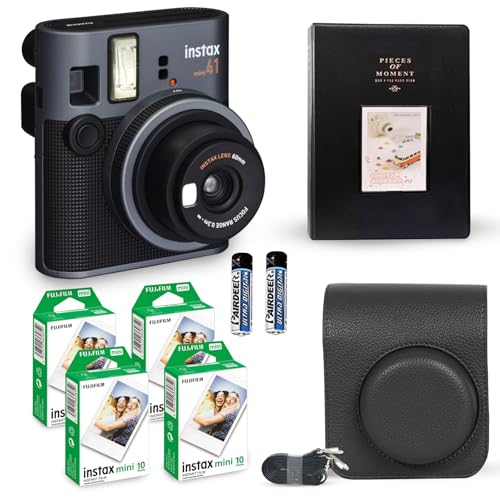


The Mini 41 is another instant-print option, but with a more style-forward, modern-retro look. It’s a practical reminder that many buyers value convenience and fast results over file-format flexibility.
Price: $169.95 ✓ Prime
- ✓ Auto exposure helps produce bright, usable prints
- ✓ Selfie mirror and close-up mode add convenience
- ✓ All-in-one bundle includes film, case, and album
- ✓ Easy for beginners who want simple point-and-shoot operation
- ✗ Instant film is less flexible than digital RAW shooting
- ✗ Ongoing film cost may be a downside for heavy users
- ✗ Not intended for post-processing or color correction
Polaroid Now 3rd Generation I-Type Instant Camera + Film Bundle - Now Black Camera + 16 Color Photos (6560) ✓ Prime
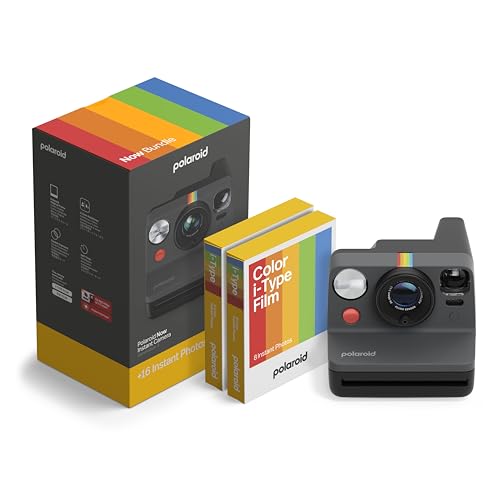


This Polaroid bundle is a strong example of a camera chosen for its iconic, ready-to-share aesthetic rather than editing flexibility. It’s especially appealing if you care more about the experience and the physical print than about RAW files.
Price: $159.99 ✓ Prime
- ✓ Autofocus helps simplify shooting for casual users
- ✓ Double-exposure and self-timer modes add creative options
- ✓ USB-C rechargeable battery is convenient for regular use
- ✓ Full-size Polaroid prints deliver a classic instant-photo feel
- ✗ No RAW or JPEG capture workflow
- ✗ Film costs can be significant over time
- ✗ More about instant output than image-editing control
Dylanto Kids Camera Instant Print,1080P Kids Instant Cameras that Print Photos,Christmas Birthday Gifts for Girls Age 3-12,Portable Toy for 3 4 5 6 7 8 9 10 Year Old Girls Boys Pink ✓ Prime 15% OFF — Was $39.99
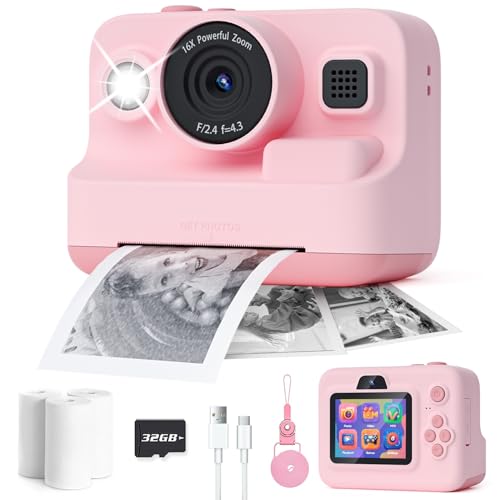


This kids camera is useful here because it shows a beginner-friendly, low-pressure way to explore photography. It combines instant printing with digital features, which can help new users understand the difference between simple output and more editable image capture.
Price: $33.99 ✓ Prime 15% OFF — Was $39.99
- ✓ Instant printing plus 1080P video makes it versatile for beginners
- ✓ Includes memory card, paper, lanyard, and USB-C cable
- ✓ Soft shockproof shell adds kid-friendly durability
- ✓ Simple controls make it approachable for children
- ✗ Not a true RAW/JPEG still-photo learning tool
- ✗ Image quality is more toy-focused than enthusiast-focused
- ✗ Best for fun and learning, not advanced editing workflows
Common Mistakes to Avoid
Choosing RAW vs JPEG is easier when you avoid these common mistakes:
- Assuming RAW always looks better straight away. RAW files often look flatter until edited, so don’t judge them by in-camera previews alone.
- Ignoring storage needs. RAW files can fill cards and drives quickly, especially if you shoot bursts or high-resolution images.
- Shooting JPEG only and expecting heavy recovery later. JPEG is less forgiving if exposure or white balance is off.
- Choosing RAW without wanting to edit. If you never plan to process files, RAW can add unnecessary complexity.
- Overlooking camera JPEG quality. Some cameras produce excellent JPEGs, so RAW is not automatically required for every photographer.
Frequently Asked Questions
Is RAW always better than JPEG?
No. RAW offers more editing flexibility, but JPEG is often better for speed, smaller file sizes, and immediate sharing. The best choice depends on whether you want control or convenience.
Should beginners shoot RAW or JPEG?
Beginners usually do well with JPEG if they want simple, low-effort results. If they want to learn editing and improve their photos later, shooting RAW or RAW + JPEG is a smart option.
Why do RAW photos look worse than JPEG at first?
RAW files are less processed, so they often look flatter and less polished until edited. JPEGs already have sharpening, contrast, and color applied in-camera.
Does RAW take up more space than JPEG?
Yes. RAW files are much larger than JPEGs, which means they use more memory card space and more storage on your computer.
Can I shoot both RAW and JPEG at the same time?
Yes, many cameras support RAW + JPEG. This gives you a quick shareable file and a higher-flexibility version for editing later.
Pros
- + RAW offers more editing flexibility
- + JPEG files are smaller and faster to share
- + RAW+JPEG gives both convenience and control
- + Instant cameras are simple and beginner-friendly
Cons
- – RAW files take more storage
- – JPEG is less forgiving in editing
- – Instant film adds ongoing cost
- – Some products here are not true RAW/JPEG cameras
Frequently asked questions
- Is RAW always better than JPEG?
- No. RAW offers more editing flexibility, but JPEG is often better for speed, smaller file sizes, and immediate sharing. The best choice depends on whether you want control or convenience.
- Should beginners shoot RAW or JPEG?
- Beginners usually do well with JPEG if they want simple, low-effort results. If they want to learn editing and improve their photos later, shooting RAW or RAW + JPEG is a smart option.
- Why do RAW photos look worse than JPEG at first?
- RAW files are less processed, so they often look flatter and less polished until edited. JPEGs already have sharpening, contrast, and color applied in-camera.
- Does RAW take up more space than JPEG?
- Yes. RAW files are much larger than JPEGs, which means they use more memory card space and more storage on your computer.
- Can I shoot both RAW and JPEG at the same time?
- Yes, many cameras support RAW + JPEG. This gives you a quick shareable file and a higher-flexibility version for editing later.
Score breakdown
- value
- 0.0
- usability
- 0.0
- durability
- 0.0
- performance
- 0.0
- buyerFeedback
- 0.0
Get the Full Tech Buyer's Guide
Join our free newsletter — we'll send our latest Tech picks, specs and verdicts straight to your inbox.
Free. No spam. Unsubscribe anytime.
Was this review helpful?
Be the first to share your feedback on this review.
Sign in to vote and let us know what you think.
Discussion (0)
No comments yet. Be the first to start the discussion.
Related Reviews
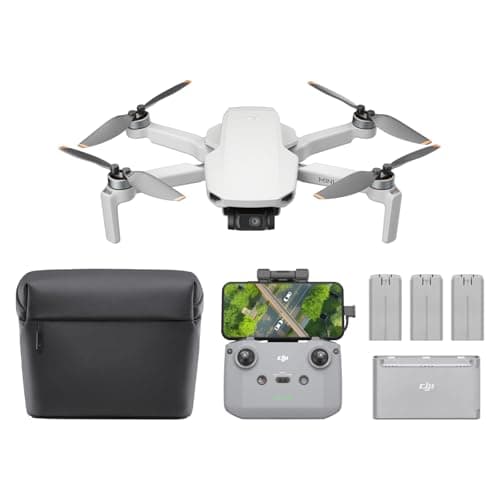
What is How to Fly a Drone for Beginners? A Complete 2026 Guide
If you’re searching for how to fly a drone for beginners , you probably want a simple way to start without crashing, breaking parts, or feeling overwhelmed by controls. The good news is that beginner drone flying becomes much easier once you understand the basics of lift, controller inputs, and safe
What is how to start photography 2026? A Complete 2026 Guide
If you’re trying to figure out how to start photography 2026 , the hardest part is usually knowing where to begin without wasting money on the wrong gear. The good news is that photography is much easier to enter now because beginner-friendly cameras, phones, editing apps, and learning resources are

What is FAA drone rules 2026? A Complete 2026 Guide
If you’re trying to understand FAA drone rules 2026 , the biggest challenge is usually separating real compliance requirements from outdated advice. The rules can change based on whether you fly recreationally, commercially, or for a specific job like real estate, inspections, or mapping. This guide