

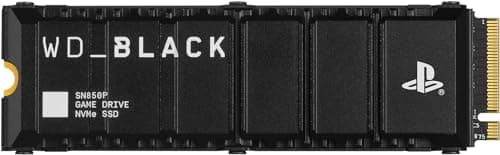
Who this is for: Best for PS5 owners who need more game space and want the right storage option for playing or archiving titles.
Check PriceWhat is How to Extend PS5 Storage? A Complete 2026 Guide
If your PS5 storage fills up fast, you are not alone. Modern games can take up huge amounts of space, and constant deleting and redownloading gets old quickly. This guide explains how to extend PS5 storage in a simple way so you can choose the right expansion method with confidence.
Related Reviews
In plain terms, extending PS5 storage means adding extra space so you can keep more games installed at once. On PS5, that usually happens in one of two ways: installing a compatible M.2 NVMe SSD inside the console or connecting a USB external drive for storing certain games. The best option depends on whether you want to play games directly from the drive or simply store and move them more easily.
How It Works
The PS5 has a built-in internal SSD, but Sony also supports expansion through a dedicated M.2 slot and USB storage. The M.2 slot is designed for fast NVMe solid-state drives, which work much like the PS5’s internal storage and can run PS5 games directly. USB external drives, by contrast, are better for archiving and moving games, especially PS4 titles and PS5 games you want to keep without deleting.
Here’s the simple technology difference:
- M.2 NVMe SSD expansion: This is the fastest and most seamless way to add usable PS5 game storage. Once installed and formatted correctly, it behaves like built-in storage for PS5 games.
- USB external storage: This is slower, but cheaper and easier to set up. It is ideal for moving games off the internal drive and freeing space quickly.
For PS5 owners, the main rule is important: PS5 games must be played from internal storage or a compatible M.2 SSD, while USB drives are mainly for storing or transferring PS5 games and playing PS4 games directly. That’s why M.2 SSD picks are the most relevant answer to how to extend PS5 storage if you want full performance.
Key Benefits & Use Cases
1. Keep more games installed
The biggest benefit is obvious: more space means less deleting. If you rotate between large multiplayer games, story campaigns, and updates, extra storage saves time and frustration.
2. Reduce re-downloads
Instead of downloading a 100GB game again later, you can keep it stored on an expansion drive and move it back when needed. That is especially useful for slower internet connections.
3. Improve game organization
Expansion storage lets you separate what you are actively playing from what you are keeping for later. That makes the PS5 library easier to manage.
4. Better value for heavy gamers
If you buy lots of digital games or have a large library, extra storage can be more cost-effective than constantly managing space.
5. Flexible for different needs
Some users want the fastest possible PS5 game access, while others just want a place to park older titles. M.2 SSDs and USB drives serve different use cases, so you can choose based on your budget and habits.
What to Look For When Buying
1. Compatibility with PS5 requirements
For M.2 SSD expansion, the drive must meet PS5 speed and format requirements. In practice, that means choosing a PCIe Gen 4 NVMe SSD with a heatsink or a compatible cooling solution.
2. Capacity
1TB is a solid starting point for most players, while 2TB or 5TB makes more sense if you keep a large digital library. If you mainly want to store PS4 games or move PS5 games around, a USB drive may be enough.
3. Speed
For PS5 game expansion, speed matters. Faster SSDs reduce load times and help the console perform smoothly. USB drives are fine for storage, but they are not the same as an internal-style SSD experience.
4. Cooling
PS5-compatible M.2 SSDs should manage heat well. A heatsink helps maintain performance during long gaming sessions and reduces the chance of thermal slowdown.
5. Ease of setup
If you want a simple solution, look for plug-and-play external drives or M.2 SSDs that are clearly marketed for PS5 use. Clear instructions and strong owner feedback matter a lot here.
Top Recommended Products
Below are the most relevant researched picks for people learning how to extend PS5 storage. The M.2 SSD option is the best fit for direct PS5 game expansion, while the USB drives are better for storage and transfer use cases.
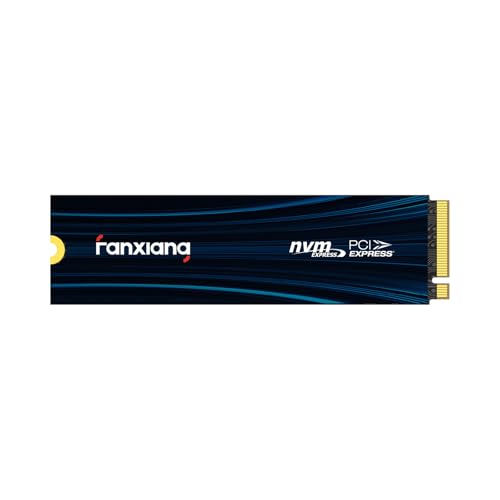
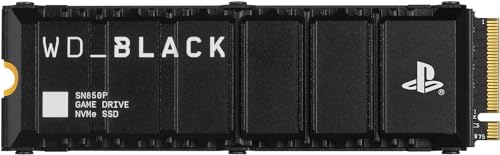 fanxiang 1TB NVMe Internal Gaming SSD for PS5 with Heatsink 4.7★ (research-based) ✓ Prime


This is the most directly relevant option if you want to expand PS5 storage for actual gameplay. Its PCIe Gen 4 NVMe design, claimed 7000MB/s read speed, and built-in heatsink make it a strong fit for PS5 expansion use cases.
- ✓ PCIe Gen 4 NVMe design aimed at fast PS5-compatible storage expansion
- ✓ Built-in heatsink supports better thermal control during long sessions
- ✓ Useful for gamers, creators, and professionals who need fast file transfers
- ✓ Prime shipping available
- ✗ Higher upfront cost than USB external drives
- ✗ 1TB may feel limited for very large digital libraries
- ✗ Requires installation and PS5 formatting steps
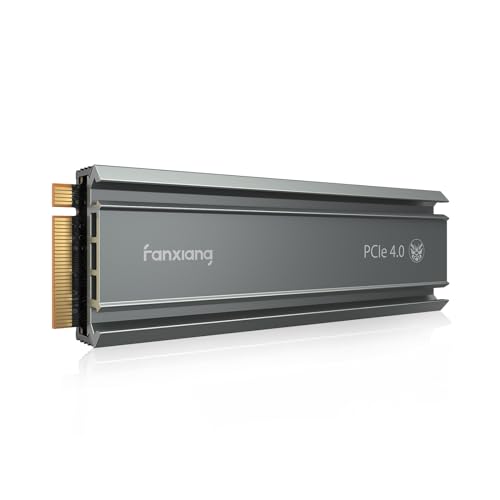 Seagate 2TB Game Drive for PlayStation 4.6★ (research-based) ✓ Prime


This is a strong storage-and-transfer solution if your goal is to keep more games without paying for an internal SSD. It is officially licensed, easy to set up, and useful for storing PS5 games while playing PS4 games directly from the drive.
- ✓ Officially licensed for PS5 and PS4 compatibility
- ✓ 2TB capacity gives you room for a larger game vault
- ✓ Easy plug-and-play setup with no tools required
- ✓ Good for storing PS5 games and playing PS4 games directly
- ✗ Cannot play PS5 games directly from USB storage
- ✗ Slower than an internal M.2 SSD for PS5-specific use
- ✗ More expensive than some smaller external options
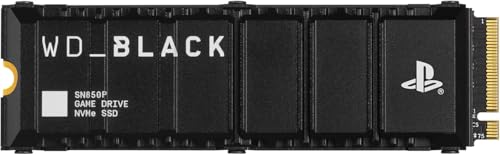 Avolusion HD250U3-Z1-PRO 1TB USB 3.0 Portable External Gaming Hard Drive 4.3★ (research-based) ✓ Prime

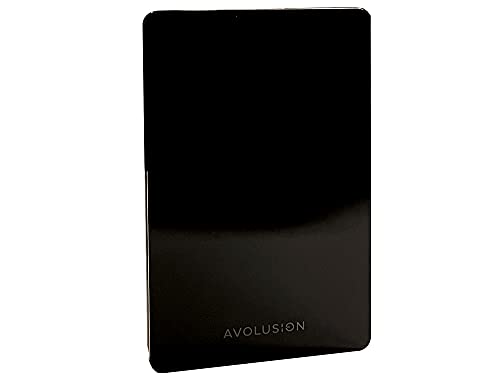
This is the budget-friendly option for players who mainly want to move games off the PS5 internal drive. It is pre-formatted for PS5 use and can help free up space quickly, especially if you are managing older PS4 titles or storing games between sessions.
- ✓ Low-cost way to expand usable game storage
- ✓ Pre-formatted for PS5, which simplifies setup
- ✓ Good for moving games off the internal SSD
- ✓ 2-year warranty adds peace of mind
- ✗ Not suitable for playing PS5 games directly
- ✗ Slower than SSD-based expansion
- ✗ 1TB may fill up quickly for bigger libraries
 Seagate 5TB Game Drive for PlayStation 4.6★ (research-based) ✓ Prime
If your priority is maximum storage capacity for the money, this is the biggest external option in the list. It is a practical pick for players with huge libraries who want to store a lot of games and avoid frequent deletions.
- ✓ Massive 5TB capacity for large game libraries
- ✓ Officially licensed and easy to use
- ✓ Good for long-term archiving and transfers
- ✓ No tools required for setup
- ✗ Cannot run PS5 games directly from the drive
- ✗ Bulkier than smaller capacity options
- ✗ Higher price than 2TB external models
Common Mistakes to Avoid
- Buying the wrong type of drive: Not every storage device can play PS5 games. USB drives are useful, but they do not replace a proper M.2 SSD for direct PS5 gameplay.
- Ignoring PS5 compatibility requirements: M.2 SSDs need the right interface and speed. A random SSD may not meet the console’s needs.
- Skipping the heatsink: Heat management matters for internal SSD expansion. Without proper cooling, performance can suffer.
- Expecting USB storage to act like internal storage: External drives are great for moving and storing games, but they are not the same as a PS5 expansion SSD.
- Not checking capacity needs: A 1TB drive may be enough for some users, but heavy digital gamers often outgrow it quickly.
Frequently Asked Questions
1. What is the best way to extend PS5 storage?
The best way is usually a compatible M.2 NVMe SSD if you want to play PS5 games directly from expanded storage. If you only need extra space for storing games, a USB external drive is simpler and cheaper.
2. Can I play PS5 games from a USB external drive?
No, PS5 games cannot be played directly from standard USB external storage. You can store them there and move them back to internal storage when you want to play.
3. Do I need a heatsink for PS5 SSD expansion?
Yes, a heatsink is strongly recommended for M.2 SSD expansion. It helps manage heat and supports stable performance during long gaming sessions.
4. Is 1TB enough for PS5 storage expansion?
It can be enough for casual players or those with a smaller library. If you install many large games, 2TB or more is often a better long-term choice.
5. What is the easiest PS5 storage upgrade for beginners?
The easiest option is a USB external drive because setup is usually plug-and-play. If you want the best PS5 gaming experience, though, a compatible M.2 SSD is the better upgrade.
Pros
- + M.2 SSDs enable direct PS5 game play
- + USB drives are easy, affordable storage expanders
- + Heatsinks help keep SSD performance stable
- + Large-capacity drives reduce deletions and re-downloads
Cons
- – USB drives cannot run PS5 games directly
- – M.2 SSDs cost more and need installation
- – 1TB can fill up quickly for big libraries
Frequently asked questions
- What is the best way to extend PS5 storage?
- The best way is usually a compatible M.2 NVMe SSD if you want to play PS5 games directly from expanded storage. If you only need extra space for storing games, a USB external drive is simpler and cheaper.
- Can I play PS5 games from a USB external drive?
- No, PS5 games cannot be played directly from standard USB external storage. You can store them there and move them back to internal storage when you want to play.
- Do I need a heatsink for PS5 SSD expansion?
- Yes, a heatsink is strongly recommended for M.2 SSD expansion. It helps manage heat and supports stable performance during long gaming sessions.
- Is 1TB enough for PS5 storage expansion?
- It can be enough for casual players or those with a smaller library. If you install many large games, 2TB or more is often a better long-term choice.
- What is the easiest PS5 storage upgrade for beginners?
- The easiest option is a USB external drive because setup is usually plug-and-play. If you want the best PS5 gaming experience, though, a compatible M.2 SSD is the better upgrade.
Get the Full Tech Buyer's Guide
Join our free newsletter — we'll send our latest Tech picks, specs and verdicts straight to your inbox.
Free. No spam. Unsubscribe anytime.
Was this review helpful?
Be the first to share your feedback on this review.
Sign in to vote and let us know what you think.
Discussion (0)
No comments yet. Be the first to start the discussion.
Related Reviews
What is How to Reduce Input Lag? A Complete 2026 Guide
If your games feel “off,” the problem may be input lag: the delay between pressing a button and seeing the action happen on screen. That delay can make aiming harder, combos less reliable, and everyday navigation feel sluggish. This guide explains how to reduce input lag in plain English, plus what
7 Best Fight Sticks in 2026 — Tournament-Ready Picks for Every Budget
If you’re searching for the best fight sticks 2026 , you probably want one thing: a controller that feels accurate, durable, and worth the money for your favorite fighting games. The problem is that “best” depends on your setup, your budget, and whether you want a traditional stick or a more modern
5 Best Steam Deck Games 2026 — The Easiest Way to Pick the Right Handheld-Ready Games
If you’re searching for the best Steam Deck games 2026 , you probably want titles that actually feel great on a handheld—not just games that happen to run. The picks below are built around Steam Deck-friendly playability, strong controller support, readable UI, and sessions that make sense on a port