

8 Best Mechanical Keyboards for Office in 2026 — Quiet Typing, Better Productivity, and Cleaner Desks
If you’re searching for the best mechanical keyboards for office use, you probably want a board that feels great to type on without annoying coworkers. The challenge is finding a keyboard that stays quiet, looks professional, and still gives you the satisfying mechanical feel you want. These picks focus on office-friendly switches, comfortable layouts, useful features, and real value for everyday work.
Related Reviews
We narrowed this list to keyboards that make sense for commercial buyers: quieter switches, durable build quality, comfortable typing angles, and layouts that suit spreadsheets, writing, and multitasking. You’ll find premium wireless choices, dependable wired options, and a few budget-friendly picks if you want mechanical feel without overspending.
Quick Picks
| Rank | Product | Price | Best For |
|---|---|---|---|
| 1 | Logitech MX Mechanical | $119.99 | Best overall office keyboard |
| 2 | Cherry KC 200 MX | $79.85 | Quiet wired office typing |
| 3 | Keychron C2 | $56.99 | Mac and Windows productivity |
| 4 | AULA F99 | $64.83 | Wireless multi-device flexibility |
| 5 | Logitech G413 SE | $56.97 | Durable full-size value pick |
| 6 | Redragon K668 RGB | $39.99 | Budget mechanical with extras |
| 7 | Redragon Mechanical Gaming Keyboard Wired | $29.99 | Lowest-cost hot-swappable option |
| 8 | MageGee MK-Box | $26.99 | Compact office desk setup |
1. Logitech MX Mechanical — Best Overall Office Keyboard


4.7★ (reviews not provided)
Quiet, premium, and packed with productivity features, the Logitech MX Mechanical is the easiest office recommendation if you want a polished typing experience.
✓ Pros
- Tactile Quiet switches help reduce noise in shared offices while still giving satisfying feedback.
- Low-profile mechanical keys improve comfort for long typing sessions.
- Smart backlighting is convenient in changing office lighting conditions.
- Multi-device support makes it easy to switch between work laptops and desktops.
✗ Cons
- It is the most expensive keyboard in this list.
- Wireless features may be more than some office users need.
- The premium feature set can feel overkill for basic typing only.
33% OFF — Was $179.99
2. Cherry KC 200 MX — Best Quiet Wired Office Keyboard

4.6★ (reviews not provided)
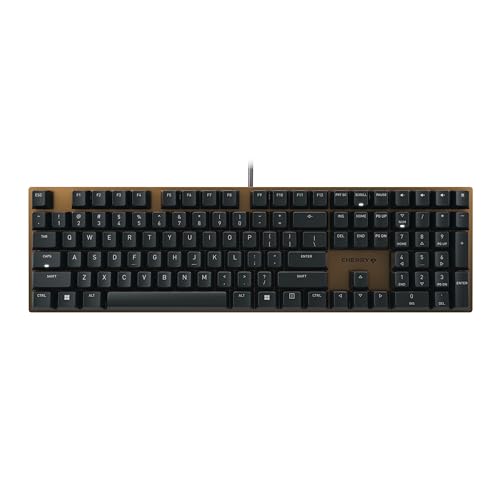
The Cherry KC 200 MX is one of the most office-focused mechanical keyboards here, with silent switches and a clean, professional look.
✓ Pros
- MX2A Silent RED switches are built for smooth, quiet typing.
- Aluminum surface gives it a more premium office appearance.
- Includes quick-access keys for calculator and volume control.
- Full N-key rollover and anti-ghosting improve reliability.
✗ Cons
- Wired-only design may not suit cable-free desks.
- No backlight means less visibility in dim rooms.
- More expensive than some budget mechanical options.
20% OFF — Was $99.99
3. Keychron C2 — Best for Mac and Windows Productivity

4.5★ (reviews not provided)
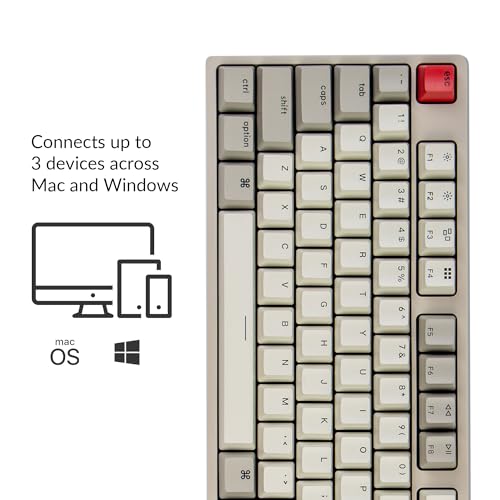
The Keychron C2 is a smart office pick if you want a full-size mechanical keyboard that works well on both Mac and Windows.
✓ Pros
- Mac-optimized layout is helpful for Apple users in office workflows.
- Full-size 104-key layout is ideal for spreadsheets and data entry.
- Tactile Keychron switches offer responsive typing feedback.
- USB-C wired connection keeps it simple and dependable.
✗ Cons
- Non-backlight version may be less appealing in low light.
- Wired-only setup limits desk flexibility.
- ABS keycaps are not as premium as some higher-end alternatives.
4. AULA F99 — Best Wireless Multi-Device Office Keyboard

4.4★ (reviews not provided)
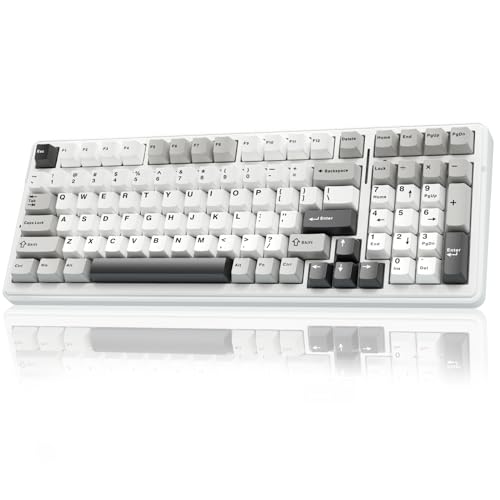
The AULA F99 is a flexible office keyboard for people who jump between devices and want a compact-but-capable layout.
✓ Pros
- Tri-mode connectivity supports Bluetooth, 2.4GHz, and USB-C.
- Can connect to up to five devices for multi-device workflows.
- Compact 96% layout saves desk space while keeping number keys.
- Hot-swappable design adds long-term customization potential.
✗ Cons
- RGB lighting may feel less office-appropriate to some buyers.
- More feature-heavy than a simple plug-and-play board.
- Not as established a brand choice as Logitech or Keychron.
18% OFF — Was $78.84
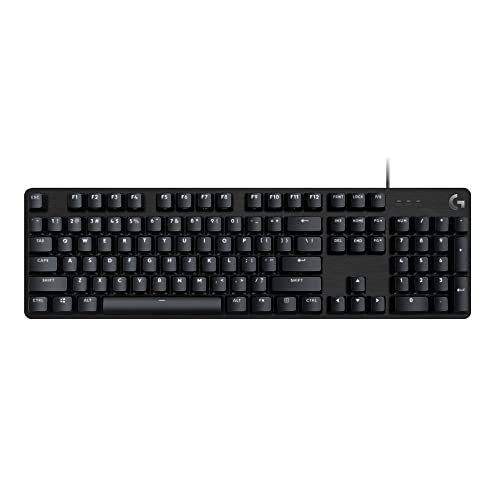
5. Logitech G413 SE — Best Durable Full-Size Value

4.4★ (reviews not provided)
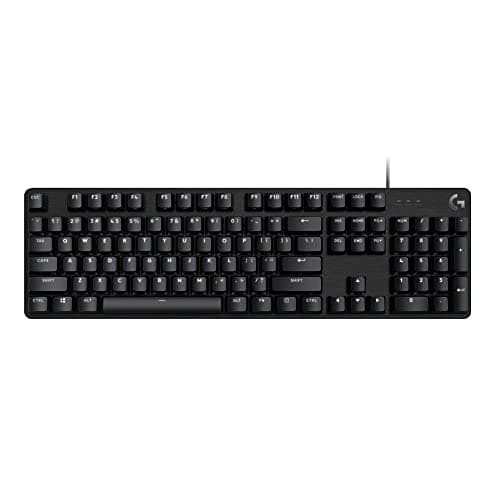
The Logitech G413 SE is a solid full-size mechanical keyboard with durable materials and enough refinement for office use.
✓ Pros
- PBT keycaps are durable and resistant to wear.
- Black aluminum top case looks clean and professional.
- Tactile switches provide a satisfying typing feel.
- 6-key rollover anti-ghosting improves input reliability.
✗ Cons
- Still marketed as a gaming keyboard, so it is not the quietest option.
- Wired-only design limits flexibility.
- Backlighting is basic compared with premium office models.
37% OFF — Was $89.99
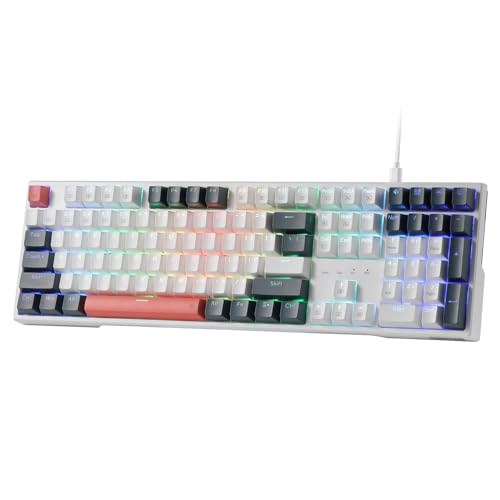
6. Redragon K668 RGB — Best Budget Full-Size Option

4.2★ (reviews not provided)
If you want a full-size mechanical keyboard for office work without spending much, the Redragon K668 RGB offers a lot for the money.
✓ Pros
- Hot-swappable socket adds customization at a low price.
- Sound-absorbing foam helps reduce harsh typing noise.
- Full-size layout includes extra hotkeys for convenience.
- Adjustable feet improve typing comfort.
✗ Cons
- RGB-heavy styling may not fit every office environment.
- Brand reputation is more gaming-focused than office-focused.
- Wired-only setup may not appeal to minimal desk users.
20% OFF — Was $49.99
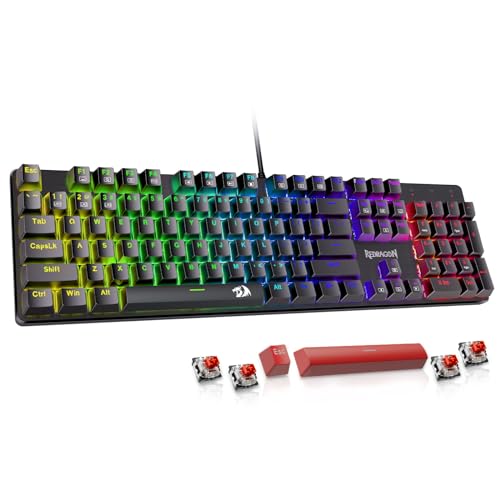
7. Redragon Mechanical Gaming Keyboard Wired — Best Budget Hot-Swappable Pick

4.1★ (reviews not provided)
This Redragon board is a low-cost way to get mechanical typing, hot-swappable switches, and macro support for office tasks.
✓ Pros
- Very affordable entry into mechanical keyboards.
- Hot-swappable red switches are useful for future maintenance.
- Macro editing can speed up repetitive office work.
- Full anti-ghosting helps with reliable input.
✗ Cons
- Gaming-style lighting is not ideal for every office.
- Build and feel are less refined than premium options.
- Not as quiet or polished as true office-first keyboards.
8. MageGee MK-Box — Best Compact Office Desk Pick


4.0★ (reviews not provided)
The MageGee MK-Box is a compact choice for small desks, laptop setups, or offices where saving space matters more than having a number pad.
✓ Pros
- 68-key compact layout saves a lot of desk space.
- Separate arrow keys and function row make it more practical than ultra-small boards.
- Red switches offer a smoother typing feel.
- Very budget-friendly for a mechanical keyboard.
✗ Cons
- No number pad, which is a drawback for spreadsheet-heavy work.
- Smaller layout may take adjustment for office users.
- Less premium feel than higher-end office keyboards.
10% OFF — Was $29.99
How We Chose These Products
To find the best mechanical keyboards for office use, we prioritized typing comfort, noise level, layout practicality, and build quality. We also looked for models that make sense for real workdays, including full-size options for data entry, quiet switches for shared spaces, and wireless choices for cleaner desks.
We gave extra weight to keyboards with durable keycaps, reliable connectivity, and features like multi-device pairing, hot-swappability, and useful shortcut keys. Finally, we balanced premium picks with budget options so there’s something here for different office setups and price points.
Frequently Asked Questions
Are mechanical keyboards good for office work?
Yes. Mechanical keyboards can be excellent for office work because they often provide better typing feel, improved durability, and more consistent key response than standard membrane keyboards.
What is the quietest mechanical keyboard on this list?
The Cherry KC 200 MX and Logitech MX Mechanical are the quietest-feeling options here thanks to their silent or quiet-focused switch designs.
Should I get a wired or wireless mechanical keyboard for office use?
Wired keyboards are simpler and more reliable, while wireless keyboards are better if you want a cleaner desk or switch between multiple devices often.
Do I need a full-size mechanical keyboard for work?
If you use spreadsheets, accounting tools, or lots of numeric input, a full-size keyboard is usually the best choice. If desk space matters more, a compact layout may be better.
What switch type is best for an office keyboard?
Quiet tactile or silent linear switches are usually best for office use because they reduce noise while still giving a satisfying mechanical typing feel.
Pros
- + Tactile Quiet switches help reduce noise in shared offices while still giving satisfying feedback.
- + Low-profile mechanical keys improve comfort for long typing sessions.
- + Smart backlighting is convenient in changing office lighting conditions.
- + Multi-device support makes it easy to switch between work laptops and desktops.
Cons
- – It is the most expensive keyboard in this list.
- – Wireless features may be more than some office users need.
- – The premium feature set can feel overkill for basic typing only.
Frequently asked questions
- Are mechanical keyboards good for office work?
- Yes. Mechanical keyboards can be excellent for office work because they often provide better typing feel, improved durability, and more consistent key response than standard membrane keyboards. What is the quietest mechanical keyboard on this list?
- What is the quietest mechanical keyboard on this list?
- The Cherry KC 200 MX and Logitech MX Mechanical are the quietest-feeling options here thanks to their silent or quiet-focused switch designs. Should I get a wired or wireless mechanical keyboard for office use?
- Should I get a wired or wireless mechanical keyboard for office use?
- Wired keyboards are simpler and more reliable, while wireless keyboards are better if you want a cleaner desk or switch between multiple devices often. Do I need a full-size mechanical keyboard for work?
- Do I need a full-size mechanical keyboard for work?
- If you use spreadsheets, accounting tools, or lots of numeric input, a full-size keyboard is usually the best choice. If desk space matters more, a compact layout may be better. What switch type is best for an office keyboard?
- What switch type is best for an office keyboard?
- Quiet tactile or silent linear switches are usually best for office use because they reduce noise while still giving a satisfying mechanical typing feel.
Get the Full Home Buyer's Guide
Join our free newsletter — we'll send our latest Home picks, specs and verdicts straight to your inbox.
Free. No spam. Unsubscribe anytime.
Was this review helpful?
Be the first to share your feedback on this review.
Sign in to vote and let us know what you think.
Discussion (0)
No comments yet. Be the first to start the discussion.
Related Reviews
8 Best Office Chairs for Short People in 2026 — Better Fit, Better Posture, Less Foot Dangle
If your feet don’t sit flat, your knees feel cramped, or your desk chair forces you into a slouch, you’re not alone. The best office chairs for short people solve that problem with lower seat heights, supportive cushions, flip-up arms, and adjustability that actually works for petite frames. In this
8 Best Office Chairs for Tall People in 2026 — Extra Height, Bigger Seats, and Better Back Support
If you’re tall, you already know the problem: too-short seat pans, low headrests, weak lumbar support, and armrests that hit in all the wrong places. The right chair should give your legs room, support your upper back, and stay comfortable through long workdays without feeling cramped. This roundup
Logitech MX Master 3S long term review (2026): Specs, Pros & Cons, and Who It's For
The Logitech MX Master 3S is built around a simple idea: make long work sessions easier on the hand. Research-based reviews consistently praise its sculpted right-handed shape, high thumb rest, and well-placed controls, all of which support a more natural wrist position than a typical flat mouse.