

What is Smart Home Automations Ideas? A Complete 2026 Guide
Smart home automations ideas are practical ways to make your home react automatically to everyday routines, like turning on lights when you arrive, adjusting temperature at bedtime, or locking doors at night. Instead of manually controlling each device, automations let connected products work together based on time, motion, location, voice commands, or sensor data. For homeowners and renters who want more comfort, convenience, and safety, the right automation setup can save time and reduce daily friction.
Related Reviews
How It Works
At the simplest level, a smart home automation is a rule: if something happens, then do something else. For example, if a motion sensor detects movement after dark, then a hallway light can switch on automatically. These rules are usually created inside a smart home app, hub, or platform that connects devices from different brands.
Most systems rely on a combination of devices, triggers, and actions. Devices can include smart lights, plugs, locks, thermostats, cameras, speakers, and sensors. Triggers are the events that start the automation, such as a specific time, sunrise, sunset, geofencing, a button press, or a sensor reading. Actions are the responses, like dimming lights, sending a phone alert, playing music, or changing the thermostat.
Behind the scenes, many modern setups use Wi‑Fi, Zigbee, Z-Wave, Bluetooth, or Matter-compatible devices to communicate. A hub or software platform can act as the “brain,” helping devices talk to each other and execute routines reliably. More advanced users often combine automations with scene logic, presence detection, and conditional rules so the home behaves differently depending on who is home, what time it is, or what the current conditions are.
Key Benefits & Use Cases
1. Everyday convenience
One of the biggest reasons people search for smart home automations ideas is to remove repetitive tasks. You can create routines for morning wake-up, bedtime shutdown, leaving home, and arriving home. This makes your home feel more responsive without requiring constant app control.
2. Better comfort
Automations can help maintain a more comfortable environment by adjusting lighting, temperature, and window coverings throughout the day. For example, a thermostat can lower the temperature when you leave and restore it before you return. Lights can also shift brightness and color temperature to match the time of day.
3. Security and peace of mind
Many use cases focus on safety, such as automatically turning on porch lights at sunset, locking doors at night, or sending alerts when motion is detected. You can also create automations that simulate occupancy when you are away. These features are especially useful for families, frequent travelers, and anyone who wants more visibility into home activity.
4. Energy awareness
Smart automations can reduce wasted energy by turning off devices in empty rooms, lowering heating or cooling when nobody is home, and scheduling appliances more efficiently. While savings vary by home, automated control often helps avoid “always on” habits. That makes it easier to manage comfort without overusing power.
5. Family routines
Automations are especially helpful in busy households. You can set up reminders for school mornings, evening wind-down routines, or shared household alerts. Families often use smart home systems to coordinate lights, speakers, thermostats, and door locks in a way that feels simple and predictable.
Popular use cases for smart home automations ideas
- Turn on lights when motion is detected in hallways or bathrooms.
- Start a “goodnight” routine that locks doors and dims lights.
- Adjust the thermostat when everyone leaves the house.
- Send an alert if a door or window opens unexpectedly.
- Run a morning routine with lights, weather, and news updates.
What to Look For When Buying
1. Compatibility with your devices
Before buying any smart home guide or automation resource, check whether it covers the ecosystem you already use. Some systems are best for Alexa, Google Home, Apple Home, or Home Assistant, while others focus on broader cross-platform ideas. The most useful choice is one that matches your current devices or the platform you plan to build around.
2. Beginner-friendly explanations
If you are new to automations, look for clear step-by-step guidance instead of technical jargon. Good resources explain triggers, conditions, scenes, and routines in plain language. That makes it easier to turn ideas into real automations without trial and error.
3. Practical examples
The best smart home automation resources include real-world scenarios, not just theory. Look for examples tied to lighting, climate, security, entertainment, and family routines. The more use cases included, the easier it is to adapt ideas to your own home.
4. Depth for future growth
Even if you are starting small, it helps to choose a guide that explains both basic and advanced setups. A strong resource should cover simple automations first, then expand into more complex rules and device integration. That way, you can grow your system over time without starting over.
5. Value for the price
Because these products are books and guides, value comes from clarity, usefulness, and how many ideas you can actually apply. A lower-priced beginner guide may be ideal if you want a simple introduction, while a more detailed automation book may be better if you want a larger library of ideas. Compare the number of examples, platform focus, and depth before choosing.
Top Recommended Products
The Smart Home Manual: How to Automate Your Home to Keep Your Family Entertained, Comfortable, and Safe (Home Technology Manuals) ✓ Prime $11.49
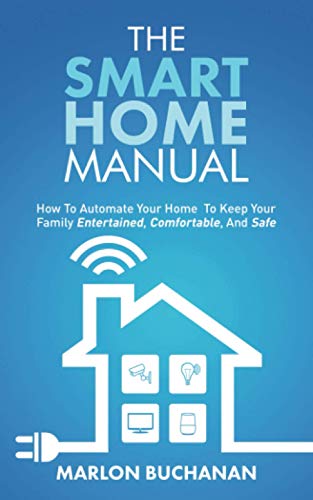

This guide is a strong fit if you want a broad, family-friendly introduction to automation ideas across comfort, entertainment, and safety. Based on the title and positioning, it appears aimed at readers who want practical home improvements rather than highly technical setup work.
✓ Pros
- Covers entertainment, comfort, and safety use cases.
- Good fit for general readers and families.
- Prime availability adds convenience for quick delivery.
✗ Cons
- May be too general for advanced users.
- No discount shown in the listing.
- Not focused on one specific platform or ecosystem.
Open-Source Smart Home Automation: Control your home with Home Assistant and DIY electronics – a beginner’s Guide ✓ Prime 84% OFF — Was $18.99 $2.99

This is the best option for readers who want to explore Home Assistant and open-source automation without spending much. It is especially appealing if you like DIY electronics and want a beginner-friendly path into more customizable smart home setups.
✓ Pros
- Very low price after discount.
- Focuses on Home Assistant and DIY electronics.
- Good choice for beginners who want flexibility.
✗ Cons
- Likely more technical than a general consumer guide.
- DIY focus may not suit plug-and-play buyers.
- Less suitable if you want a broad family-use overview.
Your Smart Home Upgrade: Over 100 Ideas for Automation with Home Assistant – From Light and Climate Control to Security Optimization (Your Smart Home with Home Assistant Book 2) ✓ Prime 23% OFF — Was $12.99 $9.99
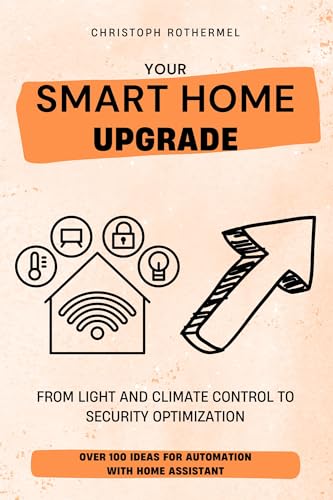
If you specifically want a long list of smart home automations ideas, this title stands out because it promises 100+ examples across lighting, climate, and security. It is a strong match for readers who already use or plan to use Home Assistant and want inspiration for expanding their setup.
✓ Pros
- Large collection of automation ideas.
- Strong focus on lighting, climate, and security.
- Good value for readers who want lots of examples.
✗ Cons
- Best suited to Home Assistant users.
- May be too specific if you want a general smart home overview.
- Less beginner-friendly than a broad introductory manual.
Common Mistakes to Avoid
1. Buying devices before planning routines
A common mistake is collecting gadgets first and thinking about automations later. It is usually better to define your daily routines and pain points first, then choose devices that support those goals. That approach helps you avoid spending money on products you do not actually use.
2. Making automations too complicated
Many beginners create rules that are so detailed they become unreliable or hard to troubleshoot. Start with simple automations like lights, locks, and temperature changes. Once those work well, you can add conditions and exceptions.
3. Ignoring device compatibility
Not every smart device works smoothly with every platform. Before you buy, confirm that your chosen hub, app, or ecosystem supports the products you want to automate. Compatibility issues are one of the most common reasons smart home setups become frustrating.
4. Forgetting manual control
Automations should make life easier, not remove your ability to control things normally. Always keep a manual backup method in case the internet is down, a sensor fails, or your routine needs to be overridden. The best smart homes are automated, but still flexible.
5. Overlooking privacy and notifications
Some automations involve cameras, microphones, location tracking, or alert messages. Review privacy settings carefully and decide which notifications are actually useful. Too many alerts can become noise, while too few can leave you uninformed.
Frequently Asked Questions
What are smart home automations ideas?
They are practical routines that let connected devices respond automatically to events like motion, time, location, or sensor data. Examples include turning on lights at sunset, locking doors at bedtime, or adjusting the thermostat when you leave home.
What is the easiest smart home automation to start with?
A simple lighting routine is usually the easiest place to begin. For example, you can set hallway lights to turn on at sunset or create a bedtime scene that dims lights throughout the house.
Do I need a hub for smart home automations?
Not always. Some automations work through a phone app or cloud service, while others benefit from a hub or local controller for better reliability and broader compatibility.
Are smart home automations expensive to build?
They can be as affordable or advanced as you want. Basic routines can be built with a few low-cost devices, while more complex systems with sensors, hubs, and multiple rooms can cost significantly more.
Which platform is best for advanced automation ideas?
For users who want deep customization, Home Assistant is often a top choice because it supports powerful rules and integrations. For simpler setups, mainstream ecosystems may be easier to learn and maintain.
Pros
- + Family-friendly automation ideas
- + Beginner-friendly Home Assistant guide
- + Large library of automation examples
- + Prime availability
- + Low-cost entry option
Cons
- – Some titles are platform-specific
- – Advanced users may want more depth
- – Not all options are plug-and-play
Frequently asked questions
- What are smart home automations ideas?
- They are practical routines that let connected devices respond automatically to events like motion, time, location, or sensor data. Examples include turning on lights at sunset, locking doors at bedtime, or adjusting the thermostat when you leave home.
- What is the easiest smart home automation to start with?
- A simple lighting routine is usually the easiest place to begin. For example, you can set hallway lights to turn on at sunset or create a bedtime scene that dims lights throughout the house.
- Do I need a hub for smart home automations?
- Not always. Some automations work through a phone app or cloud service, while others benefit from a hub or local controller for better reliability and broader compatibility.
- Are smart home automations expensive to build?
- They can be as affordable or advanced as you want. Basic routines can be built with a few low-cost devices, while more complex systems with sensors, hubs, and multiple rooms can cost significantly more.
- Which platform is best for advanced automation ideas?
- For users who want deep customization, Home Assistant is often a top choice because it supports powerful rules and integrations. For simpler setups, mainstream ecosystems may be easier to learn and maintain.
Get the Full Home Buyer's Guide
Join our free newsletter — we'll send our latest Home picks, specs and verdicts straight to your inbox.
Free. No spam. Unsubscribe anytime.
Was this review helpful?
Be the first to share your feedback on this review.
Sign in to vote and let us know what you think.
Discussion (0)
No comments yet. Be the first to start the discussion.
Related Reviews
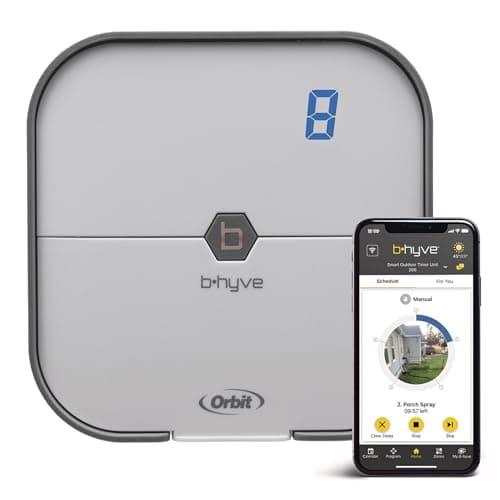
2 Best Smart Sprinkler Controllers in 2026 — Smarter Watering, Lower Bills
If your lawn is getting overwatered, underwatered, or just plain neglected because your old timer is hard to manage, a smart sprinkler controller can fix that fast. The best smart sprinkler controllers make it easier to schedule watering, adjust for weather, and control zones from your phone. In thi
What is How Much Does a Smart Home Cost? A Complete 2026 Guide
If you’re trying to figure out how much does a smart home cost , the biggest challenge is that prices can range from a few basic devices to a fully automated setup that feels like a luxury upgrade. The good news is that you do not need to buy everything at once, and the total cost depends heavily on
3 Best Smart Leak Detectors in 2026 — Faster Alerts, Better Whole-Home Protection
If you’re worried about a hidden leak turning into expensive water damage, the right smart leak detector can give you time to act before the mess spreads. The best leak detectors smart shoppers are comparing in 2026 balance fast alerts, easy placement, and reliable app notifications without forcing