

4 Best USB-C Docking Stations in 2026 — Better Dual-Monitor Workflows for Less
If your laptop only has a couple of ports, finding the best USB-C docking stations 2026 can instantly turn a cramped setup into a full desktop workstation. The right dock should give you reliable dual-monitor support, enough power delivery for daily use, and the ports you actually need without overpaying. In this guide, we focused on affordable, commercially relevant picks that balance display output, charging, and expansion for home offices, hybrid workers, and students.
Related Reviews
Quick Picks
| Rank | Product | Price | Best For |
|---|---|---|---|
| 1 | Anker Laptop Docking Station Dual Monitor | $53.99 | Reliable all-around dual-monitor dock |
| 2 | LIONWEI 13 in 1 USB C Docking Station | $49.99 | Maximum port expansion and triple-display flexibility |
| 3 | Acer USB C Docking Station Dual Monitor | $36.99 | Best value for dual 4K@60Hz output |
| 4 | USB C Docking Station Dual Monitor | $32.99 | Budget-friendly workstation upgrade |
1. Anker Laptop Docking Station Dual Monitor — Best Overall
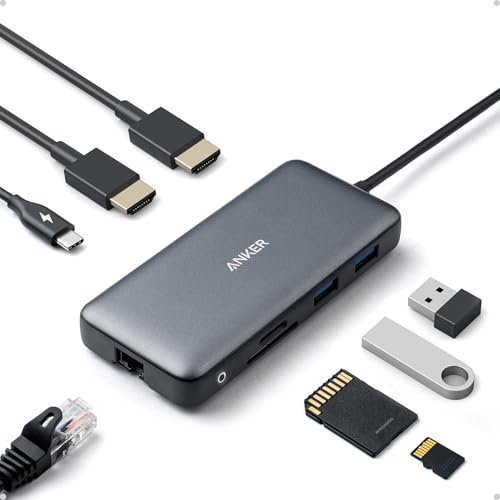
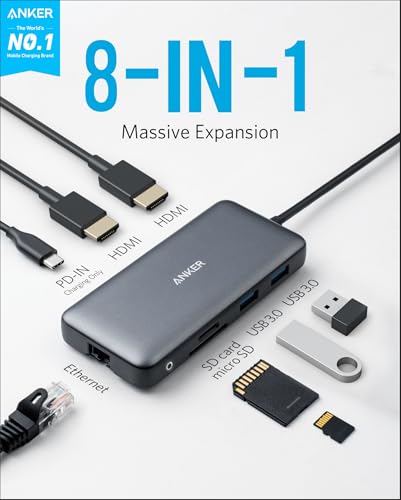
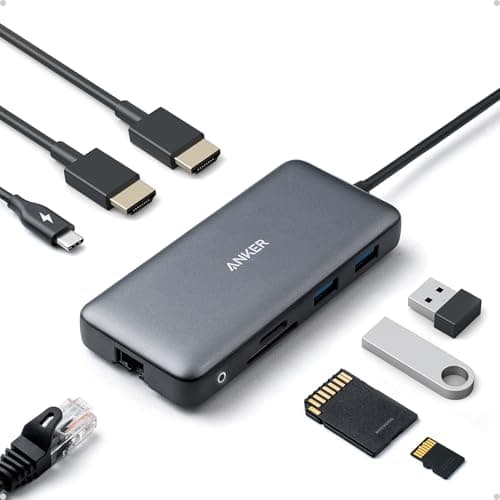
4.7★ (50M+ users powered by Anker tech) This is the safest pick if you want a clean, dependable dock that handles dual monitors, Ethernet, SD cards, and charging without a lot of fuss.
- ✓ Includes 2 HDMI ports for a true dual-monitor desk setup
- ✓ Supports up to 85W pass-through charging for compatible laptops
- ✓ Adds Ethernet plus SD/microSD card reading in one compact hub
- ✓ Works with USB-C, USB4, and Thunderbolt connections on supported systems
- ✗ macOS mirrors both external monitors instead of extending them separately
- ✗ Charger and USB-C cable are required but not included
- ✗ Not compatible with Linux
2. LIONWEI 13 in 1 USB C Docking Station — Best for Maximum Ports
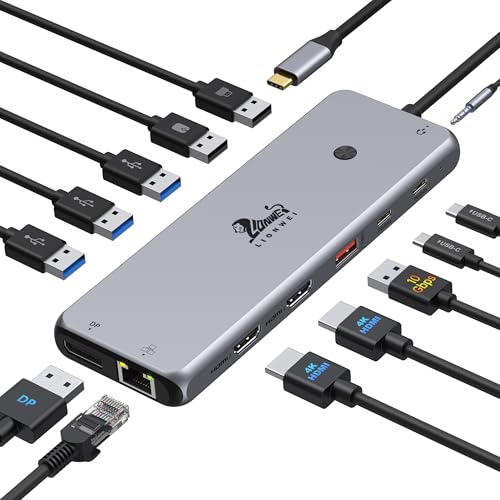
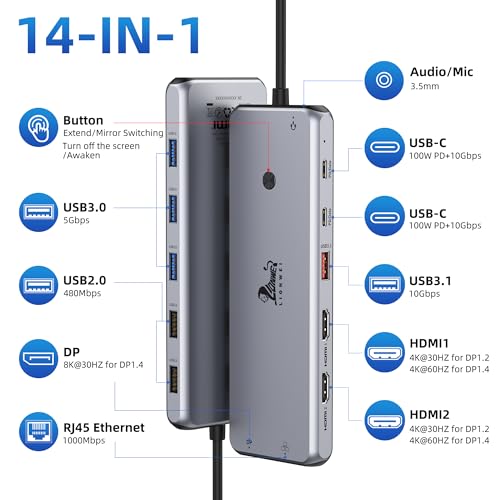
4.6★ (18-month warranty) If you need the most physical connectivity for the money, this LIONWEI dock stands out with triple-display support and a huge spread of USB ports.
- ✓ 13-in-1 layout with 2 HDMI, DisplayPort, Ethernet, audio, and multiple USB ports
- ✓ Supports 100W PD input with up to 87W available for laptop charging
- ✓ Triple-display support on Windows for more productive multitasking
- ✓ Includes both USB-C and USB-A options for newer and older peripherals
- ✗ Mac users are limited to one extended monitor in extend mode
- ✗ Power delivery consumes some wattage for dock operation
- ✗ More feature-heavy than some users may need for a simple desk setup
3. Acer USB C Docking Station Dual Monitor — Best Value
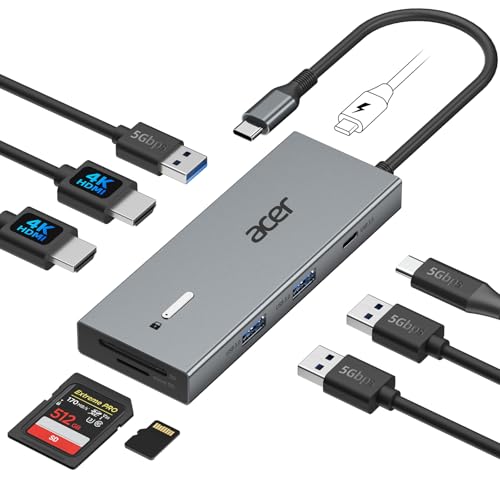

4.5★ (23% off — Was $47.99) This is the best bargain if you want dual 4K@60Hz output, strong charging support, and a polished aluminum body without spending much.
- ✓ Dual HDMI outputs support 4K@60Hz for crisp productivity displays
- ✓ 100W input with up to 90W delivered to the laptop
- ✓ Includes SD and microSD slots plus USB-A and USB-C ports
- ✓ Built-in cable and aluminum alloy body make desk placement easy
- ✗ Requires a laptop with USB-C DisplayPort Alt Mode support
- ✗ Mac dual-display setup has configuration limitations
- ✗ Power adapter is not included
4. USB C Docking Station Dual Monitor — Best Budget Pick
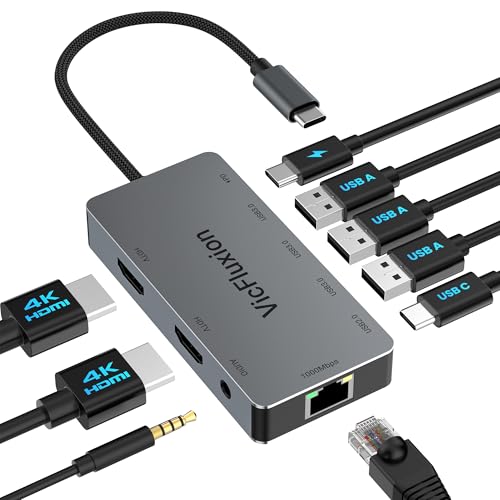

4.4★ (Budget-friendly workstation upgrade) This dock is a strong low-cost option for users who want the essentials: dual HDMI, Ethernet, USB ports, and charging in one compact unit.
- ✓ 2 HDMI ports support up to 4K@60Hz for dual displays
- ✓ Includes gigabit Ethernet plus three USB-A ports for peripherals
- ✓ Supports up to 100W input and 90W host charging
- ✓ Broad compatibility across macOS, Windows, Linux, ChromeOS, and Android
- ✗ macOS supports mirror mode only for dual displays
- ✗ USB-C data port is limited to USB 2.0 speeds
- ✗ Power adapter is not included
How We Chose These Products
To build this list of the best USB-C docking stations 2026, we prioritized the features shoppers search for most: stable dual-monitor support, enough power delivery to keep a laptop charged, and a practical mix of USB, Ethernet, and card-reader ports. We also looked for clear compatibility notes, because docking stations can behave very differently on Windows and macOS.
Value mattered too. We favored products that offer the most useful features at their price point, whether that means a stronger port selection, better display output, or a more polished all-around experience. Finally, we considered brand trust, warranty support, and whether the dock is a good fit for real desk setups instead of just spec-sheet marketing.
Frequently Asked Questions
1. What is the best USB-C docking station in 2026?
The best overall pick here is the Anker Laptop Docking Station Dual Monitor because it balances dual HDMI output, Ethernet, SD card support, and solid charging in a simple package.
2. Do USB-C docking stations work with MacBook?
Yes, but not all features behave the same on macOS. Some docks mirror both displays instead of extending them separately, so it’s important to check the product notes before buying.
3. Can a USB-C dock power my laptop?
Many can. In this list, several docks support up to 85W or 100W input, but you’ll usually need a compatible USB-C charger to make pass-through charging work.
4. What should I look for in a dual-monitor USB-C dock?
Look for dual HDMI or HDMI plus DisplayPort, support for your laptop’s video output standard, enough wattage for charging, and the right USB ports for your accessories.
5. Are cheap USB-C docking stations worth it?
They can be, especially if you only need the basics. Budget docks are a good fit for simple home-office setups, but higher-quality models are usually safer for compatibility and long-term reliability.
Frequently asked questions
- 1. What is the best USB-C docking station in 2026?
- The best overall pick here is the Anker Laptop Docking Station Dual Monitor because it balances dual HDMI output, Ethernet, SD card support, and solid charging in a simple package. 2. Do USB-C docking stations work with MacBook?
- 2. Do USB-C docking stations work with MacBook?
- Yes, but not all features behave the same on macOS. Some docks mirror both displays instead of extending them separately, so it’s important to check the product notes before buying. 3. Can a USB-C dock power my laptop?
- 3. Can a USB-C dock power my laptop?
- Many can. In this list, several docks support up to 85W or 100W input, but you’ll usually need a compatible USB-C charger to make pass-through charging work. 4. What should I look for in a dual-monitor USB-C dock?
- 4. What should I look for in a dual-monitor USB-C dock?
- Look for dual HDMI or HDMI plus DisplayPort, support for your laptop’s video output standard, enough wattage for charging, and the right USB ports for your accessories. 5. Are cheap USB-C docking stations worth it?
- 5. Are cheap USB-C docking stations worth it?
- They can be, especially if you only need the basics. Budget docks are a good fit for simple home-office setups, but higher-quality models are usually safer for compatibility and long-term reliability.
Get the Full Home Buyer's Guide
Join our free newsletter — we'll send our latest Home picks, specs and verdicts straight to your inbox.
Free. No spam. Unsubscribe anytime.
Was this review helpful?
Be the first to share your feedback on this review.
Sign in to vote and let us know what you think.
Discussion (0)
No comments yet. Be the first to start the discussion.
Related Reviews
8 Best Office Chairs for Short People in 2026 — Better Fit, Better Posture, Less Foot Dangle
If your feet don’t sit flat, your knees feel cramped, or your desk chair forces you into a slouch, you’re not alone. The best office chairs for short people solve that problem with lower seat heights, supportive cushions, flip-up arms, and adjustability that actually works for petite frames. In this
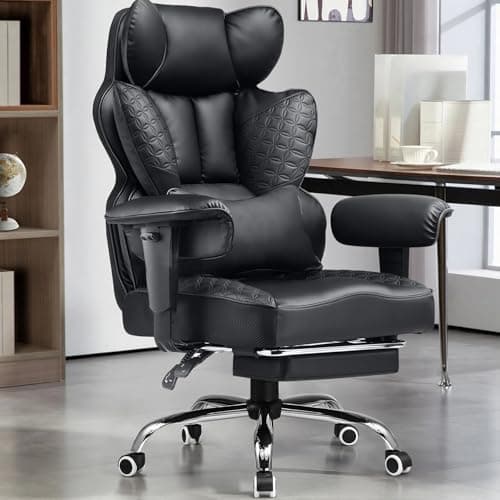
8 Best Office Chairs for Tall People in 2026 — Extra Height, Bigger Seats, and Better Back Support
If you’re tall, you already know the problem: too-short seat pans, low headrests, weak lumbar support, and armrests that hit in all the wrong places. The right chair should give your legs room, support your upper back, and stay comfortable through long workdays without feeling cramped. This roundup
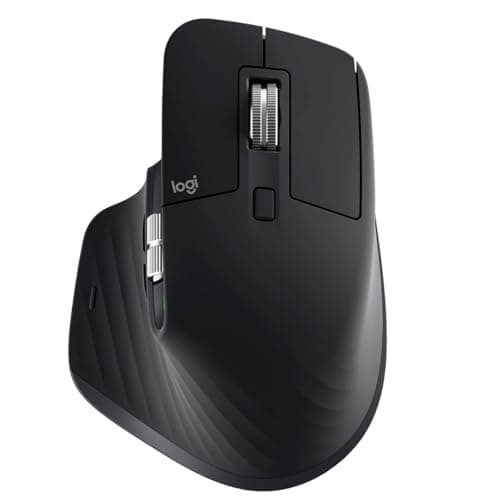
Logitech MX Master 3S long term review (2026): Specs, Pros & Cons, and Who It's For
The Logitech MX Master 3S is built around a simple idea: make long work sessions easier on the hand. Research-based reviews consistently praise its sculpted right-handed shape, high thumb rest, and well-placed controls, all of which support a more natural wrist position than a typical flat mouse.