
What is M4 vs M5 chip explained? A Complete 2026 Guide
If you’re trying to understand M4 vs M5 chip explained, the confusing part is usually not the naming — it’s figuring out what actually changes in real-world use. Are you getting a big speed jump, better battery life, or just a small refresh that sounds bigger than it is? This guide breaks it down in plain English so you can compare Apple silicon generations with confidence.
At a high level, the M4 and M5 are Apple-designed chips built to power Macs with better performance, efficiency, and on-device intelligence than older Intel systems. The M5 is the newer generation, so it is generally expected to improve on the M4 in speed, efficiency, and AI-focused tasks, but the size of that upgrade depends on the exact Mac model and workload. If you want to buy smarter in 2026, the key is understanding what the chip does, what benefits matter, and when the newer chip is actually worth paying for.
How It Works
Apple silicon chips like the M4 and M5 combine multiple computing parts into one package called a system on a chip, or SoC. Instead of using separate pieces for the processor, graphics, memory control, and machine-learning tasks, Apple integrates them together so the Mac can move data faster and use less power.
The CPU handles general computing, the GPU handles graphics, and the Neural Engine helps with AI-style tasks such as image processing, voice features, and other on-device intelligence. Because these parts sit close together and share memory efficiently, the Mac can often feel faster and more responsive than older laptop designs with separate components.
The practical difference between M4 and M5 is that each generation usually brings architectural improvements. That can mean more performance per watt, better sustained speeds under heavy workloads, improved media engines for video, and stronger AI acceleration for tasks that use Apple’s machine-learning features.
Key Benefits & Use Cases
For most buyers, the point of comparing M4 and M5 is not to memorize technical specs — it is to decide which chip fits your daily life.
1. Everyday productivity
If you mainly browse, write, manage email, attend video calls, and work in office apps, both chips are built to feel fast and smooth. The M5 may give you a bit more future-proofing, but the M4 is already more than enough for most light-to-moderate users.
2. Creative work
For photo editing, music production, and video editing, Apple silicon shines because it handles demanding apps efficiently. The M5 should be the stronger option if you regularly work with large projects, but the M4 still offers excellent performance for creators who do not need top-tier speed.
3. Battery life and portability
Apple chips are known for strong efficiency, which helps thin laptops last longer away from a charger. If battery life matters more than raw power, both generations are attractive — with the M5 typically aiming to improve efficiency further.
4. AI and on-device intelligence
As software increasingly uses local AI processing, newer chips matter more. The M5 is likely to be the better choice if your workflow depends on AI-enhanced features, while M4 remains a solid option for users who only need occasional smart features.
5. Long-term ownership
If you plan to keep your Mac for many years, the newer chip can be the safer bet. Buying M5 may help you stay current longer, but buying M4 can still be smart if the price is meaningfully lower.
What to Look For When Buying
When deciding between M4 and M5, focus on these five criteria instead of chasing the newest label.
1. Your workload
Choose based on what you actually do. Light users rarely need the latest chip, while heavy creators, developers, and AI-heavy users benefit more from the newer generation.
2. Battery life needs
If you work unplugged often, efficiency matters as much as speed. Look for real-world battery claims and reviews, not just headline specs.
3. Memory configuration
Unified memory affects how well the Mac handles multitasking and large files. A better chip with too little memory can still feel limited.
4. Display and device size
The chip is only part of the experience. Screen size, portability, and thermal design can matter just as much when choosing a Mac.
5. Price difference
If the M5 model costs significantly more, ask whether your use case truly needs the upgrade. In many cases, a discounted M4 machine is the better value.
Top Recommended Products
These accessories are useful if you own a MacBook with M4 or M5 silicon and want to protect your device while you work, travel, or study.
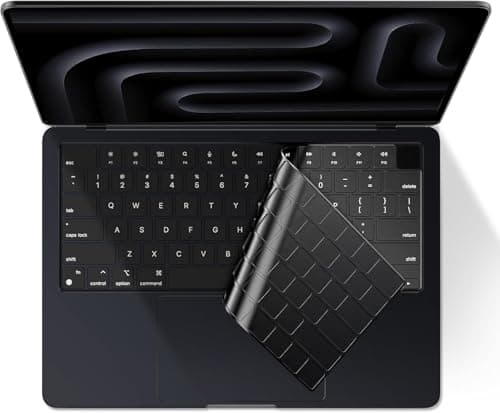
EooCoo Premium Keyboard Cover Skin Protector, Laptop Accessories Compatible with 2026 2025 2024 2023 2022 2021 M5/M4/M3/M2/M1 Pro/Max MacBook Pro 14/16, M5-M2 MacBook Air 13/15, MacBook Neo, Black $8.95 ✓ Prime
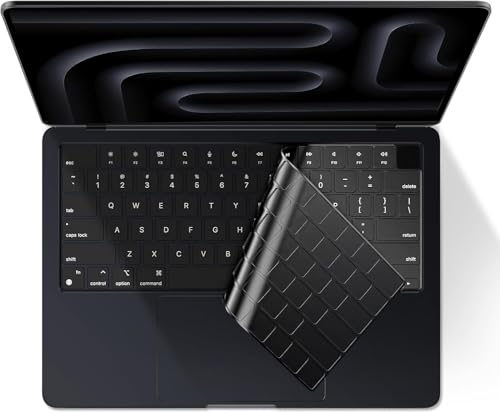


Designed for a wide range of MacBook Pro and MacBook Air models, this thin TPU cover helps protect against dust, spills, and key wear while still allowing backlit keys to shine through.
- ✓ Compatible with multiple M5, M4, M3, M2, and M1 MacBook Pro and Air models
- ✓ Waterproof and dustproof protection for everyday use
- ✓ Ultra-thin 0.12mm TPU material for easier typing
- ✓ Washable, reusable, and easy to remove for cleaning
- ✓ High transparency preserves backlit key visibility
- ✗ US keyboard layout only
- ✗ Must confirm your exact Mac model number before buying
F FORITO Magnetic Privacy Screen Protector Compatible with MacBook Pro 14 inch (2025-2021, M5 M4 M3 M2 M1 Pro Max), Removable 360° Anti Peeping Anti Blue Light Anti Glare Laptop Privacy Screen Shield $24.96 17% OFF — Was $29.99 ✓ Prime
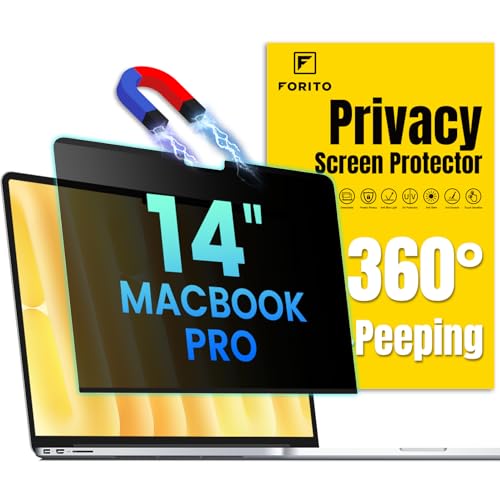


This magnetic privacy screen is ideal if you work in public spaces and want to reduce side-angle visibility, glare, and eye strain on a 14-inch MacBook Pro.
- ✓ 360° privacy protection helps block side views
- ✓ Magnetic design makes installation quick and simple
- ✓ Anti-glare and anti-blue light features support eye comfort
- ✓ Compatible with multiple M1 through M5 MacBook Pro 14-inch models
- ✓ Removable design adds flexibility for travel and office use
- ✗ Only fits MacBook Pro 14-inch models
- ✗ Privacy filters can slightly change viewing appearance
EooCoo Premium Keyboard Cover Skin Protector, Laptop Accessories Compatible with 2026 2025 2024 2023 2022 2021 M5/M4/M3/M2/M1 Pro/Max MacBook Pro 14/16, M5-M2 MacBook Air 13/15, MacBook Neo, Tinted $8.95 ✓ Prime
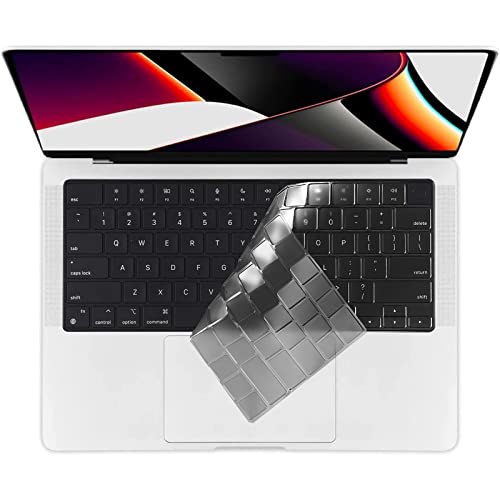


This tinted version offers the same protection and fit-focused design, with a darker look that may appeal to users who prefer a more muted aesthetic.
- ✓ Compatible with a broad range of MacBook Pro, Air, and Neo models
- ✓ Thin TPU material helps maintain typing comfort
- ✓ Washable and reusable for long-term use
- ✓ Protects against spills, dust, and key wear
- ✓ Tinted finish offers a different visual style
- ✗ US keyboard layout only
- ✗ Tinted finish may not suit users who want the clearest possible key visibility
Common Mistakes to Avoid
When people research M4 vs M5, they often make the same buying mistakes.
1. Assuming the newest chip is always the best value
A newer chip is not automatically the smartest purchase if the older model is cheaper and already meets your needs.
2. Ignoring memory and storage
Chip generation matters, but memory and storage can have a big impact on real performance, especially for multitasking and large files.
3. Overpaying for performance you will not use
If your work is mostly web-based, email, and documents, you may not notice much difference between generations.
4. Forgetting about the rest of the laptop
Display quality, port selection, battery size, and thermal design can influence satisfaction as much as the chip itself.
5. Buying accessories without checking model compatibility
Even simple add-ons like keyboard covers and privacy screens must match the exact MacBook size and model number.
Frequently Asked Questions
Is M5 better than M4?
In general, yes. The M5 is the newer generation and is expected to improve performance, efficiency, and AI-related tasks over M4, though the real-world difference depends on the specific Mac and workload.
Should I buy M4 or M5 for everyday use?
If you use your Mac for browsing, writing, streaming, and light productivity, M4 is already excellent. Choose M5 if you want the newest platform or expect heavier workloads later.
Is the M4 still good in 2026?
Yes. The M4 remains a strong chip for most users and should deliver fast performance, long battery life, and smooth everyday use in 2026.
Does M5 improve battery life?
It often can, because newer Apple silicon generations usually become more efficient. However, actual battery life also depends on screen size, workload, and laptop configuration.
What matters more than the chip when buying a Mac?
For many buyers, memory, storage, screen size, and price matter just as much as the chip. The best choice is the one that fits your workload and budget, not just the latest generation.
Get the Full Laptops & Computing Buyer's Guide
Download our detailed comparison with specs, scores, and our honest verdict — delivered straight to your inbox.
Free. No spam. Unsubscribe anytime.
Was this review helpful?
Be the first to share your feedback on this review.
Sign in to vote and let us know what you think.
Discussion (0)
No comments yet. Be the first to start the discussion.
Related Reviews
8 Best Laptops for Working From Home in 2026 — Better Webcam, Battery, and Dock-Friendly Productivity
If you’re trying to find the best laptops for working from home, the biggest problem is usually not raw speed—it’s getting a machine that handles video calls, all-day battery life, and easy monitor/keyboard docking without constant frustration. This list focuses on laptops that make remote work smoo
Dell XPS 14 Review (2026): Honest Verdict After Testing
If you’re searching for a Dell XPS 14 2026 hands on test , you probably want one answer: is this the sleek Windows laptop that finally justifies the premium? The short version is yes for buyers who care about design, display quality, and a refined daily experience, but no if your main goal is maximu
Best Laptops for Every Budget in 2026: Ranked by Price & Performance
If you’re searching for the best laptops under $1000 , the real challenge is separating true value from specs that look good on paper but won’t improve your day-to-day experience. The smartest buy depends on your budget tier: the cheapest option is for basic browsing, the mid-range pick is for every