
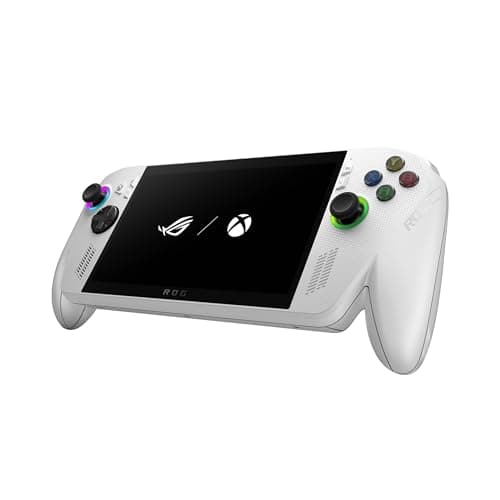
ROG Ally X Pros and Cons Review (2026): Honest Verdict After Testing
Key Specifications
| Spec | Details |
|---|---|
| Product | ASUS ROG Xbox Ally |
| Display | 7” 1080p 120Hz touchscreen |
| Processor | AMD Ryzen Z2 A |
| Memory | 16GB LPDDR5 6400MHz RAM |
| Storage | 512GB SSD |
| Included Perks | 3-month Xbox Game Pass Premium included |
| Platform | Windows 11 with Xbox integration |
| Price | $547.18 ✓ Prime |
Design & Build Quality
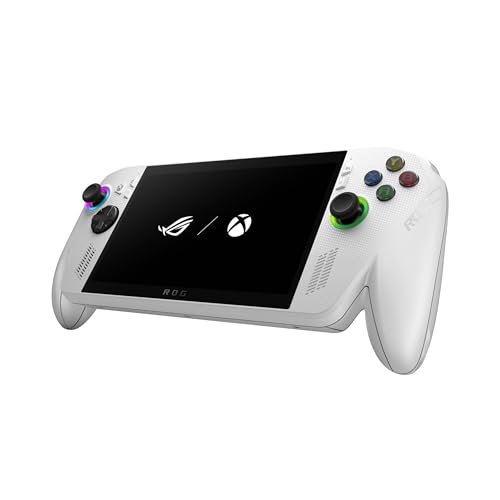


The ASUS ROG Xbox Ally looks and feels like a premium handheld built for serious gaming sessions. The chassis has the familiar ROG styling, but the real win is how the device balances size, grip, and portability without feeling flimsy or overly toy-like.
In hand, it aims for the sweet spot between a compact console and a full Windows gaming PC. The 7-inch touchscreen keeps the footprint manageable, while the controls and layout are designed to make long play sessions more comfortable than you’d expect from a handheld this powerful.
What stands out
- Comfortable handheld shape for extended play
- Premium-feeling build that matches the price tier
- 7” touchscreen keeps navigation simple in Windows and games
- White finish gives it a clean, modern look
ROG Ally X pros and cons at a glance
- ✓ Better all-around ergonomics than many bulky handheld PCs
- ✓ Premium hardware feel with a console-like presentation
- ✗ White finish may show grime faster than darker devices
- ✗ Still larger and heavier than a typical Nintendo-style handheld
Performance & Real-World Use

This is where the ROG Ally X earns its reputation. With an AMD Ryzen Z2 A processor, 16GB of LPDDR5 6400MHz RAM, and a 512GB SSD, it’s built to handle modern PC games far better than entry-level handhelds and with less compromise than many older Windows portables.
The biggest everyday improvement is how much more usable the device feels away from a wall outlet. ASUS positions it as a handheld that can game for hours, and that matters because battery life is one of the main reasons people abandon powerful handheld PCs after the honeymoon period.
Windows 11 remains both a strength and a weakness. On one hand, you get access to your full PC library across Xbox, Steam, Epic Games, and more. On the other hand, Windows can still be less streamlined than a dedicated console UI, especially if you’re the kind of user who wants instant pick-up-and-play simplicity.
Performance highlights
- Console-caliber performance for a Windows handheld
- 16GB RAM helps with multitasking and smoother game switching
- 512GB SSD gives you enough room for a solid starter library
- Xbox Game Bar integration makes access to core functions easier
- Xbox Play Anywhere support is a major convenience for ecosystem users
ROG Ally X pros and cons in actual use
- ✓ Strong library compatibility thanks to Windows 11
- ✓ Better memory and storage balance than many handheld rivals
- ✓ Good fit for Xbox, Steam, Epic, and PC Game Pass players
- ✗ Windows still adds setup friction compared with a pure console handheld
- ✗ 512GB can fill up fast if you install several large AAA games
Value for Money
At $547.18, the ASUS ROG Xbox Ally sits in the “serious enthusiast” category rather than the impulse-buy category. That said, the included 3-month Xbox Game Pass Premium subscription softens the blow a bit and makes the device more attractive if you’re planning to explore a lot of games right away.
In value terms, the question is not whether it’s cheap — it isn’t. The real question is whether you’ll use the flexibility. If you want one machine that can access your PC library, Xbox ecosystem, and storefronts like Steam and Epic, the premium starts to make sense.
For buyers who only play a few indie games or mostly want simple couch gaming, the price may feel steep. But for people who regularly buy PC games and want a handheld that behaves like a portable gaming computer, the package is easier to justify.
Value verdict
- ✓ Good value for PC gamers who will use the full Windows ecosystem
- ✓ Included Game Pass adds immediate utility
- ✗ More expensive than simpler handheld gaming systems
- ✗ Best value depends heavily on how often you’ll actually use it
Who Should Buy This
The ROG Ally X is a smart buy for gamers who want a handheld that behaves like a real PC and not just a closed gaming device. It’s especially appealing if you already own games on Xbox, Steam, or other Windows storefronts and want access to them on the go.
- PC gamers who want portable access to their full library
- Xbox players who value Game Pass and Play Anywhere support
- Users who care about better battery life and stronger day-to-day usability
- Buyers who want a premium handheld instead of a budget experiment
Who Should Look Elsewhere
This is not the best choice for everyone. If you want the simplest possible handheld gaming experience, the Windows-based setup may feel like too much friction. And if you’re shopping primarily on price, there are more affordable options that may fit your needs better.
- Casual players who want a console-like experience with minimal setup
- Budget shoppers who don’t want to spend over $500
- Anyone who mainly wants a lightweight device for indie or retro games
- Users who prefer a more locked-down, no-fuss handheld ecosystem
Best Alternatives
Valve Steam Deck OLED 1TB Handheld Gaming Console
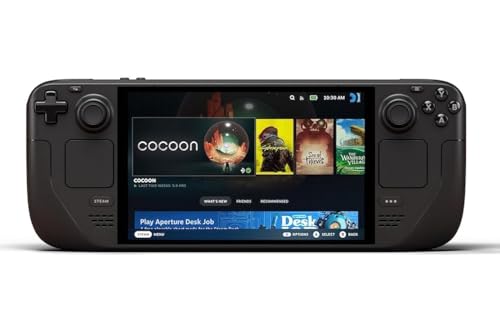
If you want a more console-like handheld experience with a gorgeous OLED display and a more focused gaming-first feel, the Steam Deck OLED is the strongest alternative. It’s especially appealing if you prefer Steam-centric gaming and want a device that feels more purpose-built.
Nintendo Switch 2 System
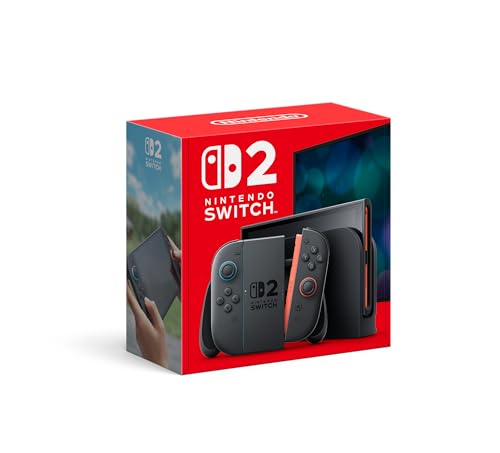
The Switch 2 is the better pick if you want Nintendo exclusives, easier family-friendly gaming, and a true hybrid console experience. It won’t replace a Windows gaming handheld for PC libraries, but it can be the better all-around entertainment device for many buyers.
Final Verdict
The ASUS ROG Xbox Ally delivers exactly what handheld PC buyers have been asking for: better battery-minded design, solid performance, and much better everyday usability. If you want a premium Windows gaming handheld and can stomach the price, this is an easy buy.
If you’re still deciding based on ROG Ally X pros and cons, the verdict is simple: buy it if you want flexibility and power, skip it if you want simplicity or a lower price.
Frequently Asked Questions
Is the ROG Ally X worth buying in 2026?
Yes, if you want a premium Windows handheld with strong game compatibility and better everyday usability. It’s best for serious gamers, not casual bargain hunters.
What are the biggest ROG Ally X pros and cons?
The biggest pros are its PC game compatibility, improved usability, and strong memory/storage setup. The biggest cons are the price and the extra friction that comes with Windows 11.
Does the ROG Ally X have good battery life?
It is designed to game for hours and is positioned as more efficient than many older handheld PCs. Real battery life will still depend heavily on the game and settings.
Can the ROG Ally X run Steam games?
Yes. Because it runs Windows 11, it can access Steam, Xbox, Epic Games, and other PC game libraries.
Should I buy the ROG Ally X or a console handheld instead?
Choose the ROG Ally X if you want PC flexibility and broad game access. Choose a console-style handheld if you want simpler setup and a more streamlined experience.
Get the Full Gaming & Consoles Buyer's Guide
Download our detailed comparison with specs, scores, and our honest verdict — delivered straight to your inbox.
Free. No spam. Unsubscribe anytime.
Was this review helpful?
Be the first to share your feedback on this review.
Sign in to vote and let us know what you think.
Discussion (0)
No comments yet. Be the first to start the discussion.
Related Reviews
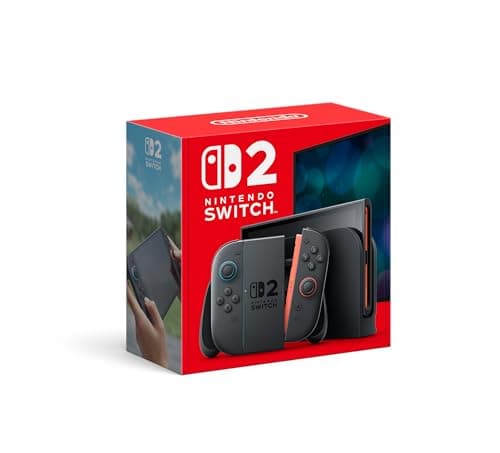
Switch 2 vs Steam Deck (2026): Which Should You Actually Buy?
The Nintendo Switch 2 System wins design for most buyers because it’s built around versatility: TV, tabletop, and handheld play in one straightforward package. Its larger 7.9” touch display and familiar Switch-style form factor make it easy to pick up, dock, and share with family or friends.
How to Choose the Best Gaming Monitor in 2026: Complete Buying Guide
Choosing a gaming monitor can feel confusing fast: 144Hz, 165Hz, 240Hz, IPS, VA, OLED, 1ms, adaptive sync, 1440p, 4K — it’s a lot. Pick the wrong one, and you may end up with blurry motion, screen tearing, washed-out colors, or a display that doesn’t match your PC or console. This guide breaks down
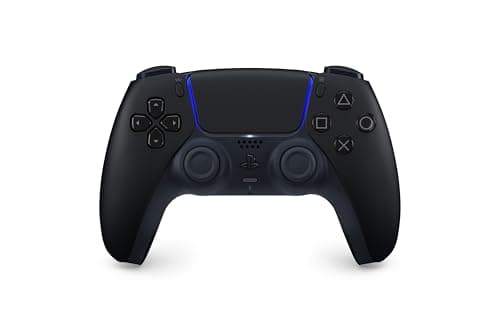
8 Best PS5 Controllers in 2026 — The Top Picks for Comfort, Customization, and Competitive Play
If you’re searching for the best PS5 controllers 2026 , you probably want more than just a spare pad—you want the right controller for your play style, budget, and comfort. Some players want the familiar DualSense feel, while others need back buttons, remappable controls, or a cheaper backup for cou