
What is OLED vs IPS gaming monitor? A Complete 2026 Guide
Trying to choose between an OLED vs IPS gaming monitor can feel confusing when both promise sharp visuals, fast response times, and smooth gameplay. The real difference comes down to how each panel produces light, how that affects contrast and motion, and which type fits your gaming habits best. In this guide, you’ll learn the technology in plain English, the buying factors that matter most, and which monitor is worth considering if you want OLED-level performance.
How It Works
An IPS monitor uses a backlight behind the panel, and liquid crystals twist to control how much light passes through each pixel. That design is what gives IPS displays strong color consistency and wide viewing angles, which is why they’re so popular for gaming, work, and everyday use. OLED works differently: each pixel creates its own light, so it can turn completely off for true blacks and extremely high contrast.
That core difference changes the gaming experience in a few important ways. OLED usually delivers faster pixel response, so motion looks cleaner and ghosting is reduced, especially in fast shooters and racing games. IPS, on the other hand, is typically more affordable, often brighter in full-screen white scenes, and less exposed to burn-in concerns during long desktop sessions.
For most buyers, the question isn’t “Which is better overall?” but “Which is better for my mix of gaming, content, and daily use?” If you mostly play competitive games and want the most vivid contrast possible, OLED is often the premium pick. If you want a safer all-rounder with excellent color and a lower price, IPS still makes a lot of sense.
Key Benefits & Use Cases
Why gamers like OLED
- Deep blacks that make dark scenes look more realistic
- Very fast response times for smoother motion in fast-paced games
- Excellent contrast that makes HDR content pop
- Strong color performance for cinematic single-player games
Why gamers still choose IPS
- Usually lower cost for the same screen size and resolution
- Great color accuracy and wide viewing angles
- Often brighter in bright-room use and productivity tasks
- No OLED-style burn-in worry for static UI-heavy use
Best use cases by panel type
- Competitive esports: OLED is attractive for speed and clarity, but IPS remains a strong value option.
- Single-player AAA gaming: OLED shines because of contrast, shadow detail, and HDR impact.
- Mixed gaming + work: IPS is often the safer everyday choice if you keep static windows open for hours.
- Console gaming: OLED can deliver a more cinematic feel, especially in supported HDR titles.
What to Look For When Buying
1. Refresh rate
If you play fast shooters or competitive titles, look for at least 144Hz, with 240Hz being even better. Higher refresh rates make movement feel smoother and reduce visible stutter.
2. Response time
Response time affects how quickly pixels change color. OLED usually has the edge here, but a good IPS panel can still feel very responsive if it’s tuned well.
3. Resolution and screen size
For a 27-inch gaming monitor, 1440p is a sweet spot because it balances sharpness and performance. If you want more detail and have a powerful GPU, higher resolutions can be worth it.
4. Contrast and HDR performance
OLED’s biggest advantage is contrast, since pixels can switch off completely. If HDR matters to you, look closely at brightness behavior, black levels, and whether the monitor is truly optimized for HDR gaming.
5. Burn-in risk and usage habits
OLED can be fantastic, but static HUDs, taskbars, and long desktop sessions are worth considering. If you leave fixed elements on screen for many hours a day, IPS may feel like the safer long-term option.
Top Recommended Products
AOC 27" QD OLED Gaming Monitor Q27GAZD 4.7★ (369.99 price) ✓ Prime
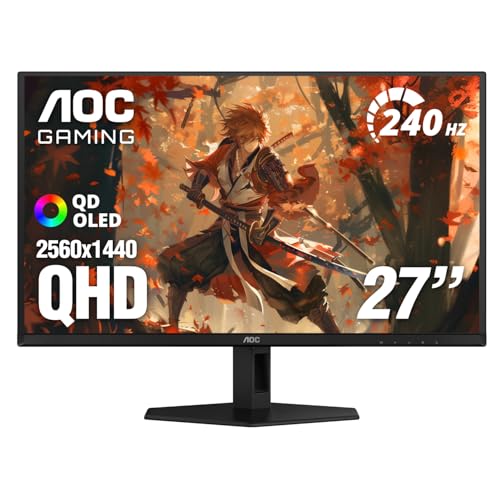


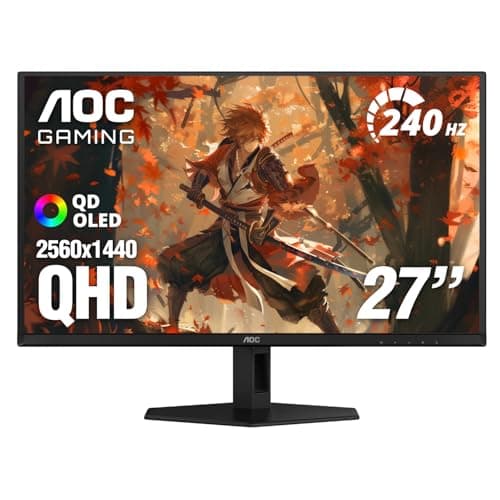
This AOC model is a strong example of why OLED has become so popular for gaming. Its 27-inch QHD panel, 240Hz refresh rate, and 0.03ms response time are built for fast motion, while QD OLED technology brings rich color and deep contrast that IPS panels usually can’t match. If you want a premium-feeling gaming display without going to a huge screen size, this is an easy monitor to compare against IPS alternatives.
- ✓ 27-inch QHD resolution provides crisp detail for gaming
- ✓ 240Hz refresh rate supports very smooth gameplay
- ✓ 0.03ms GtG response time for sharp motion clarity
- ✓ HDR400 True Black improves contrast and realism
- ✓ QD OLED panel offers rich colors and strong gamut coverage
- ✓ Adaptive-Sync helps reduce tearing and stuttering
- ✗ OLED panels may require more care with static content
- ✗ Premium OLED performance can cost more than many IPS options
- ✗ Not every buyer needs 240Hz if they mostly play slower games
Common Mistakes to Avoid
- Buying only on panel type. OLED is not automatically better for every gamer, and IPS is not “bad” just because it’s older technology.
- Ignoring your room lighting. Bright rooms can make some monitors feel less impressive, especially if contrast and reflections aren’t considered.
- Overlooking refresh rate. A beautiful screen still feels sluggish if the refresh rate doesn’t match your game genre.
- Forgetting burn-in habits. If you use static interfaces for work or streaming tools, OLED care matters more.
- Paying for specs you won’t use. If you mainly play single-player games, 240Hz may be less important than image quality and comfort.
Frequently Asked Questions
Is OLED better than IPS for gaming?
OLED is usually better for contrast, black levels, and motion clarity, while IPS is often better for value and long-term static desktop use. The best choice depends on how you game and how much you want to spend.
Do OLED gaming monitors get burn-in?
They can, especially with static elements shown for long periods, but many modern OLED monitors include protections to reduce the risk. If you leave the same HUD or desktop layout on screen all day, IPS may be the safer option.
Is IPS still good for competitive gaming?
Yes. A high-refresh IPS monitor can still feel very fast and responsive, and many players prefer IPS because it offers strong performance at a lower price.
What is the best size for an OLED vs IPS gaming monitor?
For many gamers, 27 inches is the sweet spot because it balances sharpness, immersion, and desk comfort. Larger screens can be great too, but they usually need more GPU power.
Should I choose OLED if I also use my monitor for work?
If your work involves lots of static windows, spreadsheets, or taskbars left open for hours, IPS may be the more practical choice. If you mostly game and want the best visual experience, OLED is very appealing.
Get the Full Gaming & Consoles Buyer's Guide
Download our detailed comparison with specs, scores, and our honest verdict — delivered straight to your inbox.
Free. No spam. Unsubscribe anytime.
Was this review helpful?
Be the first to share your feedback on this review.
Sign in to vote and let us know what you think.
Discussion (0)
No comments yet. Be the first to start the discussion.
Related Reviews

8 Best Xbox Controllers 2026 — Top Picks for Comfort, Precision, and Drift-Free Play
If you’re shopping for the best Xbox controllers 2026 , you probably want one thing: a pad that feels great, responds instantly, and doesn’t let stick drift ruin your games. The good news is that this year’s best options cover every kind of player, from budget buyers to competitive gamers and custom

Best Gaming Monitors Under $300 for Every Budget in 2026: Ranked by Price & Performance
If you’re shopping for the best gaming monitors under $300, the hard part isn’t finding a monitor — it’s finding one that actually feels fast, looks good, and doesn’t waste your money on specs you won’t use. At this price ceiling, the best value usually comes from a 1080p high-refresh display that k

ROG Ally X Pros and Cons Review (2026): Honest Verdict After Testing
The ASUS ROG Xbox Ally looks and feels like a premium handheld built for serious gaming sessions. The chassis has the familiar ROG styling, but the real win is how the device balances size, grip, and portability without feeling flimsy or overly toy-like.