
Quick Summary
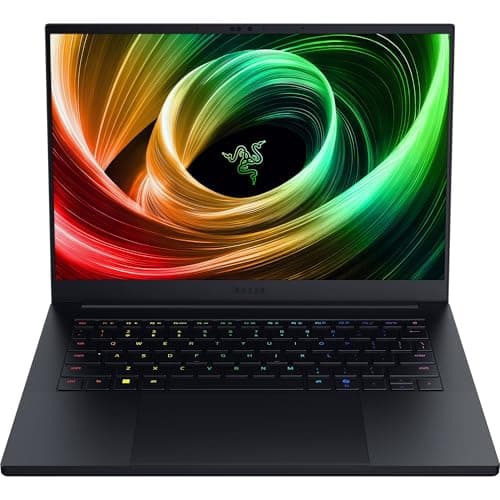
Razer has rethought the Blade 14 for portability without neutering performance. The 2025 redesign shaves size and weight, adds a 3K 120Hz OLED panel, introduces an AMD Ryzen AI 9 365 CPU and NVIDIA RTX 50-series laptop GPUs (up to an RTX 5070 capped near 115 W TGP), and packs a 72 Wh battery into a 15.7 mm aluminum chassis weighing 1.63 kg
Real-world testing shows the Blade 14 is fast enough for serious gaming and content work, but battery life is volatile: lab-style web-browsing tests land near ~5 hours, light real-world work sometimes approaches 7–8 hours, and gaming drains the battery in about two hours. That contrast — big performance in a small package but middling unplugged endurance — is the axis on which you should base a buying decision
Buy on Amazon: Razer Blade 14. Click here
Alternative on Amazon: MacBook Air M4. Click here
Alternative on Amazon: Acer Swift Go 14. Click here
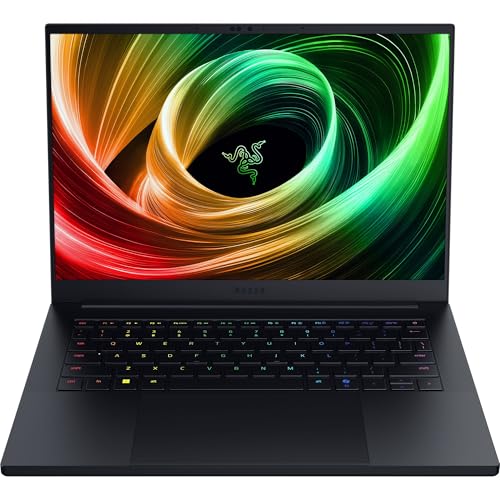
Photo 1: Razer Blade 14 Gaming Laptop: NVIDIA GeForce RTX
If you want a premium, pocketable 14-inch gaming/creator machine and you’re willing to pay for design and display quality, the Blade 14 is one of the few that balances truly portable size with high-end GPU options. If you prioritize all-day battery or want the best value per dollar, there are lighter-price alternatives to watch
Price Range and Deal Timing
Retail configurations start in the high two-thousands for the 2025 Blade 14 and scale up with RAM, storage, and the RTX 5070 option
• Typical new-config pricing range (MSRP): $2,299–$2,999 depending on GPU, RAM (16–64 GB), and storage (1–2 TB)
• Past sale floor (deal signal): discounted configurations have hit as low as $1,999 in major promotional windows — a strong buy window if you want top value. Expect similar holiday and seasonal discounts (Black Friday, back-to-school, manufacturer sales)
• Bargain baseline: thinner, lighter non-gaming ultraportables competing on value (e.g. Core Ultra or MacBook Air-level hardware) often start at $899–$1,399 — they’re cheaper but not in the same GPU performance class
Deal-watch guidance
• Buy-now if the RTX 5070 32GB/1TB config drops to ~$2,000–$2,200 — that’s high value for a premium 14-inch GPU laptop
• Wait if price is above MSRP for comparable GPU/RAM — competition tends to undercut Razer by $200–400 on similar specs
Technical Snapshot (Practical Numbers)
Core Hardware and Feature Profile
• CPU: AMD Ryzen AI 9 365 — 10 cores / 20 threads; up to ~5.0 GHz boost. (Good for mixed single-thread and AI-accelerated workloads)
• GPU: NVIDIA GeForce RTX 50-series options, up to RTX 5070 with a configurable TGP up to ~115 W (real-world sustained wattage will depend on the thermal profile). (Excellent 1080p/1440p gaming and GPU-accelerated creative work in a 14” chassis)
• Display: 14", 3K (2880 × 1800) OLED, 120 Hz, 0.2 ms response, 100% DCI-P3, NVIDIA G-SYNC / Advanced Optimus support. (A top-tier panel for creatives and gamers who care about color)
• Memory and Storage: LPDDR5X up to 64 GB @ 8000 MHz; M.2 PCIe Gen4 SSD up to 2 TB (expandable in some SKUs)
• Battery: 72 Wh, official claim up to ~11 hours; lab/web tests average ~5 hours; light real-world use can sometimes reach ~7–8 hours. Gaming ~2 hours on battery. (Bring the 200 W charger for gaming)
• Weight & dimensions: ~1.63 kg (3.59 lbs); 15.7 mm thin at thinnest point. (One of the lightest 14-inch gaming laptops with discrete high-end GPUs)
Performance and Daily-Use Metrics
• Multicore CPU workload: high single- and multicore scores thanks to Zen 5 architecture and a 10-core design — good for editing, streaming, and multi-tab browsing with heavy JS/AI workloads
• GPU throughput: RTX 5070 at ~115 W gives stable 1440p gaming at high settings in many titles and strong acceleration for render/encode tasks. Expect frame rates in the 60–120+ FPS range at 1440p in eSports and medium-to-high settings in AAA titles. (Exact FPS varies by game & thermals)
• Thermals: the new “thermal hood” design and revised cooling improve sustained performance versus older Blade 14s, but small chassis still requires thermal trade-offs under long, heavy loads
Value and Ownership Math
• Warranty and support: 1-year limited laptop warranty; 2-year limited battery warranty is offered; extended support available via manufacturer care plans. Factor RazerCare into total cost if you want longer coverage
• Expected useful lifespan: 3–5 years for gaming-capable performance (longer for productivity-only use), driven by GPU/AI advancements. Battery health and thermal cycling will influence real-world lifespan
Head-to-Head Overview
If you’re weighing the Blade 14 against an M4 MacBook Air and a mainstream Swift Go 14, think of three clear axes: GPU power, battery endurance, and portability/value

Photo 2: Razer Blade 14 Gaming Laptop: NVIDIA GeForce RTX
• GPU power: Blade 14 >> Swift Go 14 (integrated/Arc) ≫ MacBook Air M4 (integrated). If you plan to game or use GPU-accelerated creative apps, the Blade is in another performance tier
• Battery life: MacBook Air M4 > Swift Go 14 ≥ Blade 14 for most mixed-use scenarios. Expect Apple silicon machines to deliver 12–16+ hours in real-world productivity tests while the Blade will be measured in single-digit hours under similar loads
• Portability and build: Blade 14 keeps the premium unibody aluminum and per-key RGB, while Swift Go targets thin/light everyday productivity and MacBook Air focuses on lightweight, whisper-quiet operation. If you want “punch in a tuxedo,” Blade 14 is unique
Who Should Buy This
• Gamers who want a truly portable 14" machine with desktop-class GPU capability
• Creators who need OLED color fidelity plus GPU acceleration in a compact chassis
• Buyers who value design, build quality, and a top-tier display and who are prepared to pay a premium
Who should look elsewhere
• Road warriors who need consistent all-day battery. (Consider Apple’s M4 Air or similar ultrabooks)
• Budget-conscious buyers who prefer best price-for-performance over premium materials. (High-value PCs with similar GPUs exist at lower price brackets when on sale)
Comparison Snapshot
Short, pragmatic comparisons to the two likely alternatives
• MacBook Air M4
• Pros: exceptional battery life (double-digit hours in many tests), very light (~2.7 lbs), excellent CPU efficiency, tight macOS ecosystem
• Cons: not a gaming machine; discrete GPU performance is absent, and Windows-only titles/tools need workarounds
• Acer Swift Go 14
• Pros: strong value in thin-and-light class, OLED display in some SKUs, reasonable battery for a Windows ultrabook, starting prices well below Razer’s
• Cons: integrated/entry discrete graphics won’t match the RTX 5070; thermals and sustained heavy-load performance are more modest
Buying Advice and Value Check
• Preferred configuration: For most buyers who want longevity, pick 32 GB RAM + 1 TB SSD with the RTX 5070 if your budget allows; it balances headroom for creative workloads and gaming without over-investing
• Storage tiers: 1 TB is the practical sweet spot for gamers/creators. 2 TB is nice but expensive. Consider external NVMe for library/backup needs
• Battery vs. performance trade: Use the 200 W brick for long gaming sessions — the laptop is built to be plugged in for sustained peak performance. Expect to run at reduced clocks on battery
• When to pull the trigger: If the Blade 14 drops to ~\$2,000–\$2,200 for an RTX 5070/32GB/1TB configuration, buy. Above \$2,700 you’re paying mainly for brand, finish, and marginal extra headroom
Final Verdict
The Razer Blade 14 (2025) is an elegant compromise: a genuine, full-powered gaming machine squeezed into a near-ultrabook chassis. It’s one of the rare laptops that convincingly sells the idea of “portable but uncompromised” — with a show-stopping OLED panel, strong RTX 50-series performance, and a refreshed thermal design
That said, the Blade’s weakness is the classic one for premium 14-inch gaming rigs: battery life and price. If you want the absolute best unplugged runtime or the cheapest performance-per-dollar, look elsewhere. If you want a gorgeous 3K OLED, per-key RGB, a compact high-GPU laptop that won’t look out of place in a coffee shop, and you can stomach the premium, the Blade 14 is one of the best options on the market today
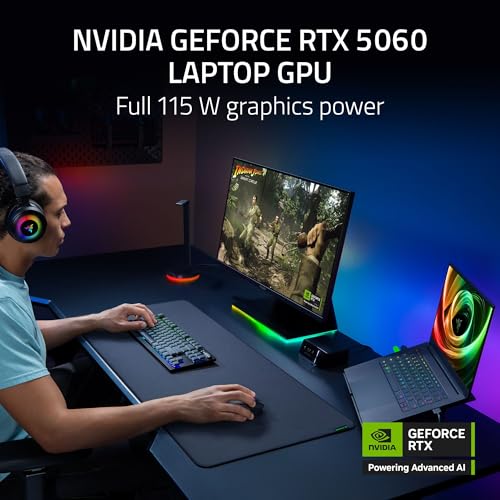
Photo 3: Razer Blade 14 Gaming Laptop: NVIDIA GeForce RTX
FAQ
Q: How long will the Blade 14 last unplugged for productivity work? A: In lab-style web-browsing tests with the display set to ~150 nits, expect around 5 hours on average; light real-world workflows can sometimes approach 7–8 hours but don’t plan for an all-day battery on heavy workloads. Gaming battery runtime is roughly ~2 hours
Q: Is it upgradeable? A: RAM is LPDDR5X in many SKUs and may be soldered depending on the configuration; storage generally uses an M.2 PCIe Gen4 slot and may be upgradable to larger capacities in most models. Check the exact SKU before assuming component-level upgrades
Q: Should I get the RTX 5070 or save money with a lower GPU? A: Get the RTX 5070 if you care about 1440p gaming at higher settings or you use GPU-accelerated creative tools. If your use is light gaming or mainly productivity, a lower GPU (or a non-gaming thin-and-light laptop) saves money and weight
Q: Any quick buying pro tip? A: Watch seasonal sales and manufacturer promotions — the Blade 14 has seen deep discounts that make it immediately compelling. If you spot an RTX 5070/32GB/1TB model around \$2,000–\$2,200, that’s a sweet spot
Q: Alternatives worth considering? A: If you prioritize battery and macOS workflows, the MacBook Air M4 is the better all-day device. If you want value in a thin Windows laptop with a vivid OLED, look at the Swift Go 14 line. For raw GPU power at a slightly larger footprint, consider 15–16-inch gaming laptops that allow higher TGP GPUs at similar prices
Short note from your reviewer: the Blade 14 is the sort of laptop that makes you grin the first time you boot a game at native 3K — and then hunt for a wall outlet two hours later. If that trade-off fits your use, you’ll probably love it
Where to Check Pricing
Check latest Amazon listing for Razer Blade 14. Click here
Get the Full Tech Gadgets Reviews Buyer's Guide
Download our detailed comparison with specs, scores, and our honest verdict — delivered straight to your inbox.
Free. No spam. Unsubscribe anytime.
Was this review helpful?
Be the first to share your feedback on this review.
Sign in to vote and let us know what you think.
Discussion (0)
No comments yet. Be the first to start the discussion.
Related Reviews
 Tech Gadgets Reviews
DALI SONIK 3: The Tiny Hi-Fi Powerhouse That Surprised Me
Three weeks in, the DALI SONIK 3s prove tiny can punch above its weight with warmth and clarity rivaling bigger setups. Here's the verdict. Also, value is wild.
 Tech Gadgets Reviews
Concept2 RowErg Indoor Rowing Machine - PM5 Monitor, Device Holder, Adjustable Air Resistance, Easy Storage
Is the Concept2 RowErg worth the hype? Let me break it down—compact, data-rich, and surprisingly smooth, but is it right for your home gym? Read on.
 Tech Gadgets Reviews
DALI SONIK 1 Premium Passive Hi-Fi Bookshelf Speakers, 2-Way Design with 5.25″ Woofer & 1.1″ Soft Dome Tweeter, Black Ash
Is the DALI SONIK 1 worth the hype? Let me break it down. I tested these compact bookshelves in a small room and found surprisingly articulate mids and crisp hi