
Heads up: This post contains affiliate links. If you buy through our links, we may earn a small commission at no extra cost to you. We only recommend stuff we'd actually use ourselves.
You know that feeling when you finally upgrade your monitor and suddenly your whole setup looks… legit? Yeah. That was me after I tested the msi MPG 341CQPX QD-OLED 34-inch Curved OLED Gaming Monitor for a month. I kept thinking, “Surely it can’t be that different.” Then I played one match and immediately forgot what “ghosting” even feels like. (Also: my old monitor started looking like it was stuck in 2017. Oof.)

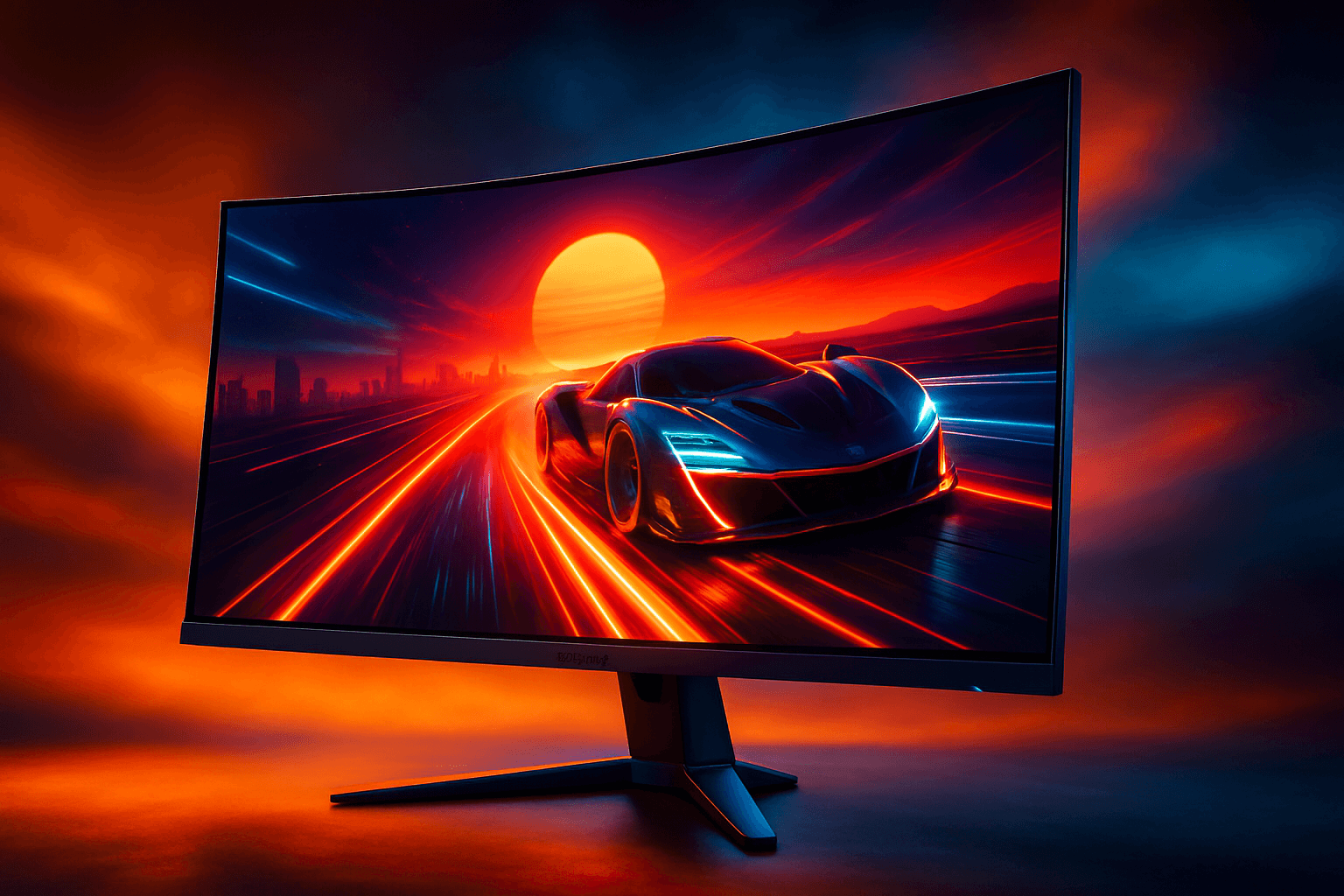
Here’s what this monitor is: a 34-inch curved QD-OLED gaming display with 3440 x 1440 (UWQHD), a 0.03ms response time, and a 240Hz refresh rate—plus True Black HDR 400 and a bunch of connectivity options. I’m writing about it because if you’re shopping for an OLED gaming monitor that actually performs (not just looks pretty in a thumbnail), this one deserves your attention.
Real talk: the msi MPG 341CQPX QD-OLED is the kind of upgrade that makes you play “one more game” until it’s suspiciously late. And yes, I’m going to tell you what I loved, what annoyed me, and whether it’s worth your money.
First Impressions / Unboxing Vibes
When the box showed up, I did the usual thing—cut the tape a little too aggressively, pretend I’m calm, then immediately realize I’m not calm. The msi MPG 341CQPX QD-OLED feels solid right away. Not “brick” solid, but definitely not flimsy. The stand and build quality gave me that “this is meant to sit on a desk for years” vibe.
Setup was pretty straightforward. The monitor is curved, and the first time I powered it on, I actually leaned back like I was watching a movie. The contrast is the first thing you notice with OLED—dark scenes look legitimately deep, not “dark gray with vibes.”
Here’s the thing: I expected it to look great. I didn’t expect it to feel fast. Like, the motion clarity is the kind of improvement you notice even when you’re just scrolling desktop windows (which is a weird sentence, but you know what I mean).

Key Features Deep Dive
Let’s get into the stuff that actually matters for buying decisions. Because specs are fun, but your eyes and your hands are the ones paying the price.
QD-OLED panel for standout contrast
The QD-OLED Display is the heart of why the msi MPG 341CQPX QD-OLED feels special. QD tech brings strong color and that OLED-level contrast that makes highlights pop and darks look truly dark. If you play games with atmospheric lighting—think night maps, horror vibes, or even just “rainy city streets”—you’ll feel the difference quickly.
Unlike many LCD gaming monitors that can look a bit “washed” in dark scenes, OLED tends to keep blacks black. Real-world scenario: you’re in a stealth game, crouched in a shadowy corner, and you can actually see subtle lighting cues without the whole scene turning into a gray soup. That’s the win.
240Hz refresh rate for competitive smoothness
240Hz is where this monitor starts to feel like a serious competitive tool. The motion is smoother, aim feels more responsive, and fast-moving gameplay looks less like it’s being dragged through syrup.
Here’s where it gets interesting: if you’re coming from a 144Hz or 165Hz display, the jump to 240Hz is noticeable—especially in shooters and fast platformers. If you’re the type who plays ranked and actually cares about tracking targets, you’ll appreciate the extra headroom.
And yes, I tried to “test it scientifically” by staring at a crosshair for 20 minutes. I’m not a scientist. I’m just a person with a gaming monitor and questionable patience.
0.03ms response time for cleaner motion
The 0.03ms GtG response time is designed to reduce motion blur and improve clarity. In normal terms: fast transitions look cleaner, and you’re less likely to see that trailing effect you get on slower panels.
Unlike typical LCD displays that can struggle with ghosting during rapid movement, this OLED setup helps keep motion crisp. Picture this: you’re doing a quick flick shot, then immediately turning to check an angle. The image stays more readable, which means you react faster (or at least feel like you do—which counts for something).
True Black HDR 400 for punchier highlights
True Black HDR 400 adds more depth to HDR content and improves how highlights and dark areas coexist. It’s not just “HDR exists.” It’s more like, “Oh—this actually looks better.”
Real talk: HDR is often a mixed bag on monitors, but OLED tends to handle contrast better. If you watch HDR streams or play games with strong lighting design, you’ll see more dimensionality than you would on many non-OLED displays.
Connectivity that doesn’t make you play cable Tetris
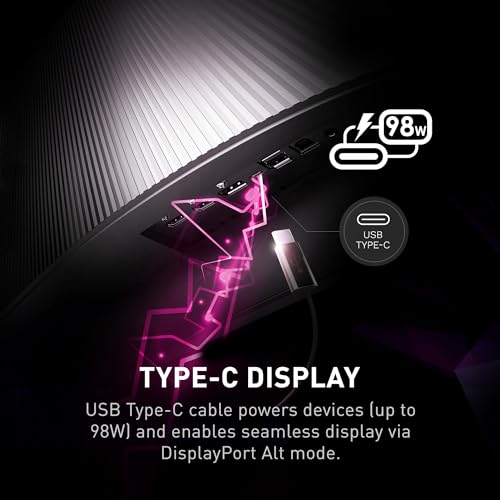
The HDMI and DP Port plus USB Type C give you flexibility for PC setups, consoles, and laptops. I’m a big fan of not having to constantly swap cables like I’m running a tiny tech circus.
So here’s where it gets interesting: if you’re the type who alternates between a desktop and a laptop (or you’ve got a dock), USB-C can simplify your life. Less fumbling, more gaming.

Tilt + height adjust for actual comfort
It’s easy to ignore ergonomics until you’ve been gaming for two hours and your neck starts filing a complaint. The tilt and height adjustable stand help you dial in your viewing position.
Unlike fixed stands that force you into one “correct” posture, this one lets you match your desk and chair. If you’re the type who streams, works, and games on the same setup, that comfort matters more than you’d think.
The Good, The Meh, and The “Seriously?”
Incredible motion clarity thanks to 240Hz and 0.03ms—fast games look cleaner.
OLED contrast makes dark scenes feel deeper (not just darker).
QD-OLED picture quality is the kind of “wow” you notice quickly.
Flexible ports (HDMI, DP, USB-C) make it easier to connect multiple devices.
Adjustable stand helps you get comfortable for longer sessions.
Cons: OLED is still OLED—if you leave static UI on screen for ages, you’ll want to be mindful (I know, I know—your desktop isn’t supposed to be a museum).
Cons: The curve is great for immersion, but if you hate curved displays, you’ll feel it immediately.
Cons: The instruction manual vibe was… let’s call it “minimalist.” The instruction manual was clearly written by someone who hates joy.
Who Should Actually Buy This?
Let’s match the monitor to the person. Because buying a display is personal—like choosing a chair, or a keyboard you’ll regret later.
Perfect for:
Competitive gamers who want 240Hz smoothness and cleaner motion for shooters and fast-paced titles.
People who care about picture quality (especially contrast) and want OLED-level depth for games and HDR content.
Desk multitaskers who use a PC and laptop and want USB Type C convenience.
Skip it if:
You strongly dislike curved monitors and want a perfectly flat viewing experience.
You’re the type who leaves static dashboards, toolbars, or the same UI on screen for long stretches every day (you’ll need habits, not just hardware).
The Verdict
So… is the msi MPG 341CQPX QD-OLED 34-inch Curved OLED Gaming Monitor worth it? Honestly? For the right buyer, yes. I’d call it an 8 out of 10—the kind of monitor I’d recommend to a friend who’s tired of “almost good enough” gaming visuals.
Here’s my bold opinion: if you’re still shopping OLED like it’s a “maybe someday” thing, you’re probably underestimating how much motion clarity and contrast change your day-to-day experience. It’s not just about looking fancy. It’s about how games feel when you’re tracking targets and reading scenes quickly.
If you want to see what I mean (and you’re ready to stop settling), here’s the deal: Check Latest Price on Amazon. I’m not saying you’ll never look back—but I am saying you might start side-eyeing your old monitor like it owes you money.

FAQ Section
Is the msi MPG 341CQPX QD-OLED worth it for gaming?
Yes—especially if you care about motion clarity. The combination of 240Hz and 0.03ms response time is built for fast gameplay, and the OLED contrast makes scenes feel more immersive. If you’re the type who plays competitive games and notices ghosting or blur, you’ll likely feel the difference quickly.
What resolution is the msi MPG 341CQPX QD-OLED?
It’s 3440 x 1440 (UWQHD). That ultrawide format is a nice sweet spot for immersion without being as demanding as some higher-res setups.
Does the curved screen really matter?
For me, yes. The curve helps with immersion and makes the screen feel more “surrounding.” But if you hate curved displays, don’t force it—your eyes will tell you fast.
Where can I buy the msi MPG 341CQPX QD-OLED?
You can grab it from Amazon here: Check Latest Price on Amazon. I’d recommend checking the current price before you commit—deals move around more than you’d think.

Heads up: This post contains affiliate links. If you buy through our links, we may earn a small commission at no extra cost to you. We only recommend stuff we'd actually use ourselves.
Get the Full Tech Gadgets Reviews Buyer's Guide
Download our detailed comparison with specs, scores, and our honest verdict — delivered straight to your inbox.
Free. No spam. Unsubscribe anytime.
Was this review helpful?
Be the first to share your feedback on this review.
Sign in to vote and let us know what you think.
Discussion (0)
No comments yet. Be the first to start the discussion.
Related Reviews

OK Fine, LISEN Suction Phone Mount 2026 Auto Vacuum 3.0 Actually Delivers
After weeks of testing, here's why the LISEN Suction Phone Mount 2026 Auto Vacuum 3.0 earned a permanent spot on my dash—and why you might want it too.

I Tested the 5K Digital Camera for Photography - Here's the Truth
Here's what nobody tells you about the 5K Digital Camera for Photography — it fits in a bag, shoots 5K video and 80MP stills, and makes beginner vlogs feel pro.

Pexar by Lexar 11-Inch WiFi Frame: The Honest Truth
For under $199, Pexar by Lexar 11-Inch WiFi Frame delivers surprisingly crisp 2K visuals and easy sharing—one quirky quirk aside, it’s a gift-ready delight for