
Quick Summary
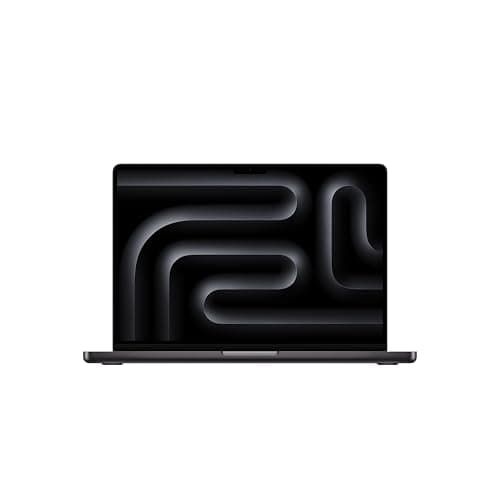
The MacBook Pro M4 is a pragmatic powerhouse: Apple’s efficient M4 silicon delivers strong single- and multi-threaded performance, excellent sustained thermals in the Pro/Max variants, and battery life that routinely outperforms similarly sized Windows rivals. It’s designed for people who edit, render, compile, and run heavy models away from the plug — and it does those things with a composure most thin-and-light laptops can’t match
Hardware-wise, you get a choice from the base M4 up to M4 Pro and M4 Max configurations, generous SSD speeds for common tiers, and the familiar high‑brightness Liquid Retina XDR display and pro I/O (HDMI, SD, three Thunderbolt ports, MagSafe). Apple’s build and software polish remain the big seller here: if your work flows around macOS apps and pro codecs, the M4 Pro/Max is still a pragmatic pick
Buy on Amazon: MacBook Pro M4. Click here
Alternative on Amazon: MacBook Air M4. Click here
Alternative on Amazon: Acer Swift Go 14. Click here
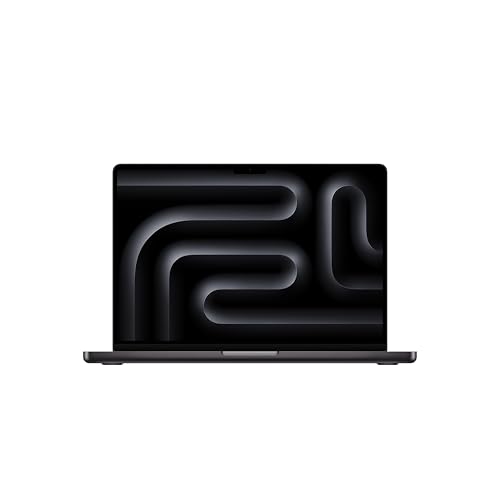
Photo 1: Apple 2024 MacBook Pro Laptop with M4 Pro
Price Range and Deal Timing
Street pricing moves with product cycles — after Apple introduced the M5 family, some M4-based devices (particularly Air and lower-end Pro SKUs) have seen retailer discounts. That means you can still find compelling savings if you time it right
Typical price bands (USD, approximate)
• 14-inch MacBook Pro M4 (base M4 / M4 Pro): $1,599–$2,199 (common configurations)
• 16-inch MacBook Pro M4 (M4 Pro base): $2,499–$3,499+ depending on RAM/SSD and whether it’s Pro or Max
• Heavily specced M4 Max units (128 GB, 8 TB): $4,500–$6,500+ at full tilt
Deal-watch and buy-now guidance
• If you need a new machine for pro work this quarter: buy a well‑configured M4 Pro (24–36 GB RAM, 1–2 TB SSD) if you can get a 10–15% discount on MSRP — that’s a practical win
• If you’re okay waiting and don’t need it immediately: watch for seasonal sales or inventory clearances after new Apple events — aggressive cuts tend to show up within weeks of new chip launches
• If price is the limiting factor: consider a higher-specced M4 Air or a used/refurb M4 Pro; they often undercut the 14‑inch Pro while still offering excellent performance
Technical Snapshot (Practical Numbers)
Core Hardware and Feature Profile
• CPU/GPU options: M4 (10-core CPU variants), M4 Pro (up to 14-core CPU), M4 Max (up to 16-core CPU with 32–40‑core GPU options). What this means: scale cores with your workload — video transcodes and GPU-accelerated neural tasks benefit dramatically from Max-level GPU core counts
• Memory tiers: 16 GB, 24 GB, 36 GB, up to 128 GB on Max configurations. Practical buyer rule: 24 GB is the sweet spot for sustained pro workloads; 16 GB still works for general creative work and multitasking
• Storage tiers: 512 GB and 1 TB base options; configurable to 2 TB, 4 TB, and 8 TB. If you edit raw video, plan for 2 TB+ or budget a fast external NVMe
• Display and I/O: 14.2-inch or 16.2-inch Liquid Retina XDR (mini‑LED), HDMI, SDXC card slot, three TB4/USB‑C ports, MagSafe 3. Great for on-location photographers and video editors who need direct card reading
Performance and Daily-Use Metrics
• Battery: Apple-rated up to 24 hours (light media playback) on certain configurations; real-world web-surfing tests in independent labs commonly show 16–22+ hours on lighter loads for 14" and 16" models depending on chip and OLED/brightness settings. Plan for 8–14 hours under sustained creative loads (Docker, VMs, heavy renders)
• SSD speeds: Fast across all tiers, but small SSDs (512 GB) can be notably slower on sustained write than 1–2 TB options; if you rely on scratch disk performance, choose 1 TB+ for noticeably better throughput. Expect reads in the multi‑GB/s range on modern configs
• Charging: 14‑inch units typically ship with a 96 W adapter option; 16‑inch models ship with the 140 W adapter for faster charging and top‑performance power delivery. You can safely use higher-wattage PD chargers if needed
Value and Ownership Math
• Typical usable life: With timely macOS support and hardware durability, expect 5–7 years of smooth use for creative workflows; high-end specs (extra memory, larger SSD) extend practical lifespan if you plan to keep the machine long-term
• Upgrade advice: CPU and GPU are fixed; invest in memory and primary storage at purchase if you value longevity. External drives and eGPU‑style peripherals are secondary options but add complexity
Head-to-Head Overview
Simple comparison: the MacBook Pro M4 prioritizes sustained power and pro I/O; the MacBook Air M4 focuses on extreme thinness and battery efficiency at lower price points; and the Acer Swift Go 14 offers a value-angle for Windows users with modern Intel/AMD Ultra-class chips and competitive portability
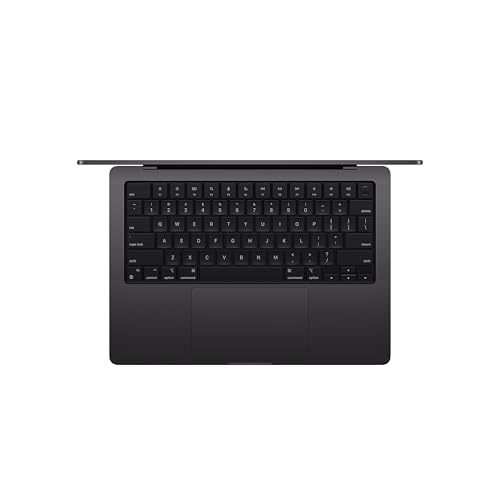
Photo 2: Apple 2024 MacBook Pro Laptop with M4 Pro
For professionals who need reliable thermal headroom for long render jobs and native access to pro ports (SD card, HDMI, multiple external displays), the 14‑ and 16‑inch MacBook Pro M4 models remain the safer, more predictable choice. If your workload is lighter — heavy browsing, photo edits, single‑stream video — the Air’s newer M4 configurations give nearly the same day-to-day snappiness for less cash. The Acer Swift Go 14 is a credible Windows alternative for buyers who prefer that ecosystem and want more aggressive price/performance at the low to mid range
Who Should Buy This
• Video editors and colorists who need long sustained GPU performance and built-in SD/HDMI ports
• Software developers and dev teams who compile large codebases and want battery life for long on-site days
• Photographers and hybrid creators who value the XDR display and direct card-read workflow
• Professionals who prioritize macOS app ecosystems, native ProRes workflows, and long battery endurance
Comparison Snapshot
• MacBook Pro M4 vs MacBook Air M4: Pro = better thermals, more ports, larger battery; Air = lighter, cheaper, still surprisingly capable for non‑pro workloads. Buy Pro if you need sustained compute or attach multiple professional peripherals
• MacBook Pro M4 vs Acer Swift Go 14: Acer wins on initial price and Windows flexibility (and some models include discrete Arc graphics); MacBook wins on battery efficiency, ecosystem, and software/codec optimizations for creative apps. If you rely on specific Windows-only tools, the Swift Go is competitive
• Storage and memory choices matter more than CPU in many workflows: small SSDs and minimal RAM are the usual bottlenecks — upgrade them if longevity matters
Buying Advice and Value Check
• Memory: Aim for 24 GB if you do pro photo/video work; 16 GB is acceptable for many power users. If you plan to use large VMs or datasets, prioritize 36 GB or higher
• Storage: 512 GB is fine for general use; 1 TB is the safe buy for editing projects; 2 TB+ if you want internal scratch space and fewer external drives. Real-world editing workflows consume storage quickly
• When to pull the trigger: Buy now if you need the machine for imminent projects and you can get a 5–15% retailer discount; wait if a major Apple event is looming in the next 6–8 weeks (that can nudge prices). Historically, trade-in and seasonal sales are where you’ll get the sharpest savings
• Accessories to budget for: 140 W USB‑C PD charger (if not included), a fast external NVMe enclosure for scratch, and AppleCare+ if uptime and onsite repair options are important. These add $100–$400 to your outlay depending on choice
Final Verdict
The MacBook Pro M4 is not the most groundbreaking machine in Apple’s lineup today — newer chips exist — but as a purchase it remains one of the most balanced pro laptops you can buy. It blends outstanding battery life, class-leading efficiency, and practical pro I/O with the kind of long-term macOS ecosystem support that professionals depend on
If you’re a creator who relies on real-world sustained performance rather than peak synthetic scores, the M4 Pro and M4 Max configurations are still supremely capable and, when found with modest discounts, excellent value. If you don’t need the extra thermal headroom and prefer to save money, the M4 Air or a well-specced Windows ultraportable will cover most needs — but they won’t quite match the Pro’s combination of ports, display, and all-day battery under heavy loads
FAQ
Q: Is the M4 worth buying now given the existence of M5 models? A: Yes, for many buyers. The M4 provides great real‑world performance, longer battery life on lighter tasks, and often better value after post‑launch discounts. If you need the absolute latest silicon for GPU-bound AI inference or peak SSD throughput, then evaluate M5 — otherwise M4 is a pragmatic choice
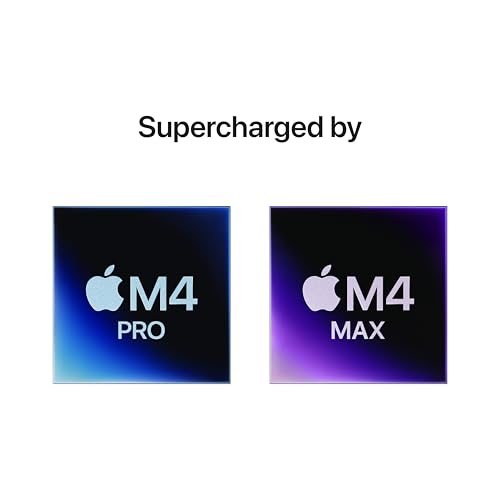
Photo 3: Apple 2024 MacBook Pro Laptop with M4 Pro
Q: Which configuration gives the best long-term value? A: Invest in memory (24 GB minimum for pro use) and a larger SSD (1 TB or more) at purchase. Those upgrades are the cheapest way to extend usable lifespan because CPU/GPU upgrades aren’t possible after the fact. Add AppleCare+ if you want a more predictable ownership cost
Q: How realistic are the “up to 24 hours” battery claims? A: Those are valid for light media playback in Apple’s labs and some independent tests show very long runtimes in light workloads. Expect 16–22 hours in typical light use, and 8–14 hours under sustained heavy creative loads — your mileage will vary depending on brightness and workload
Q: Is the 14-inch or 16-inch the better buy? A: Choose the 14-inch if you value portability with pro performance; pick the 16-inch if you need bigger battery life, a larger screen for timelines, or slightly better sustained performance due to chassis cooling. The 14" tends to be the best balance for most mobile professionals
If you want, I can build a short spec-comparison table for specific SKUs (14" M4 base vs 14" M4 Pro 24GB vs 16" M4 Pro) and include approximate street pricing for each configuration so you can compare dollar-for-dollar. Which exact configurations are you deciding between?
Where to Check Pricing
Check latest Amazon listing for MacBook Pro M4. Click here
Get the Full Tech Gadgets Reviews Buyer's Guide
Download our detailed comparison with specs, scores, and our honest verdict — delivered straight to your inbox.
Free. No spam. Unsubscribe anytime.
Was this review helpful?
Be the first to share your feedback on this review.
Sign in to vote and let us know what you think.
Discussion (0)
No comments yet. Be the first to start the discussion.
Related Reviews
 Tech Gadgets Reviews
DALI SONIK 3: The Tiny Hi-Fi Powerhouse That Surprised Me
Three weeks in, the DALI SONIK 3s prove tiny can punch above its weight with warmth and clarity rivaling bigger setups. Here's the verdict. Also, value is wild.
 Tech Gadgets Reviews
Concept2 RowErg Indoor Rowing Machine - PM5 Monitor, Device Holder, Adjustable Air Resistance, Easy Storage
Is the Concept2 RowErg worth the hype? Let me break it down—compact, data-rich, and surprisingly smooth, but is it right for your home gym? Read on.
 Tech Gadgets Reviews
DALI SONIK 1 Premium Passive Hi-Fi Bookshelf Speakers, 2-Way Design with 5.25″ Woofer & 1.1″ Soft Dome Tweeter, Black Ash
Is the DALI SONIK 1 worth the hype? Let me break it down. I tested these compact bookshelves in a small room and found surprisingly articulate mids and crisp hi