
Quick Summary
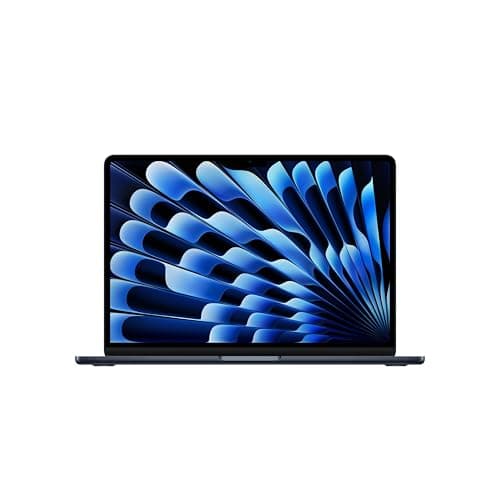
Apple’s MacBook Air M5 is a familiar silhouette with a newer, more capable heart: the M5 system-on-chip. The update brings a noticeable uplift in single‑thread and AI performance, a doubled base SSD, and modern wireless (Wi‑Fi 7), while keeping the Air’s featherlight chassis and excellent screen
If you already own an M4 Air and your work is mostly browser tabs, video calls, and office apps, you’ll see only modest real‑world gains. But if you run local AI tools, heavier photo/video edits, or value snappier multitasking with bigger memory bandwidth, the M5 is a meaningful step. Independent battery testing shows real‑world runtimes in the mid‑teens of hours for typical mixed use—very good, but shy of Apple’s headline 18‑hour claim depending on the workload
Buy on Amazon: MacBook Air M5. Click here
Alternative on Amazon: MacBook Air M4. Click here
Alternative on Amazon: Acer Swift Go 14. Click here
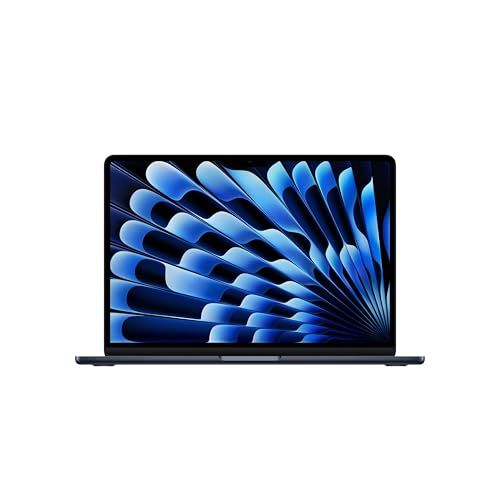
Photo 1: Apple 2026 MacBook Air 13-inch Laptop with M5
This review walks through the numbers that matter to buyers: performance, endurance, storage tiers, realistic pricing, and when to pounce
Price Range and Deal Timing
Apple’s U.S. starting prices for the M5 Air line start at $1,099 for the 13‑inch and $1,299 for the 15‑inch, with education discounts slightly lower. The company began U.S. preorders in early March 2026 and shipments followed shortly after
Expect street pricing to shift
• Typical launch window: $1,099–$1,399 for common configurations (13" base → higher for 15" and upgrades)
• Short‑term discounts: minimal in the first 4–8 weeks; watch seasonal events and certified refurbished stock for the first meaningful cuts
• Trade‑ins and education deals: can shave $100–$200 depending on device condition and timing
Deal guidance: if you need a dependable ultraportable now, buy. If you’re price‑sensitive, wait 30–90 days for early discounts or check refurbished units—Apple tends to restock certified refurbished inventory after a new model cycle

Photo 2: Apple 2026 MacBook Air 13-inch Laptop with M5
Technical Snapshot (Practical Numbers)
Core Hardware and Feature Profile
• CPU: M5 chip with up to a 10‑core CPU (mix of performance and efficiency cores). What that means: noticeably faster single‑core pulls and better short‑burst performance for everyday tasks
• GPU: up to a 10‑core GPU option in certain SKUs; integrated graphics are strong for photo editing and casual content work
• Neural Engine: beefed up neural/AI accelerator (dozens of TOPS of on‑device inference capacity), making local model inference and AI features substantially faster than last generation
• Memory: base unified memory bumped (industry defaults vary by region), with higher‑bandwidth LPDDR5X and a measured ~153 GB/s memory bandwidth on M5 silicon in available spec data. For buyers: 16GB is the pragmatic minimum; 24–32GB makes sense if you run VMs or large AI models
• Storage: base storage doubled to 512GB on M5 models (realistic for most buyers) with configurable upgrades to 1TB and beyond. If you do heavy video work, consider 1TB+
• Wireless and I/O: Wi‑Fi 7 support ’s networking chip, Bluetooth 6, two Thunderbolt‑class ports and MagSafe charging remaining in the chassis. Faster gigabit‑class local transfers and more robust multi‑device performance in crowded networks
Performance and Daily-Use Metrics
• Typical mixed‑use battery: ~15–16 hours in independent video/web tests; Apple’s advertised “up to 18 hours” still stands as a best‑case scenario. Plan on 12–16 hours in realistic hybrid workdays
• Raw compute uplift: single‑core and multi‑core performance improvements over M4 are measurable; AI/ML tasks see several‑fold gains in some on‑device scenarios. If you run local LLMs or GPU‑accelerated inference, the M5 will be materially faster
• Thermals and sustained loads: still an Air—great for bursts, not a workstation for sustained 3+ hour renders at full power. For heavy sustained loads, a fan‑cooled Pro model remains the better choice
Value and Ownership Math
• Support window: typical modern Mac ownership math is 5–7 years of major OS updates and useful performance lifespan for general users; for power users expect 4–6 years before considering an upgrade. AppleCare+ is still available and worth considering for multi‑year ownership
• Upgrade considerations: internal RAM and storage are not user‑upgradable—buy for future needs (16GB minimum, larger SSD if you keep files locally)
• Trade‑ins and resale: Apple trade‑in and healthy secondary market value shrink total cost of ownership relative to many Windows ultraportables
Head-to-Head Overview
If you’re comparing the M5 Air to its immediate alternatives, the calculus is straightforward
Compared to the MacBook Air M4: the M5 brings a clear silicon advantage—higher memory bandwidth, faster AI workloads, and a higher base SSD—at a roughly $100 premium for base models. For light users, the M4 remains a better value if you can find a discounted unit or prefer to save cash
Compared to the Acer Swift Go 14: the Swift Go 14 is a compelling Windows alternative on price‑to‑performance, often undercutting Apple on cost and going with Intel/AMD hardware that can be faster in some multicore Windows workloads. However, the Swift Go typically trails in battery runtime and macOS‑level system cohesion. If your workflow relies on macOS apps, developer ecosystems, or long day battery life, the Air wins; if you need raw value and Windows‑native workflows, the Swift Go is a tight competitor. Expect Swift Go battery life in the 8–12 hour range depending on configuration and display choice
Who Should Buy This
• You want the lightest, quietest Mac with the latest on‑device AI chops and a doubled base SSD. Perfect for writers, designers doing frequent edits, and professionals who travel light
• You run local AI-assisted workflows (note‑taking, photo enhancement, small model inference) and need faster on‑device inference without a Pro chassis
• You value macOS and Apple ecosystem continuity: continuity features, iCloud workflows, and long software support life
Who should wait or skip
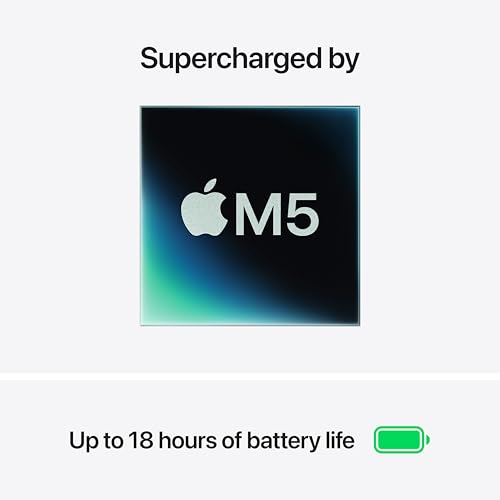
Photo 3: Apple 2026 MacBook Air 13-inch Laptop with M5
• Owners of very recent M4 Airs who don’t run AI workloads—the day‑to‑day uplift is pleasant, not earth‑shattering
• Users who regularly run sustained, heavy renders or long encode workloads: move up to a MacBook Pro with better thermal headroom
Comparison Snapshot
Think of the M5 Air as “more capable, same reliable form factor.”
• M5 Air vs M4 Air: faster AI, higher memory bandwidth, base storage doubled; pocket hit is roughly +$100 on launch pricing
• M5 Air vs Windows ultraportables (Acer Swift Go 14): Windows alternatives sometimes match or beat performance for the dollar, but the Air generally holds a battery and ecosystem advantage. Expect Swift Go battery test numbers around 8–10 hours on many models; top configurations can stretch further but not typically to Apple’s real‑world mid‑teens
Buying Advice and Value Check
If you prioritize longevity and low friction
• Buy now if you need a new laptop in the next month, value macOS, or want the fastest Air you can buy today
• Opt for 16GB RAM and 1TB SSD if you store large projects locally or plan to keep the machine 4+ years
• Consider AppleCare+ if you travel or are accident‑prone; MacBooks keep good trade‑in value, but accidental repair costs can be high
If you prioritize absolute cost efficiency
• Wait for 30–90 day post‑launch discounts or check certified refurbished inventory for sub‑launch pricing
• If your software is Windows‑native, compare similarly priced Intel/AMD ultraportables (Swift Go 14 family) for higher base RAM/SSD options at lower price points
Deal‑watch tips
• Refurb cycles typically start to look attractive 6–10 weeks after a launch
• Retailers sometimes bundle dongles, adapters, or extended warranty in the first sale events—if you need accessories, a bundled sale can add value
Final Verdict
The MacBook Air M5 is the most sensible Air upgrade in recent years: it keeps everything that made the Air the go‑to ultraportable and strengthens the parts that matter for future workflows—AI, memory bandwidth, and base storage. It’s not a seismic redesign, but it doesn’t need to be
For most buyers, the M5 Air is the right call in 2026: intelligent, light, and longer‑lasting in everyday use than most Windows rivals. If you need sustained workstation power, choose a Pro; if you want bang‑for‑buck Windows hardware, there are solid alternatives. For everyone else seeking a balanced do‑everything laptop that won’t slow down under moderate pro tasks, the M5 Air is a confident pick
FAQ
Q: Is the MacBook Air M5 a big leap over the M4? A: It’s a meaningful step for AI and memory‑bound workloads—higher bandwidth, faster Neural Engine, and base storage improvements—while everyday productivity gains are modest. If your tasks are heavier (local models, serious editing), yes; for light use, the M4 remains a strong value
Q: How long will the battery actually last in daily use? A: Plan for 12–16 hours in mixed use (web, edits, video calls). Continuous video/web tests have returned roughly 15–16 hours on recent units; Apple’s “up to 18 hours” reflects a lighter, optimized scenario. Real results depend on brightness, app load, and background tasks
Q: Should I buy the 13‑inch or the 15‑inch? A: Pick the 13‑inch for maximum portability and slightly better battery per weight. Choose the 15‑inch if you want more screen real estate for multitasking and light creative work—otherwise the internal performance is the same class
Q: Is Wi‑Fi 7 worth it right now? A: Wi‑Fi 7 future‑proofs local transfers and crowded‑network performance; you’ll see the most benefit in dense offices or when transferring huge local files repeatedly. It’s a nice forward‑looking feature, not a must‑have for casual users
Q: Any alternatives to consider? A: If you prefer Windows or are shopping for a lower price point, thin‑and‑light machines like the Acer Swift Go 14 offer strong CPU value and flexible configurations; they often trade some battery life and system polish for lower prices. If sustained heavy rendering is the goal, step up to a MacBook Pro with active cooling
Where to Check Pricing
Check latest Amazon listing for MacBook Air M5. Click here
Get the Full Tech Gadgets Reviews Buyer's Guide
Download our detailed comparison with specs, scores, and our honest verdict — delivered straight to your inbox.
Free. No spam. Unsubscribe anytime.
Was this review helpful?
Be the first to share your feedback on this review.
Sign in to vote and let us know what you think.
Discussion (0)
No comments yet. Be the first to start the discussion.
Related Reviews
 Tech Gadgets Reviews
DALI SONIK 3: The Tiny Hi-Fi Powerhouse That Surprised Me
Three weeks in, the DALI SONIK 3s prove tiny can punch above its weight with warmth and clarity rivaling bigger setups. Here's the verdict. Also, value is wild.
 Tech Gadgets Reviews
Concept2 RowErg Indoor Rowing Machine - PM5 Monitor, Device Holder, Adjustable Air Resistance, Easy Storage
Is the Concept2 RowErg worth the hype? Let me break it down—compact, data-rich, and surprisingly smooth, but is it right for your home gym? Read on.
 Tech Gadgets Reviews
DALI SONIK 1 Premium Passive Hi-Fi Bookshelf Speakers, 2-Way Design with 5.25″ Woofer & 1.1″ Soft Dome Tweeter, Black Ash
Is the DALI SONIK 1 worth the hype? Let me break it down. I tested these compact bookshelves in a small room and found surprisingly articulate mids and crisp hi