
What is iPhone vs Android which is better? A Complete 2026 Guide
If you’re trying to decide between iPhone and Android, the biggest problem is usually not features — it’s figuring out which phone actually fits your budget, habits, and long-term needs. The search for iPhone vs Android which is better often leads to confusing opinions, brand loyalty, and specs that don’t tell the whole story. This guide breaks the choice down in plain English so you can buy with confidence in 2026.
At a high level, neither platform is “best” for everyone. iPhone usually wins on simplicity, software support, and ecosystem convenience, while Android often wins on choice, customization, and price range. The better option is the one that matches how you use your phone every day.
How It Works
iPhone and Android are two different smartphone operating systems, which means they control how the phone looks, feels, runs apps, and connects to other devices. iPhone uses Apple’s iOS, which is built only for Apple devices, while Android is used by many brands such as Samsung, Google, Motorola, and others. That difference is why iPhone tends to feel more uniform and Android feels more flexible.
Think of it like this: iPhone is a tightly controlled system where Apple designs the hardware and software together, while Android is a platform that many manufacturers can customize. Because Apple owns the full experience, iPhones often have very consistent performance and updates. Because Android is open to multiple brands, you get a much wider range of screen sizes, cameras, battery sizes, and price points.
In practical terms, this affects everything from app behavior to charging ports to how long your phone stays supported. Apple generally releases software updates to older iPhones for many years, which helps with resale value and long-term use. Android phones vary more by brand, so update support can be excellent on some models and shorter on others.
Key Benefits & Use Cases
Why people choose iPhone
iPhone is often the better pick if you want a phone that feels easy to use right away, syncs smoothly with other Apple devices, and stays supported for a long time. It’s especially appealing if you already use a Mac, iPad, Apple Watch, or AirPods. Many buyers also like the predictable experience and strong resale value.
Why people choose Android
Android is usually the better choice if you want more freedom over design, features, and budget. You can find Android phones that are affordable, midrange, or ultra-premium, and many offer features such as faster charging, larger batteries, high-refresh displays, and more hardware variety. It’s a strong option for people who want to compare many models before buying.
Best use cases by type of buyer
- iPhone: best for people who want simplicity, reliability, and a smooth ecosystem.
- Android: best for shoppers who want more choice and better value at different price levels.
- Content creators: either platform works, but accessories can make a bigger difference than the phone alone.
- Travelers and students: portability, battery life, and easy hands-free use matter more than brand.
- Budget-conscious buyers: Android often offers more options under the same price.
What to Look For When Buying
1. Budget
Decide how much you want to spend before comparing brands. iPhone tends to start at a higher price, while Android gives you more entry-level and midrange choices. If you want the best value, compare total cost, not just the sticker price.
2. Software updates
Long-term software support matters if you keep phones for several years. Apple is known for strong update longevity, while Android support depends on the manufacturer and model. If longevity is important, check the update policy before buying.
3. Ecosystem compatibility
Choose based on the devices you already own. If you use a MacBook, Apple Watch, or AirPods, an iPhone may feel seamless. If you use Google services heavily or prefer mixed-brand devices, Android can be a better fit.
4. Camera and video needs
Both platforms can take excellent photos, but the “better” camera depends on your style. If you care about video consistency and easy sharing, iPhone is often favored. If you want more camera hardware variety or advanced customization, Android has many strong options.
5. Accessories and usability
Think about how you’ll actually use the phone day to day. For vlogging, video calls, hands-free recording, or travel content, accessories like tripods and microphones can matter as much as the phone itself. That’s especially true if you want a setup that works across both iPhone and Android.
Top Recommended Products
These accessories can improve whichever phone you choose, and they’re especially useful if you’re comparing iPhone vs Android which is better for content creation, travel, or everyday convenience.
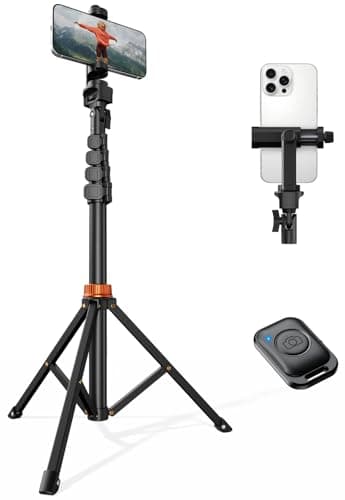
VIMOSE 66" Phone Tripod 4.7★ (price: $17.99) ✓ Prime 10% OFF — Was $19.99
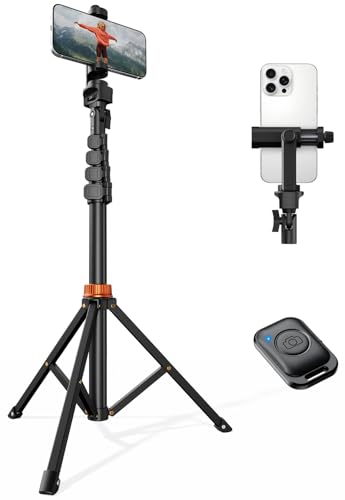
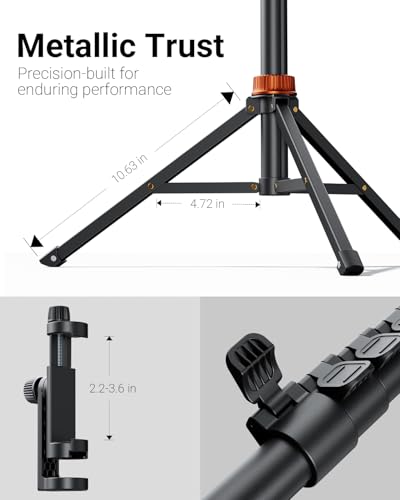

This tripod is a practical pick for buyers who want stable video recording, overhead shots, or hands-free filming on either phone platform. Its extendable design and Bluetooth remote make it useful for solo creators and everyday phone users alike.
- Steel-reinforced design with a stable base and telescoping arm
- Supports portrait, landscape, and angled shots
- Built-in cold-shoe slot for accessories like lights or mics
- Wireless remote helps avoid touchscreen shake
- Works with a wide range of phone widths
✓ Pros
- Very versatile for video, photos, and live content
- Hands-free remote improves stability
- Compatible with iPhone and Android phones
- Good value for the price
- Prime shipping available
✗ Cons
- Not as compact as a small pocket tripod
- Best for users who actually need a full-size stand
Smart Watch for Men Women Compatible with iPhone Samsung Android Phone 4.6★ (price: $23.99) ✓ Prime
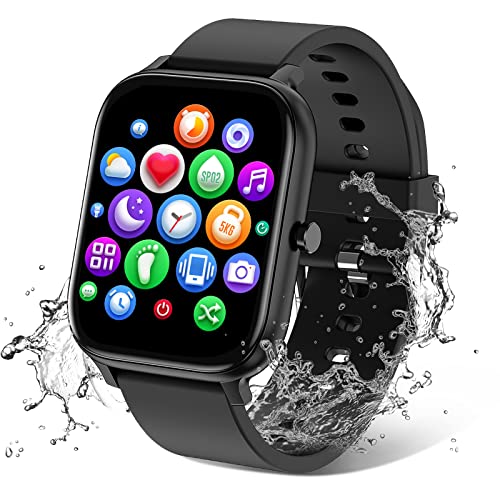


If you’re deciding between iPhone and Android, a compatible smartwatch can help you compare how each ecosystem fits your daily routine. This model works with both platforms and adds fitness tracking, notifications, and water resistance at a low entry price.
- IP68 waterproof design for workouts and daily wear
- 1.83-inch full touch display with many watch faces
- Supports heart rate, sleep, blood oxygen, and activity tracking
- Bluetooth calling and message notifications
- Compatible with Android and iOS phones
✓ Pros
- Good cross-platform compatibility
- Affordable way to add smartwatch features
- Useful for fitness and notifications
- Long battery life for the price
- Prime shipping available
✗ Cons
- Not as polished as premium smartwatch options
- Best for basic smart features rather than advanced ecosystem integration
TONEOF 68" Magnetic Selfie Stick Tripod 4.7★ (price: $25.49) ✓ Prime 15% OFF — Was $29.99
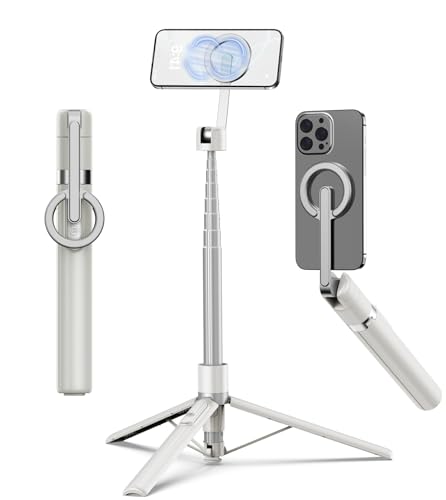


This all-in-one tripod is ideal if you want a portable setup for travel, selfies, and quick video recording on either iPhone or Android. The magnetic mount and rechargeable remote make it especially convenient for people who want fast setup and easy shooting.
- Magnetic aluminum mount for quick attachment
- Extends from 11 inches to 68 inches
- 360° rotation and 200° vertical tilt
- Built-in rechargeable wireless remote
- Folds down small for travel and everyday carry
✓ Pros
- Excellent for travel and on-the-go content
- Strong magnetic hold for compatible devices
- Portable, lightweight, and easy to store
- Good reach for group shots and vlogging
- Prime shipping available
✗ Cons
- Magnetic convenience is best for compatible phones or setups
- May be more than casual users need
MAYBESTA Wireless Mini Microphone for iPhone, Android Phone 4.6★ (price: $24.99) ✓ Prime
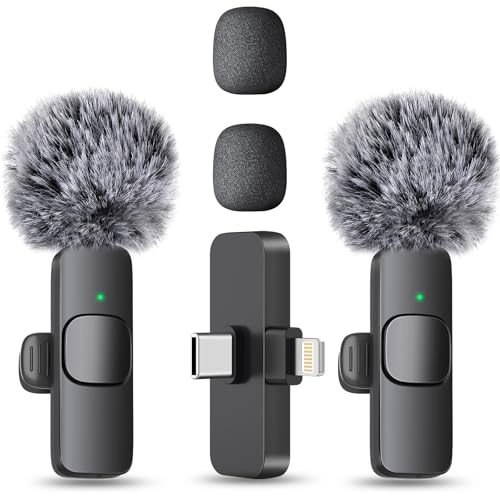


For creators comparing iPhone and Android, audio quality is often the real deciding factor for videos, podcasts, and interviews. This wireless mini microphone helps make either phone sound more professional without complicated setup.
- Compatible with iPhone, Android, iPad, laptop, and tablet
- No app or adapter needed for basic use
- Noise reduction chip helps reduce background noise
- Up to 70 feet of wireless range
- Two-mic set supports longer recording sessions
✓ Pros
- Improves voice clarity for video and live content
- Easy to set up for beginners
- Works across multiple devices and platforms
- Good value for creators
- Prime shipping available
✗ Cons
- Best results depend on your recording environment
- Not a replacement for professional studio audio gear
Common Mistakes to Avoid
- Choosing based on brand loyalty alone: the better phone is the one that fits your needs, not your social media feed.
- Ignoring ecosystem lock-in: switching later can be inconvenient if you already own accessories or devices from one brand.
- Overlooking software support: a cheaper phone may cost more over time if updates end sooner.
- Buying for camera specs only: real-world photo and video quality depends on software, lighting, and accessories too.
- Forgetting about daily comfort: size, battery life, charging speed, and ease of use matter more than benchmark numbers.
Frequently Asked Questions
Is iPhone or Android better for most people?
For most people, iPhone is better if they want simplicity and long-term support, while Android is better if they want more choice and value. The “best” option depends on budget, ecosystem, and how much customization you want.
Why do people say iPhone is better than Android?
People often prefer iPhone because it feels consistent, is easy to use, and connects well with other Apple products. It also tends to get software updates for many years.
Why do people say Android is better than iPhone?
Android fans usually value the wider selection of phones, price ranges, and features. Many Android phones also offer more flexibility in hardware and customization.
Which is better for camera quality, iPhone or Android?
Both can be excellent, but iPhone is often praised for video quality and consistency, while Android offers a broader range of camera styles and hardware options. The best camera depends on the specific model, not just the operating system.
What should I buy if I’m switching from iPhone to Android?
Look for strong update support, easy data transfer tools, and accessories that fit your workflow. If you create content, a tripod and wireless mic can make the transition much smoother.
Get the Full Smartphones & Accessories Buyer's Guide
Download our detailed comparison with specs, scores, and our honest verdict — delivered straight to your inbox.
Free. No spam. Unsubscribe anytime.
Was this review helpful?
Be the first to share your feedback on this review.
Sign in to vote and let us know what you think.
Discussion (0)
No comments yet. Be the first to start the discussion.
Related Reviews
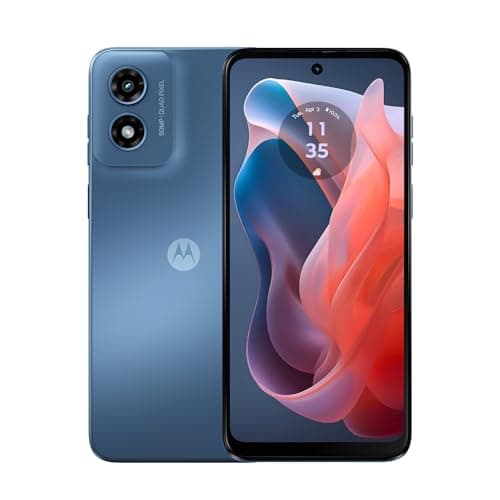
8 Best Android Phone 2026 — Top Picks for Every Budget, Camera Need, and Battery Priority
If you’re searching for the best Android phone 2026 , you probably want the right mix of speed, camera quality, battery life, and long-term value without wasting time on endless spec sheets. This list focuses on phones that make sense for real buyers: flagship-level everyday performance, budget-frie

Pixel 10 Pro real world test Review (2026): Honest Verdict After Testing
The Google Pixel 10 Pro feels like a premium phone the moment you pick it up. The aluminum frame, Gorilla Glass Victus 2 protection, and compact 6.3-inch size make it easy to hold, easier to pocket, and more confidence-inspiring than many larger flagship phones.

Best Phones Under $500 for Every Budget in 2026: Ranked by Price & Performance
If you’re searching for the best phones under $500 , the hard truth is that not every “budget” phone is actually a good value once you compare price, performance, and long-term usability. Some buyers need the cheapest possible option, others want the sweet spot where features jump up without blowing