
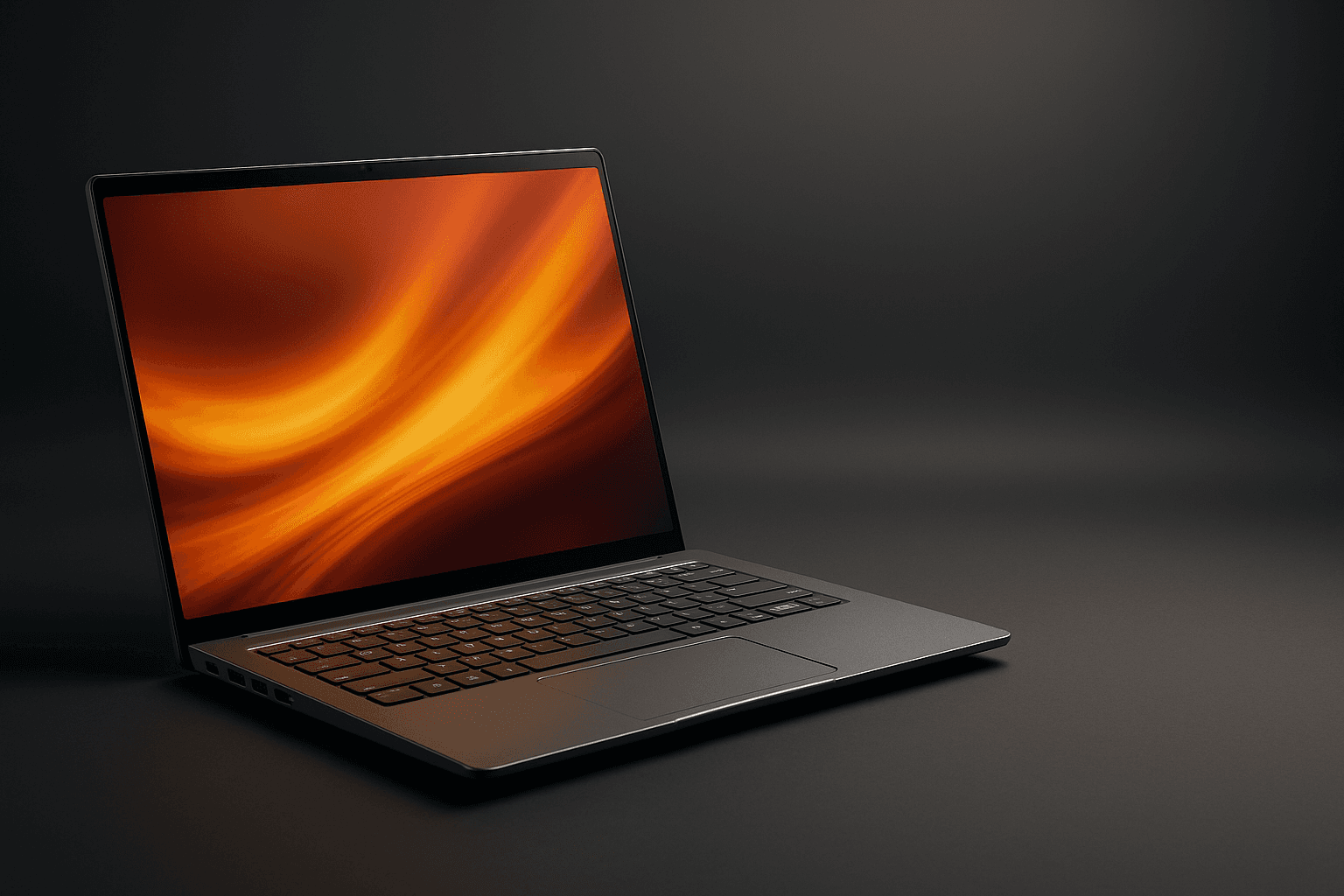
Quick Summary
Acer’s Swift Go 14 is the kind of laptop that forces you to rethink “good enough” in a sub‑3‑pound package. It combines Intel’s Core Ultra class processors (including Core Ultra 7 options), an optional 2.8K OLED, LPDDR5X memory up to 32GB, and modern I/O—Wi‑Fi 7, HDMI 2.1, Thunderbolt/USB4—into a slim metal chassis that usually retails under $1,100. These specs make it unusually competitive against comparable Apple silicon MacBooks on raw performance-per-dollar, especially during cyclical sales
The tradeoffs are clear: battery life is solid but not class‑leading (expect day‑long real‑world use on the lower‑brightness configs), and the build — while premium for the price — isn’t trying to out‑chassis an Apple MacBook. For many buyers, the Swift Go 14 lands in the sweet spot: strong CPU and NPU power, a vivid OLED panel option, and storage/RAM tiers that match productivity workflows without a ludicrous price tag
Buy on Amazon: Acer Swift Go 14. Click here
Alternative on Amazon: MacBook Air M4. Click here
Alternative on Amazon: MacBook Pro M4. Click here

Photo 1: acer Swift Go 14 Intel Evo Thin & Light Laptop | 14" 1920 x 1200 Touch Display | Unlock AI Experiences | Intel Core Ultra 7 Processor 155H | Intel ARC | 16GB LPDDR5X | 512GB SSD | SFG14-72T-718K product image
Price Range and Deal Timing
Street prices for the Swift Go 14 vary with configuration and timing, but expect these ballpark figures in USD
• Typical MSRP / launch: $899–$1,099 for mainstream Core Ultra configurations
• Common street-price range: $699–$999 for 16GB/512GB to 16GB/1TB models during normal sales windows
• Heavy discount territory (deal-watch): $549–$699 — these appear during Memorial Day, Black Friday, and flash sales and represent the best “buy now” opportunities if you want OLED + 16GB/1TB at an aggressive price. A past major sale dropped certain Core Ultra Swift Go 14 configurations to $599
Deal timing guidance
• Buy now if you see an OLED + 16GB/1TB Swift Go 14 for under $699 — that’s excellent value
• Otherwise wait for seasonal sales (late Nov, Memorial Day, Prime Day windows) or retailer open-box offers
• If you need guaranteed battery longevity and the Apple ecosystem, prioritize a MacBook purchase window; otherwise, Windows buyers will find better immediate bang-for-buck here
Technical Snapshot (Practical Numbers
Core Hardware and Feature Profile
• CPU: Intel Core Ultra series options (Core Ultra 5/7 in various SKUs), with higher‑end models using the 155H class Core Ultra 7
• Memory: LPDDR5X configurable up to 32GB (most mid-range SKUs ship with 16GB
• Storage: PCIe Gen4 NVMe SSDs, typically 512GB / 1TB; some SKUs and regions support up to 2TB
• Display: 14‑inch (14.0–14.5 depending on SKU) with optional 2.8K OLED (2,880×1,800-ish) at 90–120Hz on higher refresh models; non‑OLED IPS WQXGA options available
• Battery: 65 Wh nominal battery capacity in many configurations; expect moderate to strong endurance depending on panel and workload
• Weight & dimensions: Around 1.3 kg (≈2.9 lb), thickness in the ~9.6–16.4 mm range depending on tapered chassis
• I/O: Thunderbolt/USB4-capable ports, HDMI 2.1, microSD (or full SD depending on SKU), multiple USB ports, and a 3.5mm jack. Wireless options include Wi‑Fi 6E and Wi‑Fi 7 on newer models
Performance and Daily-Use Metrics
• Real-world multitasking: With 16GB LPDDR5X and an Ultra 7-class chip, expect buttery responsiveness in browser tab-heavy workflows, Slack/Teams, Office suites, and light content creation (photo editing, some video timeline work
• Burst/peak compute: The Core Ultra 7 155H-equipped models hold up well in short bursts of rendering or export tasks, and the onboard NPU helps AI-accelerated features (image upscaling, on-device transcription) run efficiently
• Integrated graphics: Intel Arc‑class integrated graphics handle casual gaming and GPU‑accelerated editing tasks at modest settings; not a pro‑grade GPU but capable for creators on the go
• Battery life: Realistic daily battery ranges are 7–12 hours depending on OLED vs IPS, brightness, and workload; OLED gives better contrast but costs battery headroom. Adjust expectations downward for sustained video editing or heavy web apps
Value and Ownership Math
• Upgradeability: Storage typically replaceable (M.2 SSD), RAM is usually soldered (LPDDR5X) — buy the memory configuration you need up front
• Warranty/support: Standard one-year limited warranty; extended warranty/accidental damage plans available from Acer and retailers. Software update window for Windows laptops varies by vendor; Apple devices generally get longer OS update horizons (see comparison
• Expected useful life: 3–5 years as a primary laptop for productivity; 5+ years for light use if you spec sufficient RAM and storage at purchase
Head-to-Head Overview
Put simply: the Swift Go 14 is the best Windows ultraportable at—or below—this price point for buyers who want a vivid OLED screen, modern ports, and Intel’s latest NPU/AI assist capabilities. Compared to Apple’s M4 machines, it trades raw battery-life advantage and OS-level integration for a better price-to-performance ratio and greater port flexibility. Apple's M4 MacBook Air and M4 MacBook Pro offer stronger sustained efficiency and typically longer software update lifecycles, but at a higher starting investment
If you need macOS-specific apps, industry-standard color pipelines, or the longest possible all‑day battery life in light workflows, a MacBook Air/Pro with M4 silicon remains the safer long‑term bet. If you want maximum value, a bright OLED for content work, and Windows compatibility, the Swift Go 14 will make you very happy for a lot less money—especially when it’s on sale

Photo 2: acer Swift Go 14 Intel Evo Thin & Light Laptop | 14" 1920 x 1200 Touch Display | Unlock AI Experiences | Intel Core Ultra 7 Processor 155H | Intel ARC | 16GB LPDDR5X | 512GB SSD | SFG14-72T-718K product image
Who Should Buy This
• Mobile professionals who value a colorful OLED screen and lighter weight but still need full‑sized ports
• Students and knowledge workers who want near‑Mac performance for a Windows budget
• Creators on a budget who do photo editing and light video work but don’t need discrete mobile GPUs
• Anyone who prefers Windows, needs HDMI 2.1, or wants Wi‑Fi 7 for future‑proofing
Comparison Snapshot
• Acer Swift Go 14: Best value for OLED + Core Ultra performance; $899 MSRP typical, dips into the $599–$699 deal zone. Strong port selection and NPU features; 65 Wh battery
• MacBook Air (M4): Better battery efficiency, tighter OS–hardware integration, generally higher sustained graphics and CPU efficiency for creative apps; starting price typically higher than the Swift Go’s sale price. Battery around 66.5 Wh in some Air models; soldered RAM and storage
• MacBook Pro (M4): Higher baseline performance for pro workflows and longer sustained thermal headroom; more expensive and heavier than the Swift Go 14 but a better choice if you need stronger GPU compute or ProRes-style media workflows
Buying Advice and Value Check
Short checklist before you click “Buy”
• RAM: Choose 16GB minimum for multitasking longevity; 32GB if you do heavy local editing or many virtual machines
• Storage: 512GB is the practical minimum; 1TB is preferable if you handle raw media files. Check whether your SKU allows an SSD upgrade if future expansion matters
• Panel: OLED is the right choice for photo/video work or if you simply care about the display; IPS will extend battery life a bit and reduce cost
• Ports: If you rely on legacy USB‑A or HDMI, the Swift Go’s mix is friendlier than thin MacBooks, which favor USB‑C/Thunderbolt adapters
• Warranty: Factor in an extended warranty if you travel a lot or are rough on laptops
Deal thresholds (practical
• Buy-now sweet spot: OLED + 16GB + 1TB under $699
• Good value: 16GB + 512GB OLED or IPS under $799
• Pay-up threshold: If a MacBook Air M4 at the same price offers significantly longer battery life or you’re already invested in macOS, consider the Apple option
Final Verdict
The Acer Swift Go 14 is the kind of practical, well-engineered ultraportable that neatly closes the gap between “aspirational” and “affordable.” It doesn’t redefine the category, but it makes a persuasive argument that you no longer need to spend MacBook money to get MacBook‑caliber day‑to‑day performance and a top-tier OLED display
If you want sleek design, vivid color, modern I/O, and Core Ultra performance for Windows workflows — and you’re price‑sensitive — the Swift Go 14 is one of the smartest buys on the market today, provided you buy the right configuration and time your purchase around common sales. If battery endurance, the longest software support, or a specific macOS workflow are top priorities, the M4 MacBooks still hold the crown
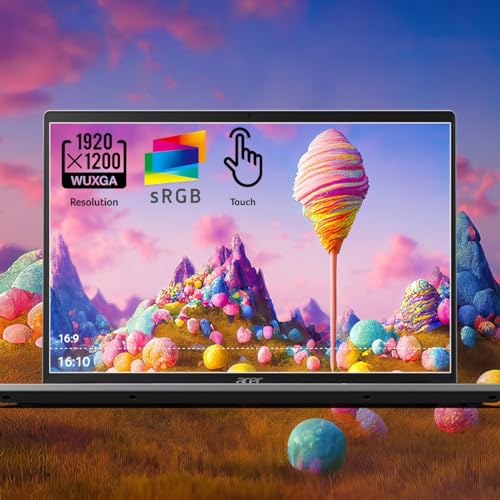
Photo 3: acer Swift Go 14 Intel Evo Thin & Light Laptop | 14" 1920 x 1200 Touch Display | Unlock AI Experiences | Intel Core Ultra 7 Processor 155H | Intel ARC | 16GB LPDDR5X | 512GB SSD | SFG14-72T-718K product image
FAQ
Q: How long will the battery last in day‑to‑day use? A: Expect 7–12 hours in typical productivity use (web, docs, video conferencing), with the OLED models toward the lower end and IPS models toward the higher end. Heavy editing or sustained CPU/GPU use will reduce that significantly
Q: Is the Swift Go 14 a good Photoshop/Lightroom laptop? A: Yes — with 16GB RAM and an OLED panel it’s excellent for color work and most photo editing. For very large raws or heavy local stacking, choose 32GB and 1TB+ storage
Q: How does it compare price-wise to Apple’s M4 machines? A: Base Swift Go 14 SKUs typically launch around $899–$1,099, with frequent discounts into the $599–$799 range. MacBook Air/Pro M4 models generally start higher; for similar day‑to‑day performance, the Swift Go will usually be cheaper, especially during sales
Q: Is the RAM upgradeable later? A: No — the Swift Go uses LPDDR5X soldered RAM in most configurations. Buy the RAM you’ll need for the life of the machine (16GB minimum recommended
Q: Should I wait for the next refresh? A: If you need a laptop right now and you find a Swift Go 14 with OLED + 16GB for under $699, buy it. If your needs are not urgent, watch for end‑of‑quarter retailer events or Apple’s cyclical refreshes, which sometimes shift prices across the board
End of review
Where to Check Pricing
Check latest Amazon listing for Acer Swift Go 14. Click here
Get the Full Tech Gadgets Reviews Buyer's Guide
Download our detailed comparison with specs, scores, and our honest verdict — delivered straight to your inbox.
Free. No spam. Unsubscribe anytime.
Was this review helpful?
Be the first to share your feedback on this review.
Sign in to vote and let us know what you think.
Discussion (0)
No comments yet. Be the first to start the discussion.
Related Reviews
 Tech Gadgets Reviews
DALI SONIK 3: The Tiny Hi-Fi Powerhouse That Surprised Me
Three weeks in, the DALI SONIK 3s prove tiny can punch above its weight with warmth and clarity rivaling bigger setups. Here's the verdict. Also, value is wild.
 Tech Gadgets Reviews
Concept2 RowErg Indoor Rowing Machine - PM5 Monitor, Device Holder, Adjustable Air Resistance, Easy Storage
Is the Concept2 RowErg worth the hype? Let me break it down—compact, data-rich, and surprisingly smooth, but is it right for your home gym? Read on.
 Tech Gadgets Reviews
DALI SONIK 1 Premium Passive Hi-Fi Bookshelf Speakers, 2-Way Design with 5.25″ Woofer & 1.1″ Soft Dome Tweeter, Black Ash
Is the DALI SONIK 1 worth the hype? Let me break it down. I tested these compact bookshelves in a small room and found surprisingly articulate mids and crisp hi