
Quick Summary
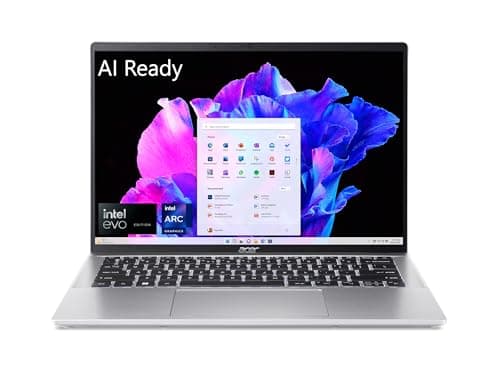
Acer’s Swift Go 14 is a clear attempt to deliver premium display and modern silicon in a svelte 14‑inch chassis, with configurations spanning Intel Core Ultra series chips and Snapdragon‑based SKUs. It pairs a high‑contrast 2.8K OLED or WQXGA panel with a compact, aluminum body that typically weighs around 1.2–1.32 kg (≈2.6–2.9 lb)
If you want an OLED laptop for content work, video calls and light creative tasks without paying MacBook prices, the Swift Go 14 is a tempting prospect. It’s not an everything‑box: battery figures vary by SKU and real‑world endurance has shown mixed user reports. Expect good day‑to‑day performance but don’t assume desktop‑class sustained throughput
Buy on Amazon: Acer Swift Go 14. Click here
Alternative on Amazon: MacBook Air M4. Click here
Alternative on Amazon: MacBook Pro M4. Click here
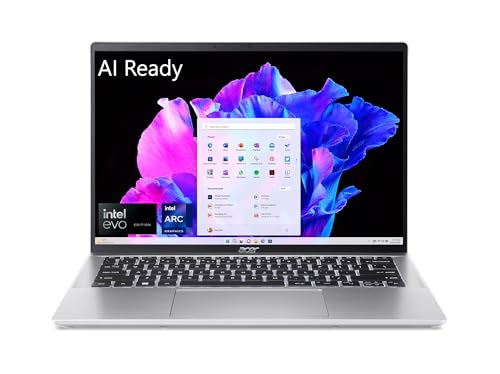
Photo 1: acer Swift Go 14 Intel Evo Thin &
Price Range and Deal Timing
Street prices fluctuate a lot depending on CPU, RAM, and the display option
• Typical new configurations (OLED, 16GB RAM, 512GB–1TB SSD) commonly sit between $799 and $1,299. High‑end Core Ultra/Ultra 9 or Snapdragon X Plus versions push toward $1,199–$1,499 in some retailers
• Flash deals have dropped aggressive models into the $599–$799 range (limited SKUs or promotional closeouts), so deal windows matter. If you see a configured OLED + 16GB/1TB near $699–$799, it’s worth a hard look
• Refurb and clearance listings can be useful: refurbished higher‑end units sometimes appear sub‑$1,000. If you prefer brand‑new warranty coverage, expect to add $100–$200 above bargain listings for new retail stock
Deal‑watch guidance: watch major holiday/seasonal sales and vendor bundles (student/education discounts), and be especially ready to buy if a configuration with OLED + 16GB + 512GB dips below $800. Otherwise, lean toward patience—prices cycle fast for this class
Technical Snapshot (Practical Numbers)
Core Hardware and Feature Profile
• CPU: Options include Intel Core Ultra series (Core Ultra 5 / 7 / 9 family across SKUs) and some Snapdragon‑based variants—suitable for productivity, light content work, and AI‑enabled features on-chip. Typical peak burst performance is laptop‑class (not desktop)
• Display: 14‑inch OLED / WQXGA panels; common top spec is 2.8K (≈2800×1800) OLED at 90–120 Hz on select SKUs—excellent contrast and color for photo/video editing
• RAM and Storage: LPDDR5/LPDDR5X soldered RAM in 8GB/16GB/32GB tiers; SSD tiers commonly 256GB / 512GB / 1TB (NVMe). Buy at least 16GB if you plan to keep this for more than 2–3 years
• Battery: Manufacturer states ~64 Wh battery on many AI/SKUs with marketing “up to 16 hours” web‑based testing on light workloads; expect 8–12 hours mixed use depending on brightness, CPU SKU, and OLED power profile. Some prior models had 54–65 Wh variants—check your exact SKU
• Weight & size: 1.2–1.32 kg (≈2.6–2.9 lb); thickness around 14–15 mm—very portable for a 14‑inch OLED laptop
• Ports: Typically 2× USB‑C (often supporting power delivery / display), 2× USB‑A, HDMI, microSD and a 3.5mm jack on many SKUs—better I/O than many thin ultrabooks
Performance and Daily-Use Metrics
• Real‑world snappiness: Office, browser multitasking, Zoom, and light photo edits are smooth on Core Ultra 5/7 configurations. Thicker workloads (large video exports, heavy rendering) will be slower than MacBook Pro or thicker AMD Ryzen 9 variants under sustained load
• Thermal behavior: Thin chassis limits sustained high‑TDP output—expect short bursts of high performance, then down‑throttling under prolonged heavy loads. Fans are noticeable under load, but overall acoustics are reasonable for the class
• Wireless: Newer SKUs offer Wi‑Fi 6E/7 and Bluetooth 5.x support on higher configurations—good for future‑proofing, but verify the specific SKU's wireless module
Value and Ownership Math
• Roadmap and support: Typical Windows OEM warranty is one year; extended service packs available for purchase. Expect software driver updates for 1–3 years, hardware lifespan of 3–5 years for mainstream use. If you need long OS support windows, plan for a refresh in 3–4 years depending on use
• Upgradeability: RAM is soldered; SSD may or may not be user‑replaceable depending on the SKU—buy the storage you need up front or factor in professional upgrade costs
Head-to-Head Overview
Against MacBook Air M4 (and 2024–25 MacBook Pro tiers), the Swift Go 14 trades platform polish for price flexibility and I/O
• MacBook Air M4 brings an extremely efficient Apple Silicon stack with longer real‑world battery and tighter thermal‑power integration—plus macOS advantages for creatives and those embedded in Apple’s ecosystem. Street prices on M4 Air units have been volatile (clearance since M5 announcements), but base Apple pricing originally positioned the Air starting around $999 (13") / $1,199 (15")
• MacBook Pro M4 remains a performance and pro‑workstation step up but at a materially higher price (14‑inch Pro starting near $1,599 and up). If you need sustained heavy CPU/GPU throughput or professional‑grade video pipelines, the MacBook Pro stores that headroom better
In short: the Swift Go 14 is the better value if you prioritize OLED color, ports, and a lower sticker for equivalent day‑to‑day productivity. MacBooks win for battery longevity, sustained performance, and macOS optimizations

Photo 2: acer Swift Go 14 Intel Evo Thin &
Who Should Buy This
• Buyers who want an OLED 14‑inch laptop for content editing, streaming, and creative work without MacBook prices
• Students and professionals who value ports (HDMI, USB‑A + USB‑C), light weight, and a vivid display
• Anyone hunting deals—when the Swift Go 14 drops into the $599–$799 band with 16GB/512GB and OLED, it’s a high‑value pick
Comparison Snapshot
• Acer Swift Go 14 vs MacBook Air M4: Swift Go often undercuts the Air on price, offers OLED and more ports, but yields to the Air on battery life, single‑thread performance, and ecosystem benefits. Choose Swift Go for value and display; pick the Air for battery and macOS continuity
• Acer Swift Go 14 vs MacBook Pro M4: The Pro is for professionals needing sustained heavy workloads and pro apps; the Swift Go is for lightweight creative work, excellent port selection, and budget‑conscious buyers. If your workloads include long renders and heavy GPU compute, spend up for the MacBook Pro
Buying Advice and Value Check
• Buy these configurations if you want longevity without overspending
• Recommended: OLED, 16GB RAM, 512GB NVMe (sweet spot for general power and storage)
• Minimum: 8GB/256GB only if you’re strictly on a tight budget and plan to stream most media from the cloud
• Battery caution: accept real‑world battery of ~8–12 hours for mixed use on OLED/Ultra SKUs; do not rely on marketing “up to 16 hours” for sustained heavy use. If all‑day battery on the go is a hard requirement, prioritize MacBook Air or ask for a brighter battery‑saving configuration
• Warranty/Support: consider adding an extended warranty or on‑site care if you’re buying for work—one‑year standard coverage is common, and repairs for thin, soldered components can be costly
Deal‑watch checklist
• OLED + 16GB + 512GB under $800 = buy
• New Core Ultra 9 / 32GB / 1TB under $1,199 = strong contender if you need extra memory and top performance
• Refurb with warranty under $900 = reasonable if vendor warranty and return policy look clean
Final Verdict
The Acer Swift Go 14 is an impressively balanced ultrabook for people who want a punchy OLED screen, up‑to‑date silicon, and more I/O than the typical wafer‑thin ultraportable—without instantly breaking the bank
It isn’t flawless: battery endurance can swing by SKU, thermal headroom limits sustained heavy compute, and RAM is soldered. But for most users—students, hybrid workers, and creators doing photo editing, podcast recording, and light video work—the Swift Go 14 represents strong value when you pick the right configuration and time the purchase
If you're after a Mac‑level battery, macOS advantages, or sustained pro‑grade rendering performance, the MacBook Air M4 / MacBook Pro M4 lines remain the safer bet (at higher price). If you want color fidelity, ports, and price flexibility, the Swift Go 14 should be on your short list—especially when it hits those $599–$899 deal bands
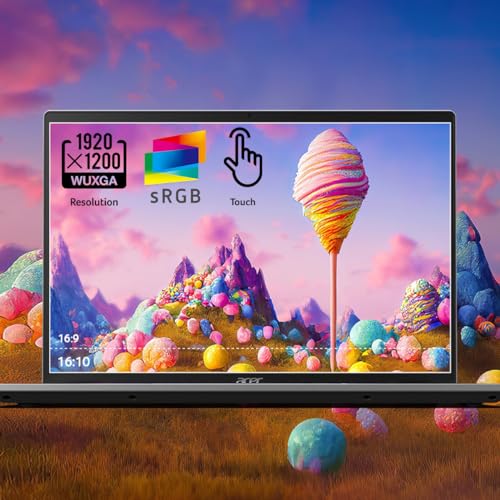
Photo 3: acer Swift Go 14 Intel Evo Thin &
FAQ
Q: Which Swift Go 14 configuration should I buy for photo and video hobby work? A: Aim for OLED display, 16GB RAM, and at least 512GB NVMe. The OLED helps with color grading; 16GB keeps editing apps responsive. If you do heavy 4K editing frequently, a thicker laptop with better sustained thermals or a MacBook Pro class machine is smarter
Q: How long will the Swift Go 14 last before it feels slow or obsolete? A: For everyday productivity, 3–5 years is realistic. If you buy a 16GB/512GB configuration and avoid extreme workloads, the machine should stay useful. Software and OS changes can shorten perceived lifespan, so pick the memory/storage you’ll need up front
Q: Is the battery as good as Apple’s MacBook Air M4? A: No—MacBook Air M4 typically posts longer real‑world battery life thanks to Apple Silicon efficiency and larger battery integration; expect the Swift Go 14 to reach 8–12 hours in mixed use on many SKUs (manufacturer claims higher on specific light tests). If absolutely critical, prefer the Air for longer unplugged days
Q: Are there any known issues I should watch for? A: Community reports show occasional battery reporting and endurance oddities on some Swift Go 14 SKUs; driver and firmware updates sometimes help. Also verify the exact I/O and wireless specs on the SKU you’re buying—Acer’s model codes indicate important differences
Q: Should I wait for a refresh or buy now? A: If you need a laptop today and find a well‑priced OLED + 16GB configuration, buy now. If you don’t need an immediate purchase, watch for sales (major holidays and back‑to‑school) and for competitor refreshes that can nudge prices—especially given recent chip and Mac refresh cycles that affect pricing windows
End of review
Where to Check Pricing
Check latest Amazon listing for Acer Swift Go 14. Click here
Get the Full Tech Gadgets Reviews Buyer's Guide
Download our detailed comparison with specs, scores, and our honest verdict — delivered straight to your inbox.
Free. No spam. Unsubscribe anytime.
Was this review helpful?
Be the first to share your feedback on this review.
Sign in to vote and let us know what you think.
Discussion (0)
No comments yet. Be the first to start the discussion.
Related Reviews
 Tech Gadgets Reviews
DALI SONIK 3: The Tiny Hi-Fi Powerhouse That Surprised Me
Three weeks in, the DALI SONIK 3s prove tiny can punch above its weight with warmth and clarity rivaling bigger setups. Here's the verdict. Also, value is wild.
 Tech Gadgets Reviews
Concept2 RowErg Indoor Rowing Machine - PM5 Monitor, Device Holder, Adjustable Air Resistance, Easy Storage
Is the Concept2 RowErg worth the hype? Let me break it down—compact, data-rich, and surprisingly smooth, but is it right for your home gym? Read on.
 Tech Gadgets Reviews
DALI SONIK 1 Premium Passive Hi-Fi Bookshelf Speakers, 2-Way Design with 5.25″ Woofer & 1.1″ Soft Dome Tweeter, Black Ash
Is the DALI SONIK 1 worth the hype? Let me break it down. I tested these compact bookshelves in a small room and found surprisingly articulate mids and crisp hi