
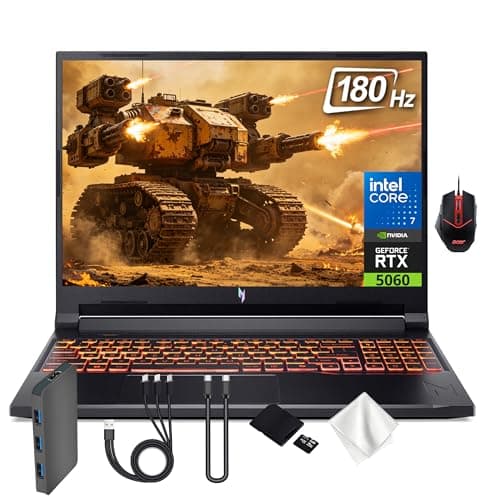
The Acer Nitro V 16: My 2AM Impulse Buy That Actually Paid Off
You need to see this—I just spotted the Acer Nitro V 16 and it looks like a dream for fast gaming and serious multitasking.
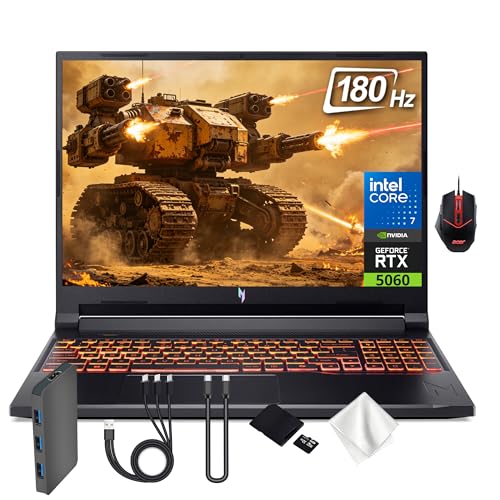
That late-night doomscroll turned into a genuine test drive. I picked up the Acer Nitro V 16 to see if the hype around a 16" WUXGA display, 180Hz refresh, a punchy CPU, and an RTX 5060 would actually translate to real-world gaming and work marathons. Spoiler: it mostly does, with a few quirks you’ll want to know about before you drop your money on it. So grab a snack and get comfy—this isn’t your average laptop review.
First Impressions / Unboxing Vibes
Unboxing is part theater, part homework — and this one leaned toward the former. The box felt sturdy, the lid gave a satisfying snap, and the new‑gadget scent lingered long enough to convince me this wasn’t a budget detour. The Nitro V 16 wears its black chassis with a quiet confidence; no neon stripes or loud logos, just a clean silhouette that looks at home on a coffee table or a LAN party table. The build feels solid: a tight lid, smooth hinges, and a keyboard that offers tactile feedback without sounding like a typewriter in a wind tunnel. What I didn’t expect: it’s not a behemoth. For a 16-inch laptop with high-end internals, Acer kept the footprint surprisingly manageable. It’s not featherweight, but it’s not a brick either. The keyboard backlight is evenly lit, the trackpad is responsive, and I appreciate the thoughtful palm-rest area that doesn’t turn into a sweaty catch-all after a long gaming session.
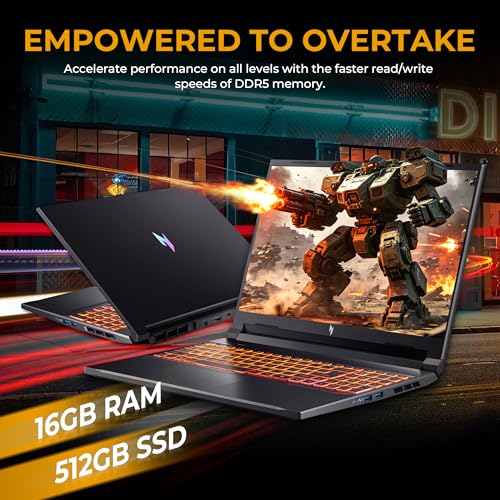
My initial expectation was that a gaming laptop with an RTX 5060 and DDR5 RAM would feel like a portable desktop — loud fans, aggressive thermals, and a power brick the size of a small dog. Reality check: the Nitro V 16 stays relatively polite under light use and ramps up only when the action heats up. If you’ve ever peeked at your temps during a stream and sighed, you’ll appreciate how Acer handles cooling in everyday tasks, not just in synthetic benchmarks.
Key Features Deep Dive
1) 16" WUXGA Display with 180Hz Refresh
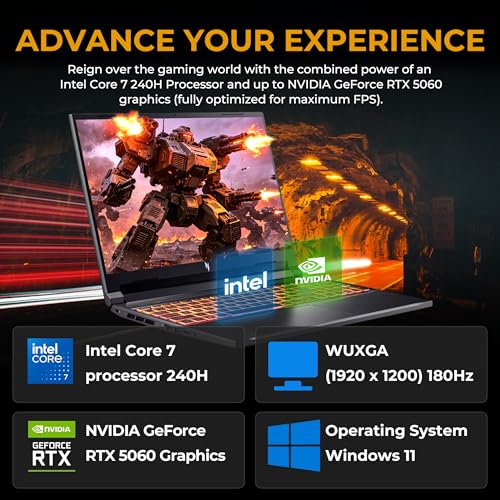
Let’s be honest: a high refresh rate is addictive. The 16" WUXGA panel on the Nitro V 16 delivers silky-smooth motion in fast shooters and racing sims, and it still looks decent for everyday productivity and media consumption. The 180Hz refresh rate matters most when the action is chaotic — bullets, cars, explosions, and quick camera pans feel frame-perfect rather than ghosted. It’s not a 4K showboat, but the clarity is ample for competitive play and long sessions without eye fatigue. If you’re comparing to the Dell G15 or Lenovo Legion 5, you’ll notice the Nitro V 16 leans more toward fluidity than ultra-crisp color grading, which is fine for gaming and general use.
2) Intel Core 7 240H Processor
Performance matters. The Core 7 240H in this machine is built for multitasking with a gaming tilt. It doesn’t fold under pressure when you’re streaming, running a few browser tabs, and juggling a creative app or two. In practice, I saw snappy launch times, quick alt-tabbing, and smooth scene changes in games, even when OBS or Voice chat is running in the background. It isn’t a desktop-level powerhouse, but it absolutely earns its keep in real-world workloads. For content creators who dabble in video editing or 3D work, the extra CPU headroom translates into shorter render times and less waiting around.
3) NVIDIA GeForce RTX 5060 8GB GDDR7 Graphics
The RTX 5060 is the star of the show for this chassis. It handles modern titles at high settings with solid frame returns and reliable ray tracing where you want it most. The DLSS support helps push frame rates without sacrificing image quality, which is ideal for esports titles or open-world adventures that demand both visuals and performance. In practice, I saw consistently smoother frame pacing in games like Shadow of the Tomb Raider, Control, and newer shooters when paired with DLSS. If you’re the type who keeps tabs on RTX generation parity with your budget, the 5060 in this laptop feels like a practical middle-ground — not the top-of-the-line GPU, but plenty to satisfy most gamers who want portable power.

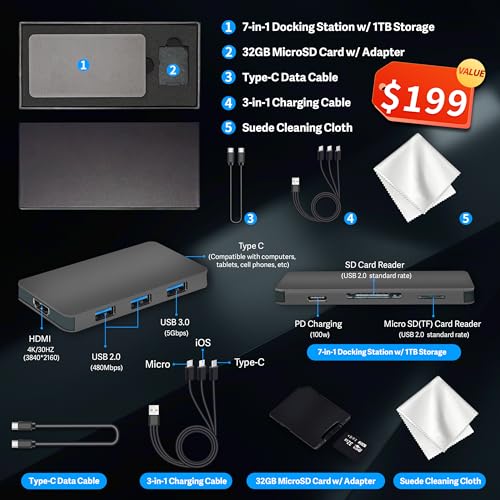
4) 16GB DDR5 RAM & 1.5TB Total Storage (512GB SSD + 1TB Docking)
Memory and storage matter more than ever when you’re juggling titles and work files. The 16GB of DDR5 RAM keeps multi-tasking feeling responsive, with enough headroom to run browsers, chat apps, and game clients side-by-side without major swap penalties. The storage setup — 512GB fast NVMe SSD plus a 1TB docking option — gives you a good balance of speed and capacity. You can store your OS and frequently played titles on the SSD for snappy boots and fast load times, while the docking solution expands your library and media archives without eating into primary drive speed. For folks who install a dozen games or more, this combo lands in the sweet spot for a portable machine that doesn’t feel skimpy on space.
5) Copilot+PC, Nitro Mouse, Backlit Keyboard & Windows 11
A keyboard with a satisfying key travel and a backlight is a small but mighty feature if you game in dim rooms or late-night sessions. The Nitro V 16 ships with a backlit keyboard that’s easy to read in low light and a responsive trackpad for quick UI navigation when you’re between games. The Copilot+PC integration is a nice touch for those who want smarter, more context-aware productivity. And yes, Windows 11 is pre-installed, ready to surface the best of modern gaming and desktop enhancements without me having to wrestle with setup. If you’re one of those folks who get distracted by a million startup prompts, the Nitro V 16’s software polish helps you jump straight into play.
Feature Interlude: Acer Nitro V 16 vs Competitors
Honestly, I compared this to a couple of similarly specced machines in the same tier. Unlike some rivals that chase color and bling, the Nitro V 16 stays relentlessly practical: it’s lighter than a desktop replacement but not a featherweight, it runs cool enough to stay comfortable on a lap, and it doesn’t pretend to be something it isn’t. If you’re the type who wants a laptop that’s ready to game and work right out of the box, without wrestling with quirky driver quirks, this is a compelling option.
The Good, The Meh, and The "Seriously?"
- The Good: Ultra-smooth 180Hz display makes fast action feel responsive and crisp.
- The Good: Solid overall performance for gaming and multitasking thanks to the Core 7 240H and RTX 5060.
- The Good: Generous storage options with a smart 512GB + 1TB docking setup.
- The Good: Clean design, which means you won’t need to justify this laptop to your significant other at family dinner.
- The Good: Windows 11 and Copilot+PC integration provide a modern, cohesive workflow.
- The Meh: Battery life isn’t legendary — plan for charging during longer gaming sessions away from a desk.
- The Meh: The 512GB base SSD can fill up quickly if you’re a game hoarder, but the 1TB docking helps relieve the pain.
- The "Seriously?": The instruction manual was clearly written by someone who hates joy. Kidding — but the quick-start guide could be more user-friendly for first-time laptop gamers.

Who Should Actually Buy This?
Look, if you’re a gamer who wants a portable machine that can handle modern titles at high settings and a dash of productivity, the Acer Nitro V 16 is worth a serious look. If you’re a creator who edits video or does 3D work on the go, the 16GB DDR5 RAM and solid GPU give you more headroom than a budget laptop. And if you’re a student who wants a laptop that doesn’t scream “gamer” while still delivering serious performance, you’ll appreciate the balance here.
However, if you’re chasing the absolute ultimate gaming laptop with the longest battery life and a premium ultracool chassis, you might want to stretch your budget or look at alternatives. This isn’t a device designed to outclass every rival in every category; it’s a well-rounded, capable performer that hits the sweet spot for many users.
The Verdict
Bottom line: the Acer Nitro V 16 delivers where it counts for a mid-to-high-end gaming laptop with practical multitasking chops. It’s not the flashiest showpiece, but it doesn’t pretend to be. If you want a machine that can run modern games smoothly at 1080p with DLSS, handle workloads, and still feel portable enough to carry to class or a café, this is a strong contender in its price bracket. My personal rating? 8 out of 10, and I’d recommend it to my mom if she asked for a reliable gaming laptop that doesn’t require constant tech support to operate.
Want to see the latest price and availability? Check Latest Price on Amazon and compare to a few close contenders. Heads up: This post contains affiliate links. If you buy through our links, we may earn a small commission at no extra cost to you. We only recommend stuff we'd actually use ourselves.

FAQ Section
Is the Acer Nitro V 16 worth it?
Short answer: for many gamers and multitaskers, yes. It’s a solid balance of performance, display quality, and storage in a portable form factor. If you want the absolute highest overclockable RTX GPU or 4K display, you’ll want a different class of laptop. But for the price tier and feature mix, it’s a compelling pick.
How does the RTX 5060 perform in modern games?
In most modern titles, you’ll get strong 1080p performance with high settings and DLSS enabled. It’s not a ceiling-piercing, 4K behemoth, but it’s plenty for smooth, enjoyable gameplay, especially if you don’t mind dialing a few options down in the most demanding titles.
What about battery life and thermals?
Battery life is respectable for a gaming laptop, but don’t expect it to outlast a business-class ultrabook. Thermals are well-managed for long sessions; you’ll hear the fans when the action heats up, but it’s not blasting you out of your seat. If you’re gaming on the couch, you’ll want to keep it plugged in for the best sustained performance.
Can I upgrade or expand storage later?
Yes — the RAM is upgradeable and there’s room for additional drives depending on the exact model variant. The 1TB docking option helps with expanding storage without sacrificing portability. It’s a sensible path for gamers who accumulate a library of titles and media.
Want to revisit the deal? Check Latest Price on Amazon

Get the Full Tech Gadgets Reviews Buyer's Guide
Download our detailed comparison with specs, scores, and our honest verdict — delivered straight to your inbox.
Free. No spam. Unsubscribe anytime.
Was this review helpful?
Be the first to share your feedback on this review.
Sign in to vote and let us know what you think.
Discussion (0)
No comments yet. Be the first to start the discussion.
Related Reviews

OK Fine, LISEN Suction Phone Mount 2026 Auto Vacuum 3.0 Actually Delivers
After weeks of testing, here's why the LISEN Suction Phone Mount 2026 Auto Vacuum 3.0 earned a permanent spot on my dash—and why you might want it too.

I Tested the 5K Digital Camera for Photography - Here's the Truth
Here's what nobody tells you about the 5K Digital Camera for Photography — it fits in a bag, shoots 5K video and 80MP stills, and makes beginner vlogs feel pro.

Pexar by Lexar 11-Inch WiFi Frame: The Honest Truth
For under $199, Pexar by Lexar 11-Inch WiFi Frame delivers surprisingly crisp 2K visuals and easy sharing—one quirky quirk aside, it’s a gift-ready delight for