
What is How to Set Up a Smart Home? A Complete 2026 Guide
Setting up a smart home means integrating connected devices that automate and simplify your daily routines through technology. This guide will walk you through the essentials of smart home systems, explaining how to get started step-by-step. By the end, you’ll understand how to create a convenient, efficient, and secure smart living environment tailored to your needs.How It Works
A smart home uses internet-connected devices that communicate with each other and your smartphone or voice assistant. These devices rely on wireless technologies such as Wi-Fi, Bluetooth, Zigbee, or Z-Wave to send commands and receive information. Central hubs or smart speakers act as controllers, allowing you to automate lighting, security, entertainment, and more by using apps or voice commands. For example, you can turn on lights, adjust thermostats, or view security cameras remotely, making everyday tasks easier and your home more responsive.Key Benefits & Use Cases
- Convenience: Control multiple devices from one app or voice assistant, reducing manual effort. - Energy Efficiency: Automate lighting and climate controls to save on electricity bills. - Enhanced Security: Monitor your home remotely with smart cameras, locks, and sensors. - Entertainment: Stream music and videos seamlessly through connected smart displays and speakers. - Accessibility: Assist individuals with disabilities by automating routine tasks. Use cases include setting morning routines where lights gradually brighten and coffee brews automatically, or receiving alerts when doors open unexpectedly. Smart homes also enable family members to stay connected with shared calendars and reminders on smart displays.What to Look For When Buying
1. Compatibility: Ensure devices work with your preferred voice assistants like Alexa or Google Assistant. 2. Connectivity: Choose devices that support reliable wireless standards for seamless integration. 3. Ease of Setup: Look for products with user-friendly installation and intuitive apps. 4. Security Features: Opt for devices with encryption and strong privacy controls to protect your data. 5. Expandability: Pick systems that allow adding new devices as your smart home grows. Checking these criteria will help you build a flexible and secure smart home tailored to your lifestyle.Top Recommended Products
Amazon Echo Show 11 (newest model)
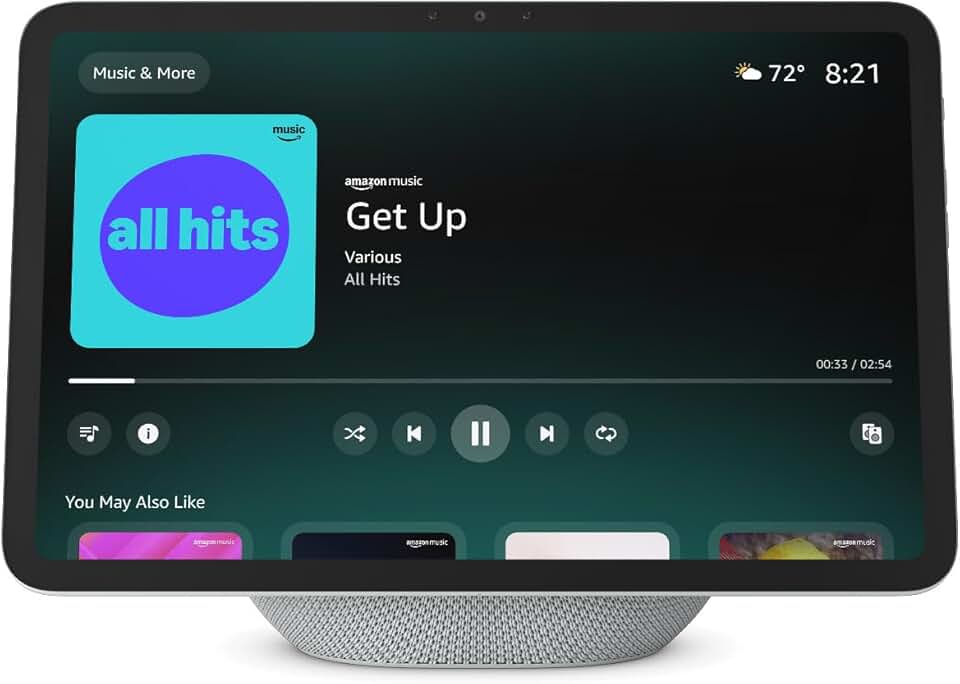
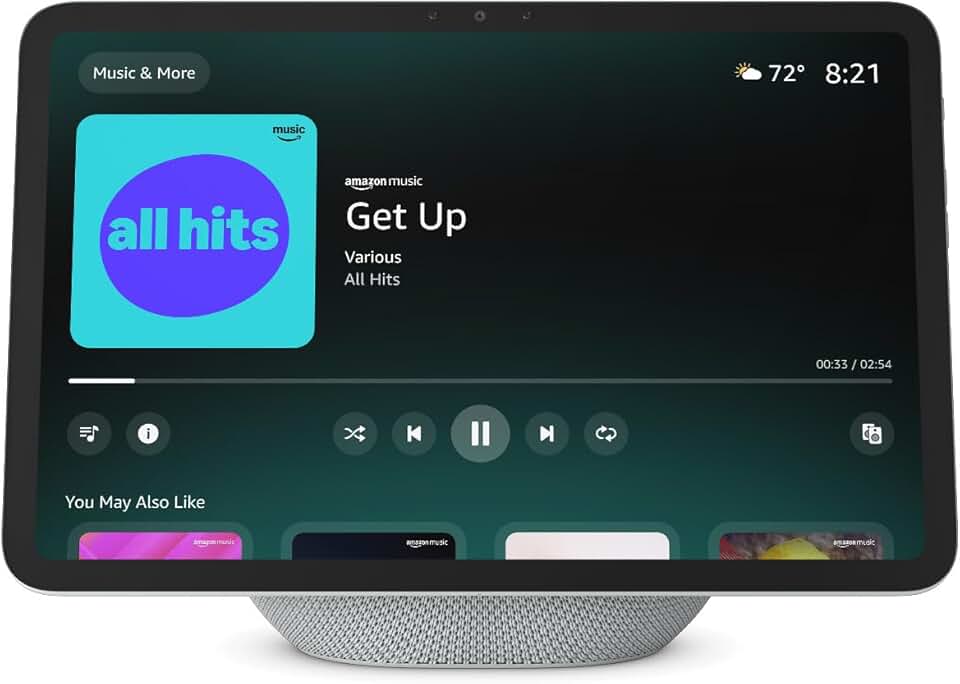 The Amazon Echo Show 11 combines a vibrant Full-HD 11" display with spatial audio for immersive interaction. Designed for Alexa, it offers a smooth hands-free experience for managing your smart home devices, watching videos, or video calling.
✓ Pros
- Large, vibrant display for clear visuals
- High-quality spatial audio enhances media and voice responses
- Seamlessly integrates with Alexa smart home ecosystem
- Compact design fits any room
✗ Cons
- Requires stable Wi-Fi for best performance
- Limited app support beyond Amazon services
The Amazon Echo Show 11 combines a vibrant Full-HD 11" display with spatial audio for immersive interaction. Designed for Alexa, it offers a smooth hands-free experience for managing your smart home devices, watching videos, or video calling.
✓ Pros
- Large, vibrant display for clear visuals
- High-quality spatial audio enhances media and voice responses
- Seamlessly integrates with Alexa smart home ecosystem
- Compact design fits any room
✗ Cons
- Requires stable Wi-Fi for best performance
- Limited app support beyond Amazon services
Govee Smart Light Bulbs, Color Changing Light Bulb, 4 Pack
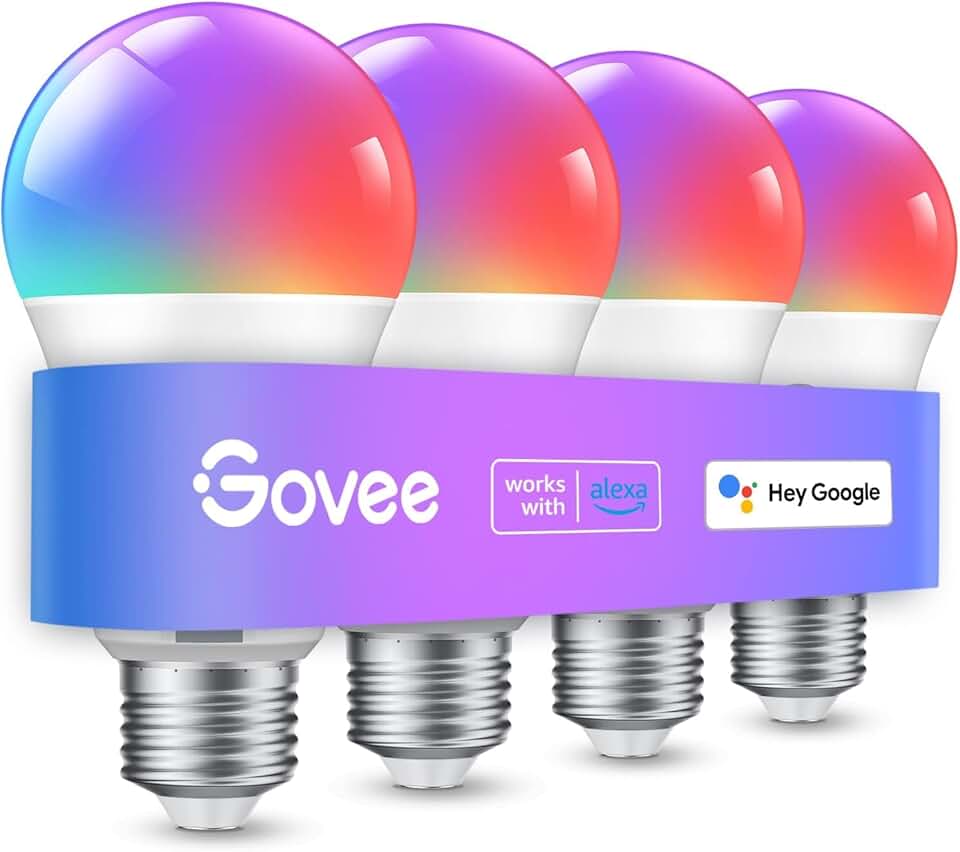 These Govee smart bulbs offer 16 million colors you can adjust via WiFi or Bluetooth, compatible with Alexa and Google Assistant. Their music sync feature adds dynamic lighting effects that enhance entertainment experiences.
✓ Pros
- Wide color spectrum for personalized ambiance
- Compatible with major voice assistants
- WiFi & Bluetooth dual connectivity
- Music sync feature for immersive lighting
✗ Cons
- Requires Govee app for full functionality
- Brightness may not be sufficient for all room sizes
These Govee smart bulbs offer 16 million colors you can adjust via WiFi or Bluetooth, compatible with Alexa and Google Assistant. Their music sync feature adds dynamic lighting effects that enhance entertainment experiences.
✓ Pros
- Wide color spectrum for personalized ambiance
- Compatible with major voice assistants
- WiFi & Bluetooth dual connectivity
- Music sync feature for immersive lighting
✗ Cons
- Requires Govee app for full functionality
- Brightness may not be sufficient for all room sizes
Amazon Echo Show 15 (newest model)
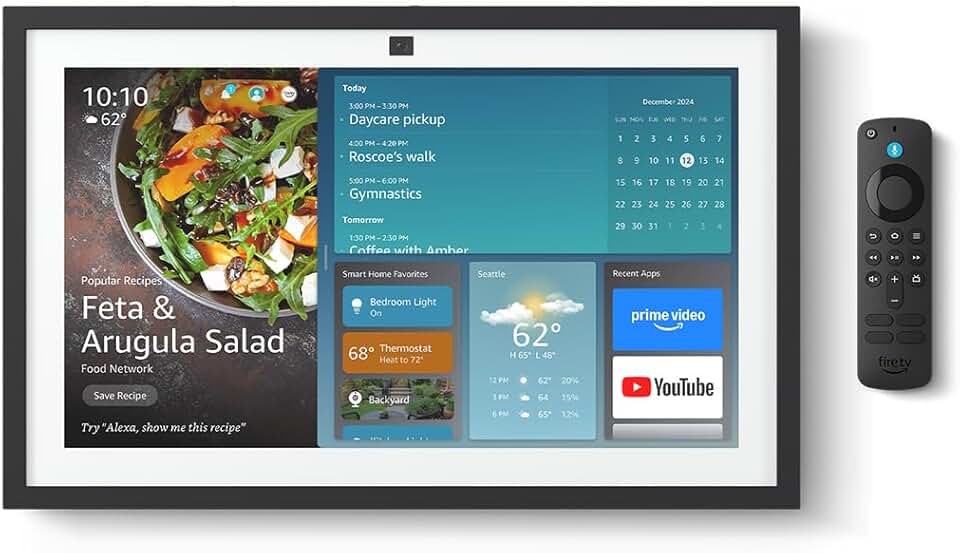 With a large Full HD 15.6" touchscreen designed as a kitchen hub, the Echo Show 15 organizes your home life with calendars, notes, and built-in Fire TV. Alexa+ integration provides voice control over your smart home network.
✓ Pros
- Large touchscreen ideal for family organization
- Built-in Fire TV for entertainment
- Compatible with Alexa smart home devices
- Stylish and eco-friendly design
✗ Cons
- Larger size may not fit all spaces
- Higher price point compared to smaller models
With a large Full HD 15.6" touchscreen designed as a kitchen hub, the Echo Show 15 organizes your home life with calendars, notes, and built-in Fire TV. Alexa+ integration provides voice control over your smart home network.
✓ Pros
- Large touchscreen ideal for family organization
- Built-in Fire TV for entertainment
- Compatible with Alexa smart home devices
- Stylish and eco-friendly design
✗ Cons
- Larger size may not fit all spaces
- Higher price point compared to smaller models
Govee RGBIC Floor Lamp Basic
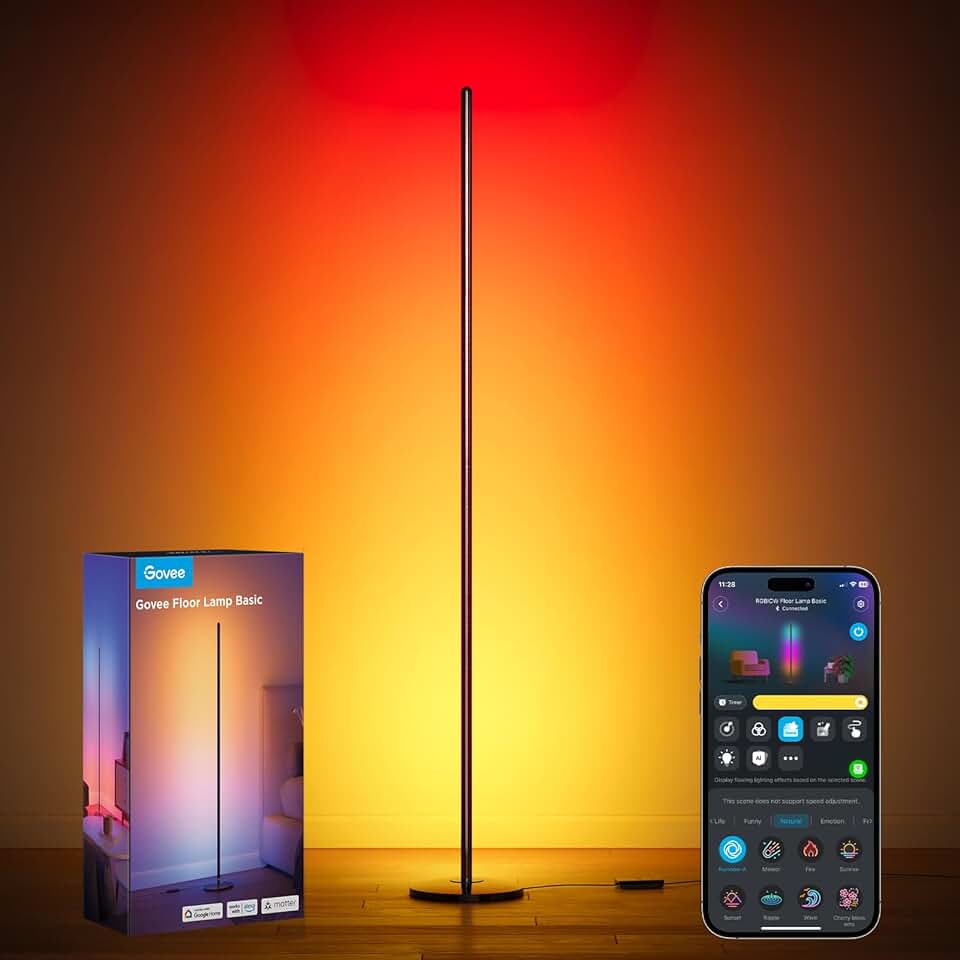 The Govee RGBIC Floor Lamp Basic features 16 million DIY colors and music sync, compatible with SmartThings, Alexa, and Matter. This modern standing lamp brightens any bedroom or living room while integrating with your smart home setup.
✓ Pros
- Supports multiple smart home platforms
- Vibrant, customizable lighting with music sync
- Modern design fits various decors
- 1000 lumens brightness for effective room lighting
✗ Cons
- Floor lamp footprint requires space
- Setup may be complex for beginners
The Govee RGBIC Floor Lamp Basic features 16 million DIY colors and music sync, compatible with SmartThings, Alexa, and Matter. This modern standing lamp brightens any bedroom or living room while integrating with your smart home setup.
✓ Pros
- Supports multiple smart home platforms
- Vibrant, customizable lighting with music sync
- Modern design fits various decors
- 1000 lumens brightness for effective room lighting
✗ Cons
- Floor lamp footprint requires space
- Setup may be complex for beginners
Common Mistakes to Avoid
- Ignoring Compatibility: Buying devices that don’t work together or with your preferred voice assistant can cause frustration. - Overlooking Security: Not setting up strong passwords or ignoring firmware updates can expose your network to risks. - Skipping Planning: Failing to map out what devices you need and where to place them can lead to clutter and inefficiency. - Neglecting Network Strength: Poor Wi-Fi coverage can cause devices to disconnect or lag. Consider a mesh network if needed. - Buying Too Many Gadgets at Once: Start small and expand gradually to avoid overwhelming complexity. Avoiding these pitfalls ensures a smooth, enjoyable smart home experience.Frequently Asked Questions
1. How difficult is it to set up a smart home for beginners?
Setting up a smart home is easier than ever with user-friendly apps and voice assistants. Start with a few devices like smart bulbs or speakers, follow step-by-step instructions, and expand gradually as you gain confidence.2. What are the essential devices for a basic smart home setup?
A smart speaker/display (like the Amazon Echo Show), smart bulbs, and smart plugs are great starting points. These devices cover lighting, voice control, and automation basics.3. Can I control my smart home devices remotely?
Yes, most smart home devices allow remote control via smartphone apps as long as your devices are connected to the internet.4. How secure are smart home devices?
Security varies by manufacturer, but using strong passwords, enabling two-factor authentication, and regularly updating device firmware can significantly protect your smart home.5. Will a smart home increase my electricity bill?
Smart homes often reduce energy use by automating lighting and climate controls, potentially lowering your bills despite the initial device power consumption.Get the Full Smart Home & Security Buyer's Guide
Download our detailed comparison with specs, scores, and our honest verdict — delivered straight to your inbox.
Free. No spam. Unsubscribe anytime.
Was this review helpful?
Be the first to share your feedback on this review.
Sign in to vote and let us know what you think.
Discussion (0)
No comments yet. Be the first to start the discussion.
Sign in to comment and join the discussion.
Keep Reading
Related Reviews
Smart Home & Security
8 Best Smart Home Devices in 2026 — Ultimate Convenience and Connectivity
Are you looking to upgrade your living space with the best smart home devices in 2026? Whether you want smarter lighting, intuitive assistants, or sleek displays, these picks offer seamless integration and cutting-edge features. We’ve tested the top Alexa-compatible and Matter-ready gadgets to help
7 min