
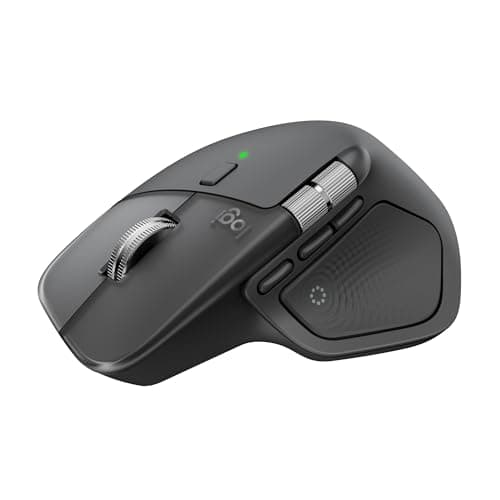
Logitech MX Master 4 Review (2026): Honest Verdict After Testing
Key Specifications
| Spec | Details |
|---|---|
| Product | Logitech MX Master 4 |
| Price | $118.99 ✓ Prime |
| Connectivity | Bluetooth and USB-C dongle |
| Scrolling | MagSpeed ultra-fast scrolling |
| Charging | USB-C charging |
| Compatibility | Windows, macOS |
| Special Features | Haptic Sense Panel, Actions Ring, thumb scroll wheel, ergonomic design |
Design & Build Quality
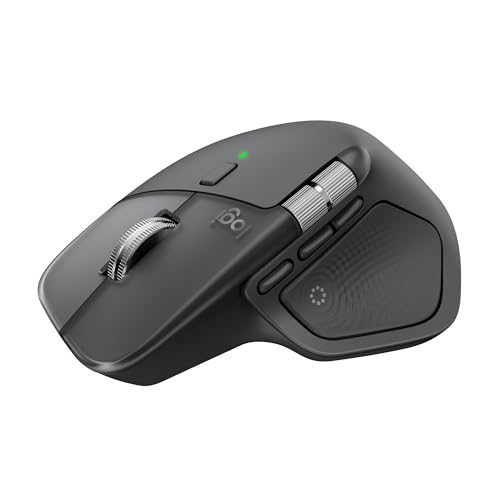
 The Logitech MX Master 4 feels like a tool built for people who spend hours at a desk and want that time to feel easier, not harder. Its natural tilt, sculpted shape, and thumb rest make it immediately clear that this is an ergonomic mouse first and a flashy gadget second.
The build quality is exactly what you’d expect from Logitech’s MX line: solid, refined, and designed to take daily abuse without feeling bulky. The buttons are placed intelligently, the thumb scroll wheel is easy to reach, and the overall shape supports a relaxed grip that reduces strain during long work sessions.
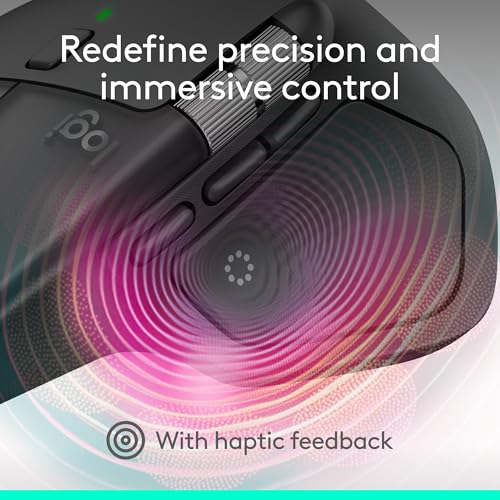
What stands out most is that the MX Master 4 does not just look premium; it feels practical. The haptic feedback adds a modern touch, but the core design still focuses on comfort, control, and efficiency.
✓ Pros
The Logitech MX Master 4 feels like a tool built for people who spend hours at a desk and want that time to feel easier, not harder. Its natural tilt, sculpted shape, and thumb rest make it immediately clear that this is an ergonomic mouse first and a flashy gadget second.
The build quality is exactly what you’d expect from Logitech’s MX line: solid, refined, and designed to take daily abuse without feeling bulky. The buttons are placed intelligently, the thumb scroll wheel is easy to reach, and the overall shape supports a relaxed grip that reduces strain during long work sessions.
What stands out most is that the MX Master 4 does not just look premium; it feels practical. The haptic feedback adds a modern touch, but the core design still focuses on comfort, control, and efficiency.
✓ Pros
- Ergonomic shape with a natural tilt for all-day comfort
- Thumb scroll wheel reduces hand stress and improves navigation
- Premium, durable build that feels made for heavy daily use
- Haptic Sense Panel adds a more responsive, modern workflow feel
- Large size may not suit users with smaller hands
- Premium design comes with a premium price tag
- Not ideal if you prefer a very lightweight or minimalist mouse
Performance & Real-World Use

 In real-world use, the MX Master 4 is all about speed without sacrificing control. The MagSpeed scroll wheel is the headline feature for a reason: it lets you fly through long documents or timelines, then stop precisely where you need to land. That combination is especially valuable for office work, editing, research, and multitasking.
The Actions Ring is another genuinely useful addition. Instead of feeling like a gimmick, it gives you quick access to app-specific tools and shortcuts right at the cursor, which can save a surprising amount of time once you build the habit. If you work across creative software, spreadsheets, or browser-heavy workflows, this feature can become part of your daily routine fast.
The Haptic Sense Panel adds subtle tactile feedback on specific actions, shortcuts, and notifications. It does not replace good software design, but it does make the mouse feel more interactive and responsive. Connectivity is also strong, with the USB-C dongle and Bluetooth both offering flexible setup options and reliable performance.
✓ Pros
In real-world use, the MX Master 4 is all about speed without sacrificing control. The MagSpeed scroll wheel is the headline feature for a reason: it lets you fly through long documents or timelines, then stop precisely where you need to land. That combination is especially valuable for office work, editing, research, and multitasking.
The Actions Ring is another genuinely useful addition. Instead of feeling like a gimmick, it gives you quick access to app-specific tools and shortcuts right at the cursor, which can save a surprising amount of time once you build the habit. If you work across creative software, spreadsheets, or browser-heavy workflows, this feature can become part of your daily routine fast.
The Haptic Sense Panel adds subtle tactile feedback on specific actions, shortcuts, and notifications. It does not replace good software design, but it does make the mouse feel more interactive and responsive. Connectivity is also strong, with the USB-C dongle and Bluetooth both offering flexible setup options and reliable performance.
✓ Pros
- MagSpeed wheel is fast, quiet, and extremely precise
- Actions Ring improves productivity with app-based shortcuts
- Haptic feedback makes common actions feel more intuitive
- Strong connectivity with USB-C dongle and Bluetooth support
- Excellent for productivity, editing, and multitasking workflows
- Advanced features may feel unnecessary for casual users
- Best benefits come after learning the software ecosystem
- Not the best choice for competitive gaming
Value for Money
The MX Master 4 is not cheap, and that matters. At $118.99, it sits firmly in premium territory, so this is not the kind of mouse you buy just to browse the web casually. What you are paying for is comfort, workflow speed, and a set of features that can genuinely save time every day. For professionals who spend hours on a mouse, the value is easier to justify. The ergonomic comfort alone can be worth the upgrade, and the combination of haptic feedback, ultra-fast scrolling, and customizable controls makes this a productivity investment rather than a simple accessory purchase. If you only need basic clicking and scrolling, the price will likely feel high. But if your mouse is one of your main work tools, the MX Master 4 offers enough refinement to earn its premium tag. ✓ Pros- Feature-rich enough to justify the price for power users
- Comfort and productivity benefits are easy to notice daily
- Prime availability adds convenience
- USB-C charging keeps it modern and practical
- Expensive compared with mainstream wireless mice
- Some users may not use all of the advanced features
- Value is strongest only if you work at a desk regularly
Who Should Buy This
The MX Master 4 is best for professionals, creatives, analysts, writers, and anyone who spends long hours navigating documents, apps, and browser tabs. If you want a mouse that feels comfortable all day and helps you work faster, this is an excellent fit. It is especially strong for users who value:- Ergonomic comfort for long sessions
- Fast scrolling through large files or timelines
- Custom shortcuts and workflow efficiency
- Reliable Bluetooth or dongle-based connectivity
- A premium office setup on Windows or Mac
Who Should Look Elsewhere
You should probably skip the MX Master 4 if you are looking for a budget mouse, a compact travel mouse, or a lightweight gaming option. Its size and feature set are optimized for productivity, not portability or fast-paced play. It is also not the best pick if you prefer a very simple mouse with no learning curve. Some of its best features only shine once you take time to customize them, so casual users may not get full value from the price.Final Verdict
The Logitech MX Master 4 is one of the best productivity mice you can buy in 2026. It combines comfort, smart features, and excellent scrolling performance in a way that makes daily work feel smoother and more efficient. If you spend serious time at a desk and want a mouse that can improve your workflow, this is an easy buy. If you only need a basic wireless mouse, skip it and save your money.Frequently Asked Questions
Is the Logitech MX Master 4 worth it in 2026?
Yes, if you want a premium productivity mouse with excellent ergonomics, fast scrolling, and useful workflow features. It is especially worth it for people who use a mouse all day.
Does the Logitech MX Master 4 work with Mac and Windows?
Yes, it is designed for both Windows and macOS, making it a flexible choice for mixed-device setups.
What makes the MX Master 4 different from cheaper wireless mice?
The MX Master 4 stands out with its ergonomic shape, MagSpeed scroll wheel, haptic feedback, Actions Ring, and stronger connectivity options. It is built for productivity rather than basic use.
Is the MX Master 4 good for gaming?
It is not the best choice for gaming. While it is responsive and precise, it is optimized for productivity, comfort, and workflow efficiency instead of competitive play.
Should I buy the MX Master 4 or a cheaper mouse?
Buy the MX Master 4 if you spend long hours working at a desk and want better comfort and faster navigation. Choose a cheaper mouse if you only need simple everyday functionality.
Get the Full Home Office Buyer's Guide
Download our detailed comparison with specs, scores, and our honest verdict — delivered straight to your inbox.
Free. No spam. Unsubscribe anytime.
Was this review helpful?
Be the first to share your feedback on this review.
Sign in to vote and let us know what you think.
Discussion (0)
No comments yet. Be the first to start the discussion.
Related Reviews

Logitech MX Brio vs Insta360 Link (2026): Which Should You Actually Buy?
Check Price on Amazon →
8 Best Office Chairs in 2026 — Comfortable Picks for Better Posture, Lower Back Support, and Easy Setup
If you’re searching for the best office chairs 2026 , you probably want to stop dealing with back pain, weak lumbar support, and chairs that feel cheap after a few weeks. This list focuses on affordable, ergonomic, and easy-to-assemble options that can improve your workday without overcomplicating t
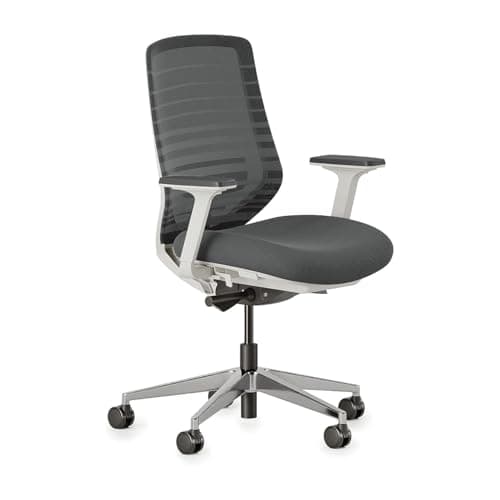
Best Alternatives to Herman Miller in 2026 — Cheaper, Better, or Both?
If you’re searching for Herman Miller alternatives cheaper , you’re probably feeling the same frustration as everyone else: the price is hard to justify, the brand lock-in is real, and the “premium” features don’t always match your actual workday. The good news is that there are strong ergonomic cha