

What is Zigbee vs Z-Wave vs Matter? A Complete 2026 Guide
If you’re trying to build a smart home, the biggest frustration is figuring out why one device works with your hub while another refuses to connect. Zigbee vs Z-Wave vs Matter is the comparison that clears up which protocol is best for speed, compatibility, reliability, and future-proofing. This guide explains the differences in plain English so you can choose the right hub and avoid buying the wrong ecosystem.
Related Reviews
At a high level, Zigbee, Z-Wave, and Matter are smart home communication standards that let devices talk to each other and to your hub or controller. Zigbee and Z-Wave are mature mesh-network protocols that have powered smart homes for years, while Matter is the newer cross-brand standard designed to simplify compatibility across ecosystems. In practice, the best choice depends on whether you want the widest device selection, the most reliable local control, or the easiest setup across brands.
How It Works
Think of these protocols as different “languages” your smart devices use to communicate. A hub, controller, or border router acts like a translator and traffic manager, helping lights, sensors, locks, thermostats, and switches send commands without needing to rely entirely on a cloud server.
Zigbee
Zigbee is a low-power mesh network protocol. Devices can pass messages to one another, which helps extend range as you add more powered devices like plugs, switches, and bulbs. It is widely used for lighting, sensors, and simple home automation because it is efficient and fast.
Z-Wave
Z-Wave also uses a mesh network, but it operates on a different radio frequency than Zigbee, which helps reduce interference with Wi-Fi in many homes. It is often praised for strong reliability, especially in security-focused setups like locks, sensors, and home monitoring. Its ecosystem is smaller than Zigbee’s, but compatibility is usually very consistent.
Matter
Matter is not a radio like Zigbee or Z-Wave; it is a newer smart home standard that focuses on interoperability. Matter devices can communicate over underlying networks such as Wi-Fi or Thread, and the goal is to make setup and cross-platform control much simpler. In short, Matter is designed to reduce brand lock-in and make devices easier to use across Apple, Google, Amazon, and other ecosystems.
In real-world terms, you may still need a hub to bridge older Zigbee or Z-Wave devices, while Matter can often simplify the “works with everything” problem for newer products. That’s why many modern hubs now support multiple protocols at once.
Key Benefits & Use Cases
Why people choose Zigbee
- Excellent for smart lighting, switches, plugs, and sensors.
- Low power use makes it ideal for battery-powered devices.
- Mesh networking helps expand coverage as you add devices.
Why people choose Z-Wave
- Strong reputation for reliability and stable home automation.
- Often preferred for locks, sensors, and security-oriented setups.
- Less likely to compete with Wi-Fi because it uses a different band.
Why people choose Matter
- Designed for easier setup and broader cross-brand compatibility.
- Useful if you want one smart home that works across multiple ecosystems.
- Future-friendly choice for new purchases as support continues to expand.
Common use cases include whole-home lighting, motion-triggered routines, door and window sensors, smart locks, climate control, and automations that run locally even when the internet goes down. If your goal is a stable, mixed-brand smart home, a multi-protocol hub is usually the smartest path.
What to Look For When Buying
1) Protocol support
Make sure the hub or controller supports the devices you already own or plan to buy. If you have older Zigbee or Z-Wave devices, don’t choose a Matter-only setup unless you’re ready to replace them.
2) Local control
Local automation means routines can still work even if your internet drops. This is one of the biggest advantages for reliability, speed, and privacy.
3) Ecosystem compatibility
Check whether the hub works with Alexa, Google Home, Apple HomeKit, SmartThings, Home Assistant, or other platforms you use. The best hub is the one that fits your existing smart home ecosystem.
4) Range and mesh strength
For larger homes, mesh support matters. More repeaters, powered devices, or border-router support can improve coverage and reduce dead zones.
5) Setup and expandability
Look for easy onboarding, app support, and the ability to add more devices later. If you plan to grow your smart home, a hub with broad compatibility and ongoing updates is a better long-term buy.
Top Recommended Products
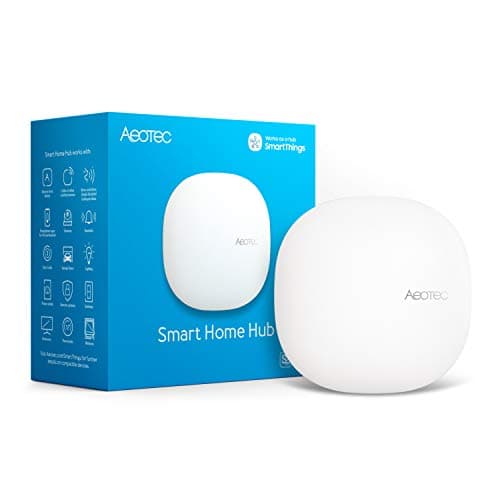
Aeotec Smart Home Hub 4.7★ (reviews not provided) ✓ Prime
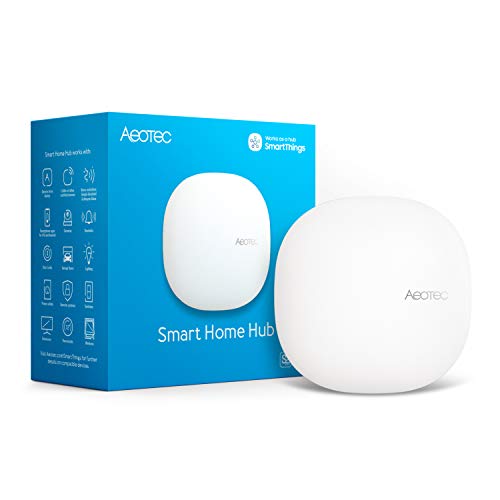


This is a strong all-around choice if you want one hub that bridges multiple smart home standards. It supports Z-Wave, Zigbee, Matter, Wi-Fi, and major voice assistants, making it a practical pick for mixed-device homes.
- ✓ Connects thousands of compatible devices across leading brands
- ✓ Supports automations that can run locally for better speed and reliability
- ✓ Works with the SmartThings app on Android and iOS
- ✓ Easy setup with Wi-Fi or Ethernet
- ✓ Certified for Matter, SmartThings, Z-Wave Plus, Zigbee, Wi-Fi, Google Home, and Alexa
- ✗ Designed for North America only
- ✗ Z-Wave Plus support is limited to the V3 model
Hubitat Elevation C-8 Pro Smart Home Hub 4.7★ (reviews not provided) ✓ Prime
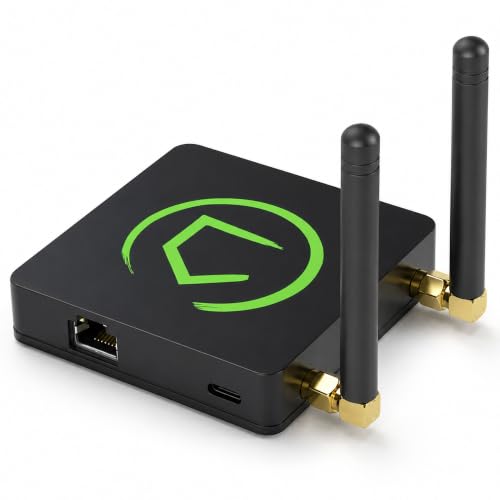


If local control is your top priority, this hub stands out. It runs automations inside your home, which means faster responses, better privacy, and continued operation during internet outages.
- ✓ Local automations run without depending on remote servers
- ✓ Supports Matter 1.5, Z-Wave 800, Zigbee 3.0, Bluetooth, and Wi-Fi
- ✓ Works with 1,000+ devices across 100+ brands
- ✓ No subscription required
- ✓ Good for both beginners and advanced users
- ✗ Can feel more advanced than simpler plug-and-play hubs
- ✗ Best suited to users who want deeper automation control
Aeotec Smart Home Hub2 4.7★ (reviews not provided) ✓ Prime
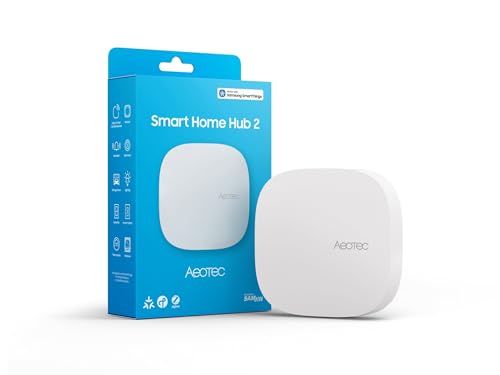


This is a good fit if you want Zigbee and Matter support without paying for Z-Wave capability you may never use. It’s also a straightforward SmartThings-based option for users building a simpler modern smart home.
- ✓ Supports Matter plus Zigbee for thousands of compatible devices
- ✓ Easy setup with Wi-Fi or Ethernet
- ✓ Many local automations continue working if the internet goes offline
- ✓ Wide compatibility with brands like Aeotec and others
- ✓ Lower price than more feature-heavy hubs
- ✗ Z-Wave not supported
- ✗ Less ideal if you already own Z-Wave devices
Aqara Smart Home Hub M3 4.7★ (reviews not provided) ✓ Prime
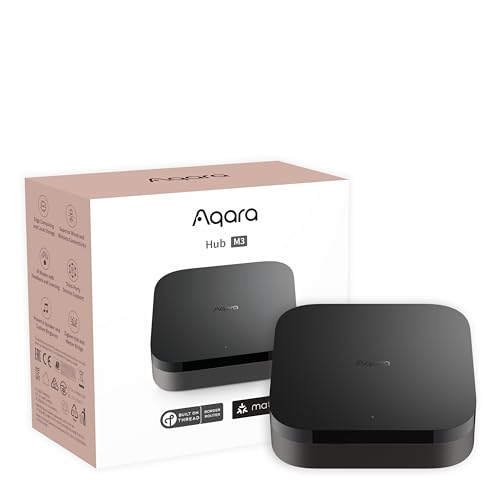


The M3 is a flexible, privacy-focused hub for users who want advanced automation and broad ecosystem support. It adds Matter controller and Thread border router functionality, making it especially appealing for future-ready smart homes.
- ✓ Supports Aqara Zigbee and Thread devices
- ✓ Edge hub design prioritizes local control and automation
- ✓ Includes Matter bridge functionality for ecosystem integration
- ✓ Offers Wi-Fi, PoE, and USB-C power flexibility
- ✓ Privacy-focused with encrypted local storage and no camera or microphone
- ✗ Zigbee support is for Aqara devices, not third-party Zigbee devices
- ✗ Some cloud-based notifications still require internet
Common Mistakes to Avoid
- Buying the wrong protocol for your existing devices: If you already own Z-Wave sensors or locks, a Matter-only hub may leave them unusable.
- Assuming Matter replaces everything: Matter is growing fast, but it does not automatically make all older devices compatible.
- Ignoring local control: Cloud-only setups can be slower and may fail when the internet goes down.
- Overlooking ecosystem support: A hub may support a protocol but still not fit your preferred app or voice assistant.
- Not checking device compatibility lists: Smart home standards are broad, but individual device support can still vary by brand and model.
Frequently Asked Questions
Is Zigbee better than Z-Wave?
Neither is universally better. Zigbee usually offers a larger device selection, while Z-Wave is often valued for reliability and less Wi-Fi interference.
Is Matter replacing Zigbee and Z-Wave?
Not immediately. Matter is becoming the preferred standard for new devices, but Zigbee and Z-Wave are still widely used and supported by many hubs.
Do I need a hub for Matter?
Sometimes yes, sometimes no. Many Matter devices can work with compatible controllers, but a hub or border router is often needed for setup, automation, or Thread-based devices.
Which is best for a beginner?
If you want the simplest cross-brand experience, Matter is the easiest starting point. If you already own older devices, a multi-protocol hub that supports Zigbee and Z-Wave is usually better.
Can one hub support Zigbee, Z-Wave, and Matter?
Yes. Many modern hubs, including the ones above, support multiple protocols so you can manage older and newer devices in one system.
Cons
- – Designed for North America only
- – Z-Wave Plus support is limited to the V3 model
- – Can feel more advanced than simpler plug-and-play hubs
- – Best suited to users who want deeper automation control
- – Z-Wave not supported
- – Less ideal if you already own Z-Wave devices
- – Zigbee support is for Aqara devices, not third-party Zigbee devices
- – Some cloud-based notifications still require internet
Frequently asked questions
- Is Zigbee better than Z-Wave?
- Neither is universally better. Zigbee usually offers a larger device selection, while Z-Wave is often valued for reliability and less Wi-Fi interference. Is Matter replacing Zigbee and Z-Wave?
- Is Matter replacing Zigbee and Z-Wave?
- Not immediately. Matter is becoming the preferred standard for new devices, but Zigbee and Z-Wave are still widely used and supported by many hubs. Do I need a hub for Matter?
- Do I need a hub for Matter?
- Sometimes yes, sometimes no. Many Matter devices can work with compatible controllers, but a hub or border router is often needed for setup, automation, or Thread-based devices. Which is best for a beginner?
- Which is best for a beginner?
- If you want the simplest cross-brand experience, Matter is the easiest starting point. If you already own older devices, a multi-protocol hub that supports Zigbee and Z-Wave is usually better. Can one hub support Zigbee, Z-Wave, and Matter?
- Can one hub support Zigbee, Z-Wave, and Matter?
- Yes. Many modern hubs, including the ones above, support multiple protocols so you can manage older and newer devices in one system.
Get the Full Home Buyer's Guide
Join our free newsletter — we'll send our latest Home picks, specs and verdicts straight to your inbox.
Free. No spam. Unsubscribe anytime.
Was this review helpful?
Be the first to share your feedback on this review.
Sign in to vote and let us know what you think.
Discussion (0)
No comments yet. Be the first to start the discussion.
Related Reviews
2 Best Smart Sprinkler Controllers in 2026 — Smarter Watering, Lower Bills
If your lawn is getting overwatered, underwatered, or just plain neglected because your old timer is hard to manage, a smart sprinkler controller can fix that fast. The best smart sprinkler controllers make it easier to schedule watering, adjust for weather, and control zones from your phone. In thi
What is How Much Does a Smart Home Cost? A Complete 2026 Guide
If you’re trying to figure out how much does a smart home cost , the biggest challenge is that prices can range from a few basic devices to a fully automated setup that feels like a luxury upgrade. The good news is that you do not need to buy everything at once, and the total cost depends heavily on
3 Best Smart Leak Detectors in 2026 — Faster Alerts, Better Whole-Home Protection
If you’re worried about a hidden leak turning into expensive water damage, the right smart leak detector can give you time to act before the mess spreads. The best leak detectors smart shoppers are comparing in 2026 balance fast alerts, easy placement, and reliable app notifications without forcing