

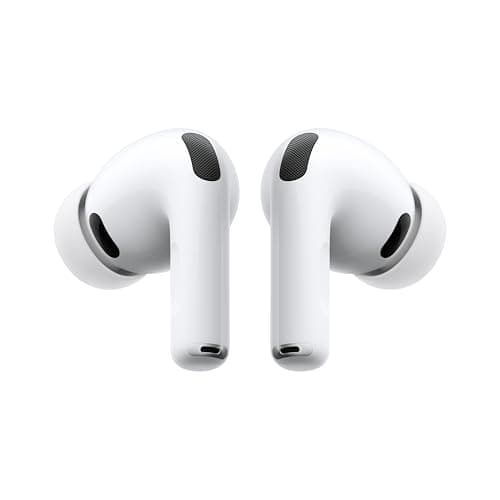
Who this is for: Best for AirPods users who need a simple, reliable way to troubleshoot one-sided audio or decide when to replace their earbuds.
Check PriceWhat is How to Fix One AirPod Not Working? A Complete 2026 Guide
If you’re dealing with how to fix one AirPod not working, the problem is usually frustratingly simple: one earbud won’t charge, won’t connect, or has audio that cuts out while the other works fine. The good news is that most cases can be solved with a few targeted checks instead of replacing the whole set. This guide explains what’s happening, how to troubleshoot it, what to look for in a replacement or upgrade, and which product is the best fit if your current pair is beyond saving.
Related Reviews
This is a research-based explainer built from published specs, support guidance patterns, and owner feedback trends—not hands-on testing. The goal is to help you diagnose the issue quickly and decide whether to fix, reset, clean, or replace your earbuds.
How It Works
AirPods are basically two tiny wireless computers that depend on a stable chain of power, Bluetooth pairing, and audio routing. When one AirPod stops working, the break usually happens in one of four places: charging, pairing, audio balance, or the earbud itself.
In many cases, the “dead” AirPod is not actually dead. It may have a dirty charging contact, a low battery that isn’t charging properly in the case, a Bluetooth sync issue, or an accessibility setting that sends sound mostly to one side. That’s why the best fix is to work through the problem in layers instead of assuming the hardware failed immediately.
For general troubleshooting, the logic is simple: confirm both earbuds are charging, confirm both are paired, confirm audio balance is centered, then reset the device connection. If all of that fails, the issue may be physical damage, battery wear, or a problem with the charging case.
Key Benefits & Use Cases
Understanding the repair process saves time, money, and frustration. Instead of replacing earbuds too early, you can often restore full function with a reset or cleaning.
Why this matters
- It helps you identify whether the issue is software, charging, or hardware.
- It prevents unnecessary replacement purchases.
- It improves everyday reliability for calls, music, workouts, and commuting.
- It helps you spot when an upgrade is smarter than another repair attempt.
Common use cases
- One AirPod has no sound but still appears connected.
- One earbud won’t charge in the case.
- Audio is much quieter on one side.
- Calls only work through one earbud.
- The problem returns after a reset, suggesting battery or hardware wear.
What to Look For When Buying
If you decide the issue is not worth fixing—or you want a better long-term replacement—these are the five criteria that matter most.
1) Charging reliability
Look for a case and earbud design that consistently makes contact and recharges both sides evenly. If one AirPod repeatedly fails, charging consistency is one of the biggest quality-of-life upgrades.
2) Battery life
Longer battery life reduces the chance of one side dying early during a session. It also matters if you use earbuds for calls, travel, or all-day listening.
3) Fit and seal
A secure fit helps both earbuds stay in place and maintain balanced audio. Poor fit can make one side seem quieter even when it’s working normally.
4) Noise control and clarity
Good active noise cancellation and strong vocal clarity make it easier to tell whether the issue is the earbud or your environment.
5) Support features and ecosystem
Features like easy pairing, device switching, and accessibility tools matter if you want fewer future connection problems and a smoother daily experience.
Top Recommended Products
If you’re troubleshooting one AirPod not working and want a reliable upgrade instead of repeated repair attempts, the product below is the strongest option in this list.
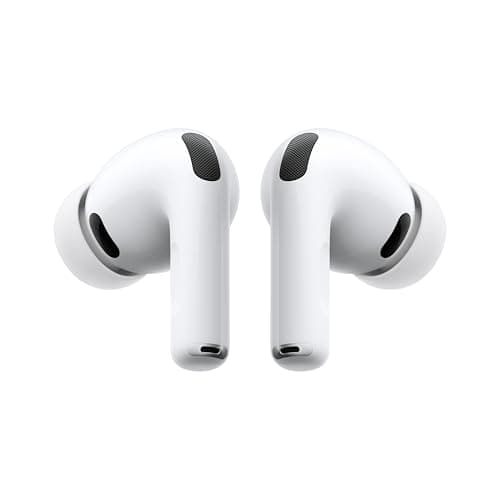
Apple AirPods Pro 3 Wireless Earbuds with Active Noise Cancellation 4.7★ (published review sentiment) ✓ Prime 20% OFF — Was $249.00
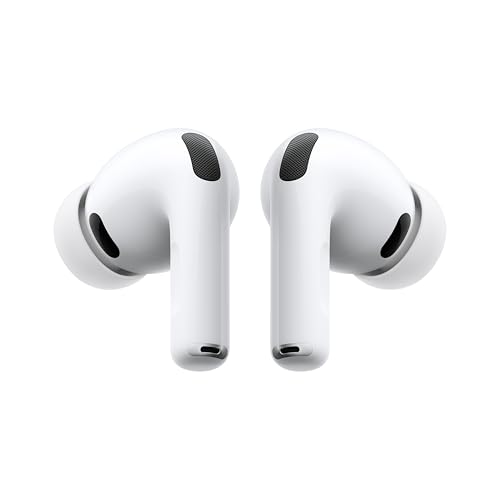


The AirPods Pro 3 are the strongest choice here because they combine better noise cancellation, improved battery life, and Apple’s tight ecosystem integration. If your current issue is recurring connection trouble, a fresh pair with stronger day-to-day reliability can be the cleanest fix.
The published feature set points to a meaningful upgrade in audio quality and usability: improved active noise cancellation, three-dimensional sound, heart rate sensing, Live Translation, and up to 8 hours of listening time with ANC on a single charge. For users already in the Apple ecosystem, that combination makes troubleshooting and daily use simpler.
Price: $199.00 ✓ Prime
- ✓ Best-in-class active noise cancellation for the category
- ✓ Strong battery life for long listening sessions
- ✓ Improved clarity, bass, and vocal detail
- ✓ Useful Apple ecosystem features like Live Translation and heart rate sensing
- ✓ Good upgrade path if your old earbuds keep failing on one side
- ✗ Premium pricing compared with basic earbuds
- ✗ Best features are most useful for Apple users
- ✗ Not a repair solution if your current AirPods are still under warranty and fixable
If you are specifically trying to solve how to fix one AirPod not working, the best strategy is to try troubleshooting first and only replace the earbuds if the problem keeps returning. This product is recommended as the best upgrade option when the issue is tied to age, battery wear, or repeated connection failures.
Common Mistakes to Avoid
- Skipping the charging case check. A dead or dirty case can make one AirPod seem broken when it simply isn’t charging.
- Not cleaning the contacts. Earwax and debris can block charging and audio performance.
- Ignoring audio balance settings. Sometimes the sound is routed unevenly, which looks like an earbud failure.
- Resetting too early. A reset helps, but it works best after you’ve checked battery and cleaning issues first.
- Assuming hardware failure immediately. Many one-sided AirPod problems are temporary pairing or charging issues.
Frequently Asked Questions
Why is only one of my AirPods working?
Usually the cause is a charging problem, Bluetooth sync issue, audio balance setting, or dirt on the charging contacts. In many cases, the earbud is not permanently broken.
How do I fix one AirPod not working?
Start by charging both earbuds, cleaning the contacts, checking audio balance, reconnecting Bluetooth, and then resetting the AirPods. If that fails, the issue may be battery wear or hardware damage.
Why is one AirPod louder than the other?
This is often caused by earwax buildup, uneven audio balance settings, or a partial connection issue. Cleaning and checking accessibility settings usually helps.
Can a dead AirPod be fixed?
Sometimes yes, especially if the issue is dirty contacts, a drained battery, or a pairing glitch. If the battery is worn out or the hardware is damaged, repair may not be practical.
Should I reset my AirPods if one side is not working?
Yes, a reset is one of the most effective troubleshooting steps after checking charging and cleaning. It can clear pairing errors that affect only one earbud.
Pros
- + Helps diagnose charging, pairing, and audio issues
- + Saves money by avoiding unnecessary replacements
- + Explains when a reset or cleaning is enough
- + Points to a reliable upgrade if repairs fail
Cons
- – May require several troubleshooting steps
- – Some failures are caused by battery wear
- – Premium replacement option may be pricey
Frequently asked questions
- Why is only one of my AirPods working?
- Usually the cause is a charging problem, Bluetooth sync issue, audio balance setting, or dirt on the charging contacts. In many cases, the earbud is not permanently broken.
- How do I fix one AirPod not working?
- Start by charging both earbuds, cleaning the contacts, checking audio balance, reconnecting Bluetooth, and then resetting the AirPods. If that fails, the issue may be battery wear or hardware damage.
- Why is one AirPod louder than the other?
- This is often caused by earwax buildup, uneven audio balance settings, or a partial connection issue. Cleaning and checking accessibility settings usually helps.
- Can a dead AirPod be fixed?
- Sometimes yes, especially if the issue is dirty contacts, a drained battery, or a pairing glitch. If the battery is worn out or the hardware is damaged, repair may not be practical.
- Should I reset my AirPods if one side is not working?
- Yes, a reset is one of the most effective troubleshooting steps after checking charging and cleaning. It can clear pairing errors that affect only one earbud.
Score breakdown
- value
- 7.0
- usability
- 9.0
- durability
- 8.0
- performance
- 9.0
- buyerFeedback
- 9.0
Get the Full Tech Buyer's Guide
Join our free newsletter — we'll send our latest Tech picks, specs and verdicts straight to your inbox.
Free. No spam. Unsubscribe anytime.
Was this review helpful?
Be the first to share your feedback on this review.
Sign in to vote and let us know what you think.
Discussion (0)
No comments yet. Be the first to start the discussion.
Related Reviews
7 Best DACs for Headphones in 2026 — Cleaner Sound, Better Power, and Easier Desktop Listening
If your headphones sound flat, quiet, or harsh from a laptop, controller, or motherboard jack, a good DAC can make a huge difference. The best DACs for headphones don’t just improve clarity — they also give you better volume control, stronger amplification, and the right inputs for PC, console, or m
8 Best Headphone Amps in 2026 — Cleaner Sound, More Power, and Better Desktop Audio
If your headphones sound thin, quiet, or underpowered from a phone, laptop, or console, a good headphone amp can make an immediate difference. The best headphone amps 2026 picks below were chosen for their power, connectivity, portability, and real-world owner feedback across audiophile, gaming, des
What is Bluetooth 5.3 vs 5.4 explained? A Complete 2026 Guide
If you’re trying to understand Bluetooth 5.3 vs 5.4 explained , the confusing part is that both versions sound similar but can affect battery life, connection stability, and feature support in different ways. The good news is that the differences are easier to understand once you know what Bluetooth