

What is how much VRAM do I need? A Complete 2026 Guide
If you’re trying to figure out how much VRAM do I need, the answer can feel confusing fast. One guide says 8GB is enough, another says 12GB is the minimum, and gaming forums swear you need 16GB or even 24GB. This guide breaks it all down in plain English so you can match VRAM to your real-world needs without overpaying.
Related Reviews
VRAM, or video memory, is the memory on your graphics card that stores textures, frames, shaders, and other visual data. The amount you need depends on what you do: light gaming, competitive esports, 1440p or 4K gaming, creative work, or AI-related tasks. In 2026, the right choice usually comes down to 8GB, 12GB, 16GB, or 24GB based on resolution, settings, and future-proofing.
In simple terms, more VRAM gives your GPU more room to handle larger textures and heavier workloads smoothly. Too little VRAM can cause stuttering, texture pop-in, lower settings, or performance drops even when the GPU itself is powerful. Too much VRAM is usually unnecessary unless you’re gaming at high resolutions, using demanding mods, or doing professional content creation.
How It Works
VRAM is a dedicated memory pool built into your graphics card, separate from your system RAM. When a game or app needs to draw something on screen, it loads the data it needs into VRAM so the GPU can access it quickly. That data can include textures, lighting information, shadow maps, frame buffers, and geometry.
Think of VRAM like a workbench for your graphics card. A bigger workbench lets the GPU keep more things ready at once, which matters more as games and software become more detailed. If the workbench is too small, the GPU has to constantly shuffle data back and forth, which slows things down.
This is why VRAM needs rise with resolution. At 1080p, 8GB can still be enough for many games, but at 1440p, 12GB or 16GB becomes more comfortable. At 4K, heavy texture packs, ray tracing, and future titles can push you toward 16GB or even 24GB.
Key Benefits & Use Cases
1. Gaming at different resolutions
For 1080p gaming, 8GB is often acceptable for esports and many mainstream titles. For 1440p gaming, 12GB is the safer baseline, and 16GB gives you more room for ultra textures and newer releases. For 4K gaming, 16GB is the practical sweet spot for many users, while 24GB is ideal for the most demanding setups.
2. Better performance with high textures and mods
Games with ultra texture packs, large open worlds, and heavy modding can use far more VRAM than their base settings suggest. If you like modded Skyrim, heavily customized Minecraft, or modern open-world games on ultra settings, extra VRAM helps prevent stutter and texture swapping.
3. Creative work and content production
Video editing, 3D rendering, and AI-assisted workflows can be VRAM-hungry. More VRAM helps when working with large timelines, high-resolution footage, complex effects, or multiple assets loaded at once. If your workflow is professional or semi-professional, 16GB and above is often the smarter target.
4. Longer useful life
VRAM demands tend to rise over time as games get more detailed. Buying slightly more than you need today can help your GPU stay relevant longer, especially if you plan to keep it for several years. That’s one reason many buyers now skip 8GB unless they know their use case is light.
5. Smoother experience in memory-heavy scenarios
When you have enough VRAM, your GPU can maintain more stable frame delivery. That doesn’t always mean a higher peak FPS number, but it often means fewer dips, less hitching, and better consistency. For many players, that consistency matters more than the highest benchmark score.
What to Look For When Buying
1. Your target resolution
Resolution is one of the biggest factors in VRAM needs. 1080p usually works with 8GB for many games, 1440p is more comfortable with 12GB to 16GB, and 4K often benefits from 16GB or more. If you plan to upgrade your monitor soon, buy for the higher resolution now.
2. The type of games or apps you use
Competitive games like esports titles generally need less VRAM than open-world AAA games with ultra textures. Creative tools, AI workloads, and 3D applications can also consume much more memory than casual gaming. Match the GPU to your actual software, not just the advertised spec sheet.
3. Texture quality and ray tracing
Ultra textures, high-resolution packs, and ray tracing can increase VRAM usage significantly. If you want to keep settings high without compromise, 12GB may be a minimum and 16GB is often the better long-term choice. For heavy ray tracing and 4K, more VRAM can reduce bottlenecks.
4. Future-proofing
Buying based only on today’s minimum requirements can leave you short later. A card with more VRAM may cost a bit more, but it can age better as games become more demanding. If you keep GPUs for 3 to 5 years, extra headroom is often worth it.
5. Price-to-performance balance
VRAM matters, but it’s not the only thing that determines GPU value. You still want a card with enough raw performance, cooling, and power efficiency for your needs. The best purchase is the one that balances memory capacity with the rest of the card’s capabilities.
Top Recommended Products
If you’re shopping for a GPU while deciding how much VRAM do I need, these current options are worth a look. All of them offer 16GB of GDDR6, which is a strong starting point for modern gaming and more demanding workloads.
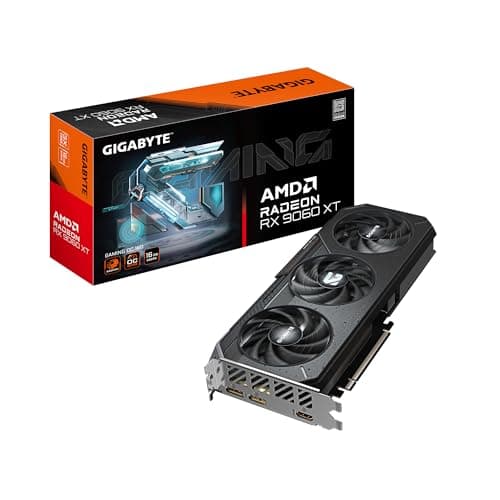
GIGABYTE Radeon RX 9060 XT Gaming OC 16G $459.99 ✓ Prime
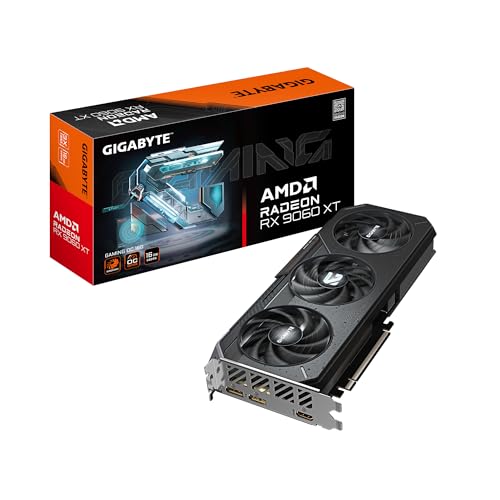

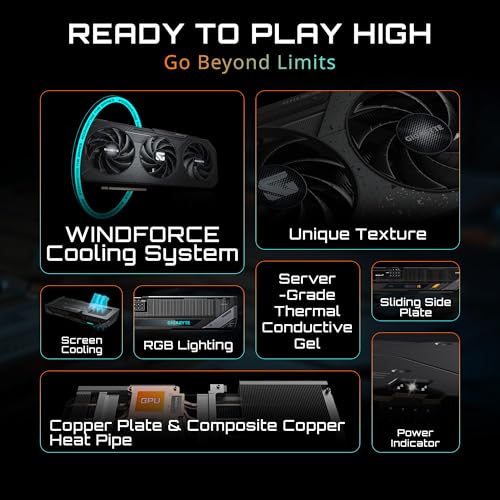
This card is built around the Radeon RX 9060 XT and pairs 16GB of GDDR6 with WINDFORCE cooling, a Hawk Fan, and server-grade thermal conductive gel. The RGB lighting also gives it a more premium look for windowed builds.
✓ Pros
- 16GB GDDR6 is a strong fit for 1440p and many 4K-ready setups
- WINDFORCE Cooling System helps keep temperatures under control
- Hawk Fan design is aimed at efficient airflow
- Server-grade thermal conductive gel supports reliable heat transfer
- RGB lighting adds style for custom builds
✗ Cons
- Higher price than some 16GB alternatives
- May be more GPU than casual 1080p users need
ASUS Dual Radeon RX 9060 XT 16GB GDDR6 Graphics Card 4.0★ (price shown: $448.41) 8% OFF — Was $489.99 ✓ Prime
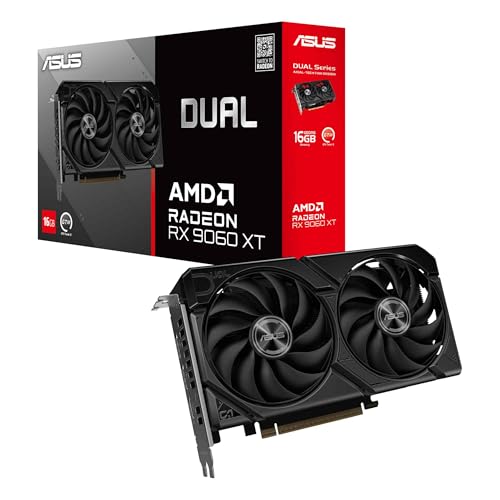


This model combines 16GB of GDDR6 with a 2.5-slot design, Axial-tech fans, 0dB technology, and a Dual BIOS switch. It is a good pick if you want a quieter card and a more flexible fit in a wide range of cases.
✓ Pros
- 16GB VRAM is well suited to modern gaming needs
- 0dB technology can keep things quiet during light gaming
- 2.5-slot design improves build compatibility
- Dual BIOS gives you Quiet and Performance options
- Dual ball fan bearings are built for longer life
✗ Cons
- Still overkill for basic 1080p gaming
- May run pricier than entry-level cards with less memory
XFX Swift AMD Radeon RX 9060 XT OC Gaming Edition $439.99 ✓ Prime
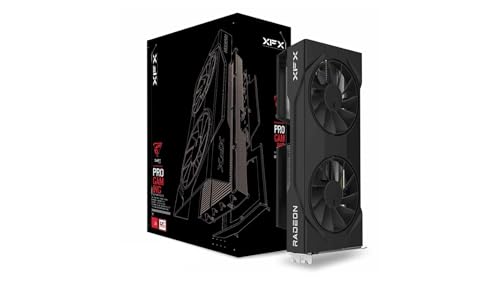


The XFX Swift RX 9060 XT OC Gaming Edition offers 16GB GDDR6, a dual-fan cooling solution, and a boost clock up to 3320 MHz. It is a straightforward option for buyers who want strong memory capacity without stepping up to a premium-priced tier.
✓ Pros
- 16GB GDDR6 supports demanding modern games
- Boost clock up to 3320 MHz suggests strong performance headroom
- Dual fan cooling helps with thermal management
- Competitive price for a 16GB card
- Good choice for players focused on value
✗ Cons
- Less feature-rich than some competing models
- May not appeal to buyers wanting advanced aesthetics or extras
ASUS Prime AMD Radeon RX 9070 XT 16GB GDDR6 White OC Edition Graphics Card 4.0★ (price shown: $748.15) 13% OFF — Was $859.00 ✓ Prime
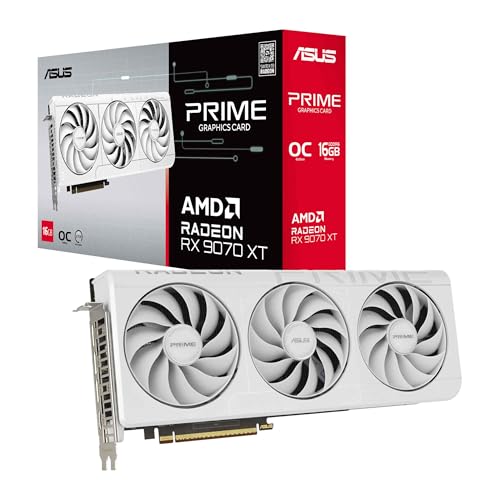


This is the premium option in the list, with 16GB GDDR6, OC mode up to 3030 MHz, a phase-change GPU thermal pad, Axial-tech fans, and a 3-year warranty. It is a strong pick if you want high-end performance and cooling in a white-themed build.
✓ Pros
- Premium cooling and thermal pad design
- 16GB VRAM is suitable for demanding gaming and creative use
- High boost and game clocks for strong performance
- Dual BIOS adds flexibility
- 3-year warranty provides added peace of mind
✗ Cons
- Significantly more expensive than RX 9060 XT options
- Overkill if you only need a card for 1080p gaming
Common Mistakes to Avoid
1. Assuming more VRAM always means better performance. VRAM capacity matters, but it does not replace GPU power. A faster card with slightly less VRAM may outperform a slower card with more memory in some games.
2. Buying only for today’s 1080p use. If you plan to upgrade to 1440p or 4K later, 8GB may age too quickly. It is often smarter to buy a card with more headroom now.
3. Ignoring game settings. Ultra textures, ray tracing, and mods can dramatically increase VRAM usage. A card that is fine at medium settings may struggle at ultra.
4. Confusing system RAM with VRAM. They are not the same thing. Your PC can have plenty of RAM and still run into GPU memory limits if the graphics card’s VRAM is too small.
5. Overbuying for simple tasks. If you mostly play esports games or do light everyday use, 16GB or 24GB may be unnecessary. Spend where it matters most for your workload.
Frequently Asked Questions
Is 8GB VRAM enough in 2026?
Yes, 8GB can still be enough for many 1080p games, especially esports and less demanding titles. However, newer AAA games, high textures, and mods can push past 8GB more often now.
Is 12GB VRAM better than 8GB for gaming?
Yes, 12GB is generally the safer choice for modern gaming. It gives you more room for higher textures, better stability, and a longer useful lifespan.
Do I need 16GB VRAM for 1440p?
Not always, but 16GB is a very comfortable target for 1440p gaming. It is especially helpful if you want ultra settings, ray tracing, or future-proofing.
When is 24GB VRAM worth it?
24GB is usually best for heavy 4K gaming, professional creative work, AI workloads, or very demanding modded setups. Most gamers do not need that much unless they have a specific high-end use case.
How much VRAM do I need for work and editing?
For light editing, 8GB to 12GB may be enough. For serious video editing, 3D work, or AI tools, 16GB or more is a better target.
Frequently asked questions
- Is 8GB VRAM enough in 2026?
- Yes, 8GB can still be enough for many 1080p games, especially esports and less demanding titles. However, newer AAA games, high textures, and mods can push past 8GB more often now. Is 12GB VRAM better than 8GB for gaming?
- Is 12GB VRAM better than 8GB for gaming?
- Yes, 12GB is generally the safer choice for modern gaming. It gives you more room for higher textures, better stability, and a longer useful lifespan. Do I need 16GB VRAM for 1440p?
- Do I need 16GB VRAM for 1440p?
- Not always, but 16GB is a very comfortable target for 1440p gaming. It is especially helpful if you want ultra settings, ray tracing, or future-proofing. When is 24GB VRAM worth it?
- When is 24GB VRAM worth it?
- 24GB is usually best for heavy 4K gaming, professional creative work, AI workloads, or very demanding modded setups. Most gamers do not need that much unless they have a specific high-end use case. How much VRAM do I need for work and editing?
- How much VRAM do I need for work and editing?
- For light editing, 8GB to 12GB may be enough. For serious video editing, 3D work, or AI tools, 16GB or more is a better target.
Get the Full Tech Buyer's Guide
Join our free newsletter — we'll send our latest Tech picks, specs and verdicts straight to your inbox.
Free. No spam. Unsubscribe anytime.
Was this review helpful?
Be the first to share your feedback on this review.
Sign in to vote and let us know what you think.
Discussion (0)
No comments yet. Be the first to start the discussion.
Related Reviews
8 Best 32GB RAM Kits in 2026 — Faster Gaming, Smoother Multitasking, and Better Value
If you’re shopping for the best 32GB RAM kits 2026, the biggest challenge is sorting out which kits actually fit your PC, your motherboard, and your budget. Some buyers need a fast DDR5 2x16GB kit for gaming, while others just want a reliable DDR4 upgrade that won’t overcomplicate installation. This

8 Best DDR5 6000 RAM in 2026 — Fastest Stable Picks for Gaming, Workloads, and Easy XMP/EXPO Tuning
If you’re shopping for the best DDR5 6000 RAM, you’re probably trying to balance speed, stability, and compatibility without overpaying for specs you won’t feel. DDR5 6000MHz has become the sweet spot for many modern AMD and Intel builds, especially for gamers and creators who want strong performanc
8 Best RAM for Ryzen 9000 in 2026 — DDR5-6000 EXPO Picks for Stable, Fast Builds
If you’re building a Ryzen 9000 PC, the biggest RAM headache is choosing a kit that delivers strong gaming performance without causing stability issues. The best RAM for Ryzen 9000 usually means DDR5-6000 with EXPO support, sensible timings, and a matched kit that your CPU and motherboard can run re