

What is How Long Should a Laptop Last? A Complete 2026 Guide
If you’re wondering how long should a laptop last, you’re probably trying to avoid replacing a device too early or overpaying for one that won’t hold up. The honest answer depends on build quality, usage, maintenance, and whether the laptop was designed for light browsing or heavy everyday work. In this guide, you’ll learn the real lifespan of laptops, what affects durability, and which models from the research list make sense for different budgets and needs.
Related Reviews
How It Works
A laptop’s lifespan is mostly determined by how its core parts age over time. The battery slowly loses capacity, the storage drive can wear out, the cooling system may collect dust, and the processor and memory can become too limited for modern software demands.
Think of a laptop like a small, portable system where every component has a different life expectancy. The screen and keyboard often last for years if protected, but batteries, hinges, fans, and storage are usually the first parts to show wear. That’s why two laptops bought in the same year can age very differently depending on how they’re built and used.
Software matters too. Even if the hardware still works, a laptop can feel “old” when it no longer receives security updates or struggles with current apps. For many buyers, the practical question is not just whether the laptop powers on, but whether it still performs well enough to be useful.
Key Benefits & Use Cases
Understanding laptop lifespan helps you spend smarter and avoid unnecessary upgrades. It also helps you match the right machine to the right workload so you don’t expect a budget device to behave like a premium one.
Common use cases where lifespan matters most
- School and basic browsing: A lighter Chromebook-style laptop can be enough for several years if the workload stays simple.
- Work and productivity: A midrange Windows laptop with more RAM and SSD storage usually stays useful longer.
- Family or shared use: Durable hinges, decent battery life, and easy charging become more important.
- Budget buying: Refurbished laptops can be a smart short-term value if expectations are realistic.
- Long-term ownership: Better processors, more memory, and larger SSDs tend to extend practical lifespan.
Typical lifespan by category
- Budget Chromebooks: Often 3–5 years of practical use for light tasks.
- Mainstream laptops: Commonly 4–6 years with normal care.
- Higher-spec business laptops: Can often stay useful 5–8 years or more.
What to Look For When Buying
If you want a laptop to last, focus on the parts that most affect durability and long-term usefulness. These five criteria matter more than flashy marketing claims.
1. Processor and performance headroom
Choose a processor that has enough power for today’s tasks and some room for future software demands. A laptop that feels “fast enough” on day one is more likely to stay usable for longer.
2. RAM
More memory helps a laptop handle multiple tabs, apps, and updates without bogging down. For longevity, 4GB is bare minimum for very light use, while 8GB or more is a better long-term choice.
3. Storage type and capacity
An SSD is generally more durable and responsive than older mechanical drives. Capacity matters too, because a nearly full drive can slow down the system and make it feel older than it is.
4. Battery life and charging behavior
A laptop with strong battery life and efficient charging is easier to keep in regular use. Poor battery performance is one of the fastest ways a laptop becomes inconvenient.
5. Build quality and support
Sturdy hinges, a good keyboard, and reliable warranty or service support can extend the real-world life of a laptop. Even a powerful model can become annoying if the chassis feels fragile.
Top Recommended Products
Below are the research-backed product options from the provided list. These are not hands-on test results; they’re based on published specs, owner feedback patterns, value, and feature comparisons.
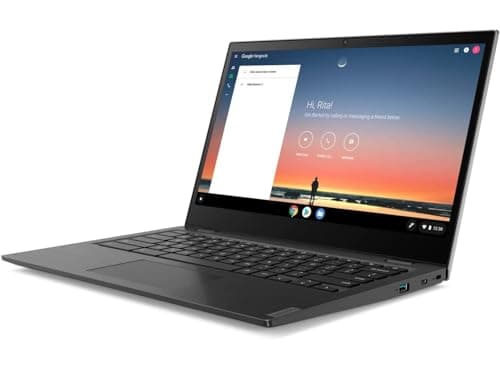
Lenovo 14e Chromebook $50.39 86% OFF — Was $372.74 ✓ Prime
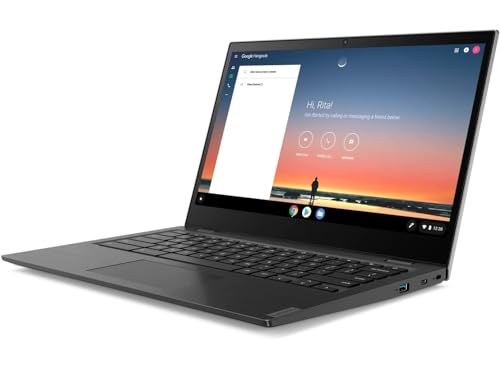


Best for: ultra-budget buyers who want simple everyday use and long battery life on a low-cost device.
- ✓ 14-inch Full HD display gives you more room than many entry-level Chromebooks.
- ✓ Up to 10 hours of battery life supports all-day light use.
- ✓ 32GB eMMC storage is enough for cloud-first Chrome OS workflows.
- ✓ Lightweight, simple design is easy to carry and maintain.
- ✓ Prime eligibility and a very low sale price improve value.
- ✗ 4GB RAM and 32GB storage are limiting for heavy multitasking.
- ✗ Renewed condition may not suit buyers who want a brand-new device.
- ✗ Best for basic tasks, not demanding apps.
HP Chromebook 11 G6 Ee $67.99 ✓ Prime
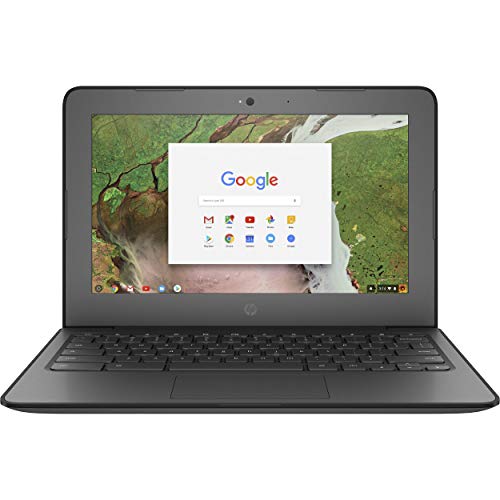

Best for: very light users who want a compact, low-cost Chromebook for browsing and schoolwork.
- ✓ Small 11.6-inch size is easy to carry and store.
- ✓ Chrome OS keeps the system simple and low-maintenance.
- ✓ 4GB RAM is adequate for basic web tasks.
- ✓ Budget-friendly renewed pricing lowers the upfront cost.
- ✗ 16GB storage is very limited.
- ✗ Smaller screen may feel cramped for long sessions.
- ✗ Not ideal if you want long-term flexibility.
Lenovo 100e $45.00 83% OFF — Was $268.88 ✓ Prime
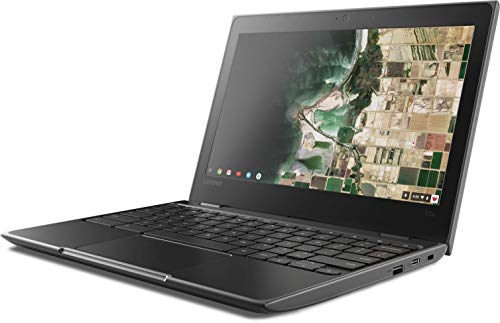

Best for: the lowest-cost option for basic Chrome OS use, especially if you need a simple device fast.
- ✓ Very low price makes it one of the cheapest ways to get a laptop-like device.
- ✓ 16GB SSD is better than older storage types for responsiveness.
- ✓ Spill-resistant keyboard adds some practical durability.
- ✓ USB-C and 802.11ac improve modern connectivity.
- ✗ 11.6-inch HD display is modest for productivity.
- ✗ 4GB RAM and 16GB storage are tight for future-proofing.
- ✗ Best viewed as a short-list budget purchase, not a long-term powerhouse.
Dell 15 Laptop DC15250 $549.99 14% OFF — Was $639.99 ✓ Prime
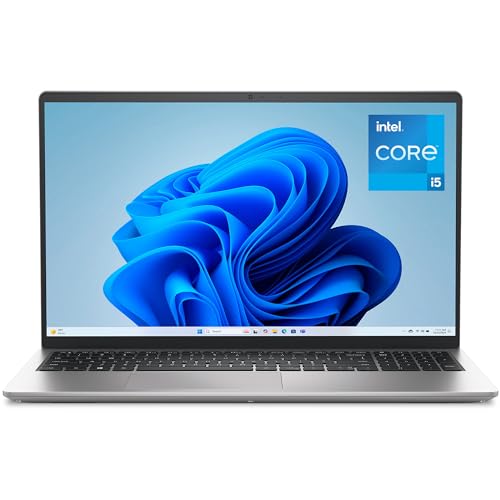

Best for: buyers who want the strongest long-term value and the best chance of staying useful for years.
- ✓ Intel Core i5-1334U offers much more performance headroom than the budget Chromebooks.
- ✓ 16GB RAM is excellent for multitasking and future software demands.
- ✓ 512GB SSD provides strong speed and plenty of storage.
- ✓ 15.6-inch FHD 120Hz display is more comfortable for long-term daily use.
- ✓ Onsite service adds peace of mind if something goes wrong.
- ✗ Costs far more than the budget options.
- ✗ Heavier and less minimal than a small Chromebook.
- ✗ More machine than some casual users actually need.
Common Mistakes to Avoid
- Buying too little RAM: A laptop with minimal memory may work today but age quickly as apps get heavier.
- Ignoring storage limits: Small storage fills up fast and can make a laptop feel slow or outdated.
- Overlooking battery condition: Battery wear is one of the most common reasons a laptop stops feeling practical.
- Choosing the cheapest option without a use case: A bargain laptop can be a smart buy, but only if it matches your needs.
- Expecting a basic Chromebook to replace a full productivity laptop: Chrome OS is efficient, but it has limits.
Frequently Asked Questions
How long should a laptop last on average?
Most laptops last about 4 to 6 years for typical users, though lighter-use devices can last longer and budget models may feel outdated sooner.
What shortens a laptop’s lifespan the most?
Heat, battery wear, heavy multitasking, dust buildup, and outdated software are among the biggest factors that reduce a laptop’s usable life.
Can a laptop last 10 years?
Yes, some laptops can physically last 10 years or more, but many will no longer be practical for modern software, security updates, or everyday performance.
Is it worth buying a renewed laptop for longevity?
It can be, especially if the price is low and your needs are basic. Renewed laptops are best when you understand they may have less remaining lifespan than new models.
What specs help a laptop last longer?
More RAM, a larger SSD, a stronger processor, good battery life, and solid build quality all help a laptop stay useful for a longer period.
Pros
- + Low-cost options for basic use
- + Better long-term value in the Dell 15
- + Prime-eligible picks
- + Clear durability and storage guidance
Cons
- – Budget models have limited RAM/storage
- – Renewed units may have shorter remaining life
- – Cheapest picks are not future-proof
- – Premium option costs more upfront
Frequently asked questions
- How long should a laptop last on average?
- Most laptops last about 4 to 6 years for typical users, though lighter-use devices can last longer and budget models may feel outdated sooner.
- What shortens a laptop’s lifespan the most?
- Heat, battery wear, heavy multitasking, dust buildup, and outdated software are among the biggest factors that reduce a laptop’s usable life.
- Can a laptop last 10 years?
- Yes, some laptops can physically last 10 years or more, but many will no longer be practical for modern software, security updates, or everyday performance.
- Is it worth buying a renewed laptop for longevity?
- It can be, especially if the price is low and your needs are basic. Renewed laptops are best when you understand they may have less remaining lifespan than new models.
- What specs help a laptop last longer?
- More RAM, a larger SSD, a stronger processor, good battery life, and solid build quality all help a laptop stay useful for a longer period.
Get the Full Tech Buyer's Guide
Join our free newsletter — we'll send our latest Tech picks, specs and verdicts straight to your inbox.
Free. No spam. Unsubscribe anytime.
Was this review helpful?
Be the first to share your feedback on this review.
Sign in to vote and let us know what you think.
Discussion (0)
No comments yet. Be the first to start the discussion.
Related Reviews
8 Best Laptop Sleeves 16 Inch in 2026 — Slim Protection, Better Organization
If you’re shopping for the best laptop sleeves 16 inch, the hardest part is finding one that actually fits a modern 16-inch laptop without feeling bulky or flimsy. The right sleeve should protect against scratches, bumps, and daily commutes while still sliding easily into a backpack or briefcase. Be
8 Best Wireless Mice for MacBook in 2026 — Quiet, Portable Picks That Work Better with macOS
If your MacBook’s trackpad is slowing you down, the right wireless mouse can make everyday work faster, quieter, and far more comfortable. The best wireless mice for MacBook should connect easily, feel good in the hand, and avoid the lag or compatibility headaches that ruin productivity. In this res
What is ChromeOS vs Windows vs MacOS? A Complete 2026 Guide
If you’re trying to choose between ChromeOS vs Windows vs MacOS, the hardest part is usually not the price—it’s figuring out which system actually fits how you work, study, stream, game, and travel. Each platform is built around a different philosophy, so the “best” choice depends on whether you wan